1. Fampidirana
The EGQINR Smart Bracelet is a sophisticated wearable device designed to help you monitor your health and fitness activities. This manual provides essential information for setup, operation, maintenance, and troubleshooting to ensure optimal use of your device.

Image: The EGQINR Smart Bracelet, showcasing its elegant design with interchangeable bands.
2. Inona no ao anaty boaty
- 1 x EGQINR DS02 Jewelry Smart Bracelet
- 1 x Boky Torolàlana
- 1 x tariby tariby andriamby
- 1 x Gift Packaging
- 2 x Replacement Straps (Brushed Stainless Steel and Hypoallergenic Silicone)

Image: A visual representation of all items included in the EGQINR Smart Bracelet package.
3. Torolàlana fananganana
3.1 Famandrihana ny fitaovana
Before initial use, fully charge your Smart Bracelet. Connect the magnetic charging cable to the charging points on the back of the device and plug the USB-A end into a compatible power source. A full charge typically lasts 20-30 days in regular use or 5-7 days with continuous operation.

Image: The magnetic charging interface of the Smart Bracelet.
3.2 Fampidinana sy fametrahana fampiharana
To access all features and data, download the 'QWatch Pro' app. Scan the QR code provided in the manual or search for 'QWatch Pro' in your device's app store (compatible with iOS & Android).
3.3 Fanampiana fitaovana
Follow these steps to pair your Smart Bracelet with the 'QWatch Pro' app:
- Ataovy azo antoka fa mandeha ny Bluetooth ny findainao.
- Open the 'QWatch Pro' app.
- Navigate to the 'Device' page and select 'Add device'.
- Hitady ny 'DS02' (or 'H59' as indicated in some materials) and click 'Connect'.
- Confirm the pairing request on your phone.
- Once connected, the app will display the device's battery level.

Image: Visual guide for connecting the Smart Bracelet to the companion app.
Video: Instructions on how to connect the Smart Bracelet (H59) with your phone.
4. Torolàlana miasa
4.1 Fanaraha-maso ny fahasalamana
The Smart Bracelet continuously monitors various health metrics throughout the day. Detailed data and analysis reports are available in the 'QWatch Pro' app.
- Ny tahan'ny fo: Fanaraha-maso tsy tapaka ny tahan'ny fitempon'ny fonao.
- Fiovaovan'ny fitepon'ny fo (HRV): Manome fanazavana momba ny rafi-pitatitra autonomic anao.
- Tosi-drà: Tracks your blood pressure levels.
- Ra oksizenina (SpO2): Mandrefy ny saturation oksizenina ao amin'ny ranao.
- Haavon'ny adin-tsaina: Monitors and analyzes your daily stress.

Sary: Overview of 24/7 accurate health monitoring features.
4.2 Fanaraha-maso ny torimaso
The device tracks your sleep patterns 24/7, including sleep duration, deep sleep, light sleep, and wake-up times. This data helps you understand and improve your sleep quality.

Image: All-day sleep monitoring features and data display.
4.3 Activity Tracking & Sport Modes
Monitor your daily steps, distance, and calories burned. The bracelet supports over 170 sport modes, including walking, running, cycling, swimming, yoga, and more. It also offers 3 GPS modes for outdoor activities, allowing you to view movement trajectories in the app.

Image: 24/7 Activity Tracking and various sport modes.
4.4 Multiple Practical Functions
The Smart Bracelet includes various smart features to enhance your daily life:
- Vibration Reminders: For incoming calls and messages.
- Fampahatsiahivana mipetrapetraka: Mandrisika anao hihetsika rehefa avy tsy nanao na inona na inona nandritra ny fotoana tsy niasana.
- Famantaranandro: Set silent alarms.
- Fomba Aza manelingelina: Mute notifications when needed.
- Mitadiava fitaovana: Locate your bracelet if misplaced.
- Fanaraha-maso sary: Fehezo lavitra ny fakantsarin'ny findainao.
- Apple Health Sync: Seamlessly integrates with Apple Health for comprehensive data management.
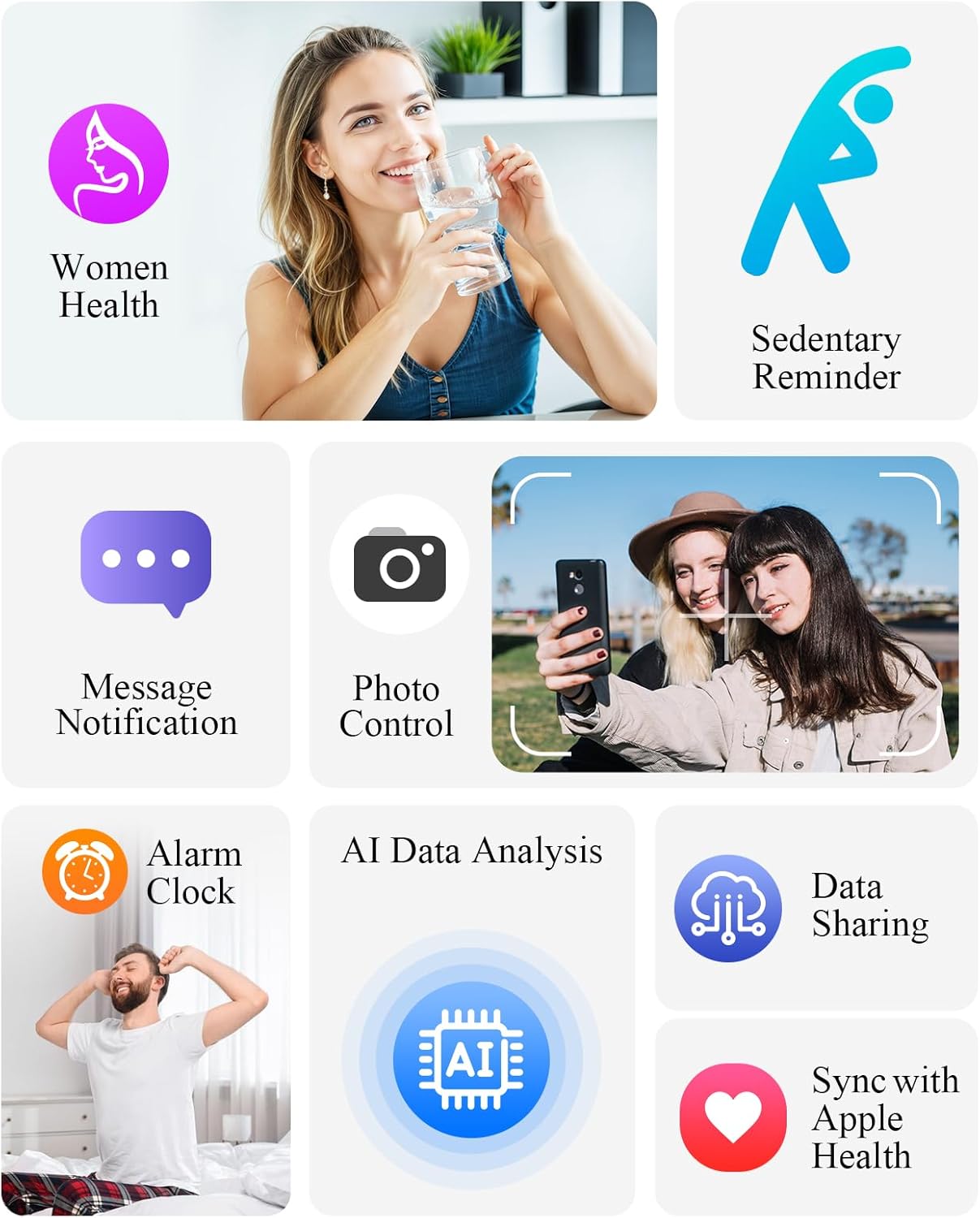
Sary: Overview of multiple practical functions.
Vidéo: Vitaview of the Smart Bracelet's features including 24H Sleep, HR, BP, HRV Monitor, and 170+ Sport Modes.
5. Fikojakojana
5.1 Fanaraha-maso ny rano
The EGQINR Smart Bracelet has an IP68 waterproof rating. This means it is resistant to water splashes, sweat, and light rain. You can confidently wear it during hand washing or light water-related tasks. However, it is not suitable for showering, swimming, sauna, or diving.
5.2 Fanadiovana
To maintain the device's performance and appearance, regularly clean the bracelet and the sensor area with a soft, dry cloth. Avoid using harsh chemicals or abrasive materials.
5.3 Fitehirizana
Tehirizo ao amin'ny toerana mangatsiatsiaka sy maina lavitry ny tara-masoandro mivantana sy ny mari-pana tafahoatra ny fitaovana rehefa tsy ampiasaina mandritra ny fotoana maharitra.
6. Famahana olana
If you encounter any issues with your EGQINR Smart Bracelet, please try the following general steps:
- Ataovy azo antoka fa feno ny fitaovana.
- Check that Bluetooth is enabled on your smartphone and the device is properly paired with the 'QWatch Pro' app.
- Restart both your smartphone and the Smart Bracelet.
- Update the 'QWatch Pro' app to the latest version.
- Refer to the 'Product Instructions' section within the 'QWatch Pro' app for more specific guidance.
If problems persist, contact EGQINR customer support for further assistance.
7. Famaritana
| endri-javatra | antsipirihany |
|---|---|
| Marika | EGQINR |
| Laharana modely | B0FFSTZB62 |
| Lanja entana | 5.6 oz |
| Fahaizana bateria | 55 Miliamp ORA |
| Fiainana bateria (fampiasana mahazatra) | 20-30 andro |
| Battery Life (Continuous Operation) | 5-7 andro |
| Rating tsy tantera-drano | IP68 |
| Rafitra fikirakirana | Wear OS 3.0, Android & iOS |
| Teknolojia fifandraisana | Bluetooth |
| GPS | GPS Via Smartphone |
| Fahaizana fitahirizana fahatsiarovana | 64 mb |
8. Warranty sy fanohanana
For warranty information and customer support, please refer to the official EGQINR website or contact the seller directly. The 'QWatch Pro' app also provides a dedicated support section.


