1. Fampidirana
This manual provides detailed instructions for the Inkbird IBS-P01R Wireless Pool Thermometer and the Inkbird IBS-TH2 Freezer Wireless Thermometer. These devices are designed to monitor temperature in various environments, offering convenience and accuracy for both indoor and outdoor applications.
The IBS-P01R is a floating, waterproof thermometer ideal for monitoring water temperatures in pools, spas, and aquariums. It transmits data wirelessly to a receiver, allowing you to check readings remotely.
The IBS-TH2 is a compact Bluetooth temperature sensor suitable for monitoring ambient temperatures in refrigerators, freezers, rooms, greenhouses, and more. It connects to your smartphone via Bluetooth for real-time data, historical graphs, and alert notifications.

Image 1.1: Inkbird IBS-P01R Wireless Pool Thermometer (floating sensor and receiver) and Inkbird IBS-TH2 Bluetooth Temperature Sensor.
2. Ireo singa
Azafady, jereo ny votoatin'ny fonosana mba hahazoana antoka fa misy ny entana rehetra:
- Inkbird IBS-P01R Floating Pool Thermometer: This unit floats in water and measures temperature.
- Inkbird IBS-P01R Receiver: Displays the temperature reading from the floating sensor.
- Inkbird IBS-TH2 Bluetooth Temperature Sensor: A compact sensor for ambient temperature monitoring.
- Boky Torolàlana ho an'ny Mpampiasa (ity antontan-taratasy ity).
Fanamarihana: Batteries are typically not included and must be purchased separately. The IBS-TH2 requires 2 AAA batteries.
3. Fametrahana
3.1. Inkbird IBS-P01R Wireless Pool Thermometer
- Ampidiro ny bateria: Open the battery compartment on both the floating sensor and the receiver. Insert the required batteries, ensuring correct polarity. Close the compartments securely.
- Herim-batana: Turn on both the floating sensor and the receiver. They should automatically attempt to pair.
- Fametrahana: Place the floating sensor in the water (e.g., pool, spa, fish pond). Ensure it floats freely and is not obstructed. Position the receiver within the maximum wireless range of 300 feet (without obstacles) for optimal signal reception.

Image 3.1: Inkbird IBS-P01R Floating Pool Thermometer.
3.2. Inkbird IBS-TH2 Bluetooth Temperature Sensor
- Ampidiro ny bateria: Open the battery compartment on the IBS-TH2 sensor. Insert 2 AAA batteries, observing correct polarity. Close the compartment.
- Misintona fampiharana: Download the official Inkbird app from your smartphone's app store (iOS or Android).
- mampiaraka: Enable Bluetooth on your smartphone. Open the Inkbird app and follow the on-screen instructions to add and pair the IBS-TH2 device. The sensor should appear in the app's device list.
- Fametrahana: Place the IBS-TH2 sensor in the desired monitoring location, such as a refrigerator, freezer, room, greenhouse, or wine cellar. Ensure it is within the Bluetooth range of your smartphone (up to 98 feet without obstacles).

Image 3.2: Inkbird IBS-TH2 Bluetooth Temperature Sensor.
4. Fampandehanana
4.1. Inkbird IBS-P01R Wireless Pool Thermometer
- Fampisehoana maripana: The receiver will display the current water temperature measured by the floating sensor. The display typically shows temperature in both Fahrenheit and Celsius.
- Wireless Range: The system offers a wireless connection range of up to 300 feet (91 meters) in open areas, allowing you to monitor water temperature from indoors.
- Design tsy tantera-drano: The floating sensor is IPX7 waterproof, making it suitable for continuous immersion in water.

Image 4.1: Applications for the IBS-P01R Pool Thermometer.
4.2. Inkbird IBS-TH2 Bluetooth Temperature Sensor
- Fanaraha-maso fampiharana: Once connected via Bluetooth, open the Inkbird app to view famakiana mari-pana amin'ny fotoana tena izy.
- Data logging: The IBS-TH2 has a built-in memory that stores up to 30,000 data points, allowing for historical temperature tracking.
- Advanced App Features: The app supports features such as:
- Temperature Graph: Visualize temperature trends over time.
- Fanamarinana ny fahamarinan'ny fandrefesana: Adjust the sensor's readings for precise measurements.
- Fanairana amin'ny mari-pana ambony/ambany: Set custom temperature thresholds to receive notifications if readings fall outside the desired range.
- Fanondranana angona: Export historical data for analysis.
- Sampelanelam-potoana: Adjust how frequently the sensor records data.
- Range Bluetooth: The sensor maintains a Bluetooth connection up to 98 feet (30 meters) without obstacles.
- IPX4 tsy tantera-drano: The IBS-TH2 is IPX4 splash-proof, making it suitable for use in environments like refrigerators.

Image 4.2: IBS-TH2 in a refrigerator, highlighting IPX4 waterproof rating.

Image 4.3: Applications for the IBS-TH2 Bluetooth Temperature Sensor.
5. Fikojakojana
5.1. Fanadiovana
- IBS-P01R Floating Sensor: The manufacturer recommends hand washing only. Use a soft cloth and mild soap with water to clean the exterior. Avoid abrasive cleaners or harsh chemicals.
- IBS-P01R Receiver & IBS-TH2 Sensor: Fafao ny ivelany amin'ny malefaka, damp cloth. Do not immerse these units in water.
5.2. Fanoloana bateria
When the battery indicator on the receiver (for IBS-P01R) or in the app (for IBS-TH2) shows low power, replace the batteries promptly. Refer to the setup section for battery type and insertion instructions.
5.3. fitahirizana
If the devices will not be used for an extended period, remove the batteries to prevent leakage and store the units in a cool, dry place away from direct sunlight.
6. Famahana olana
| Olana | Antony mety hitranga | vahaolana |
|---|---|---|
| No temperature reading on IBS-P01R receiver. | Batteries low or dead; sensor/receiver out of range; pairing issue. | Replace batteries in both units. Move receiver closer to the sensor. Power cycle both units to re-establish connection. |
| IBS-TH2 not connecting to app. | Bluetooth off on phone; sensor batteries low; sensor out of range; app issue. | Ensure phone's Bluetooth is enabled. Replace sensor batteries. Move phone closer to sensor. Restart the app or phone. Re-pair the device in the app. |
| Famakiana mari-pana tsy marina. | Improper sensor placement; need for calibration (IBS-TH2). | Ensure sensors are placed correctly and not exposed to direct heat/cold sources. For IBS-TH2, use the app's calibration feature if necessary. |
| Short wireless/Bluetooth range. | Obstructions (walls, metal); interference from other devices. | Reduce obstructions between units. Move units away from other electronic devices that may cause interference. |
7. Famaritana
| endri-javatra | IBS-P01R Wireless Pool Thermometer | IBS-TH2 Bluetooth Temperature Sensor |
|---|---|---|
| Marika | Inkbird | |
| Anarana modely | IBS-P01R | IBS-TH2 |
| fifandraisana | Wireless (300ft / 91m range) | Bluetooth (98ft / 30m range) |
| Temperature Range | -40°C hatramin'ny 70°C (-40°F hatramin'ny 158°F) | -40°C hatramin'ny 60°C (-40°F hatramin'ny 140°F) |
| Fahamarinan'ny maripana | Tsy voasoritra | ± 0.5 ° C / ± 0.9 ° F |
| Rating tsy tantera-drano | IPX7 | IPX4 |
| Loharanon-kery | Battery Powered | 2 x AAA Batterie (tsy tafiditra) |
| Karazana fampisehoana | Digital (on receiver) | Nomerika (amin'ny alalan'ny fampiharana) |
| Endri-javatra manokana | Fanaraha-maso lavitra Wireless | App Control, Data Logging (30,000 points), Alarms, Calibration |
| KEVITRA | plastika | |

Image 7.1: Inkbird IBS-P01R Dimensions.
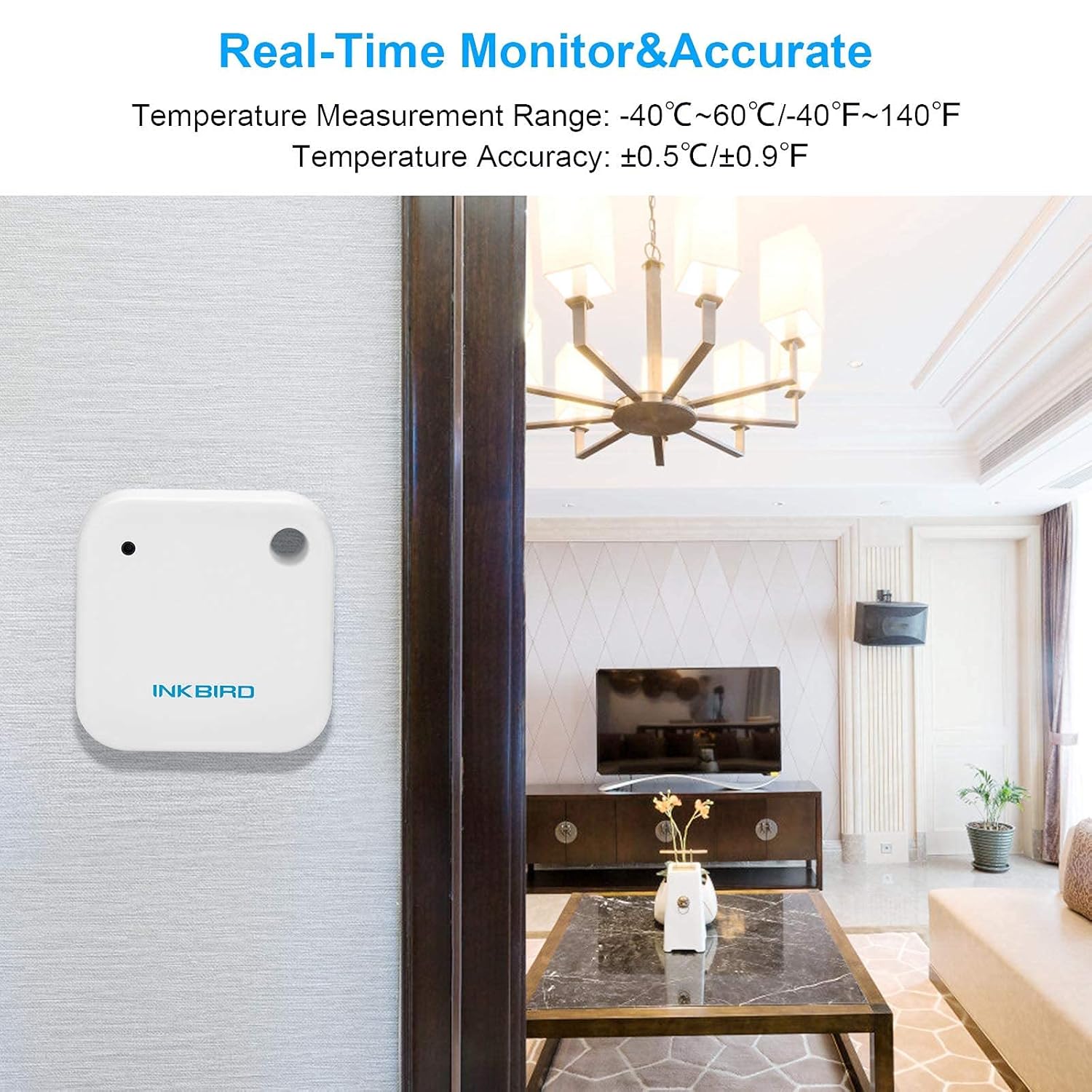
Image 7.2: IBS-TH2 Real-Time Monitor & Accuracy.
8. Warranty & Fanohanana
8.1. Fampahalalana momba ny fiantohana
Inkbird products typically come with a standard manufacturer's warranty. Please refer to the warranty card included with your product or visit the official Inkbird website for specific warranty terms and conditions applicable to the IBS-P01R and IBS-TH2 models.
8.2. Fanohanana ny mpanjifa
For technical assistance, troubleshooting not covered in this manual, or warranty claims, please contact Inkbird customer support through their official website or the contact information provided in your product packaging. Ensure you have your product model numbers (IBS-P01R, IBS-TH2) and purchase details ready when contacting support.


