1. Fampidirana
This manual provides detailed instructions for the proper installation, operation, and maintenance of your Sony MEX-N4200BT Single-Din Car Stereo Receiver. Please read this manual thoroughly before using the unit to ensure correct usage and to prevent damage. Keep this manual for future reference.
2. Information momba ny fiarovana
- Fiarovana mitondra fiara: Always operate the unit safely. Distracted driving can lead to accidents.
- haavon'ny volume: Keep the volume at a level where you can still hear outside sounds, such as emergency vehicles.
- Loharano herinaratra: Ampifandraiso amin'ny bateria fiara 12V DC misy "ground négatif" ihany ny fitaovana.
- Wiring: Ensure all wiring is correctly connected to prevent short circuits or damage. Refer to the wiring diagram carefully.
- Fametrahana matihanina: If you are unsure about installation, consult a qualified professional.
- Aza hamandoana (Avoid Moisture): Aza atao amin'ny orana na ny hamandoana ny fitaovana mba hisorohana ny afo na ny fahatafintohinana elektrika.
3. Ny votoatin'ny fonosana
Hamarino fa misy ny entana rehetra ao anaty fonosana:
- Sony MEX-N4200BT Car Stereo Receiver
- Fitaovana fisintonana
- Microphone ivelany
- Fanaraha-maso lavitra
- Installation Hardware (Screws, Mounting Sleeve)
- User Manual (ity antontan-taratasy ity)
4. Fametrahana sy fametrahana
Proper installation is crucial for optimal performance. Disconnect the vehicle's negative battery terminal before starting installation.
4.1 Wiring Diagram
Refer to the diagram below for correct wiring connections. Ensure all connections are secure and insulated.

Sary 4.1: aoriana view of the Sony MEX-N4200BT receiver, illustrating the wiring harness connection points, RCA pre-outputs for front, rear, and subwoofer, the external microphone input, and the 10A fuse. The multi-colored wires of the harness are visible, indicating connections for power, ground, speakers, and accessories.
- Hery (Mavo): Connect to constant 12V power.
- Accessory (Red): Connect to switched 12V power (ignition).
- tany (mainty): Connect to a clean chassis ground point.
- Wires mpandahateny: Connect to vehicle's speaker wires, observing polarity.
- Remote Turn-On (Blue/White): Connect to amplifier remote input (if applicable).
- Microphone: Plug the external microphone into the designated input on the rear panel. Position the microphone in a clear area for optimal voice pickup.
- Pre-Outs: Use RCA cables to connect to external ampfitaovana fanamafisam-peo ho an'ny fantsona eo anoloana, aoriana ary subwoofer.
4.2 Fametrahana
Insert the mounting sleeve into the dashboard opening. Bend the tabs to secure it. Slide the receiver into the mounting sleeve until it locks into place.
4.3 Herin'ny voalohany
After all connections are made and the unit is mounted, reconnect the vehicle's negative battery terminal. Turn on the vehicle's ignition. The unit should power on. Follow any on-screen prompts for initial setup, such as language selection or clock setting.
5. Fampandehanana
5.1 Fanaraha-maso fototra
Familiarize yourself with the front panel controls for easy operation.

Sary 5.1: Front panel of the Sony MEX-N4200BT receiver, displaying the main rotary knob (volume/enter), source button, call buttons, seek buttons, display button, and numbered preset buttons. The unit features blue illumination around the main controls.
- Rotary Knob (Volume/Enter): Turn to adjust volume. Press to select menu items or confirm actions.
- SRC (Source) Button: Press to cycle through available audio sources (Tuner, CD, USB, Bluetooth Audio, AUX).
- CALL Buttons: Use for hands-free calling (answer/end calls).
- SEEK +/- Buttons: Use to change radio stations, tracks, or navigate menus.
- Bokotra MENU: Access the main menu for settings and adjustments.
- Numbered Buttons (1-6): Used for radio station presets, direct track selection, or menu navigation.
- DSPL (Display) Button: Changes display information or illumination settings.
5.2 Fifandraisana Bluetooth
The MEX-N4200BT features built-in Bluetooth for hands-free calling and audio streaming.
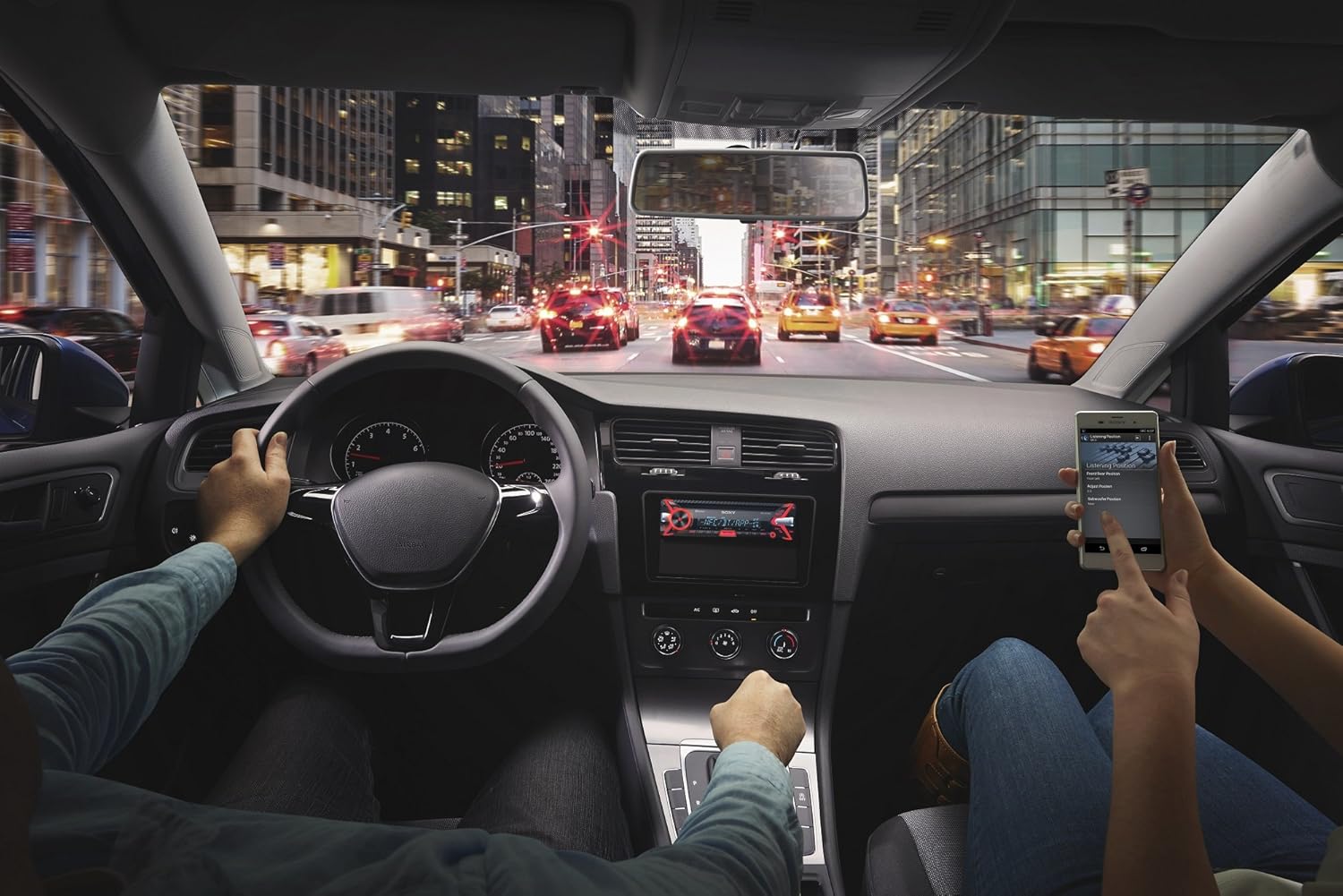
Sary 5.2: An in-car scene demonstrating smartphone integration with the car stereo. The driver is focused on the road, while a passenger interacts with a smartphone, likely controlling music or navigation through the Sony MEX-N4200BT receiver.
- mampiaraka:
- Alefaso ny Bluetooth amin'ny findainao.
- Eo amin'ny mpandray, safidio ny loharanon'ny Bluetooth.
- Hitady ny available devices on your smartphone and select "MEX-N4200BT".
- Hamafiso ny kaody fampiarahana raha asaina.
- Hands-Free Calling (HFP, PBAP):
- Once paired, you can make and receive calls through the receiver.
- Use the CALL buttons on the front panel.
- The external microphone ensures clear voice transmission.
- The unit supports Phone Book Access Profile (PBAP) to display caller names.
- Audio Streaming (A2DP, AVRCP):
- Stream music wirelessly from your smartphone to the receiver.
- Use the receiver's controls (SEEK buttons) or your smartphone to play, pause, and skip tracks.
- Supports Advanced Audio Distribution Profile (A2DP) for high-quality audio and Audio/Video Remote Control Profile (AVRCP) for basic remote functions.
- Fifandraisana Bluetooth roa sosona: The unit allows connecting two Bluetooth devices simultaneously. One for full functionality (hands-free, audio streaming) and a second for hands-free calling only.
5.3 USB Playback
Connect a USB device (flash drive, smartphone) to the front USB port for audio playback.
- Supported audio formats include MP3, WMA, and FLAC.
- Use the SEEK buttons to navigate folders and tracks.
- The USB port also provides charging for connected devices.
5.4 CD/MP3 Playback
Insert a CD into the disc slot. The unit will automatically switch to the CD source and begin playback.
- Supports CD, CD-R, and CD-RW discs.
- Plays MP3/WMA files burned onto CDs.
- Press the EJECT button to remove a disc.
5.5 Radio (AM/FM)
Select the Tuner source to listen to AM/FM radio.
- Bika matoanteny Press and hold SEEK buttons to manually tune.
- Mitadiava Tuning: Press SEEK buttons briefly to automatically search for the next strong station.
- Preset: Store your favorite stations using the numbered buttons (1-6). Press and hold a numbered button to save the current station.
5.6 Fampidirana fanampiny
Connect external audio devices (e.g., portable music players) to the front 3.5mm auxiliary input jack using a stereo mini-plug cable.
5.7 Fikirakirana feo
Customize your audio experience using the built-in sound adjustment features.

Sary 5.3: A smartphone screen showing a graphic equalizer interface, allowing precise adjustment of audio frequencies across 10 bands, from 32 Hz to 16 kHz. This illustrates the detailed sound customization available through the unit or its companion app.
- 10-Band Graphic Equalizer: Access through the MENU button to fine-tune audio frequencies for optimal sound quality. Adjust bass, mid-range, and treble levels.
- Mega Bass: This feature enhances low-frequency sounds for a more powerful bass response.
- Preamp Output: The unit provides 2 sets of preamp outputs (front, rear, and subwoofer) for connecting external amplifiers, allowing for a more powerful and customizable sound system.

Sary 5.4: A close-up of the Sony MEX-N4200BT front panel, with a finger pressing the prominent 'MEGA BASS' button, indicating activation of the bass enhancement feature.
5.8 Fampidirana amin'ny finday avo lenta
The receiver is compatible with Apple iPhone (iOS) and Android devices, offering control over various applications.
- Fanaraha-maso fampiharana: Use compatible apps like Pandora, Spotify, and iHeartRadio directly through the receiver's controls or via the Sony SongPal app (if installed on your smartphone).
- Feo fanaraha-maso: Utilize your smartphone's voice assistant (e.g., Siri, Google Assistant) through the receiver for hands-free commands, navigation, and communication.
6. Fikojakojana
- Fanadiovana ny Unit: Mampiasà lamba malefaka sy maina mba hamafa ny takelaka eo anoloana. Ho an'ny loto mafy loha, diaampen ny lamba misy rano. Halaviro ny mpanadio na solvents.
- Detaching the Faceplate: The faceplate is detachable for theft deterrence. Press the release button (usually near the top left of the faceplate) and gently pull the faceplate off. Store it in the provided case.
- CD Slot: Keep the CD slot free of dust and debris. Do not insert anything other than standard CDs.
7. Famahana olana
If you encounter issues, refer to the table below for common problems and solutions before contacting support.
| OLANA | Antony mety hitranga | vahaolana |
|---|---|---|
| Tsy misy hery | Blown fuse; incorrect wiring; vehicle battery discharged. | Check and replace fuse (10A); verify wiring connections; charge vehicle battery. |
| Tsy misy feo | Volume too low; mute activated; speaker wires disconnected; incorrect source selected. | Ampitomboy ny feo; vonoy ny fampanginana; jereo ny fifandraisan'ny fanamafisam-peo; mifidiana ny loharanon-peo marina. |
| Tsy mifandray/mifampitohy ny Bluetooth | Bluetooth off on phone/receiver; device out of range; pairing mode not active. | Ensure Bluetooth is on; bring devices closer; activate pairing mode on receiver. |
| CD error | Dirty or scratched disc; disc inserted incorrectly. | Clean disc; ensure disc is inserted correctly with label side up. |
| Tsy fantatra ny fitaovana USB | sokafana file format; damaged USB device; improper connection. | antoka files are MP3/WMA/FLAC; try a different USB device; re-insert USB device. |
8. Famaritana
| endri-javatra | antsipirihany |
|---|---|
| Laharana modely | Ampahany MEX-N4200BT |
| Haben'ny Chassis | Single-DIN |
| Herinaratra mivoaka (Teboka ambony indrindra) | 55 watts x 4 channels |
| Famoahana herinaratra (RMS) | 20 watts x 4 channels |
| Preamp BOKYtage | 2 Volts |
| Preamp Outputs | 2 Sets (Front, Rear, Subwoofer) |
| Karazana fampisehoana | LCD |
| Teknolojia fifandraisana | Auxiliary, Bluetooth, USB |
| Bluetooth Version | 3.0 + EDR certified |
| Bluetooth Profiles Tohanana | HFP, PBAP, A2DP, AVRCP, SPP |
| Famerenana ny haino aman-jery tohanana | CD, CD-R/RW, MP3, WMA, WAV, AAC, FLAC (via USB) |
| Equalizer | 10-band graphic equalizer |
| Fampidirana USB | Front USB |
| Fampidirana fanampiny | Front 3.5mm |
| Fitaovana mifanentana | Smartphone (Android, iOS) |
| Lanja entana | 2.64 kilao (eo ho eo. 1.2 kg) |
| Ny refin'ny vokatra | 9.82 x 9.5 x 9.07 santimetatra (tokony ho 24.9 x 24.1 x 23.0 cm) |
9. Warranty sy fanohanana
9.1 Warranty avy amin'ny mpanamboatra
This Sony MEX-N4200BT receiver comes with a Garantie mpanamboatra 1 taona. Please retain your proof of purchase for warranty claims. The warranty covers defects in materials and workmanship under normal use. It does not cover damage caused by misuse, accident, unauthorized modification, or improper installation.
9.2 Fanohanana ny mpanjifa
For technical assistance, troubleshooting beyond this manual, or warranty service, please contact Sony customer support. Refer to the official Sony webtranonkala hahazoana ny fampahalalana farany indrindra hifandraisana, anisan'izany ny laharan-telefaona sy loharano fanohanana an-tserasera.