1. Vokatra mihoatraview
The JBL Professional LSR310S is a powered 10-inch studio monitor subwoofer designed to extend the low-frequency performance of any studio monitor system. It delivers deep, dynamic bass response and is an ideal companion for JBL 3 Series studio monitors. Its robust design ensures faithful audio reproduction for critical listening environments.

Sary 1: Eo anoloana view of the JBL Professional LSR310S Subwoofer. This image displays the sleek black finish and the front-firing port design.
2. Inona no ao anaty boaty
- JBL Professional LSR310S Studio Monitor Subwoofer
- Cable herinaratra
- Torolàlana fananganana

Figure 2: Included accessories: Quick Setup Guide and Power Cable.
3. Torolàlana fananganana
Proper setup is crucial for optimal performance of your LSR310S subwoofer. Follow these steps for connection and initial configuration.
3.1 Fametrahana
Position the subwoofer on the floor, ideally between your main studio monitors. Experiment with placement to find the optimal bass response for your listening environment. The patented JBL front-firing Slip Stream™ port design allows for flexible placement without compromising low-frequency extension.
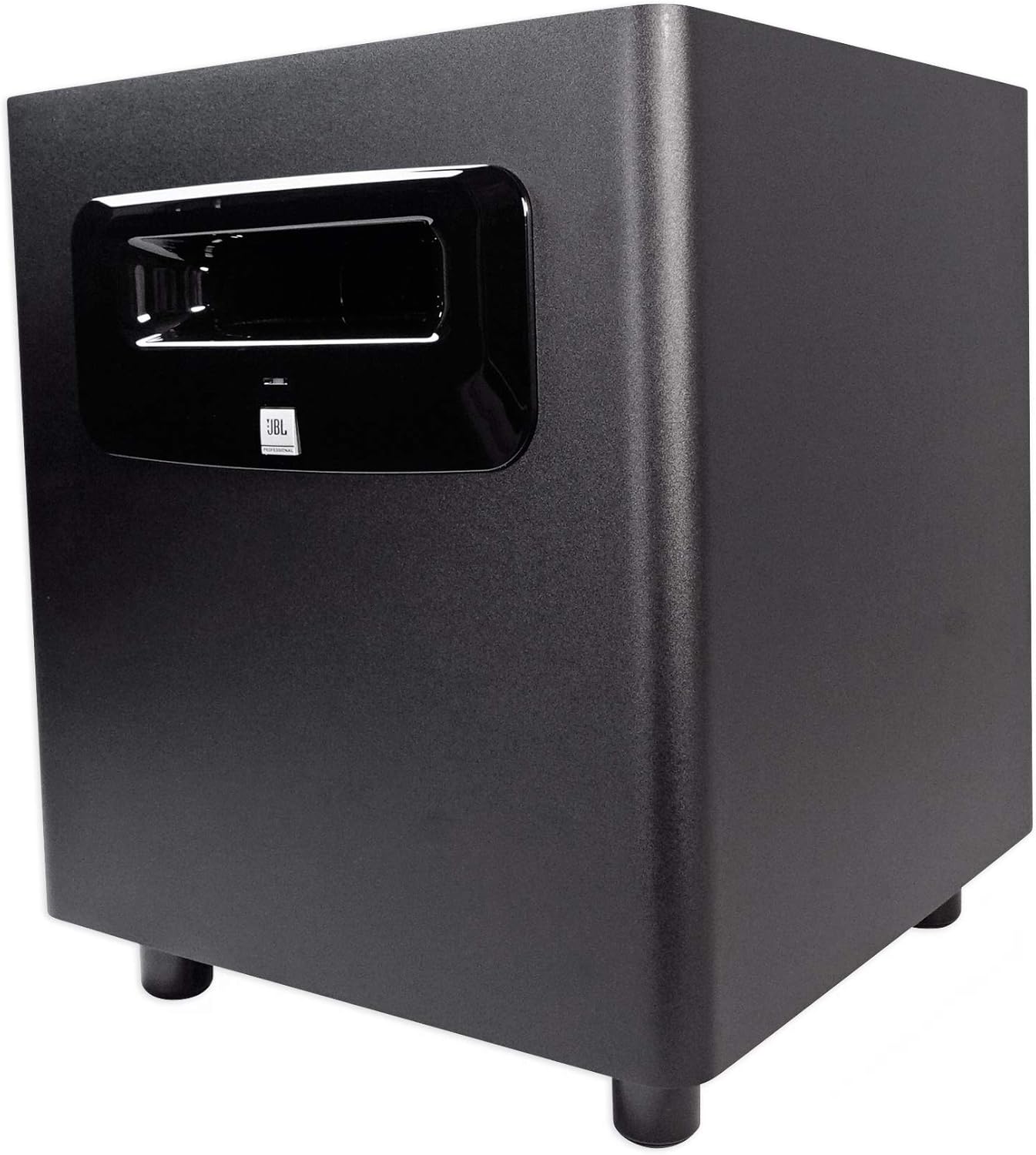
Sary 3: lafiny view of the JBL Professional LSR310S Subwoofer, showing its compact design suitable for various placements.
3.2 Fifandraisana Audio
The LSR310S features professional balanced XLR and 1/4" TRS inputs and XLR outputs, allowing seamless integration into any studio monitor system or for use as an LFE channel in a surround sound setup.
- Connect your audio source (e.g., audio interface, mixer) to the INPUTS on the subwoofer using balanced XLR or 1/4" TRS cables.
- Connect ny VOKATRA of the subwoofer to your main studio monitors. The subwoofer will pass the processed signal to your monitors.
- Ataovy azo antoka fa azo antoka ny fifandraisana rehetra.
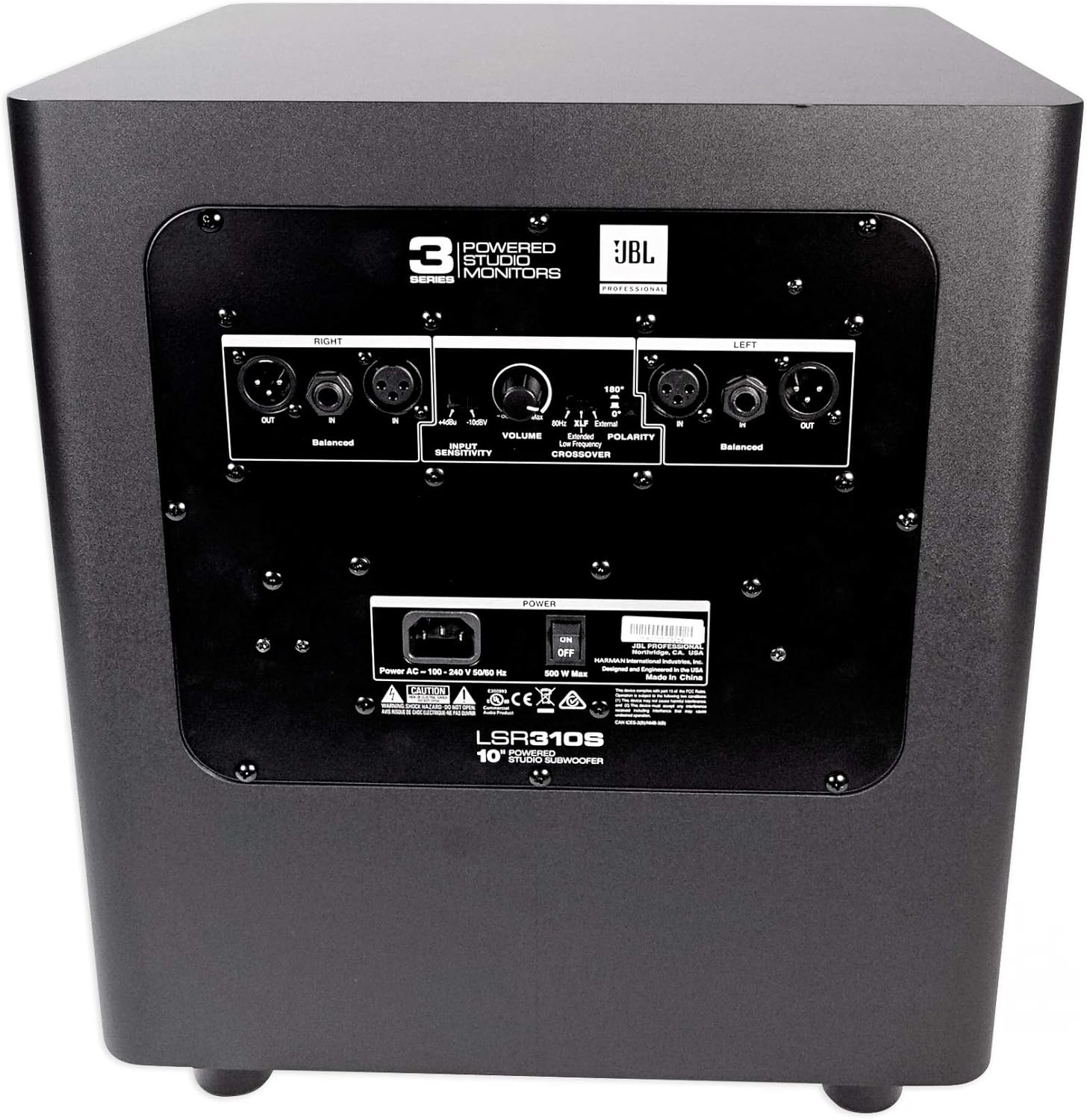
Figure 4: Rear panel of the LSR310S, detailing the input/output connections and control knobs.
3.3 Fampifandraisana herinaratra
- Connect the provided power cable to the AC inlet on the rear panel of the subwoofer.
- Ampidiro ao amin'ny fantson-jiro AC efa voafandrika amin'ny tany ny ilany ilany amin'ny tariby herinaratra.
- Ensure the power switch is in the OFF position before connecting to power.
4. Torolàlana miasa
Familiarize yourself with the controls on the rear panel to optimize your listening experience.
4.1 Fampivoarana voalohany
- After all connections are made, switch the power button to the ON position. The power indicator will illuminate.
- Slowly increase the volume of your audio source and the subwoofer to a comfortable listening level.
4.2 Fanaraha-masoview
- Fanaraha-maso ny feo: Manamboatra ny haavon'ny feo amin'ny ankapobeny amin'ny subwoofer.
- Frequency Crossover: Select the crossover point (e.g., 80 Hz, 100 Hz, 120 Hz) to seamlessly integrate the subwoofer with your main monitors.
- Polarity Switch: Adjusts the phase of the subwoofer (0° or 180°) to ensure optimal acoustic alignment with your main monitors.
- -10dBV/+4dBu Sensitivity Switch: Ensures compatibility with a broad range of signal sources, preventing input overload from high-output professional equipment.
- XLF Setting: Activates an extended low-frequency tuning that emulates the bass response found in dance clubs, providing an inspiring sound for dance music production.
5. endri-javatra
- Patented Slip Stream™ Port: This unique port design works in concert with the 10-inch low-frequency driver for deep, dynamic bass response at all playback levels. Its double-flared shape optimizes low-frequency extension.
- XLF Extended Low Frequency Setting: A JBL innovation, this setting emulates the ample bass tuning used in today's dance clubs, inspiring producers working on dance tracks.
- Custom-Designed 10-inch Driver: Engineered for deep low-frequency response down to 20 Hz and 113 dB peak output, ensuring long-term reliability even at full rated power.
- Professional Balanced Inputs and Outputs: Features balanced XLR and 1/4" inputs and XLR outputs for versatile connectivity with any studio monitor system or surround sound setup.
- Selectable Input Sensitivity: The -10dBV/+4dBu sensitivity switch ensures compatibility with various signal sources, preventing input overload from high-output professional equipment.
6. Famaritana
| famaritana | sarobidy |
|---|---|
| Anarana modely | LSR310S |
| Karazana mpandahateny | Subwoofer |
| Savaivony woofer | 10 santimetatra (25.4 santimetatra) |
| Mpandahateny Hery Output faratampony | 200 Watts |
| Famaliana matetika | 27 Hz |
| Famaritana fanamafisam-peo | 113 dB |
| Teknolojia fifandraisana | Wired (2 x XLR, 2 x TRS Balanced) |
| Audio Output Mode | Stereo, Manodidina |
| Ny refin'ny vokatra | 15.7" D x 15" W x 17.7" H |
| Lanja entana | 34.3 kilao (15.6 kilao) |
| KEVITRA | Polyvinyl Chloride (PVC) |
| loko | Mainty |
| Fampidirana Voltage | 110 Volts |

Figure 5: Dimensions of the JBL Professional LSR310S Subwoofer.
7. Famahana olana
If you encounter issues with your LSR310S subwoofer, refer to the following common troubleshooting steps:
- Tsy misy feo: Ensure the subwoofer is powered on, the volume is turned up, and all audio cables are securely connected. Check the audio source for output.
- Feo diso: Verify that the input sensitivity switch is correctly set for your equipment. Reduce the volume of the subwoofer and/or the audio source. Check for damaged cables.
- Hum na Buzz: Ensure all equipment is properly grounded. Try using the Ground Lift switch if available on your audio interface or mixer. Check for loose connections.
- Bass malemy: Adjust the volume and crossover frequency settings. Experiment with subwoofer placement in your room. Ensure the polarity switch is correctly set for optimal phase alignment with your main monitors.
8. Fikojakojana
To ensure the longevity and optimal performance of your JBL Professional LSR310S subwoofer, follow these maintenance guidelines:
- Fanadiovana: Use a soft, dry cloth to clean the exterior of the subwoofer. Avoid using abrasive cleaners, solvents, or waxes, as these can damage the finish.
- rivotra: Ensure adequate airflow around the subwoofer. Do not block the rear panel or any vents.
- Tontolo iainana: Operate the subwoofer in a stable environment, away from extreme temperatures, humidity, and direct sunlight.
- Fitantanana tariby: Keep audio and power cables organized and free from kinks or excessive tension to prevent damage.
9. Lahatsary vokatra ofisialy
Jereo ny lahatsary ofisialy momba ny vokatra raha mila fanazavana fanampinyview of JBL Studio Monitors, including the 3 Series, which the LSR310S is a part of.
Lahatsary 1: Mihoatraview of JBL LSR305 5" 2-Way Powered Studio Monitor. This video provides insights into the JBL 3 Series studio monitors, which the LSR310S subwoofer is designed to complement.
10. Warranty & Fanohanana
10.1 Fampahalalana momba ny fiantohana
The JBL Professional LSR310S Subwoofer comes with a Limited Warranty. Please refer to the detailed warranty card included in your product packaging or visit the JBL Professional website for specific terms and conditions regarding coverage duration and service.
10.2 Fanohanana ny mpanjifa
For technical assistance, troubleshooting, or service inquiries, please contact JBL Professional customer support. Contact details can be found in your product documentation or on the official JBL Professional website.