Ievads
This manual provides essential instructions for the safe and efficient use of your Philips TAT5000 True Wireless Bluetooth Earbuds. Please read this guide thoroughly before operating the device and retain it for future reference. These earbuds feature Adaptive Noise Canceling Pro, 6-mic call technology, and Bluetooth 5.4 multipoint connectivity, designed for a superior audio experience.
Kas atrodas kastē
- Philips TAT5000 True Wireless Earbuds (Left and Right)
- Uzlādes futrālis
- USB-C uzlādes kabelis
- Ausu uzgaļi (mazi, vidēji, lieli)
- Lietotāja rokasgrāmata

Image: Philips TAT5000 True Wireless Earbuds shown inside their open charging case, ready for use.
Iestatīšana
1. Austiņu un maciņa uzlādēšana
Before first use, fully charge the earbuds and charging case. Connect the USB-C charging cable to the charging port on the case and to a power source. The charging indicators on the case will show the charging status. A full charge provides up to 40 hours of total playtime (10 hours from earbuds + 30 hours from case with ANC off). A 15-minute quick charge provides approximately 3 hours of playtime.

Image: The Philips TAT5000 charging case, closed, displaying its USB-C charging port on the front.
2. Savienošana pārī ar jūsu ierīci
- Pārliecinieties, vai austiņas ir uzlādētas un ievietotas uzlādes futrālī.
- Atveriet uzlādes futrāli. Austiņas automātiski pārslēgsies pārī savienošanas režīmā.
- Savā ierīcē (viedtālrunī, planšetdatorā, klēpjdatorā) iespējojiet Bluetooth un meklējiet jaunas ierīces.
- Select "Philips TAT5000" from the list of available devices to connect.
- For Android devices, Google Fast Pair allows for instant connection. For Windows devices, Microsoft Swift Pair offers quick pairing.
- The earbuds support Bluetooth 5.4 multipoint connectivity, allowing connection to two devices simultaneously.
3. Pareizo austiņu izvēle
Choose the soft silicone eartips (S/M/L) that provide the most comfortable and secure fit for optimal sound quality and noise cancellation performance.
Lietošanas instrukcijas
1. Ieslēgšana/izslēgšana
- Ieslēgšana: Atveriet uzlādes vāciņu, un austiņas tiks automātiski ieslēgtas.
- Izslēgt: Ievietojiet austiņas atpakaļ uzlādes futrālī un aizveriet vāku. Tās automātiski izslēgsies.
2. Music Playback (Touch Controls)
- Atskaņot/pauzēt: Vienreiz pieskarieties skārienpanelim uz jebkuras austiņas.
- Nākamais ieraksts: Veiciet dubultskārienu skārienpanelim uz labās austiņas.
- Iepriekšējais ieraksts: Veiciet dubultskārienu skārienpanelim kreisajā austiņā.
3. Call Management (Touch Controls)
- Atbildēt/beigt zvanu: Vienreiz pieskarieties skārienpanelim uz jebkuras austiņas.
- Noraidīt zvanu: Nospiediet un 2 sekundes turiet nospiestu skārienpaneli uz jebkuras austiņas.
4. Trokšņa kontroles režīmi
The earbuds feature Adaptive Noise Canceling Pro. Tap the touch panel (specific earbud/pattern may vary, refer to app for customization) to cycle through modes:
- Adaptive Noise Canceling (ANC): Samazina apkārtējo troksni.
- Izpratnes režīms: Ļauj sadzirdēt apkārtējo vidi.
- Quick Awareness: Amplifies voices for quick conversations without removing earbuds.
5. Philips Headphones App
Download the Philips Headphones App for additional features, including:
- Skārienvadības pielāgošana.
- Adjusting Equalizer (EQ) settings.
- Managing ANC levels and modes.
- Programmaparatūras atjauninājumu saņemšana.
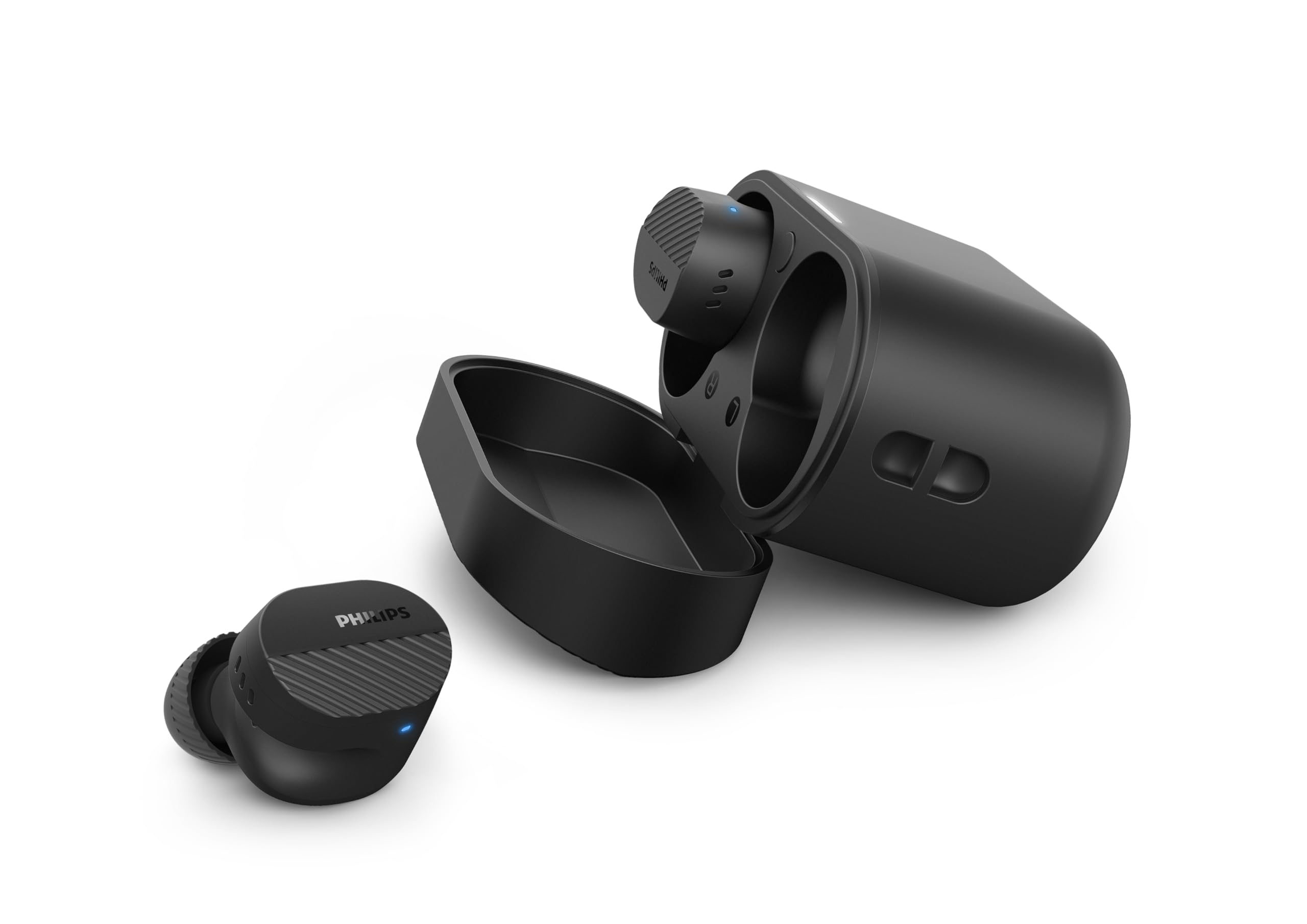
Image: A person holds the Philips TAT5000 earbuds in their charging case in one hand and a smartphone displaying the Philips Headphones app settings in the other, demonstrating app control.
Apkope
Tīrīšana
- Viegli noslaukiet austiņas un uzlādes futrāli ar mīkstu, sausu, neplūksnojošu drānu.
- Izņemiet ausu uzgaļus un notīriet tos ar maigām ziepēm un ūdeni, pēc tam rūpīgi nosusiniet, pirms uzliekat atpakaļ.
- Nelietojiet abrazīvus tīrīšanas līdzekļus, spirtu vai ķīmiskos šķīdinātājus.
Ūdensizturība
The earbuds are IPX5 water resistant, meaning they are protected against sweat and splashes of water. They are not designed for submersion in water. Ensure the charging port is dry before charging.
Uzglabāšana
Store the earbuds in their charging case when not in use to protect them and conserve battery life. Avoid extreme temperatures.
Problēmu novēršana
| Problēma | Iespējamais cēlonis | Risinājums |
|---|---|---|
| Austiņas neieslēdzas | Zems akumulators | Ievietojiet austiņas uzlādes futrālī un pilnībā uzlādējiet. |
| Nevar savienot pārī ar ierīci. | Bluetooth off, earbuds not in pairing mode, or device too far | Ensure Bluetooth is enabled on your device. Open the charging case to activate pairing mode. Move device closer to earbuds. Try forgetting the device in Bluetooth settings and re-pairing. |
| Nav skaņas vai slikta skaņas kvalitāte | Incorrect eartip size, low volume, or connection issue | Adjust eartips for a secure fit. Increase volume on your device. Reconnect earbuds to your device. |
| ANC nedarbojas efektīvi | Improper fit, or ANC mode not active | Ensure earbuds are properly seated in your ears with the correct eartip size. Verify ANC is enabled via touch controls or the Philips Headphones App. |
| Uzlādes futrālis netiek uzlādēts | Bojāts kabelis vai strāvas avots | Try a different USB-C cable and power adapter. Ensure the charging port is clean and dry. |
If issues persist, refer to the Philips Headphones App for further assistance or contact customer support.
Specifikācijas
- Modeļa nosaukums: TAT5000BK/00
- Savienojamība: Bluetooth 5.4
- Audio draiveri: 8mm Graphene-Coated Dynamic Driver
- Akumulatora darbības laiks: Up to 40 Hours Total (10 hours earbuds + 30 hours case, ANC off)
- Ātrā uzlāde: 15 minūtes 3 stundu atskaņošanas laikam
- Ūdens izturība: IPX5 (izturīgs pret sviedriem un šļakatām)
- Kontroles metode: Pieskarieties
- Trokšņa kontrole: Adaptive Noise Canceling Pro
- Svars: Approximately 4.16 ounces (earbuds and case)
- Iekļautie komponenti: Earbuds, Charging Case, USB-C Cable, Eartips, User Manual
Garantija un atbalsts
Your Philips TAT5000 True Wireless Bluetooth Earbuds are covered by a limited warranty. Please refer to the warranty card included in your product packaging or visit the official Philips webvietni, lai iepazītos ar detalizētiem garantijas noteikumiem un nosacījumiem, kas attiecas uz jūsu reģionu.
For technical support, product registration, or frequently asked questions, please visit the Philips support website or contact Philips customer service directly. Contact information can typically be found on the Philips webvietnē vai produkta dokumentācijā.