1. Ievads
Thank you for choosing the HP OneShred 15CC Cross-Cut Shredder. This manual provides essential information for the safe and efficient operation, maintenance, and troubleshooting of your new shredder. Please read this manual thoroughly before using the device and keep it for future reference.

1. attēls: HP OneShred 15CC Cross-Cut Shredder. This image shows the shredder from an angled perspective, highlighting its white body, dark grey top panel with controls, and the transparent viewatkritumu tvertnes logs.
2. Svarīga drošības informācija
Lai nodrošinātu drošu darbību un novērstu traumas vai bojājumus, lūdzu, ievērojiet šādus drošības pasākumus:
- Turiet rokas, matus un vaļīgu apģērbu tālāk no papīra ievades atveres.
- Do not insert more than the recommended number of sheets (15 sheets) at once to prevent jams.
- Turiet bērnus un mājdzīvniekus tālāk no smalcinātāja.
- Pirms atkritumu tvertnes pārvietošanas, tīrīšanas vai iztukšošanas atvienojiet smalcinātāju no elektrotīkla.
- Smalcinātāja tuvumā neizmantojiet aerosola izstrādājumus.
- Do not shred metallic items other than staples and small paper clips.
- Operate the shredder on a flat, stable surface.
- Do not expose the shredder to water or moisture.
- If the shredder overheats, allow it to cool down for the recommended period before resuming operation.
3. Iestatīšana
- Izpakošana: Carefully remove the shredder from its packaging. Ensure all protective materials, such as Styrofoam and plastic wraps, are removed.
- Izvietojums: Place the shredder on a stable, level surface. Ensure there is adequate space around the unit for ventilation and access to the power outlet.
- Strāvas pieslēgums: Locate the power cable and plug it into the power inlet on the back of the shredder. Then, plug the other end into a standard electrical outlet.
- Atkritumu tvertne: Pārliecinieties, vai atkritumu tvertne ir pareizi ievietota smalcinātāja korpusā. Smalcinātājs nedarbosies, ja tvertne nav pareizi novietota.

2. attēls: The HP OneShred 15CC shredder positioned in an office setting, demonstrating its compact size and suitability for office use.
4. Lietošanas instrukcijas
4.1 Vadības ierīces un indikatori

3. attēls: Tuvplāns view of the shredder's top panel, showing the control buttons (REV, Power, FWD) and indicator lights for overload and overheat status.
- Ieslēgšanas/izslēgšanas poga (centrā): Turns the shredder on/off and sets it to standby mode.
- FWD (Forward) Button: Manually activates the shredding mechanism in forward direction.
- REV (Reverse) Button: Reverses the shredding mechanism to clear paper jams.
- Overload Indicator (Red Flashing): Illuminates when too much paper is inserted.
- Overheat Indicator (Red/Blue): Red indicates overheating; blue indicates standby.
4.2 Shredding Documents
- Ieslēgšana: Press the power button to turn on the shredder. The standby indicator (blue) will light up.
- Ievietošanas materiāls: Insert up to 15 sheets of A4 paper, credit cards, or documents with staples into the paper entry slot. The shredder will automatically start shredding.
- Automātiskā apstāšanās: The shredder will automatically stop once the shredding process is complete.
- Darba cikls: The shredder is designed for a continuous operation of approximately 10 minutes. After this period, allow the shredder to cool down for about 50 minutes to prevent overheating.
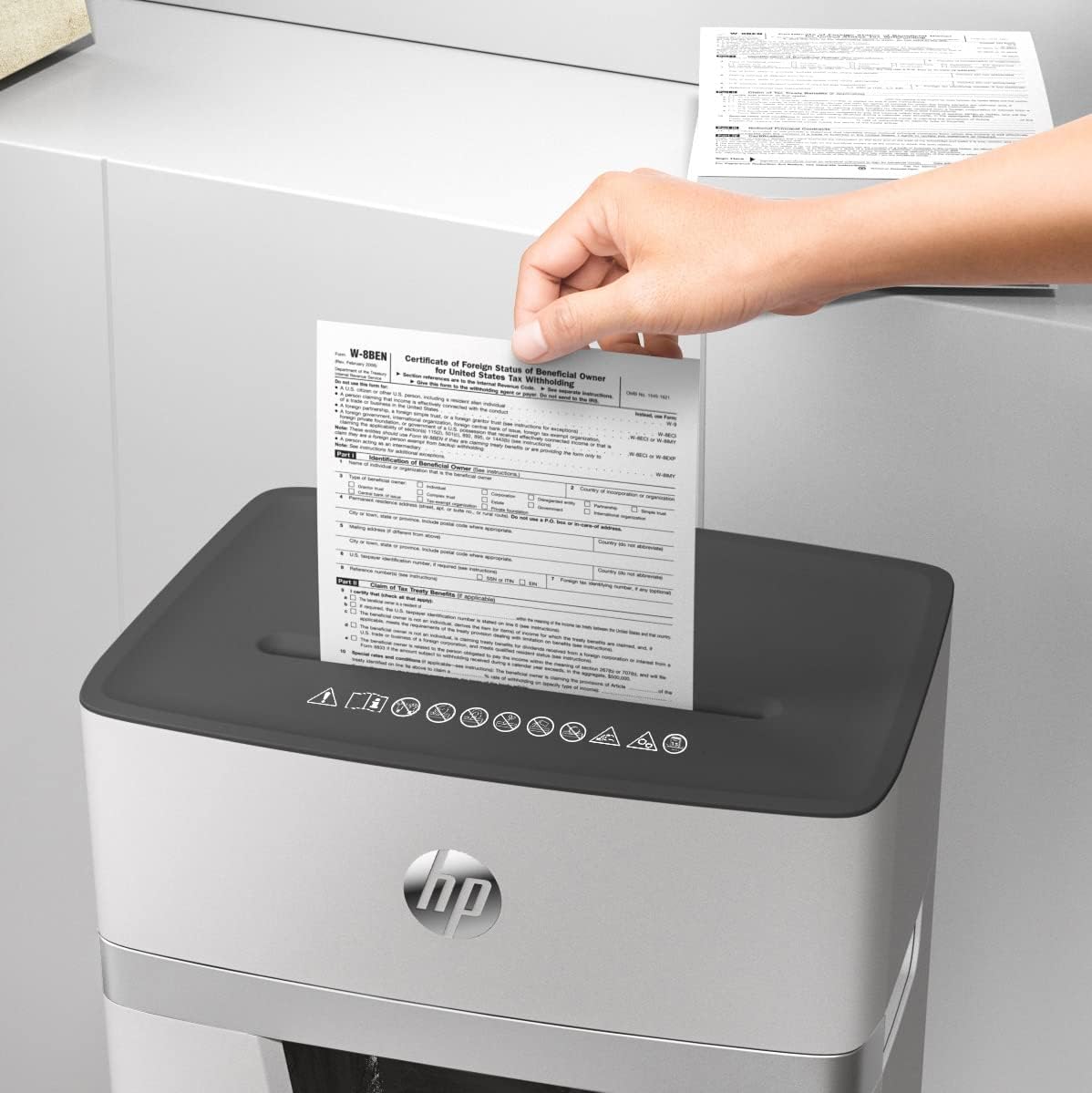
4. attēls: A hand feeding multiple sheets of paper into the shredder's entry slot, demonstrating its paper handling capability.
5. Apkope
5.1. Atkritumu tvertnes iztukšošana
The HP OneShred 15CC features a 20-liter waste bin with a viewing window, allowing you to monitor the fill level.
- Izslēgt: Always unplug the shredder from the power outlet before emptying the waste bin.
- Noņemt atkritni: Pull the collection container straight out from the shredder body.
- Tukšs saturs: Izmetiet sasmalcināto materiālu.
- Reinsert Bin: Slide the empty bin back into the device until it clicks securely into place.
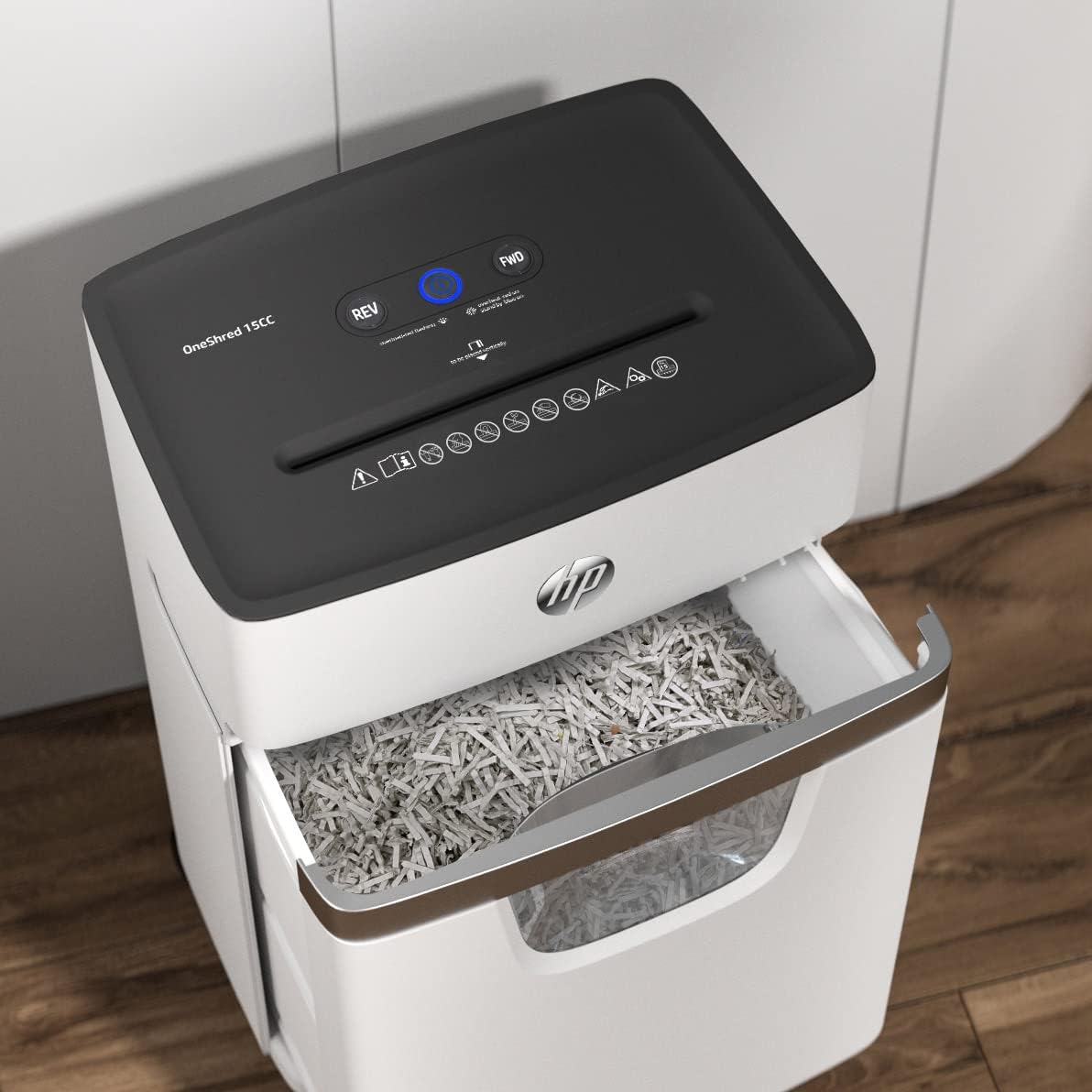
5. attēls: The shredder with its waste bin partially pulled out, revealing the shredded paper inside and demonstrating the ease of emptying.
5.2 Oiling the Cutters
Regular oiling of the shredder's cutting mechanism is crucial for maintaining optimal performance and extending the lifespan of the device. Use a shredder oil sheet or liquid shredder oil.
- Using Oil Sheets: Insert one shredder oil sheet into the paper entry slot as you would with regular paper. The shredder will process the sheet, lubricating the cutters.
- Using Liquid Oil: Apply a thin line of shredder oil across the paper entry slot. Then, run a few sheets of paper through the shredder to distribute the oil.
- Biežums: Oil the shredder after every 30 minutes of cumulative shredding or when you notice a decrease in performance or increased noise.
6. Traucējummeklēšana
| Problēma | Iespējamais cēlonis | Risinājums |
|---|---|---|
| Smalcinātājs neieslēdzas. |
|
|
| Papīra iestrēgums. |
|
|
| Shredder stops during operation (Overheat). |
|
|
| Reduced shredding performance or increased noise. |
|
|
7. Specifikācijas
| Funkcija | Detaļas |
|---|---|
| Modeļa numurs | 2803 |
| Sasmalcināšanas veids | Šķērsgriezums |
| Drošības līmenis | P-4 |
| Loksnes ietilpība | 15 sheets (A4, 80 gsm) |
| Smalcina | Paper, staples, credit cards |
| Atkritumu tvertnes ietilpība | 20 litri |
| Continuous Operation (Duty Cycle) | 10 minūtes |
| Atdzišanas laiks | 50 minūtes |
| Trokšņa līmenis | 65 decibeli |
| Produkta izmēri (D x P x A) | 35.3 Dz x 24 P x 53.4 cm (13.9 Dz x 9.4 P x 21 collas) |
| Preces svars | 9.4 kg (20.7 mārciņas) |
| Īpašas funkcijas | Quiet Operation, Overheat/Overload Protection, Automatic Start/Stop, Reverse Function, Viewlogs |

6. attēls: Diagram illustrating the dimensions of the HP OneShred 15CC shredder: 53.4 cm (21 in) height, 24 cm (9.4 in) width, and 35.4 cm (13.9 in) depth.
8. Garantija un atbalsts
For warranty information and technical support, please refer to the warranty card included with your product or visit the official HP support webvietne. Saglabājiet pirkuma čeku kā pirkuma apliecinājumu.
HP Official Webvietne: www.hp.com