1. Ievads
This manual provides comprehensive instructions for the installation, operation, and maintenance of your Sinopé TH1123ZB Smart ZigBee Thermostat. This thermostat is designed for electric baseboard heaters, convectors, fan-forced convectors, and radiant ceiling heating systems. It offers advanced smart home integration capabilities, allowing control via Amazon Alexa, Google Home, Neviweb, and Hubitat (compatible hub required).

Image: The Sinopé TH1123ZB Smart ZigBee Thermostat displayed in a modern living room, highlighting its sleek design and integration into a smart home environment. The image also features the Sinopé logo and the text "The most performing smart thermostat for electric heating."
2. Drošības informācija
Please read all safety warnings and installation instructions carefully before installing or using this product. Failure to follow these instructions may result in electric shock, fire, or property damage.
- AUGSTS VOLTAGE: Disconnect power before servicing. Always turn off power at the circuit breaker or fuse box before attempting any installation or maintenance.
- Uzstādīšanu drīkst veikt tikai kvalificēts elektriķis saskaņā ar vietējiem elektrības noteikumiem.
- This thermostat is designed for electric heating systems only. NOT compatible with HVAC systems or floor heating.
- Ensure the thermostat's electrical ratings (3000 W / 240 V) are compatible with your heating system.
- Nepakļaujiet termostatu ūdens vai pārmērīga mitruma iedarbībai.

Attēls: Aizmugure view of the Sinopé TH1123ZB thermostat, showing the wiring terminals and important safety labels, including warnings about high voltage and electrical specifications. This image emphasizes the need for careful handling and professional installation.
3. Iepakojuma saturs
Pirms instalēšanas sākšanas pārliecinieties, vai ir visas sastāvdaļas:
- Sinopé TH1123ZB Smart ZigBee Thermostat
- Savienotāji
- Montāžas skrūves
- Lietošanas instrukcija (šis dokuments)
4. Iestatīšana un instalēšana
4.1 Pirmsinstalācijas kontrolsaraksts
- Ensure power to the heating system is OFF at the main electrical panel.
- Confirm your heating system is compatible (electric baseboard, convector, fan-forced convector, or radiant ceiling heating).
- Have necessary tools: screwdriver, wire strippers.
4.2 Instrukcijas par pieslēgšanu
The TH1123ZB thermostat is designed for 2-wire installations and works with both 120V and 240V systems. It does not require a neutral wire or ground wire for operation.
- Izslēdziet strāvu: Locate the circuit breaker controlling your heating system and turn it OFF. Verify power is off using a voltage testeris.
- Noņemiet veco termostatu: Carefully remove your existing thermostat from the wall. Disconnect the wires, noting which wire was connected to which terminal if applicable (though for 2-wire systems, polarity typically doesn't matter for this thermostat).
- Connect new thermostat: Connect the two wires from your wall to the two wires of the TH1123ZB thermostat using the provided connectors. The thermostat wires can be connected in either polarity.
- Mount thermostat: Secure the thermostat to the wall electrical box using the mounting screws.
- Atjaunot jaudu: Ieslēdziet strāvas padevi atpakaļ ar ķēdes pārtraucēju.

Attēls: Skaidra fronte view of the Sinopé TH1123ZB thermostat, showing its digital display with time, outdoor temperature, and indoor temperature. Two circular buttons are visible below the screen. This image illustrates the thermostat's appearance once installed.
4.3 ZigBee Pairing
To enable smart features and remote control, the TH1123ZB requires a compatible ZigBee hub (e.g., Sinopé GT130, SmartThings, Hubitat). Ensure your hub is in pairing mode before proceeding.
- On the thermostat, press and hold both circular buttons simultaneously for a few seconds until the ZigBee icon on the display starts flashing.
- Once successfully paired, the ZigBee icon will become solid.
- Refer to your specific hub's instructions for adding new ZigBee devices and integrating the thermostat into your smart home platform (e.g., Amazon Alexa, Google Home).
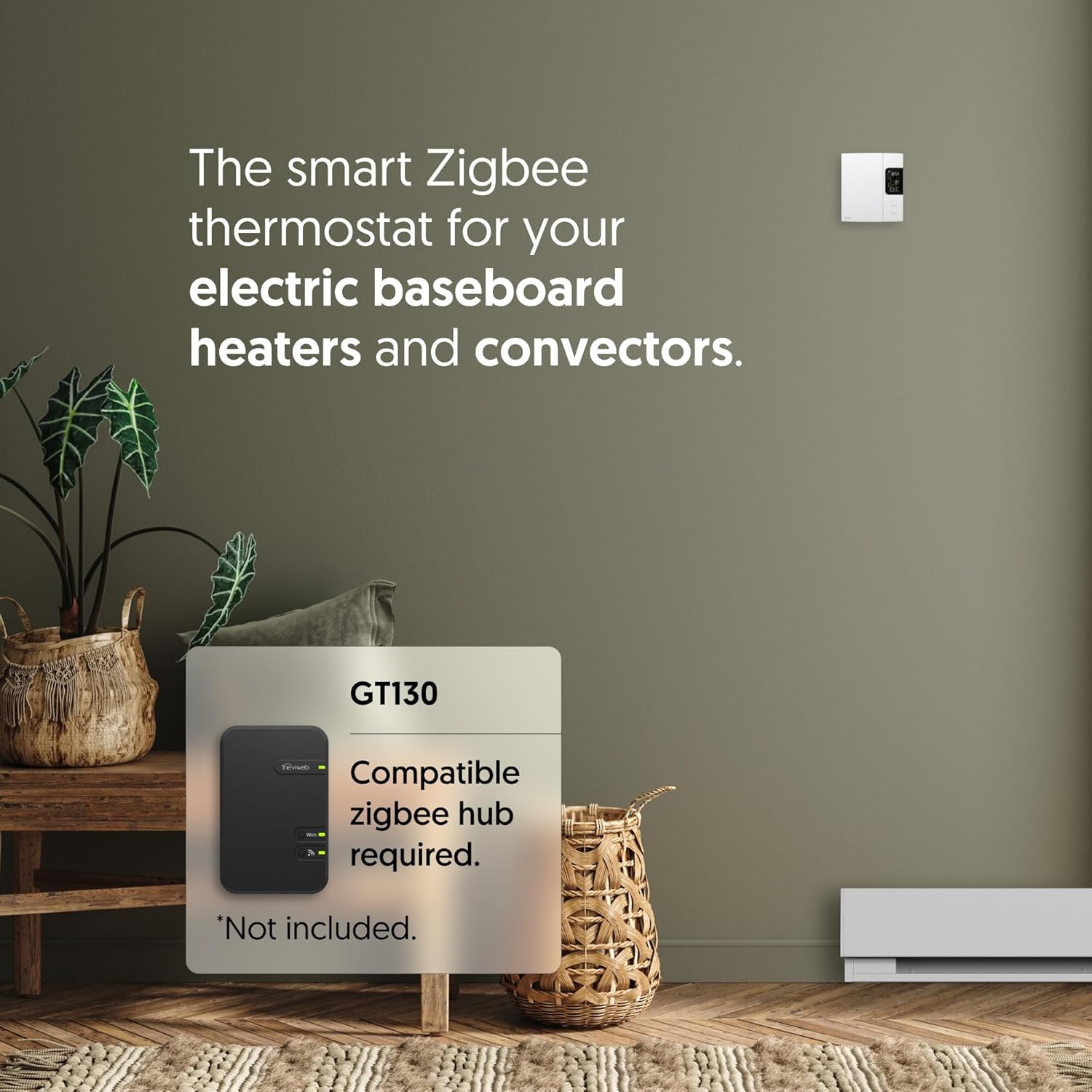
Image: The Sinopé TH1123ZB thermostat positioned next to a smartphone screen showing the Neviweb app interface. The app displays various smart home devices and controls, illustrating the remote management capabilities of the thermostat through a compatible hub.
5. Lietošanas instrukcijas
5.1 Displejs beidziesview
The LCD screen displays key information:
- Laiks: Pašreizējais laiks.
- Āra temperatūra: Requires connection to a compatible hub and internet access to display.
- Iekštelpu temperatūra: Pašreizējā istabas temperatūra.
- Uzdotā temperatūra: Vēlamā temperatūra.
- ZigBee Icon: Indicates connection status to the ZigBee network.

Attēls: Leņķis view of the Sinopé TH1123ZB thermostat, providing a clear look at its digital display and the two control buttons. This perspective helps users visualize the device's physical interface and how information is presented on the screen.
5.2 Temperatūras regulēšana
Use the two circular buttons below the display to adjust the setpoint temperature:
- Nospiediet pogu augšējā poga to increase the setpoint temperature.
- Nospiediet pogu apakšējā poga to decrease the setpoint temperature.
5.3 Viedās mājas integrācija
Once paired with a compatible ZigBee hub, you can control your thermostat remotely and integrate it with various smart home platforms:
- Neviweb Lietotne: For the best experience, use the Neviweb app with the GT130 hub. Features include automations (scheduling, presence-based actions), scenes (personalized ambiances), geofencing (actions based on your location), and real-time energy reports.
- Amazon Alexa / Google Home: Control your thermostat using voice commands. (e.g., "Alexa, set living room thermostat to 72 degrees").
- Hubitat / SmartThings: Integrate into your existing smart home ecosystem for advanced automations and control.

Image: An Amazon Echo smart speaker placed on a wooden table next to a book and glasses. This image visually represents the voice control capability of the thermostat through integration with smart assistants like Amazon Alexa.

Image: A person holding a smartphone that displays a smart home application interface, with a coffee cup and a window in the background. This image signifies the ability to control the entire smart home system, including the thermostat, remotely from anywhere using a mobile app.
6. Apkope
The Sinopé TH1123ZB thermostat requires minimal maintenance.
- Tīrīšana: Noslaukiet termostata virsmu ar mīkstu,amp audums. Neizmantojiet abrazīvus tīrīšanas līdzekļus vai šķīdinātājus.
- Programmaparatūras atjauninājumi: Ensure your connected ZigBee hub and smart home platform are kept up-to-date, as they may provide firmware updates for the thermostat to improve performance and add features.
- Jaudas cikls: If the thermostat becomes unresponsive, turn off the power at the circuit breaker for 30 seconds, then turn it back on.
7. Traucējummeklēšana
| Problēma | Iespējamais cēlonis | Risinājums |
|---|---|---|
| Termostata displejs ir tukšs. | Termostatam nav strāvas. | Check the circuit breaker and ensure it is ON. Verify wiring connections. |
| Thermostat not heating. | Setpoint is below room temperature; heating system issue. | Increase the setpoint temperature. Check your heating system for faults. |
| Cannot pair with ZigBee hub. | Hub not in pairing mode; interference; distance. | Ensure hub is in pairing mode. Move thermostat closer to hub temporarily. Check for other ZigBee devices causing interference. |
| Āra temperatūra netiek rādīta. | No internet connection for hub; hub not configured for outdoor temp. | Ensure your ZigBee hub has an active internet connection. Configure outdoor temperature source in your smart home app (e.g., Neviweb). |
| Thermostat not responding to app/voice commands. | Loss of ZigBee connection; hub offline; app issue. | Check ZigBee icon on thermostat (should be solid). Verify hub's internet connection. Restart the app or smart assistant. |
8. Specifikācijas
| Funkcija | Detaļas |
|---|---|
| Modeļa numurs | TH1123ZB |
| Zīmols | Sinopé |
| Voltage | 120V / 240V AC, 60 Hz |
| Maksimālā slodze | 12.5 A (pretestība) |
| Wattage | 3000 W pie 240 V |
| Savienojamība | ZigBee |
| Kontrollera tips | Amazon Alexa, Google Assistant, Hubitat, Neviweb |
| Displeja veids | LCD ar fona apgaismojumu |
| Izmēri (A x P x D) | 5 cm x 3.35 cm x 1 cm |
| Krāsa | Balts |
| Materiāls | Plastmasa |
| Sertifikāti | ETL, Conforms to UL STD 60730-1 & 60730-2-9, CSA STD E60730-1 & E60730-2-9 |
| UPC | 667563000849 |
9. Garantija un atbalsts
Sinopé products are designed for reliability and performance. For specific warranty details and technical support, please refer to the official Sinopé webvietnē vai sazinieties tieši ar viņu klientu apkalpošanas dienestu.
- Tiešsaistes atbalsts: Apmeklējiet www.sinopetech.com for FAQs, product documentation, and support resources.
- Klientu apkalpošana: Contact information for technical assistance can be found on the Sinopé webvietne.


