Įvadas
This manual provides essential information for setting up, operating, and maintaining your Apple Watch Series 11 GPS + Cellular 42mm. Please read these instructions carefully to ensure proper use and to maximize the device's capabilities.
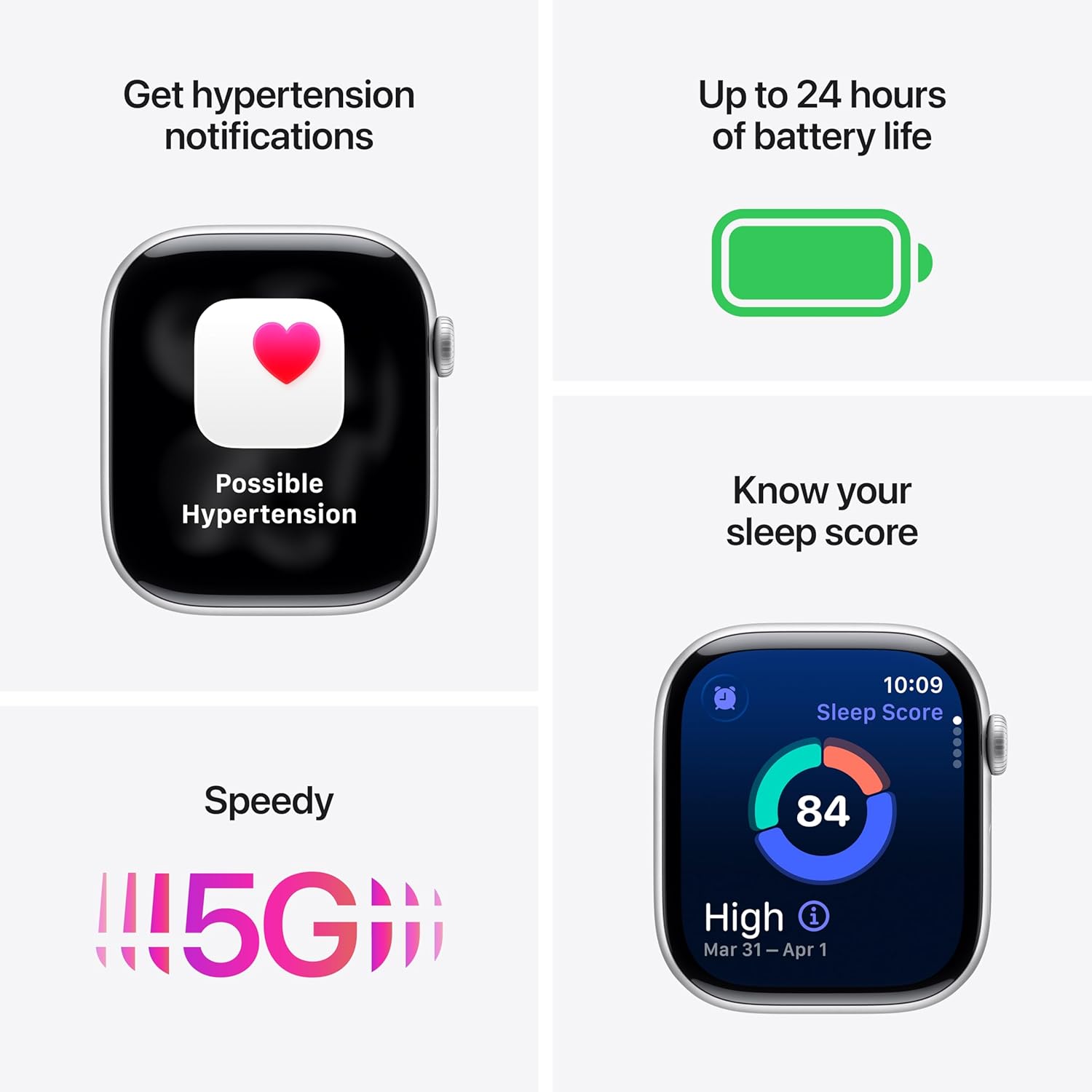
Paveikslėlis: „Apple Watch Series 11“ demonstracijaasing its design with a Natural Titanium Case and Natural Milanese Loop band.
Kas yra dėžutėje
Patikrinkite, ar pakuotėje yra visi daiktai:
- Apple Watch Series 11 GPS + Cellular 42mm Natural Titanium Case
- Natural Milanese Loop
- 1 m magnetinis įkrovimo laidas

Image: A visual representation of the Apple Watch Series 11, its Milanese Loop band, and the USB-C Magnetic Fast Charging Cable, as found in the product box.
Sąranka
- Įkraukite „Apple Watch“: Connect the magnetic charging cable to the back of your Apple Watch and plug the USB-C end into a power adapter (sold separately) or a USB-C port. Allow the watch to charge until it powers on.
- Susieti su „iPhone“: Ensure your iPhone is updated to the latest iOS version and has Bluetooth enabled. Open the Apple Watch app on your iPhone. Follow the on-screen instructions to pair your watch. Position your iPhone so the Apple Watch appears in the viewieškiklis.
- Set Up Cellular (GPS + Cellular models): During the pairing process, you will be prompted to set up cellular service. This requires an active cellular plan with a compatible carrier. Follow the steps provided by your carrier.
- Tinkinti nustatymus: Personalize your watch settings, including passcode, Apple Pay, and app preferences.
Prietaiso valdymas
Sveikatos stebėjimas
The Apple Watch Series 11 offers advanced health tracking capabilities:
- Hypertension Notifications: The watch can detect signs of chronic high blood pressure and provide notifications.
- Miego balas: Track and understand your sleep quality with detailed sleep scores.
- EKG programėlė: Take an electrocardiogram (ECG) at any time to record your heart's electrical activity.
- Širdies ritmo stebėjimas: Receive notifications for high, low, or irregular heart rhythms.
- Kraujo deguonies programėlė: Išmatuokite deguonies kiekį kraujyje.
- „Vitals“ programėlė: View overnight health metrics for comprehensive insights.
- Miego apnėjos pranešimai: Receive alerts for possible sleep apnea events.

Image: The Apple Watch Series 11 screen showing current heart rate and an overview of overnight vitals, illustrating its health monitoring features.
Fitneso stebėjimas
Utilize the watch for comprehensive fitness tracking:
- Aktyvumo žiedai: Stebėkite savo kasdienius judėjimo, mankštos ir stovėjimo tikslus.
- Treniruočių programėlė: Access advanced metrics for various workouts, including Pacer, Heart Rate Zones, and training load.
- Workout Buddy: Connect with Apple Intelligence on your iPhone for enhanced workout support.

Image: The Apple Watch Series 11 displaying activity rings on one screen and an active 'Outdoor Run' workout on another, highlighting its fitness tracking capabilities.
Ryšys
Stay connected with your Apple Watch:
- 5G and LTE: Make calls, send texts, download music, and access emergency services without your iPhone nearby.
- „Wi-Fi“ ir „Bluetooth“: Connect to wireless networks and accessories.

Image: A person wearing the Apple Watch Series 11, with text indicating "A 5G leap in connectivity," demonstrating its advanced cellular capabilities.
Saugos ypatybės
The watch includes features designed for your safety:
- Kritimo aptikimas: Automatically detects hard falls and can initiate a call to emergency services.
- Avarijų aptikimas: Can detect severe car crashes and connect you with emergency services.
- Avarinė SOS: Press and hold the side button to quickly contact emergency services.
- Registracija: Automatiškai praneša mylimam žmogui, kai atvykstate į kelionės tikslą.
Valdikliai
- Skaitmeninė karūna: Navigate menus, zoom, and scroll with haptic feedback.
- Šoninis mygtukas: Access the Dock, Apple Pay, and Emergency SOS.
- Double Tap and Wrist Flick Gesture: Interact with the watch using simple hand movements.
- Siri: Use voice commands for various tasks with on-device processing.
Baterijos veikimo laikas ir įkrovimas
The Apple Watch Series 11 is designed for extended use:
- Įprastas naudojimas: Baterijos veikimo laikas iki 24 XNUMX valandų.
- Mažos galios režimas: Baterijos veikimo laikas iki 38 XNUMX valandų.
- Fast-Charge Capable: Achieve up to 80% charge in approximately 30 minutes.
- Quick Charge for Short Use: 15 minutes of charging provides up to 8 hours of normal use, or 5 minutes for up to 8 hours of sleep tracking.
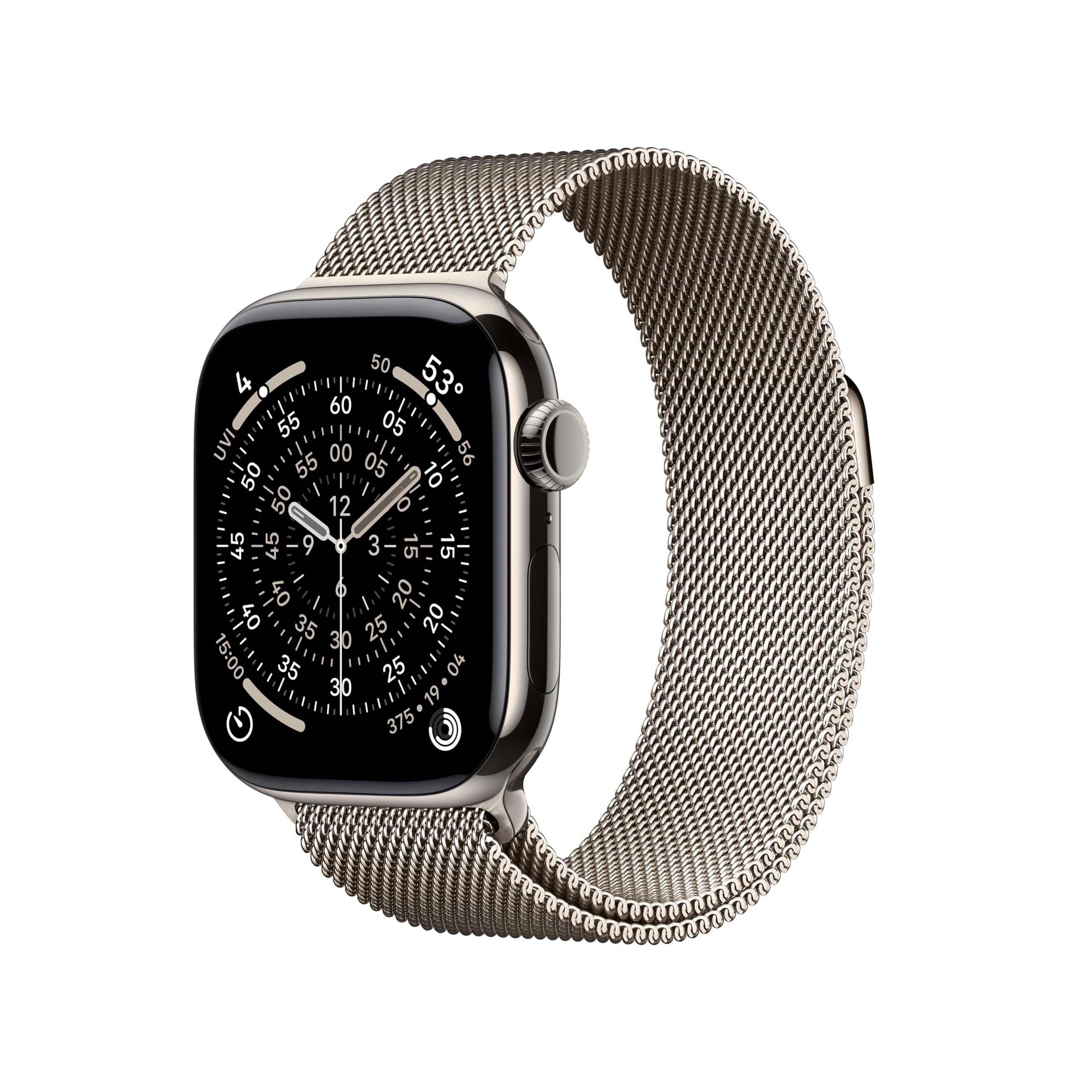
Image: A composite image highlighting key features of the Apple Watch Series 11, including hypertension notifications, up to 24 hours of battery life, sleep score display, and 5G connectivity.
Patvarumas ir priežiūra
Your Apple Watch Series 11 is built for resilience:
- Atsparumas vandeniui: Water resistant up to 50 meters, suitable for swimming.
- Atsparumas dulkėms: IP6X atsparumas dulkėms.
- Display Durability: Features a superdurable glass display that is 2x more scratch resistant than Series 10. Titanium cases include a sapphire front crystal.
Priežiūros instrukcijos:
- Clean your watch regularly with a soft, lint-free cloth.
- Venkite laikrodžio sąlyčio su ekstremaliomis temperatūromis ar stipriomis cheminėmis medžiagomis.
- Po sąlyčio su vandeniu laikrodį kruopščiai nusausinkite.
Trikčių šalinimas
If you encounter issues with your Apple Watch, consider the following steps:
- Paleiskite laikrodį iš naujo: Press and hold the side button until the power off slider appears, then drag the slider. To turn it back on, press and hold the side button again until you see the Apple logo.
- Patikrinkite jungtis: Ensure your Apple Watch is properly paired with your iPhone and that Bluetooth and Wi-Fi are enabled. For cellular models, verify your cellular plan is active.
- Atnaujinti programinę įrangą: Įsitikinkite, kad ir „Apple Watch“, ir „iPhone“ veikia naujausios programinės įrangos versijos.
- Iš naujo nustatyti nustatymus: If problems persist, you may need to reset your Apple Watch settings via the Apple Watch app on your iPhone.
- Susisiekite su palaikymo komanda: Dėl papildomos pagalbos apsilankykite oficialioje „Apple“ palaikymo svetainėje websvetainėje arba susisiekite su „Apple“ klientų aptarnavimo tarnyba.
Specifikacijos
| Gaminio matmenys | 9.4 x 3 x 1.2 colio |
| Prekės svoris | 1.28 uncijos |
| Gamintojas | Apple |
| Prekės modelio numeris | MF8P4LW/A |
| Operacinė sistema | watchOS |
| Atminties talpa | 64 GB |
| Ypatingos savybės | Activity Tracker, Always On Display, Cycle Tracking, GPS, Heart Rate Monitor |
| Baterijos talpa | 327 milijonųamp Valandos |
| Ryšio technologija | 5G and LTE, GPS + Cellular |
| Belaidžio ryšio standartas | 802.11a/g/n/ac, Bluetooth |
| GPS | Integruotas GPS |
| Forma | Stačiakampis |
| Ekrano dydis | 42 milimetrų |
| Medžiaga | Aliuminis arba titanas |
| Dimensions (42mm) | Aukštis: 42 mm, plotis: 36 mm, gylis: 9.7 mm |
| Case Weight (Titanium) | 34.6g |
| Ekranas | Always-On Retina display, up to 2,000 nits brightness, 326 pixels per inch |
| Chip | S10 SiP su 64 bitų dviejų branduolių procesoriumi ir 4 branduolių „Apple Neural Engine“ |
| Jutikliai | Electrical heart sensor, Optical heart sensor, Blood oxygen sensor, Temperature sensor, Compass, Altimeter, Gyroscope, Accelerometer, Ambient light sensor, Depth gauge, Water temperature sensor |
| Patvarumas | Atsparumas vandeniui 50 m (atsparus plaukimui), atsparumas dulkėms IP6X |
Garantija ir palaikymas
Your Apple Watch Series 11 is covered by Apple's standard limited warranty. For detailed warranty information, technical support, service options, and additional resources, please visit the official Apple Support websvetainė:
You can also find information regarding AppleCare+ for extended coverage and accidental damage protection.


