1. Įvadas
Ačiū, kad pirkoteasing the ZEBRONICS Zeb Vigor 100 Tower Speaker. This manual provides essential information for the safe and efficient operation of your device. Please read it thoroughly before use and retain it for future reference.
2. Saugos instrukcijos
- Saugokite garsiakalbį nuo vandens ar drėgmės.
- Neatidarykite garsiakalbio casing; visus techninės priežiūros darbus patikėkite kvalifikuotiems darbuotojams.
- Garsiakalbį laikykite atokiau nuo tiesioginių saulės spindulių, šilumos šaltinių ir atviros liepsnos.
- Užtikrinkite tinkamą vėdinimą aplink garsiakalbį, kad jis neperkaistų.
- Use only the power cord supplied with the device.
- Venkite klausytis dideliu garsu ilgą laiką, kad nepažeistumėte klausos.
3. Pakuotės turinys
Patikrinkite, ar pakuotėje yra visi reikalingi daiktai:
- Trolley DJ Speaker: 1 Unit
- Nuotolinio valdymo pultas: 1 vnt
- Wireless Microphone: 1 Unit
- Maitinimo laidas: 1 vnt
- Input Cable (3.5mm): 1 Unit
- QR Code Guide: 1 Unit
4. Produktas baigtasview
The ZEBRONICS Zeb Vigor 100 is a versatile tower speaker designed for various audio applications, featuring multiple connectivity options and a robust sound output.
Pagrindinės funkcijos:
- Triple Full Range 20.32cm Drivers for comprehensive sound.
- 100W RMS Output for powerful audio delivery.
- TWS (True Wireless Stereo) Function for connecting two speakers.
- Karaoke & Mic Recording Function with included Wireless MIC.
- Multiconnectivity: Bluetooth v5.0, USB, mSD, AUX, FM.
- LED Display for easy navigation.
- Nuotolinio valdymo pultas patogiam valdymui.
- Carry Handle & Wheels for portability.
- RGB Lights for visual effects.
- Dual 6.3mm Microphone input.
- Integruota įkraunama baterija.
- Dedicated Control Buttons for intuitive use.
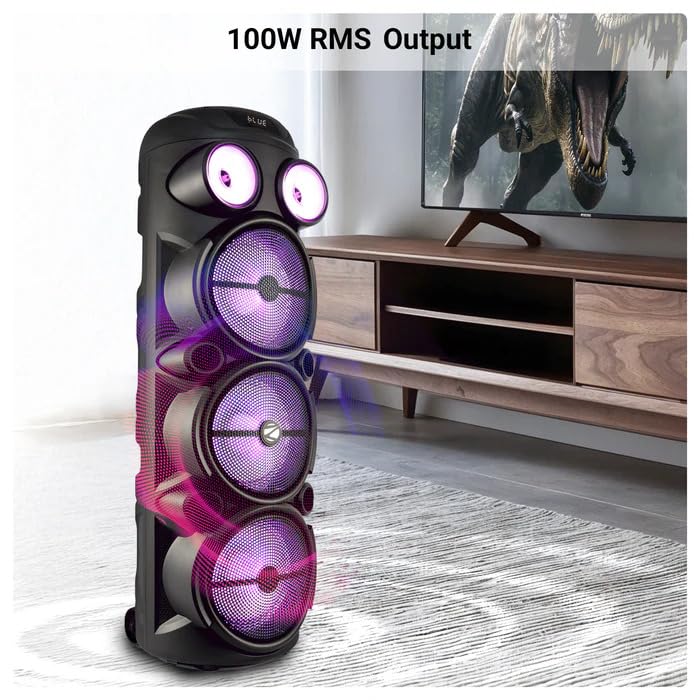
Image: The ZEBRONICS Zeb Vigor 100 Tower Speaker showcasing its 100W RMS output, positioned next to a television.
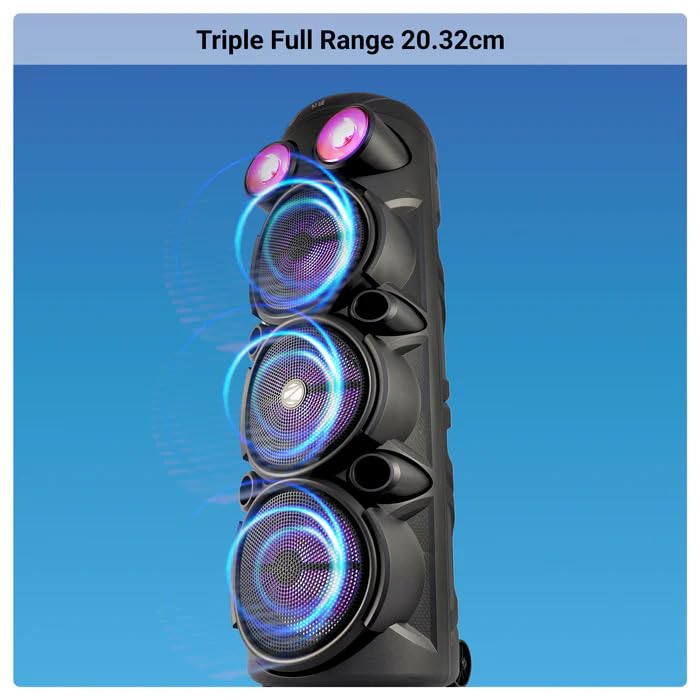
Vaizdas: Stambus planas view of the ZEBRONICS Zeb Vigor 100 highlighting its triple full-range 20.32cm drivers.
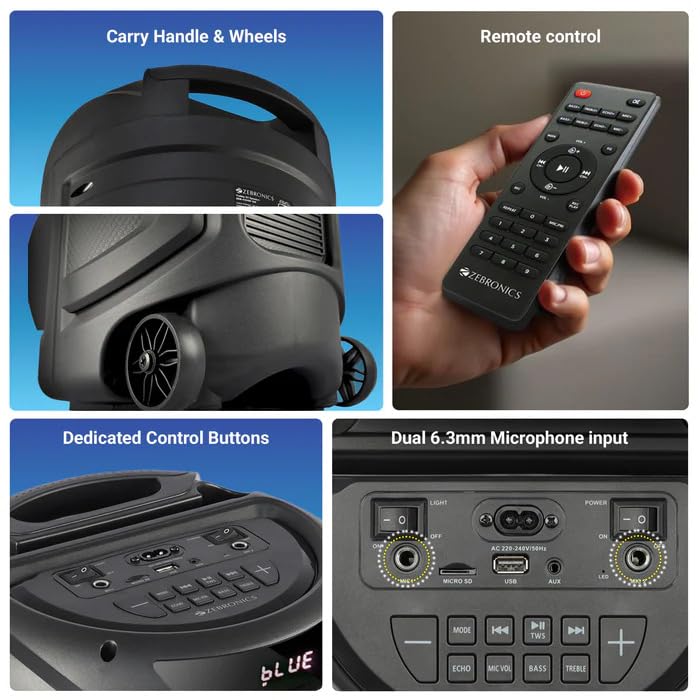
Image: A collage showing the speaker's carry handle and wheels for portability, the included remote control, the dedicated control buttons on the top panel, and the dual 6.3mm microphone inputs on the rear panel.
5. Sąranka
5.1 Garsiakalbio įkrovimas
Before initial use, fully charge the speaker. Connect the provided power cord to the speaker's AC input and a suitable power outlet. The charging time is approximately 9.8 hours. A full charge provides up to 5 hours of playback at 50% volume with LED lights off.
5.2 Įjungimas / išjungimas
Locate the power switch on the speaker's control panel. Toggle the switch to the 'ON' position to power on the speaker. Toggle to 'OFF' to power off.
6. Naudojimo instrukcijos
6.1 Bluetooth Connection (BT v5.0)
- Power on the speaker. The speaker will automatically enter Bluetooth mode or you can select it using the 'MODE' button.
- Įjunkite „Bluetooth“ savo mobiliajame įrenginyje arba kompiuteryje.
- Ieškokite available devices and select "ZEB-VIGOR 100" from the list.
- Kai garsiakalbis bus suporuotas, jis parodys sėkmingą ryšį ir galėsite pradėti leisti garsą.
6.2 USB/mSD Playback
- Insert a USB flash drive or mSD card (up to 32GB) containing MP3 audio files į atitinkamą prievadą.
- The speaker will automatically detect the storage device and begin playback. If not, press the 'MODE' button to select USB or mSD mode.
- Use the control buttons or remote to play, pause, skip tracks, or adjust volume.
6.3 AUX įvestis
- Connect one end of the 3.5mm input cable to the AUX port on the speaker.
- Kitą galą prijunkite prie išorinio įrenginio (pvz., išmaniojo telefono, MP3 grotuvo) garso išvesties lizdo.
- Press the 'MODE' button to select AUX input.
- Control playback and volume from your external device or the speaker.
6.4 FM radijas
- Press the 'MODE' button to select FM radio mode.
- Press the Play/Pause button to auto-scan and save available FM stations (frequency range 87.5 MHz - 108 MHz).
- Norėdami naršyti tarp išsaugotų stočių, naudokite mygtukus „Ankstesnis / Kitas takelis“.
6.5 Karaoke & Mic Recording Function
- Connect the wireless microphone or a wired microphone (not included) to one of the dual 6.3mm microphone inputs.
- Adjust the microphone volume and echo using the dedicated controls.
- To record, ensure a USB drive or mSD card is inserted. Press the 'REC' button (if available on the control panel/remote) to start recording. Press again to stop.
6.6 TWS (tikro belaidžio stereo) funkcija
To connect two Zeb Vigor 100 speakers for a stereo experience:
- Įsitikinkite, kad abu garsiakalbiai įjungti ir veikia „Bluetooth“ režimu.
- On one speaker (this will be the master), press and hold the 'TWS' button. The speaker will indicate it is searching for another TWS device.
- The two speakers will automatically pair. Once connected, they will function as a stereo pair.
- Prijunkite mobilųjį įrenginį prie pagrindinio garsiakalbio per „Bluetooth“, kaip aprašyta 6.1 skyriuje.
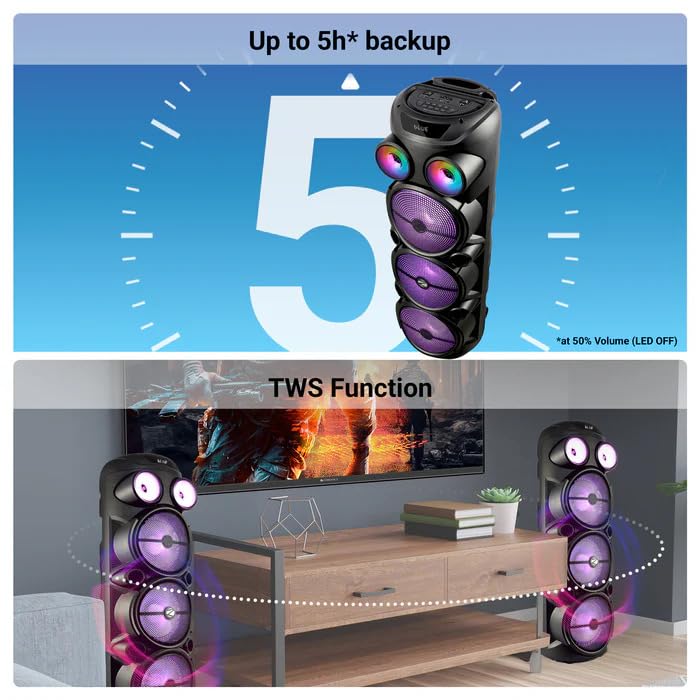
Image: The ZEBRONICS Zeb Vigor 100 speaker highlighting its up to 5-hour battery backup and the True Wireless Stereo (TWS) function, showing two speakers connected wirelessly.
6.7 RGB lemputės
The speaker features dynamic RGB lights. Use the dedicated 'LIGHT' switch or button on the control panel or remote to cycle through different light modes or turn them off.
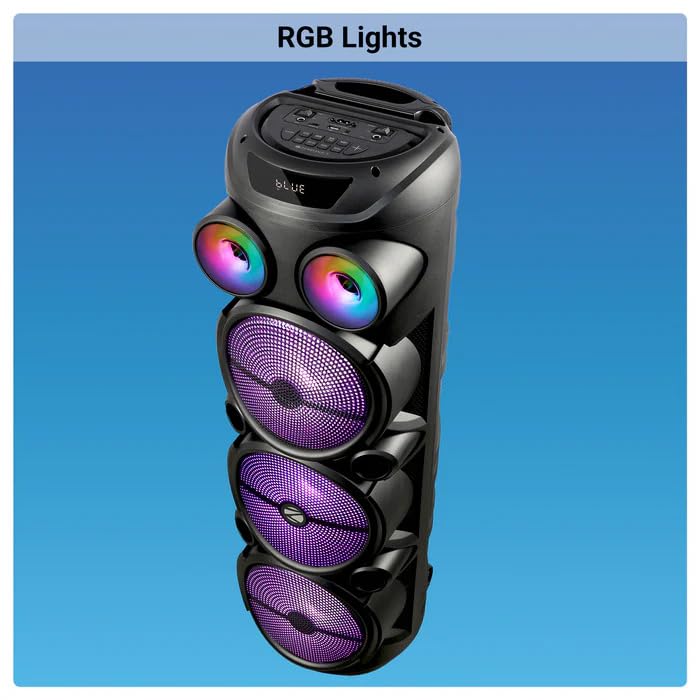
Image: The ZEBRONICS Zeb Vigor 100 Tower Speaker with its vibrant RGB lights illuminated.
6.8 Valdymo skydelis ir nuotolinio valdymo pultas
The speaker features a top-mounted control panel with buttons for mode selection, playback control, volume adjustment, microphone controls, and light control. A remote control is also provided for convenient operation from a distance.
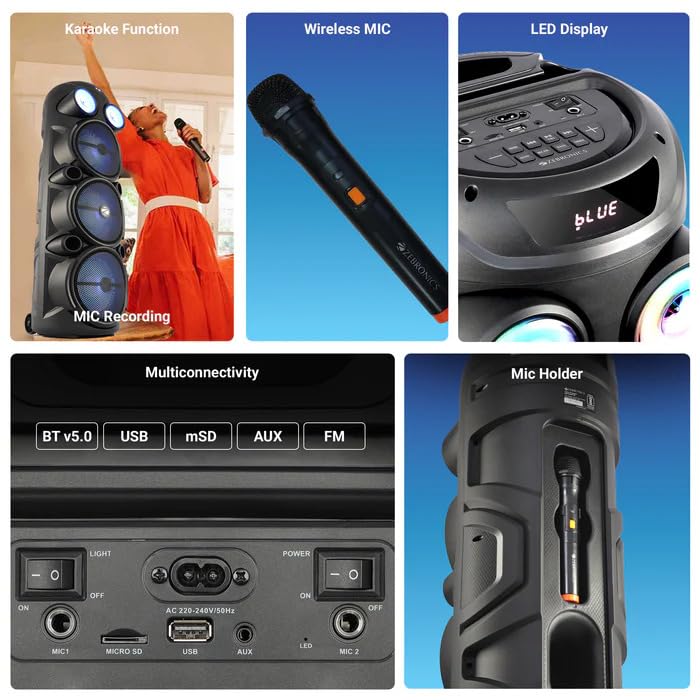
Paveikslėlis: detalus view of the ZEBRONICS Zeb Vigor 100's control panel, showing options for Bluetooth v5.0, USB, mSD, AUX, and FM connectivity, along with various control buttons.
7. Priežiūra
- Valymas: Garsiakalbio išorę valykite minkšta, sausa šluoste. Nenaudokite abrazyvinių valiklių ar tirpiklių.
- Saugykla: Kai garsiakalbio nenaudojate ilgesnį laiką, laikykite jį vėsioje, sausoje vietoje, toliau nuo tiesioginių saulės spindulių ir ekstremalių temperatūrų.
- Akumuliatoriaus priežiūra: Norėdami pailginti baterijos veikimo laiką, venkite dažnai visiškai ją iškrauti. Reguliariai įkraukite garsiakalbį, net jei jo nenaudojate.
8. Problemų sprendimas
| Problema | Galima priežastis | Sprendimas |
|---|---|---|
| Garsiakalbis neįsijungia. | Battery is depleted or power cord is not connected. | Charge the speaker or ensure the power cord is securely connected. |
| Nėra garso išvesties. | Volume is too low, incorrect mode selected, or device not properly connected. | Increase volume, select the correct input mode (BT, USB, AUX, FM), or re-establish connection. |
| „Bluetooth“ susiejimas nepavyksta. | Speaker is not in pairing mode, or device is too far. | Ensure speaker is in Bluetooth mode, move device closer, or clear previous pairings on your device. |
| Mikrofonas neveikia. | Microphone not powered on, or volume too low. | Ensure wireless mic has batteries and is powered on. Adjust mic volume. |
9. Specifikacijos
| Funkcija | Specifikacija |
|---|---|
| Išėjimo galia (RMS) | 100W |
| Vairuotojo dydis | Full range 20.32cm x 3, Tweeter 3.8cm |
| Varža | Full range 4Ω x 1, 8Ω x 2; Tweeter 8Ω |
| Dažnio atsakas | 65Hz-18kHz |
| S/N santykis | ≥60dB |
| File Palaikomi formatai (USB/SD) | MP3 |
| Linijos įvestis | 3.5 mm |
| Max Supported USB/SD Memory Size | 32 GB |
| FM dažnių diapazonas | 87.5 MHz–108 MHz |
| Įkrovimo laikas | 9.8 valandos |
| Atkūrimo laikas | 5 hours* (at 50% Volume, LED OFF) |
| Bluetooth pavadinimas | ZEB-VIGOR 100 |
| Bluetooth versija | v5.0 |
| Produkto matmenys (P x G x A) | 28.6 x 28.5 x 90 cm |
| Grynasis svoris | 6.4 kg |
| Jungties tipas | Papildoma jungtis, USB |
| Kanalų skaičius | 2 |
| Garso įvestis | Wired Microphone, Wireless Microphone, Line-Level Input |
| Spalva | Juoda |
| Suderinami įrenginiai | Audio Player, DJ Mixer, DVD Player, Drum, Guitar, Headphone, Headset, Karaoke System, Keyboard, Laptop, MP3 Player, Microphone, Piano, Smartphone, Tablet, Television |
10. Garantija ir palaikymas
10.1 Informacija apie garantiją
The ZEBRONICS Zeb Vigor 100 Tower Speaker comes with a 1 metų garantija nuo pirkimo datos. Prašome išsaugoti pirkimo kvitą garantiniams reikalavimams. Garantija taikoma gamybos defektams, esant įprastoms naudojimo sąlygoms.
10.2 Gamintojas
Zebronics India Pvt Ltd.
13/7 Smith Road, Royapettah, Chennai, Tamil Nadu - 600 002, India
10.3 Pagalba klientams
For technical assistance, service, or warranty inquiries, please contact Zebronics customer support through their official website or the contact information provided in the QR code guide included in your package.


