1. Įvadas
This manual provides essential information for setting up, operating, maintaining, and troubleshooting your HP OMEN 16 MAX Gaming Laptop. Please read this guide thoroughly to ensure optimal performance and longevity of your device.
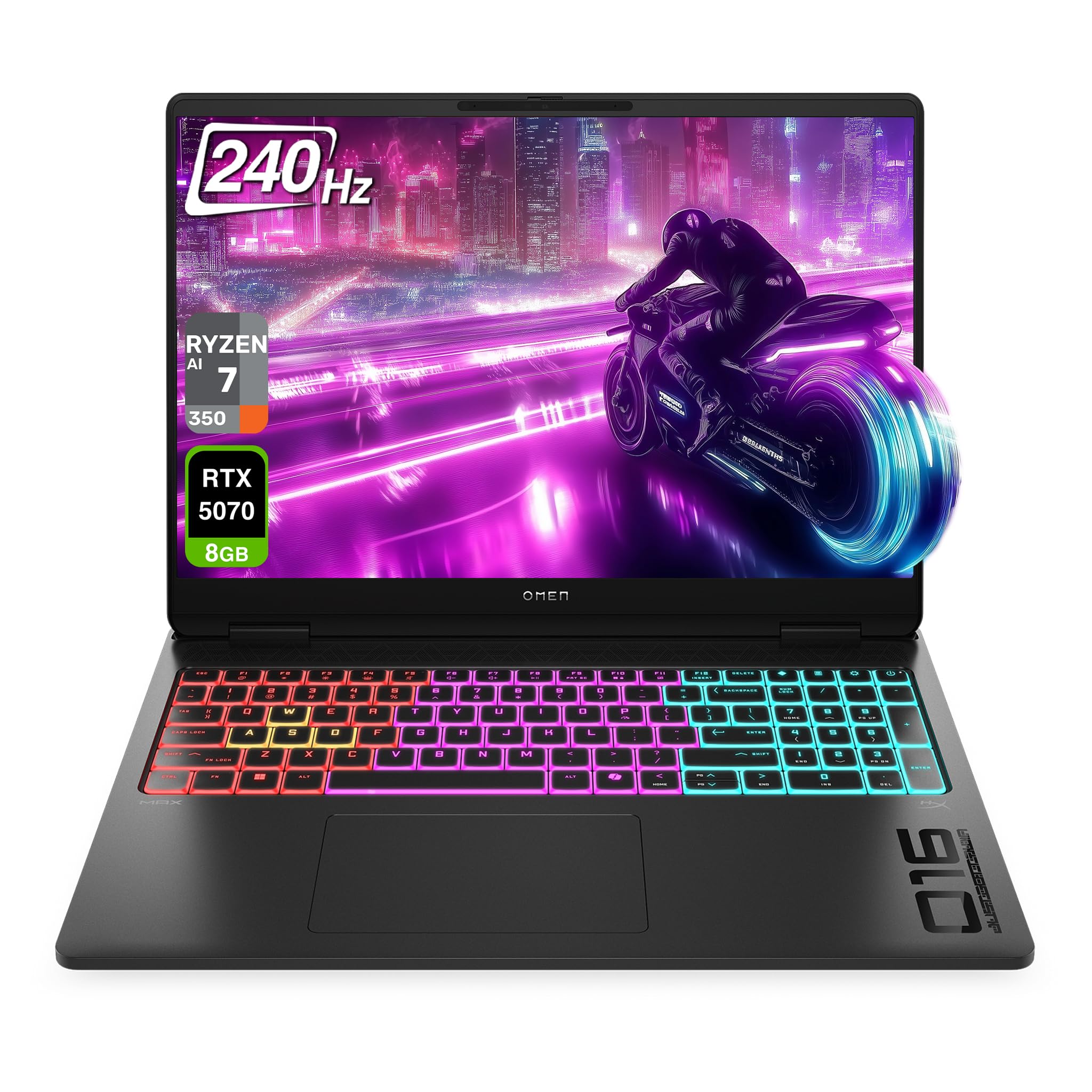
Figure 1.1: HP OMEN 16 MAX Gaming Laptop, showcasing its sleek design and RGB backlit keyboard.
2. Pradinė sąranka
2.1 Unpacking and First Boot
- Atsargiai išimkite nešiojamąjį kompiuterį ir visus priedus iš pakuotės.
- Connect the AC adapter to the laptop's AC smart pin port and then to a power outlet.
- Atidarykite nešiojamojo kompiuterio dangtį ir paspauskite maitinimo mygtuką, kad įjungtumėte įrenginį.
- Follow the on-screen instructions to complete the Windows 11 Home setup. This includes selecting your region, connecting to a network, and creating a user account.
2.2 Išorinių įrenginių prijungimas
The HP OMEN 16 MAX offers various ports for connecting external devices:

2.1 pav.: šonas view of the laptop highlighting the USB Type-A, HDMI, RJ-45, AC Smart pin, USB Type-C, and headphone/microphone combo ports.
- USB A tipo (10 Gb/s signalo perdavimo sparta): Connect external storage, mice, or other USB accessories.
- HDMI 2.1: Connect to an external display or TV for high-resolution video output.
- RJ-45: Laidinio tinklo jungtims.
- USB Type-C (40Gbps signaling rate, USB Power Delivery 3.1, DisplayPort 2.1, HP Sleep and Charge): Versatile port for data transfer, charging, and video output.
- Ausinių / mikrofono derinys: Connect a headset for audio input and output.
3. Pagrindinės savybės
3.1 Ekranas
The laptop features a 16-inch WQXGA (2560 x 1600) display with a 60–240 Hz refresh rate and 3 ms response time. It utilizes an IPS panel with micro-edge design, anti-glare coating, and Low Blue Light technology. The display offers 500 nits brightness and 100% sRGB color gamut for vibrant and accurate visuals.

Figure 3.1: The 16-inch WQXGA display provides crisp images and a high refresh rate for smooth visuals.
3.2 Performance Hardware
- Procesorius: AMD Ryzen AI 7 H 350 (up to 5.0 GHz max boost clock, 16 MB L3 cache, 8 cores, 16 threads).
- Grafika: NVIDIA GeForce RTX 5070 Laptop GPU (8 GB GDDR7 dedicated).
- RAM: 32 GB DDR5 RAM.
- Saugykla: 2 TB PCIe SSD.
3.3 Aušinimo sistema
The OMEN Tempest Cooling PRO architecture is designed to maintain optimal temperatures for all components, even under heavy load, preventing thermal throttling. This system includes:
- Fan Cleaner: Self-cleaning fan technology to reduce performance degradation and minimize maintenance.
- OMEN Cryo Compound: An upgraded hybrid material applied to the CPU and GPU for enhanced heat dissipation and extended device longevity.
- OMEN IR Sensor: Dynamically adjusts and optimizes thermal and acoustic performance in real-time.
3.4 Keyboard and Connectivity
- Klaviatūra: 4-Zone RGB Backlit Keyboard for customizable lighting.
- Belaidis ryšys: Wi-Fi 7 BE200 (2x2) and Bluetooth 5.4 wireless card for high-speed and reliable connections.

Figure 3.2: The 4-Zone RGB backlit keyboard offers customizable lighting effects.
4. Naudojimo instrukcijos
4.1 OMEN žaidimų centras
The OMEN Gaming Hub is your central control panel for optimizing your laptop's performance and customizing settings. It includes features such as:
- Unleashed Mode: Allows manual overclocking of your device beyond factory limits, leveraging OMEN Tempest Cooling PRO for stable performance. Access this mode under Performance Control.
- Apšvietimo valdymas: Customize the 4-Zone RGB backlit keyboard and other lighting elements.
- System Vitals: Monitor CPU, GPU, and RAM usage, along with temperature readings.
- Tinklo stiprintuvas: Prioritize network traffic for gaming applications.
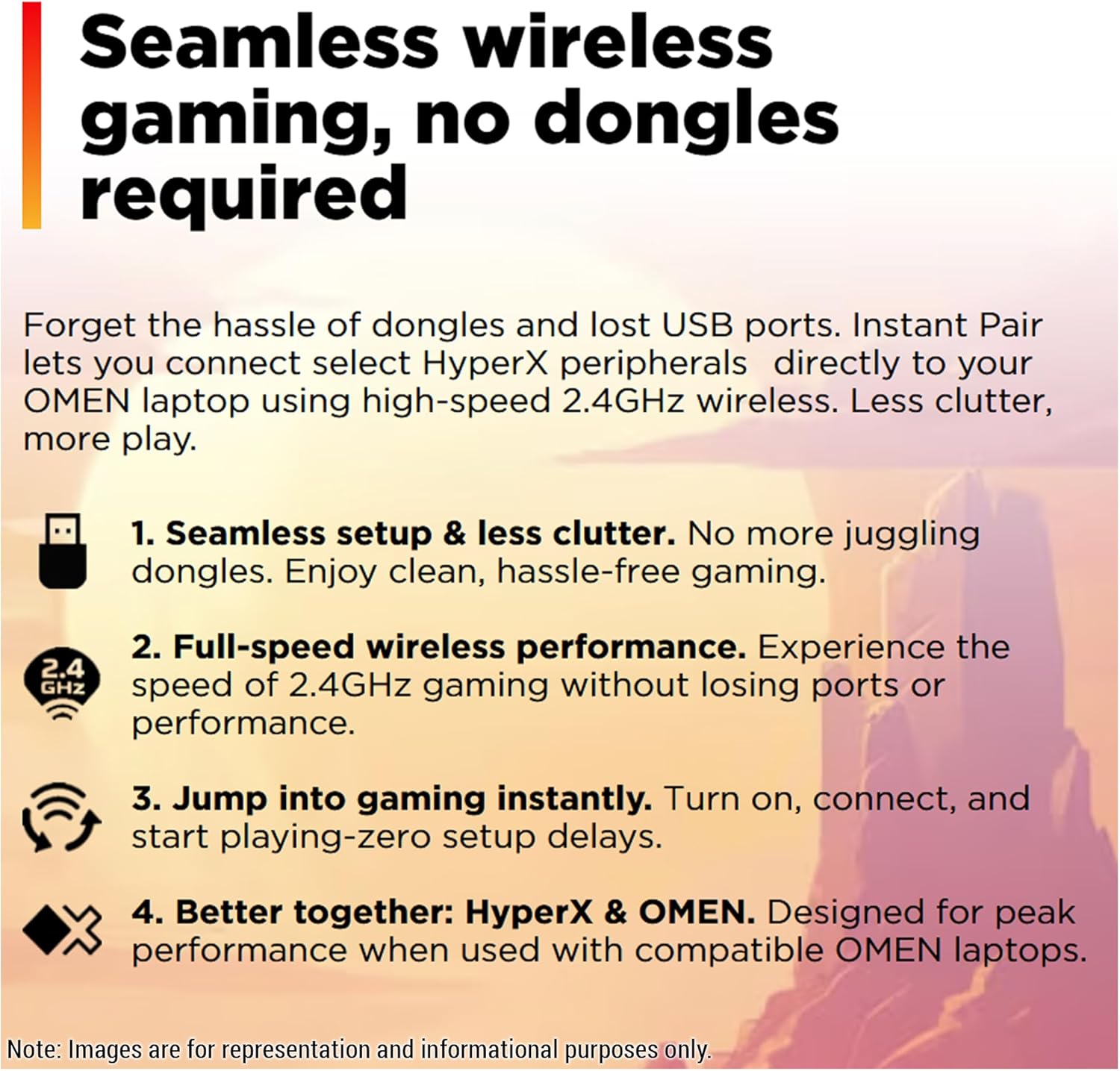
Figure 4.1: OMEN Gaming Hub interface, demonstrating the Unleashed Mode for performance tuning.
4.2 Belaidis ryšys
The laptop supports Wi-Fi 7 and Bluetooth 5.4. For seamless wireless gaming with compatible HyperX peripherals, Instant Pair technology allows direct connection without dongles, reducing clutter and ensuring full-speed performance.

Figure 4.2: Instant Pair technology simplifies connecting HyperX peripherals for a clutter-free gaming experience.
5. Priežiūra
5.1 Nešiojamojo kompiuterio valymas
- Ekranui ir išoriniams paviršiams valyti naudokite minkštą, nepūkuotą šluostę.
- Įsisenėjusioms dėmėms šiek tiek pamirkykiteampNuvalykite šluostę vandeniu arba ekranui saugiu valikliu.
- Venkite purkšti skysčius tiesiai ant nešiojamojo kompiuterio.
- Regularly clean the keyboard with compressed air to remove dust and debris.
5.2 Programinės įrangos naujiniai
Keep your operating system, drivers, and OMEN Gaming Hub software updated to ensure optimal performance, security, and access to the latest features. Windows Update will handle most system updates, while OMEN Gaming Hub can manage specific HP and gaming-related software.
5.3 Ventiliatoriaus priežiūra
The OMEN Tempest Cooling PRO system includes a Fan Cleaner feature. While designed to be self-cleaning, occasional checks for excessive dust buildup in the vents are recommended. If significant dust is observed, use compressed air to clear the vents. Do not attempt to disassemble the laptop for fan cleaning unless you are a qualified technician.
6. Problemų sprendimas
6.1 Bendrosios problemos ir sprendimai
- Nešiojamasis kompiuteris neįsijungia: Įsitikinkite, kad kintamosios srovės adapteris yra tvirtai prijungtas tiek prie nešiojamojo kompiuterio, tiek prie veikiančio maitinimo lizdo. Jei reikia, išbandykite kitą lizdą.
- Ekranas tuščias: Check if the laptop is powered on. If connected to an external display, ensure the correct input source is selected on the external display. Try pressing Fn + F4 (or the corresponding display toggle key) to switch display outputs.
- Performance issues (lag, low frame rates):
- Verify that the laptop is connected to power and running in a high-performance power plan.
- Check OMEN Gaming Hub for Unleashed Mode activation and monitor system vitals for overheating.
- Įsitikinkite, kad grafikos tvarkyklės yra atnaujintos.
- Uždarykite nereikalingas fonines programas.
- „Wi-Fi“ ryšio problemos:
- Iš naujo paleiskite maršrutizatorių ir modemą.
- Ensure Wi-Fi is enabled on the laptop (check Windows settings).
- Atnaujinkite belaidžio adapterio tvarkykles.
7. Specifikacijos
| Funkcija | Detalė |
|---|---|
| Prekės ženklas | HP |
| Modelio pavadinimas | HP OMEN 16 MAX Gaming-4 |
| Ekrano dydis | 16 colių |
| Ekrano raiška | 2560 x 1600 pikselių (WQXGA) |
| Maksimali ekrano skiriamoji geba | 2560 x 1600 pikselių |
| Procesorius | AMD Ryzen AI 7 H 350 (up to 5.0 GHz max boost, 8 cores, 16 threads) |
| RAM | 32 GB DDR5 SO-DIMM |
| Kietasis diskas | 2 TB SSD (PCIe x 4 interface) |
| Grafikos koprocesorius | Nvidia GeForce RTX 5070 Laptop GPU |
| Vaizdo plokštės Ram Dydis | 8 GB GDDR7 |
| Belaidis tipas | Wi-Fi 7 BE200 (802.11ax), Bluetooth 5.4 |
| Operacinė sistema | Windows 11 Home |
| Prekės svoris | 5.48 svaro |
| Gaminio matmenys | 14.04 x 10.59 x 0.9 colio |
| Spalva | Šešėlis Juodas |
| Ypatinga funkcija | Apšviesta klaviatūra (4 zonų RGB) |
8. Garantija ir palaikymas
For detailed warranty information and technical support, please refer to the official HP websvetainėje arba prie jūsų produkto pridėtoje dokumentacijoje. Taip pat galite apsilankyti HP parduotuvė „Amazon“ svetainėje papildomiems ištekliams.
Kas yra dėžutėje:
- HP OMEN 16 MAX Gaming Laptop
- Kintamos srovės adapteris
- Keyboard (integrated)
9. Vaizdo įrašų ištekliai
9.1 A Deep Dive on the HP OMEN MAX 16
Video 9.1: This video provides an in-depth look at the HP OMEN MAX 16, covering its design, performance benchmarks, port configurations, display capabilities, and internal hardware. It highlights the laptop's ability to handle demanding gaming and creative tasks without performance drops, showcasing its sleek appearance and powerful specifications.