1. Saugos informacija
Please read this manual carefully before using the product to ensure proper operation and to avoid damage. Keep this manual for future reference.
- Nenaudokite įrenginio vairuodami. Nustatymus keiskite tik tada, kai transporto priemonė saugiai pastatyta.
- Ensure the dash cam does not obstruct your view kelio arba trukdyti transporto priemonės valdymui.
- Use only original accessories provided with the product.
- Venkite ilgą laiką laikyti prietaisą tiesioginiuose saulės spinduliuose arba itin aukštose temperatūrose.
- Saugokite prietaisą nuo vandens ir drėgmės.
2. Pakuotės turinys
Patikrinkite, ar pakuotėje yra visi reikalingi daiktai:
- Mirror Dash Camera Unit
- Galinė kamera
- Automobilinis įkroviklis
- Įkrovimo laidas (USB-C)
- GPS modulis
- 64GB Micro SD kortelė
- Diegimo įrankis (Pry įrankis)
- Vartotojo vadovas
- Mounting Straps (for mirror)
- Adhesive Pads and Screws (for rear camera)

Image: All components included in the QOZ V969 Mirror Dual Dash Camera package.
3. Sąranka ir diegimas
3.1 Installing the Mirror Dash Camera
- Attach the mirror dash camera to your existing rearview mirror using the provided rubber straps. Ensure it is securely fastened and does not obstruct your view.
- Adjust the integrated front camera lens to capture the desired view kelio priekyje.

Image: The mirror dash camera is designed to clip securely over your vehicle's existing rearview veidrodis.
3.2 Galinės kameros montavimas
- Mount the rear camera at the back of your vehicle, typically above the license plate or inside the rear window. Use the provided adhesive pads and screws for secure attachment.
- Route the rear camera cable to the front of the vehicle, tucking it along the headliner and A-pillar trim using the installation tool to conceal the wiring.
- Connect the rear camera cable to the designated port on the mirror dash camera.
- Connect the red wire from the rear camera cable to your vehicle's reverse light power wire. This enables the display to automatically switch to the rear camera view važiuojant atbuline eiga.

Image: Wiring diagram for connecting the rear camera to the main unit and the vehicle's reverse light for automatic activation.
3.3 Connecting Power and GPS
- Insert the 64GB Micro SD card into the designated slot on the mirror dash camera.
- Connect the GPS module to its port on the mirror dash camera. Position the GPS module on the dashboard or near the windshield for optimal signal reception.
- Plug the car charger into your vehicle's 12V power outlet (cigarette lighter).
- Connect the USB-C charging cable from the car charger to the mirror dash camera.

Image: The dash camera package includes a 64GB SD card and a GPS module for route and speed tracking.
4. Naudojimo instrukcijos
4.1 Maitinimo įjungimas/išjungimas
Vaizdo registratorius automatiškai įsijungs ir pradės įrašinėti, kai įjungsite automobilio degimą. Jis automatiškai išsijungs, kai išjungsite degimą.
4.2 10" IPS Touch Screen Interface
The 10-inch IPS touch screen provides a wide viewing angle and vivid color accuracy. Swipe left/right to switch between front camera view, galinė kamera view, or a split-screen display showing both simultaneously. Swipe up/down on the screen to adjust the camera's vertical viewing kampas.
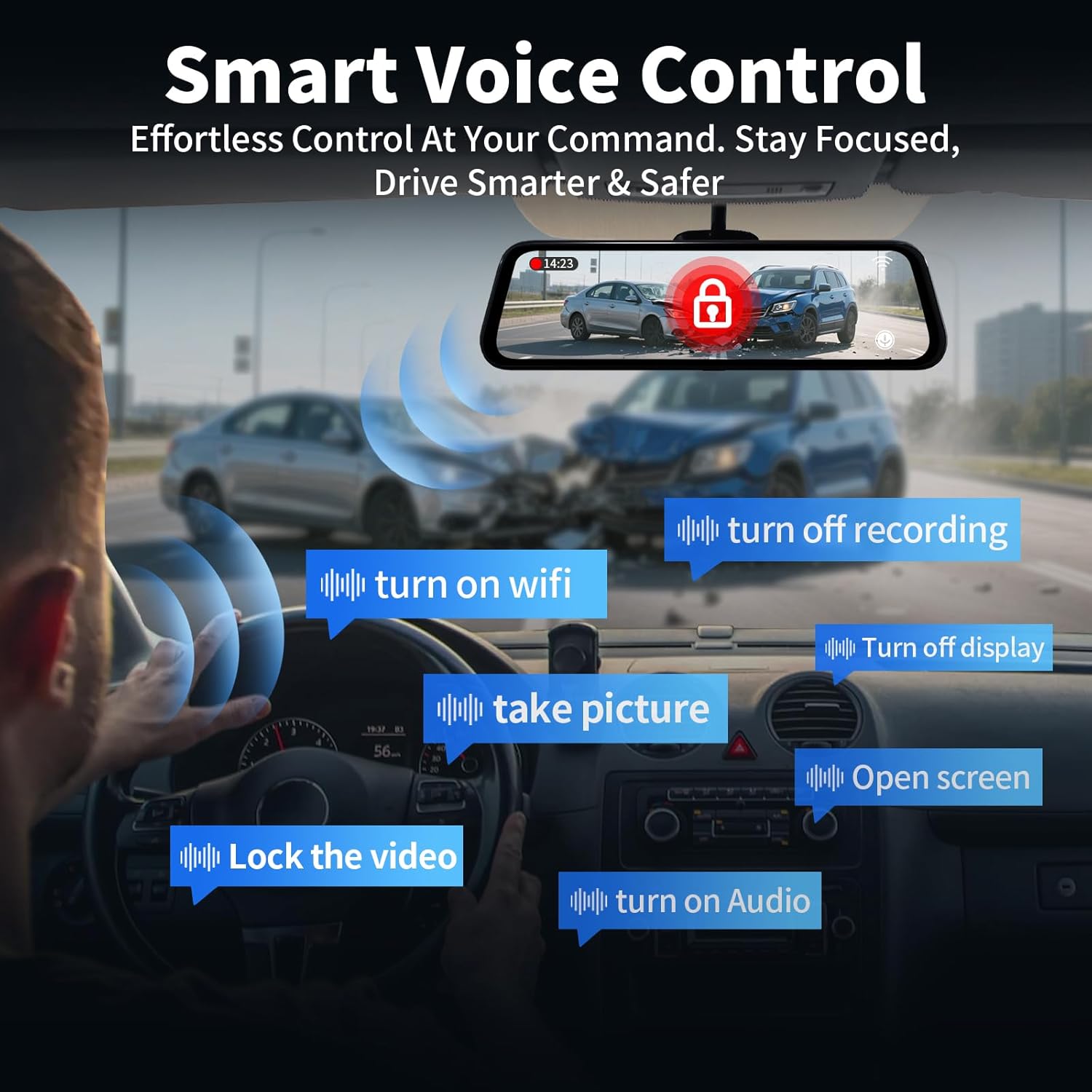
Image: The 10-inch IPS touch screen offers a clear and responsive interface for managing camera views ir nustatymai.
4.3 Valdymas balsu
The dash cam supports voice commands for hands-free operation. Use the following commands:
- "Turn off screen" / "Turn on screen"
- "Show front camera" / "Show rear camera" / "Show both cameras"
- „Užrakinti vaizdo įrašą“
- "Nufotografuokite"
- „Įjungti garsą“ / „Išjungti garsą“
- "Turn on Wi-Fi" / "Turn off Wi-Fi"
- „Išjungti įrašymą“
- „Atidaryti ekraną“

Image: Voice control allows for hands-free operation of key dash cam functions, enhancing driving safety.
Video: Demonstration of voice control features for the QOZ 4K+2.5K Mirror Dash Cam.
4.4 Built-in Wi-Fi & APP Control
Connect the dash cam to your smartphone via Wi-Fi using the dedicated app (available on iOS and Android). Through the app, you can view gyvas kvailystage, playback recorded videos, manage settings, and download files directly to your device. This allows for easy sharing of travel experiences.
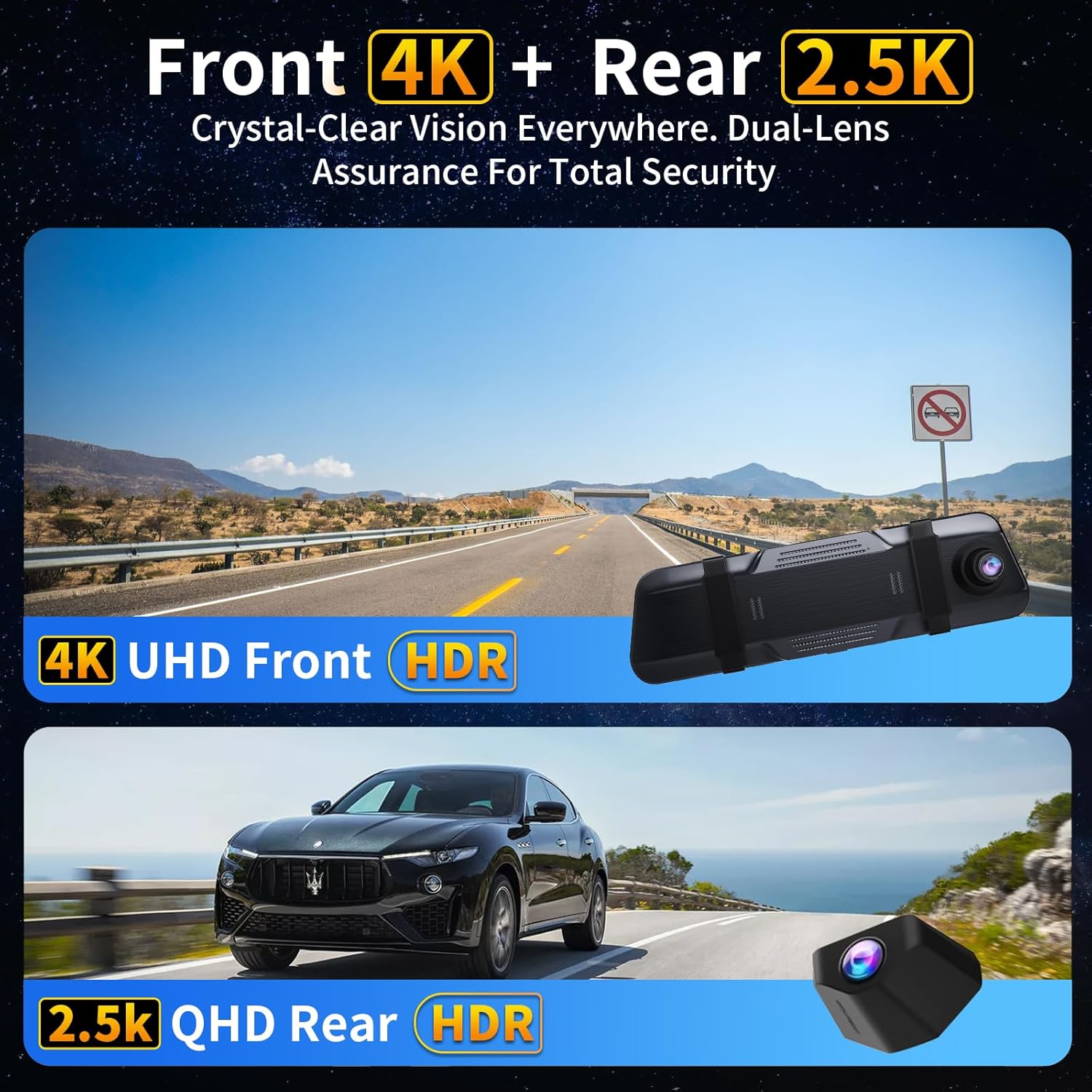
Image: The dash camera connects to a smartphone app via 5.8GHz Wi-Fi for viewįrašymas, atkūrimas ir valdymas.
4.5 Ciklo įrašymas
Vaizdo registratorius nepertraukiamai įrašo vaizdo įrašą segmentais (pvz., 1, 2 arba 5 minutėmis). Kai SD kortelė pilna, įrašomas seniausias atrakintas vaizdo įrašas. files are automatically overwritten to ensure uninterrupted recording. Locked files yra apsaugotos nuo perrašymo.
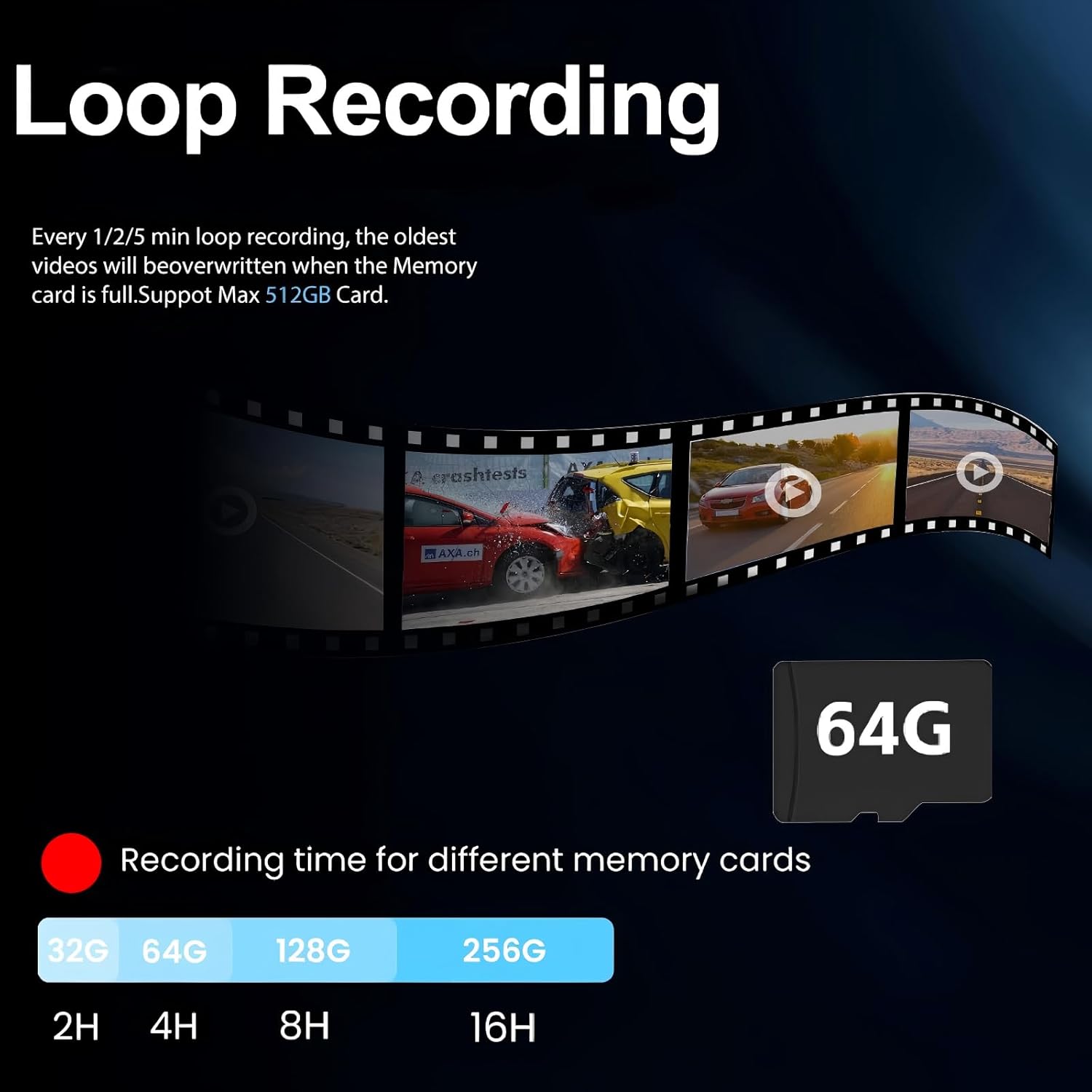
Image: Loop recording ensures continuous video capture by overwriting the oldest files kai atminties kortelė pilna.
4.6 G jutiklis (avarinis įrašymas)
Integruotas G jutiklis aptinka staigius smūgius ar susidūrimus. Suveikus, jis automatiškai užrakina dabartinį vaizdo segmentą, kad jo neperrašytų ciklinis įrašymas. Šie užrakinti... files serve as crucial evidence in case of an accident.

Paveikslėlis: G jutiklis automatiškai užrakina vaizdo įrašątage upon detecting a collision, securing important evidence.
4.7 24 val. parkavimo stebėjimo sistema
With the optional hardwire kit (ASIN: B0DCYYLL6T, sold separately), the dash cam can monitor your vehicle 24 hours a day. It detects collisions, vandalism, or suspicious activity while parked and automatically saves critical video clips to the memory card.

Image: The 24-hour parking monitor provides continuous surveillance, requiring an optional hardwire kit.
4.8 WDR & Super Night Vision
The Wide Dynamic Range (WDR) technology balances exposure in varying light conditions, preventing overexposure in bright areas and underexposure in dark areas. Super Night Vision enhances clarity in low-light environments, ensuring sharp details like license plates are captured 24/7.
Image: WDR and Super Night Vision technologies ensure clear and detailed recordings in various lighting conditions, day or night.
4.9 Adjustable Rear Cam Display
The rear camera display can be adjusted to adapt to different installation methods and vehicle types. Options include vertical flip and mirror flip to ensure the correct orientation of the rear view.

Image: The adjustable rear camera display allows for various viewing orientations, including vertical and mirror flips.
5. Priežiūra
- SD kortelės formatavimas: Regularly format the Micro SD card (at least once a month) to ensure optimal performance and prevent data corruption. This can usually be done through the dash cam's settings menu.
- Valymas: Use a soft, dry cloth to clean the screen and camera lenses. Avoid using abrasive cleaners or solvents.
- Firmware atnaujinimai: Patikrinkite gamintojo webperiodiškai atnaujinkite programinę įrangą svetainėje, kad jūsų įrenginyje būtų įdiegtos naujausios funkcijos ir ištaisytos klaidos.
6. Problemų sprendimas
- "SD Card Full" Error: If you encounter this message, ensure loop recording is enabled. If it persists, format the SD card. If the issue continues, the SD card may be faulty and require replacement.
- Vaizdo registratorius neįsijungia: Patikrinkite automobilio įkroviklio jungtį ir įsitikinkite, kad veikia automobilio 12 V maitinimo lizdas.
- Prasta vaizdo kokybė: Ensure camera lenses are clean. Check the recording resolution settings (set to 4K front and 2.5K rear for optimal quality).
- GPS sekimas neveikia: Ensure the GPS module is properly connected and placed in an area with clear sky view.
7. Specifikacijos
| Modelio pavadinimas | V969-Voice Control Mirror Dash Cam |
| Gaminio matmenys | 10 x 1 x 4 colio |
| Prekės svoris | 1.98 svaro |
| Vaizdo įrašymo raiška | 4K Front + 2.5K Rear |
| Laukas View | 170 laipsnių (priekyje) + 150 laipsnių (gale) |
| Ryšio technologija | „Wi-Fi“ (5.8 GHz) |
| Ypatingos savybės | App Control, Built-In Display, Built-In GPS, Night Vision, Parking Monitor, Voice Control, Loop Recording, G-Sensor, WDR |
| Įtraukti komponentai | Car Charger, Charging Cable, Installation Tool, User Manual, 64GB Card, GPS Module |
8. Garantija ir palaikymas
For warranty information, technical support, or any inquiries regarding your QOZ V969 Mirror Dual Dash Camera, please contact the manufacturer directly. Refer to the contact information provided in the product packaging or on the official QOZ websvetainę.


