1. Įvadas
This manual provides essential information for the proper setup, operation, and maintenance of your KOORUI G2721X 27-inch 1440p QHD Gaming Monitor. Please read this manual thoroughly before using the product to ensure optimal performance and safety. Keep this manual for future reference.

1.1 pav.: priekis view of the KOORUI G2721X monitor, showcasindėl plonų rėmelių ir stovo.
2. Pakuotės turinys
Verify that all items are present in the package. If any items are missing or damaged, please contact your retailer or KOORUI customer support.
- KOORUI G2721X Monitor (x1)
- Monitoriaus pagrindas (x1)
- Instrukcijų vadovas (1x)
- DisplayPort (DP) kabelis (x1)
- Maitinimo adapteris (x1)
3. Produktas baigtasview
3.1 Pagrindinės savybės
- Ekranas: 27-inch QHD (2560x1440) resolution for crisp visuals.
- Atnaujinimo dažnis: Up to 260Hz (supports 240Hz) for smooth gameplay.
- Atsakymo laikas: 1ms (GTG) for minimal motion blur.
- Skydelio tipas: Fast IPS for vibrant colors and wide viewkampų.
- HDR palaikymas: HDR400 for enhanced contrast and brightness.
- Adaptyvusis sinchronizavimas: Eliminates screen tearing and stuttering.
- Spalvų gama: 99% sRGB and 90% DCI-P3 for accurate color reproduction.
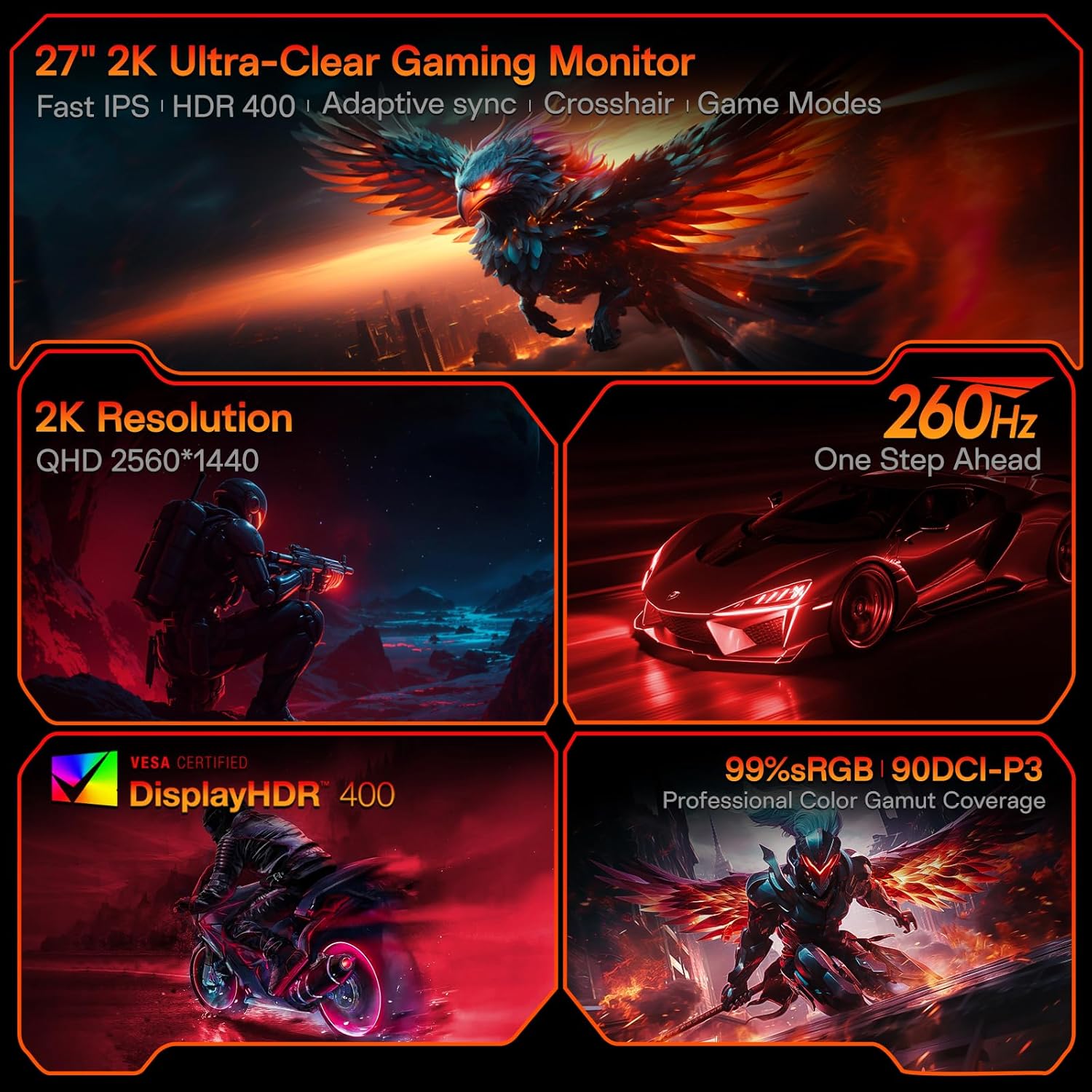
Figure 3.1: Visual representation of the monitor's core features.
3.2 Prievadai ir valdikliai
The monitor features a variety of input and output ports for versatile connectivity, along with an intuitive control system.
- Vaizdo įėjimai: Two HDMI 2.0 ports, one DisplayPort 1.4 port.
- Garso išvestis: One 3.5mm audio jack.
- Maitinimo įvestis: One DC power port.
- Valdymas: A 5-way joystick located on the rear for On-Screen Display (OSD) navigation.
- Dizainas: Hawk-wing backplate with integrated cooling stripes for efficient heat dissipation.

3.2 pav.: galinis view of the monitor detailing port locations and physical adjustments.
4. Sąranka
4.1 Stovo montavimas
- Carefully remove the monitor and base from the packaging.
- Align the monitor stand with the slot on the back of the monitor.
- Gently push the stand into the slot until it clicks into place, indicating a secure connection.
- Surinktą monitorių padėkite ant stabilaus, lygaus paviršiaus.
4.2 Kabelių jungtys
- Connect the provided DisplayPort (DP) cable from your computer's graphics card to the DP 1.4 port on the monitor. Alternatively, use an HDMI cable to connect to one of the HDMI 2.0 ports.
- Connect the power adapter to the DC power port on the monitor, then plug the other end into a power outlet.
- If using external speakers or headphones, connect them to the 3.5mm Audio Out port.
4.3 Video Guide: Installation and Features
Watch this video for a visual guide on installing the monitor stand and an overview savo savybių.
Video 4.1: A detailed demonstration of the KOORUI G2721X monitor's assembly and key functionalities. This video covers the physical setup, port connections, and highlights features such as the 260Hz refresh rate, QHD resolution, and Adaptive Sync technology.
5. Naudojimo instrukcijos
5.1 Ekrano meniu (OSD) navigacija
The monitor's settings can be adjusted using the 5-way joystick located on the back of the display. Press the joystick to open the OSD menu, then move it up/down/left/right to navigate and select options.
5.2 Motion Performance
The G2721X offers an ultra-smooth 260Hz refresh rate, crucial for competitive gaming. It also features 3-level Overdrive settings to optimize response time:
- Normalus: 5 ms atsako laikas.
- Greitai: 3 ms atsako laikas.
- Ekstremalus: 1 ms atsako laikas.
Adjust these settings via the OSD menu to find the optimal balance for your gaming experience.

Figure 5.1: Illustrates the visual difference in motion clarity between 260Hz and 120Hz refresh rates.
5.3 Color Performance
The monitor covers 99% sRGB and 90% DCI-P3 color gamuts, displaying 16.7 million colors (8-bit). This wide color range enhances in-game visuals and provides accurate color reproduction for various applications.

Figure 5.2: Demonstrates the monitor's extensive color capabilities.
5.4 Adaptyvusis sinchronizavimas
Adaptive Sync technology synchronizes the monitor's refresh rate with your graphics card's frame rate, effectively eliminating screen tearing and stuttering during fast-paced action. Ensure Adaptive Sync is enabled in both the monitor's OSD and your graphics card's control panel for optimal performance.
5.5 HDR400 palaikymas
With HDR400 support, the monitor delivers brighter colors, deeper blacks, and enhanced contrast, providing a more immersive visual experience in compatible content.
5.6 žaidimo režimai
The G2721X includes dedicated game display modes to enhance your gaming experience:
- Kryželis: Pateikia ekrane esantį kryželį, kad būtų pagerintas taikymosi tikslumas.
- Laikmatis: Displays an on-screen timer for managing game events.
- FPS: Optimized settings for First-Person Shooter games.
- RCG: Optimized settings for Racing games.
- RPG: Optimized settings for Role-Playing Games.

5.3 pav. Pvzamples of the monitor's dedicated game modes.
6. Specifikacijos
| Funkcija | Specifikacija |
|---|---|
| Modelio numeris | G2721X |
| Ekrano dydis | 27 colių |
| Skydelio tipas | Beveik IPS |
| Rezoliucija | 2560 x 1440 (QHD) |
| Atnaujinimo dažnis | 260 Hz (palaiko 240 Hz) |
| Reagavimo laikas | 1 ms (GTG) |
| Ryškumas | 350 cd/m² (nitas) |
| HDR palaikymas | HDR400 |
| Spalvų gama | 99 % sRGB, 90 % DCI-P3 |
| Spalvos gylis | 16.7 milijono spalvų (8 bitų) |
| Pikselių tankis | 109 PPI |
| Krašto santykis | 16:9 |
| Ryšys | 2x HDMI 2.0, 1x DisplayPort 1.4, 1x Audio Out, 1x DC Power |
| VESA suderinamumas | 75x75mm |
| Pasvirimo reguliavimas | -5° iki 20° |
| Produkto matmenys (P x G x A) | 24 x 8.46 x 18.59 colio |
| Prekės svoris | 10.83 svaro |
7. Priežiūra
Tinkama priežiūra užtikrina monitoriaus ilgaamžiškumą ir optimalų veikimą.
- Ekrano valymas: Šiek tiek naudokite minkštą, be pūkelių šluostę dampened with water or a specialized screen cleaner. Do not use alcohol-based cleaners or abrasive materials.
- C valymasasing: Nuvalykite monitorių casinminkštu, sausu skudurėliu. Venkite naudoti stiprius valiklius ar tirpiklius.
- Vėdinimas: Ensure the monitor's ventilation slots are clear and not obstructed to prevent overheating.
- Išjungti: Prieš valydami monitorių arba jei jis ilgesnį laiką nebus naudojamas, visada išjunkite jį ir atjunkite jį nuo maitinimo lizdo.
8. Problemų sprendimas
Jei kyla problemų dėl monitoriaus, žr. šiuos įprastus trikčių šalinimo veiksmus:
- Nėra galios:
- Įsitikinkite, kad maitinimo laidas yra tvirtai prijungtas tiek prie monitoriaus, tiek prie maitinimo lizdo.
- Verify the power outlet is functioning correctly by plugging in another device.
- Nėra signalo:
- Check that the video cable (DP or HDMI) is securely connected to both the monitor and your computer's graphics card.
- Įsitikinkite, kad monitoriuje per OSD meniu pasirinktas teisingas įvesties šaltinis.
- Jei yra, išbandykite su kitu vaizdo kabeliu arba prievadu.
- Mirgantis ekranas:
- Patikrinkite vaizdo kabelį, ar nėra pažeistų ar atsilaisvinusių jungčių.
- Kompiuterio ekrano nustatymuose reguliuokite atnaujinimo dažnį.
- Laikinai išjunkite adaptyvųjį sinchronizavimą, kad pamatytumėte, ar problema išlieka.
- Vaizdo kokybės problemos (neryškios, iškraipytos spalvos):
- Ensure the monitor's resolution is set to its native 2560x1440 in your computer's display settings.
- Reset the monitor to factory settings via the OSD menu.
- Adjust color settings (brightness, contrast, color temperature) in the OSD.
9. Garantija ir palaikymas
Your KOORUI G2721X monitor is backed by a 1-year panel warranty ir 3-year accessory coverage. Please note that terms and conditions apply to the warranty. For detailed warranty information or technical assistance, please refer to the official KOORUI websvetainėje arba susisiekite tiesiogiai su jų klientų aptarnavimo tarnyba.
If you have any questions or require further assistance, please do not hesitate to reach out to KOORUI customer support.


