1. Įvadas
This manual provides essential information for the proper use and maintenance of your Picun F5 Active Noise Cancelling Headphones. Please read it thoroughly before operating the device.
2. Pakuotės turinys
Patikrinkite, ar pakuotėje yra visi reikalingi daiktai:
- 1 x „Picun F5“ ausinės
- 1 x 3.5 mm garso kabelis
- 1x USB įkrovimo laidas
- 1 x Vartotojo vadovas

3. Produkto ypatybės
- Aktyvus triukšmo slopinimas (ANC): Advanced technology to reduce ambient noise for an immersive audio experience.
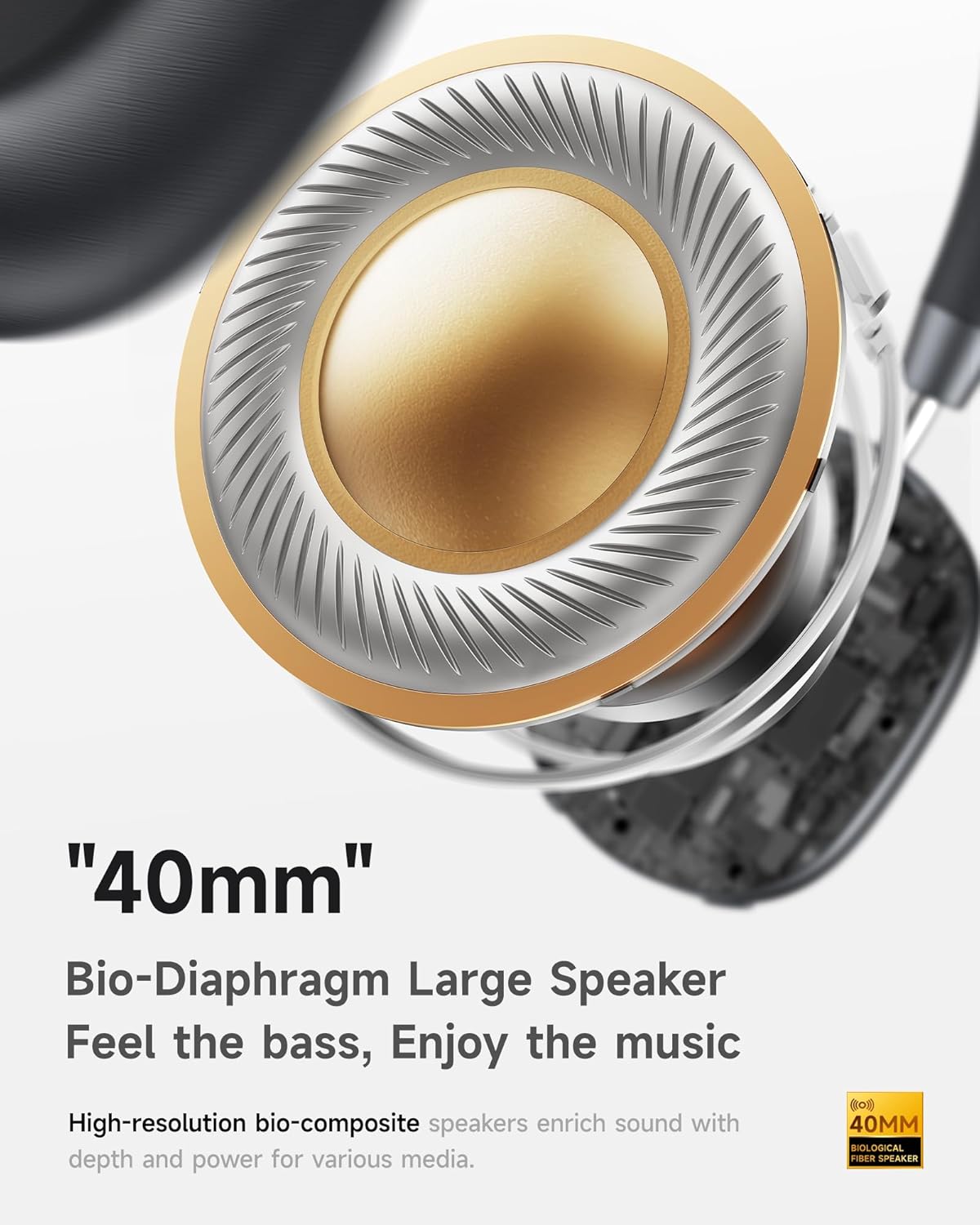
- Hi-Fi Audio with Deep Bass: Delivers clear sound with enhanced bass.
- App-Controlled EQ: Customize audio settings via a dedicated companion application.
- Integruotas mikrofonas: Ensures clear voice calls.
- Kelių taškų jungtis: Allows seamless switching between two connected Bluetooth devices.
- Ergonomiškas dizainas: Lightweight build with soft memory-foam earcups for extended comfort.
- Ilgas grojimo laikas ir greitas įkrovimas: Up to 30 hours of playback on a single charge, with quick recharge capabilities.



4. Sąranka
4.1 Ausinių įkrovimas
Before first use, fully charge your Picun F5 headphones. Connect the provided USB charging cable to the headphone's charging port and a compatible USB power source. The charging indicator light will show the charging status.
4.2 Bluetooth poravimas
- Įsitikinkite, kad ausinės yra išjungtos.
- Paspauskite ir palaikykite maitinimo mygtuką, kol sumirksės indikatoriaus lemputė, rodanti susiejimo režimą.
- Savo įrenginyje (išmaniajame telefone, planšetiniame kompiuteryje, kompiuteryje) įjunkite „Bluetooth“ ir ieškokite galimų įrenginių.
- Select "Picun F5" from the list of devices to connect.
- Once connected, the indicator light will change to a steady blue or turn off, depending on the model.
4.3 Kelių taškų ryšys
The Picun F5 supports connecting to two Bluetooth devices simultaneously. After pairing with the first device, disable Bluetooth on that device. Pair the headphones with the second device. Then, re-enable Bluetooth on the first device. The headphones should now be connected to both devices, allowing seamless audio switching.

5. Operacija
5.1 Pagrindiniai valdikliai
Ausinės turi intuityvius garso ir skambučių valdymo valdiklius:
- Maitinimo įjungimas/išjungimas: Paspauskite ir palaikykite maitinimo mygtuką.
- Garso reguliavimas: Use the dedicated volume knob/buttons on the earcup.
- Leisti / pristabdyti: Vieną kartą paspauskite daugiafunkcį mygtuką.
- Kitas takelis: Dukart paspauskite daugiafunkcį mygtuką.
- Ankstesnis takelis: Tris kartus paspauskite daugiafunkcį mygtuką.
- Atsiliepti / Baigti skambutį: Įeinančio skambučio metu vieną kartą paspauskite daugiafunkcį mygtuką.
- Atmesti skambutį: Įeinančio skambučio metu paspauskite ir palaikykite nuspaudę daugiafunkcį mygtuką.
5.2 Aktyvaus triukšmo slopinimo (ANC) režimai
The ANC feature can be toggled or adjusted using a dedicated button on the headphones. Refer to the specific button layout on your device for exact functionality. Some models may offer different ANC levels or transparency modes.
5.3 App Control and Custom EQ
Download the companion app for your Picun F5 headphones to unlock personalized features. The app allows you to:
- Customize Equalizer (EQ) settings to match your audio preferences.
- Adjust ANC levels or switch between different noise control modes.
- Access additional smart features and settings.


6. Priežiūra
To ensure the longevity and optimal performance of your Picun F5 headphones, follow these maintenance guidelines:
- Valymas: Ausų kaušelius ir galvos juostą valykite minkštu, sausu audiniu. Venkite naudoti stiprias chemines medžiagas ar abrazyvines medžiagas.
- Saugykla: Store the headphones in a cool, dry place, away from direct sunlight and extreme temperatures. When not in use, consider storing them in a protective case.
- Venkite drėgmės: Saugokite ausines nuo vandens ar per didelės drėgmės.
- Elkitės atsargiai: Venkite ausinių numetimo ir stiprių smūgių.

7. Problemų sprendimas
If you encounter issues with your Picun F5 headphones, refer to the following common solutions:
- Nėra galios: Įsitikinkite, kad ausinės yra visiškai įkrautos. Prijunkite jas prie maitinimo šaltinio ir patikrinkite įkrovimo indikatorių.
- Nepavyksta sujungti: Make sure the headphones are in pairing mode (indicator flashing). Disable and re-enable Bluetooth on your device, then try pairing again. Ensure the headphones are not already connected to another device.
- Nėra garso: Check the volume levels on both the headphones and your connected device. Ensure the headphones are properly paired. If using a wired connection, ensure the 3.5mm audio cable is securely plugged in.
- Prasta garso kokybė: Move closer to your connected device to avoid interference. Check for any obstructions between the headphones and the device. Ensure the audio source is of good quality.
- ANC neveikia: Ensure the ANC feature is activated. Check for any physical obstructions around the microphones.
If the issue persists, try resetting the headphones (refer to the full user manual for specific reset instructions) or contact customer support.
8. Specifikacijos
| Prekės ženklas | Picun |
| Modelio pavadinimas | F5 |
| Ryšio technologija | Belaidis ryšys („Bluetooth 4.0“) |
| Triukšmo valdymas | Garso izoliacija (aktyvus triukšmo slopinimas) |
| Dažnio atsakas | 20 KHz |
| Jautrumas | 42 dB |
| Ausinės Jack | 3.5 mm lizdas |
| Baterijos veikimo laikas | 30 valandų |
| Garso tvarkyklės tipas | Dinaminis vairuotojas |
| Ausinės forma | Apvalus |
| Varža | 32 omų |
| Prekės svoris | 14 uncijos (0.4 kilogramo) |
| Medžiaga | Akrilnitrilo butadieno stirenas (ABS) |
9. Garantija ir palaikymas
Picun products are designed for reliability and performance. For warranty information, product support, or technical assistance, please refer to the warranty card included in your package or visit the official Picun websvetainę. Išsaugokite pirkimo čekį garantiniams reikalavimams.


