1. Įvadas
This manual provides detailed instructions for the safe and efficient use of your Beafon Fold10 LTE flip phone. Please read this manual thoroughly before operating the device and keep it for future reference. The Beafon Fold10 LTE is a 4G flip phone designed for ease of use, featuring large buttons, dual color displays, and an emergency call button.

Image: The Beafon Fold10 LTE flip phone shown on its charging cradle, with the phone open to display its keypad and internal screen. The 4G LTE logo is visible, indicating its network capability.

Image: The Beafon Fold10 LTE phone depicted with a graphical overlay of a 4G LTE network, emphasizing its advanced connectivity features.
2. Saugos informacija
Always follow basic safety precautions when using this product to reduce the risk of injury, fire, or electric shock. Keep the device away from water and high humidity. Do not attempt to disassemble or repair the device yourself. Use only approved accessories. Avoid exposing the device to extreme temperatures.
- Baterijos sauga: Use only the specified battery. Do not short-circuit, puncture, or expose the battery to fire or high temperatures.
- Klausos apsauga: Venkite ilgai klausytis dideliu garsumu, kad nepažeistumėte klausos.
- Vairavimo sauga: Do not use the phone while driving. Always prioritize road safety.
- Medicinos prietaisai: Maintain a safe distance between the phone and medical implants like pacemakers. Consult your physician and medical device manufacturer for specific guidelines.
3. Pakuotės turinys
Patikrinkite, ar pakuotėje yra visi reikalingi daiktai:
- Beafon Fold10 LTE Flip Phone
- Battery (1 P76 Lithium-ion)
- Įkrovimo lopšys
- USB A to USB Type C Cable
- Vartotojo vadovas (šis dokumentas)
4. Įrenginys baigtasview
Familiarize yourself with the main components of your Beafon Fold10 LTE phone.

Vaizdas: priekis view of the Beafon Fold10 LTE flip phone in its closed position, highlighting the external color display and the camera lens.

Vaizdas: Šoninė view of the Beafon Fold10 LTE flip phone, illustrating the location of the volume control buttons and the charging port.

Paveikslėlis: Nugara view of the Beafon Fold10 LTE flip phone, clearly showing the dedicated SOS emergency button.
Pagrindiniai komponentai:
- External Color Display (1.44"): Shows time, date, battery status, and caller ID when closed.
- Internal Color Display (2.2"): Main display for menus, calls, and messages.
- Klaviatūra: Large, backlit keys for easy dialing and navigation. Keys can announce numbers when pressed.
- SOS mygtukas: Located on the back for emergency calls to pre-programmed numbers.
- Kamera: Fotografavimui.
- Žibintuvėlis: Integruotas šviesos šaltinis.
- Įkrovimo prievadas: C tipo USB.
- Garsumo mygtukai: Adjust call and ringtone volume.
5. Sąranka
5.1 SIM kortelės ir akumuliatoriaus įdėjimas
- Atidarykite telefono galinį dangtelį.
- Insert your SIM card(s) into the designated slot(s). Ensure the SIM card is correctly oriented.
- Įdėkite bateriją į jos skyrių, sulygiuodami kontaktus.
- Uždėkite galinį dangtelį, kol jis spragtelėdamas užsifiksuos vietoje.
5.2 Pradinis įkrovimas
Prieš pirmą kartą naudodami, visiškai įkraukite telefono bateriją.
- Connect the USB cable to the charging cradle and a power adapter (not included) or a computer.
- Place the phone into the charging cradle. The charging indicator will illuminate.
- Allow the phone to charge until the battery icon shows full.
5.3 Įjungimas / išjungimas
- Norėdami įjungti: Paspauskite ir palaikykite maitinimo / skambučio baigimo mygtuką, kol ekranas įsijungs.
- Norėdami išjungti: Press and hold the Power/End Call button, then confirm "Power Off" on the screen.
6. Pagrindinė operacija
6.1 Skambinimas ir skambučių priėmimas
- Skambinimas:
- Open the flip.
- Surinkite norimą numerį naudodami klaviatūrą.
- Norėdami pradėti skambutį, paspauskite žalią skambinimo mygtuką.
- Press the Red End Call button to end the call.
- Skambučio priėmimas:
- When the phone rings, open the flip or press the Green Call button.
- Press the Red End Call button to end the call.
- Skambinimas laisvų rankų įranga: The phone supports hands-free operation via Bluetooth or speakerphone.
6.2 SMS siuntimas ir gavimas
- Eikite į meniu „Žinutės“.
- Select "New Message" to compose an SMS.
- Įveskite gavėjo numerį ir savo žinutę.
- Pasirinkite „Siųsti“.
- Incoming messages will be displayed on the screen and a light signal may activate.
6.3 SOS avarinis mygtukas
The SOS button on the back of the phone allows for quick emergency calls.
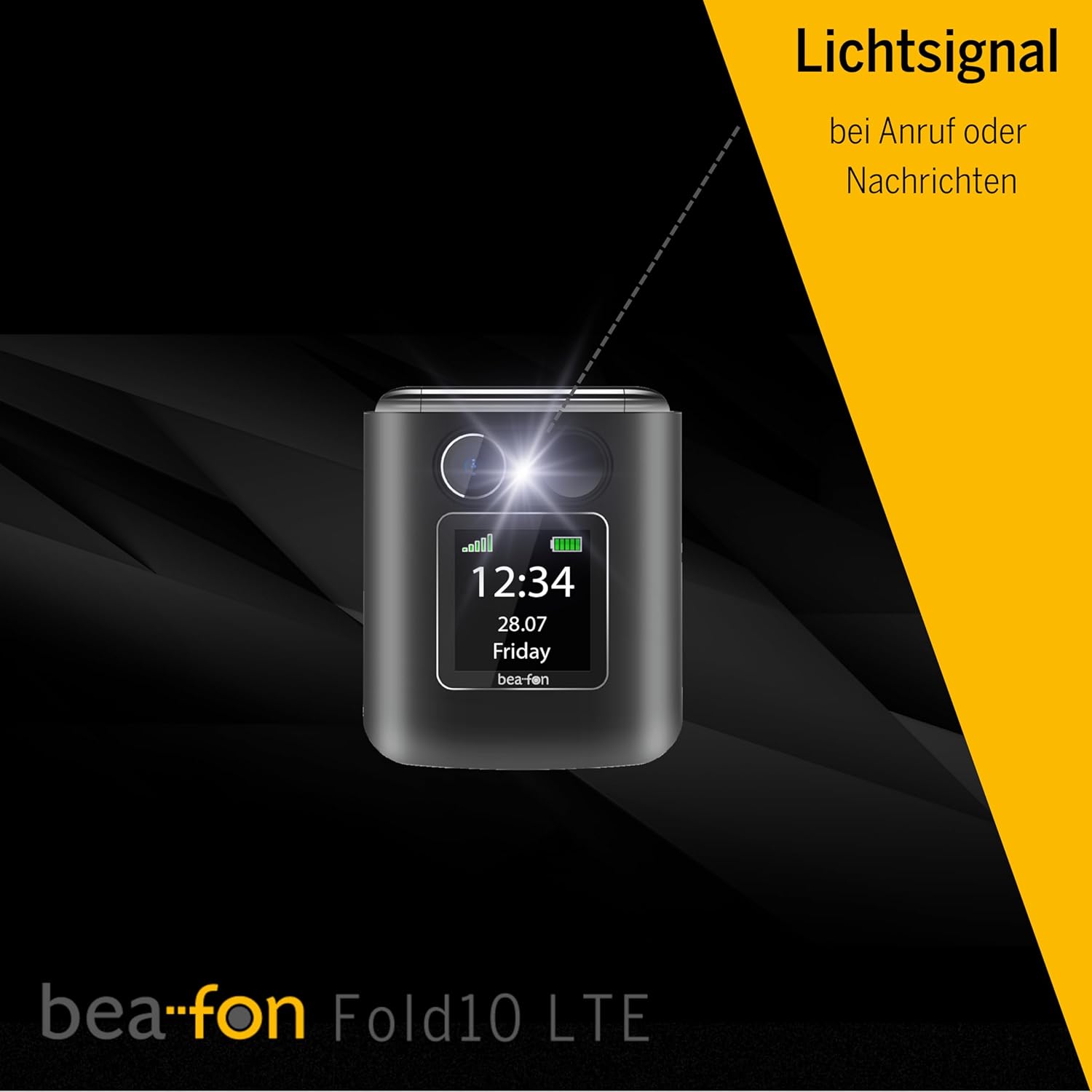
Image: A diagram illustrating the SOS button's function, showing its location on the phone's back and its connection to a network of up to five user-programmable emergency contacts.
- SOS numerių programavimas: Access the SOS settings in the phone's menu to program up to 5 emergency contact numbers.
- SOS aktyvinimas: Press and hold the SOS button for a few seconds. The phone will automatically call the programmed numbers in sequence until an answer is received.
6.4 Photo Contacts
Assign photos to your contacts for easy visual identification of callers.

Image: A visual representation of the phone's internal display during an incoming call, demonstrating the photo contact feature where a contact's picture is shown alongside their name.
- Navigate to "Contacts".
- Select a contact and choose "Edit".
- Select the option to add a photo from your gallery or take a new one.
6.5 Light Signal for Incoming Calls/Messages
The phone features a light signal that flashes to alert you of incoming calls or messages, providing a visual notification in addition to the ringtone.
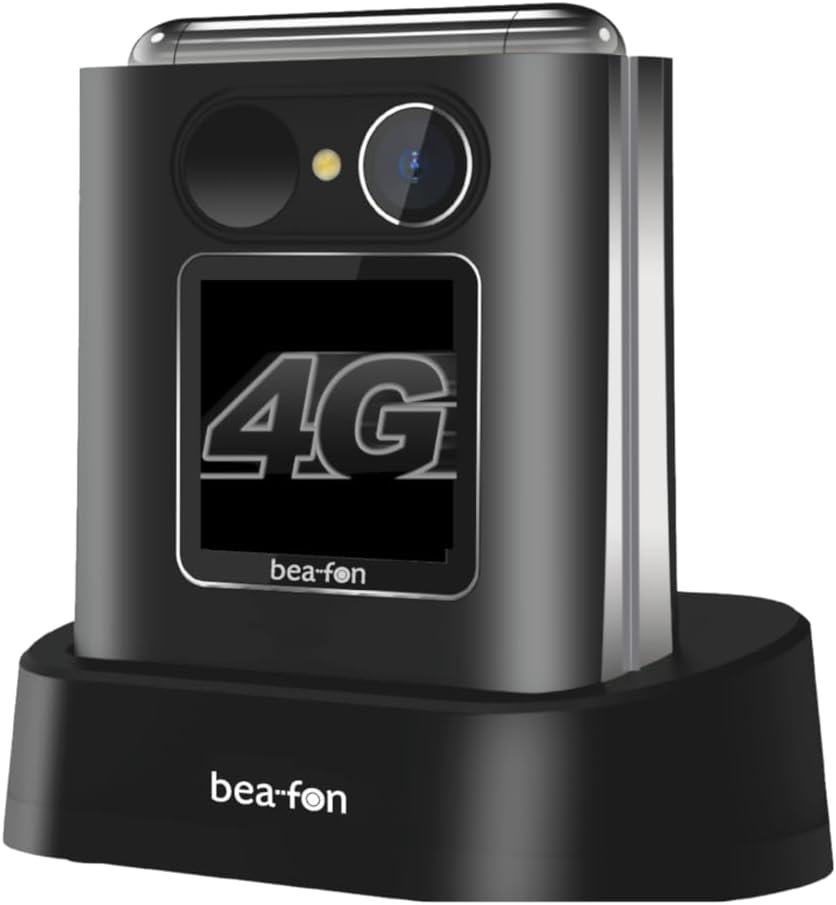
Image: The Beafon Fold10 LTE phone displaying a visible light signal on its external screen, indicating an incoming call or message.
6.6 Kitos funkcijos
- Kamera: Norėdami fotografuoti, iš pagrindinio meniu pasirinkite kamerą.
- Žibintuvėlis: Activate the flashlight feature from the quick access menu or settings.
- Bluetooth: Pair with Bluetooth headsets or other devices for wireless connectivity.
7. Priežiūra
7.1 Prietaiso valymas
Use a soft, dry cloth to clean the phone's surface. Do not use liquid cleaners or aerosols. Avoid getting moisture into openings.
7.2 Akumuliatoriaus priežiūra
- Nepalikite visiškai išsikrovusios baterijos ilgą laiką.
- Venkite perkrauti akumuliatorių.
- If the phone will not be used for a long time, store it with a partially charged battery in a cool, dry place.
7.3 Saugykla
Store the phone in a cool, dry environment, away from direct sunlight and extreme temperatures.
8. Problemų sprendimas
| Problema | Galima priežastis | Sprendimas |
|---|---|---|
| Telefonas neįsijungia. | Baterija išsikrovusi arba netinkamai įdėta. | Įkraukite akumuliatorių. Įsitikinkite, kad akumuliatorius tinkamai įdėtas. |
| Negalima skambinti arba priimti skambučių. | No network signal, SIM card not inserted or activated. | Check network coverage. Ensure SIM card is correctly inserted and activated. Contact your service provider. |
| Prasta skambučių kokybė. | Weak network signal, interference. | Persikelkite į vietą, kurioje geresnis signalas. Venkite trukdžių šaltinių. |
| Baterija greitai išsikrauna. | High usage, background applications, old battery. | Reduce screen brightness, close unused applications. Consider replacing the battery if it's old. |
9. Specifikacijos
| Funkcija | Detalė |
|---|---|
| Prekės ženklas | Beafon |
| Modelio pavadinimas | Fold10 LTE |
| Produkto tipas | Apverskite telefoną |
| Operacinė sistema | švyturys |
| Vidinis ekrano dydis | 2.2 colių |
| Išorinio ekrano dydis | 1.44 colių |
| Ryšys | 4G LTE |
| Korinio ryšio technologija | 4G |
| Belaidžio tinklo technologija | LTE |
| Ypatingos savybės | Flip phone, SOS emergency call button, Photo contacts, Backlit keys, Extra loud ringtone, Flashlight, Bluetooth, Hands-free |
| Baterijos sudėtis | Ličio jonų |
| Spalva | Juoda/Sidabrinė |
| Įtraukti komponentai | Įkrovimo lopšys |
| Veiksminga nejudančioji raiška | 0.3 MP (kamera) |
| Matmenys (apytiksliai) | 71 mm (aukštis) x 63 mm (plotis) x 22.4 mm (gylis) |
10. Garantija ir palaikymas
For warranty information and customer support, please refer to the warranty card included with your product or visit the official Beafon websvetainėje. Išsaugokite pirkimo įrodymą garantiniams reikalavimams.


