1. Įvadas
This manual provides detailed instructions for the proper use and maintenance of your Sandberg Pocket Radio FM+AM Recharge, Model 421-02. Please read this manual thoroughly before operating the device to ensure optimal performance and longevity.
2. Produktas baigtasview
The Sandberg Pocket Radio is a compact, portable device designed for receiving FM and AM radio broadcasts. It features a built-in rechargeable battery and a digital display for easy tuning.
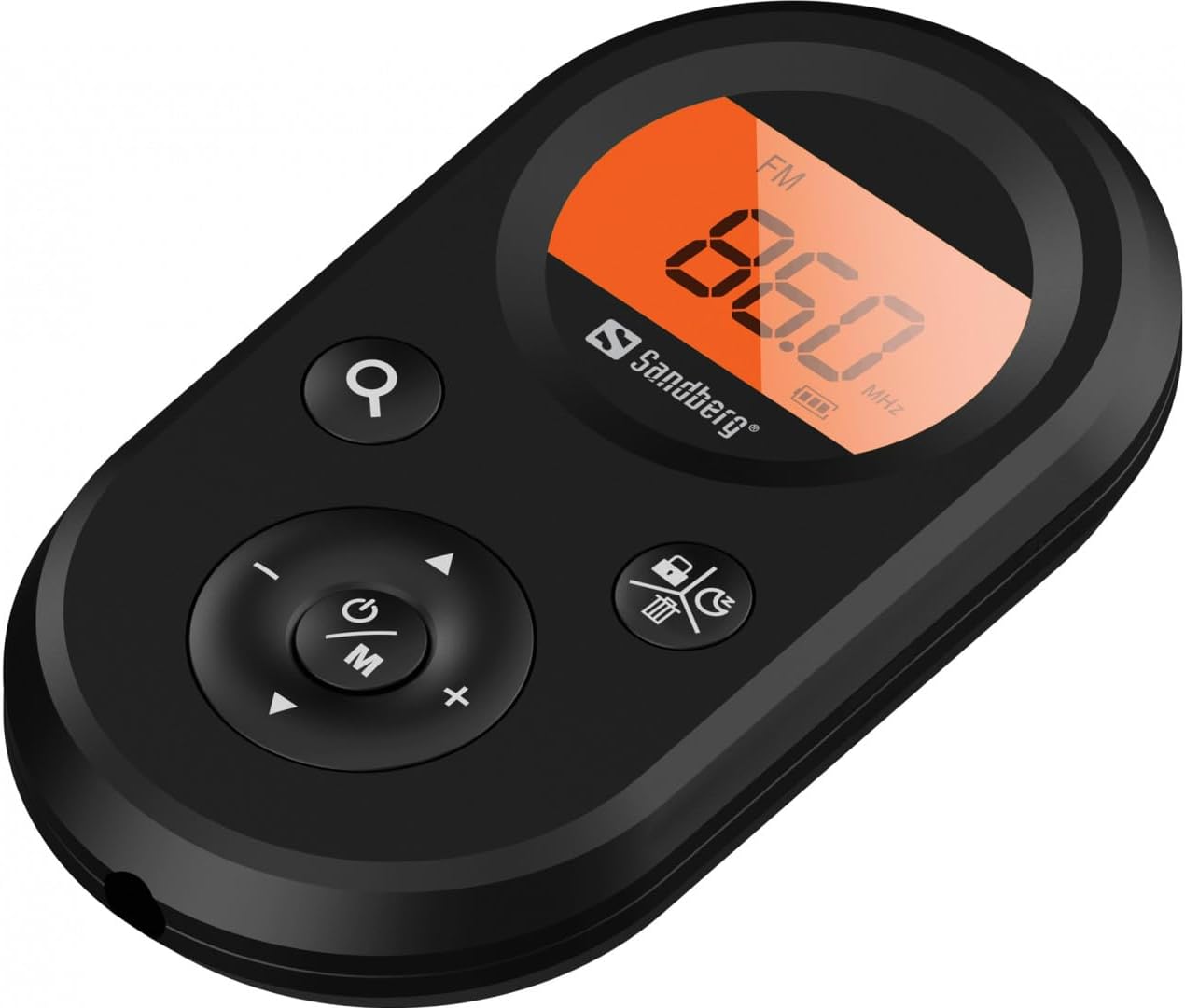
1 pav.: priekis view of the Sandberg Pocket Radio, displaying the frequency and controls.
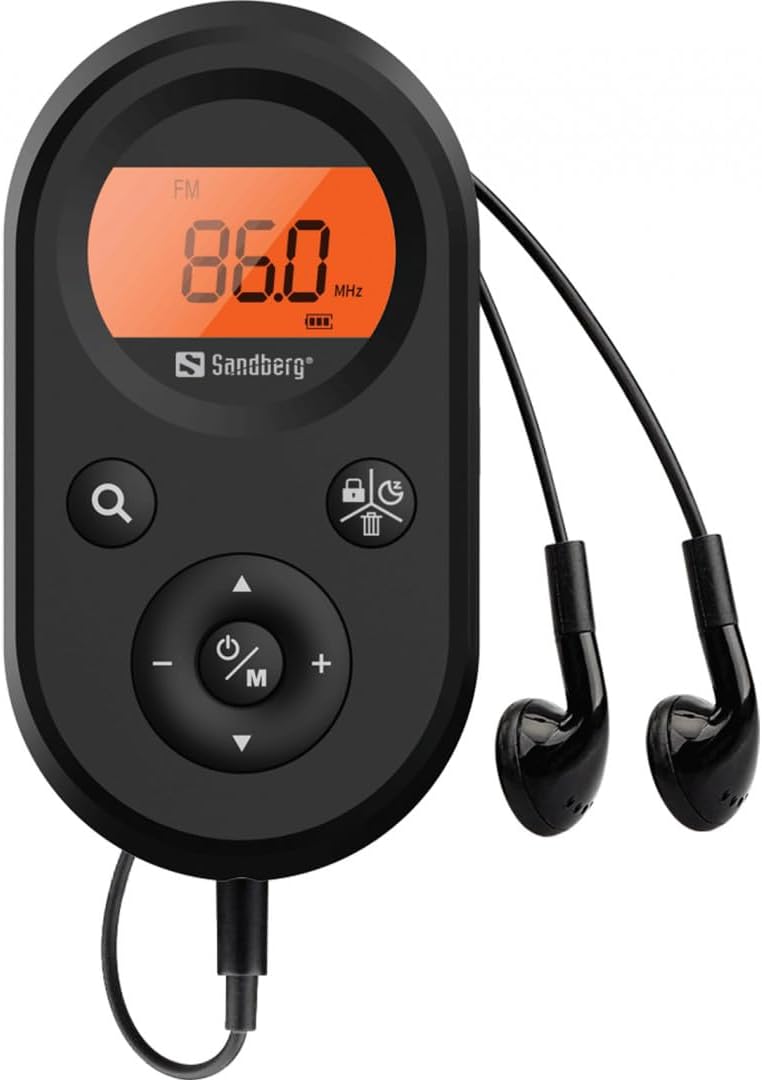
Figure 2: The radio connected to the included earphones, which also function as the FM antenna.
Pakuotės turinys:
- 1 x Sandberg Pocket Radio FM+AM Recharge (Model 421-02)
- 1x ausines
- 1 x Charging cable (USB-A to USB-C, 50 cm)
3. Sąranka
3.1 Akumuliatoriaus įkrovimas
- Connect the small end of the included USB-C charging cable to the charging port on the radio.
- Prijunkite standartinį USB-A laido galą prie USB maitinimo adapterio (nepridedamas) arba kompiuterio USB prievado.
- The radio's display will indicate charging status. A full charge typically takes a few hours.
- Disconnect the charging cable once the battery is fully charged.
3.2 Ausinių prijungimas
The included earphones are essential for operation as they serve as the antenna for FM reception. Without them, FM reception will be severely limited or non-existent.
- Insert the 3.5mm jack of the earphones into the earphone port on the radio.
- Įsitikinkite, kad ryšys yra saugus.
4. Naudojimo instrukcijos
4.1 Maitinimo įjungimas/išjungimas
- Norėdami įjungti radiją, paspauskite ir palaikykite Power/Mode (ⓘ/M) button for approximately 2-3 seconds. The display will light up.
- Norėdami išjungti radiją, paspauskite ir palaikykite Power/Mode (ⓘ/M) button again for approximately 2-3 seconds. The display will turn off.
4.2 Mode Selection (FM/AM)
- While the radio is powered on, short press the Power/Mode (ⓘ/M) button to switch between FM and AM radio bands. The current band will be indicated on the display.
4.3 Stočių derinimas
- Automatinis nuskaitymas: To automatically scan for and store available stations, press and hold the Search (⌕) button. The radio will scan through the frequency range and save stations with strong signals.
- Rankinis derinimas: To manually tune to a specific frequency, short press the Aukštyn (▲) or Žemyn (▼) buttons to adjust the frequency incrementally.
4.4 Garsumo valdymas
- Norėdami padidinti garsumą, paspauskite Garsumo padidinimas (+) mygtuką.
- Norėdami sumažinti garsumą, paspauskite Patildyti (-) mygtuką.
4.5 Rodyti informaciją
The digital display shows the current radio band (FM or AM), the tuned frequency, and the battery level indicator.
5. Priežiūra
5.1 Valymas
- Radijo imtuvo išorę nuvalykite minkštu, sausu skudurėliu.
- Do not use abrasive cleaners, solvents, or strong chemicals, as these can damage the surface.
- Venkite drėgmės patekimo į bet kokias angas.
5.2 Akumuliatoriaus priežiūra
- Norėdami pailginti akumuliatoriaus veikimo laiką, venkite dažnai visiškai jį iškrauti.
- Kai radijo imtuvas ilgą laiką nenaudojamas, jį laikykite vėsioje, sausoje vietoje.
- Jei akumuliatorius ilgą laiką laikomas sandėlyje, jį periodiškai įkraukite, kad išvengtumėte visiško išsikrovimo.
6. Problemų sprendimas
- Nėra galios: Ensure the battery is charged. Connect the radio to a power source using the USB-C cable.
- Nėra garso: Check that the earphones are securely plugged in. Adjust the volume using the Garsumo padidinimas (+) mygtuką.
- Prastas FM priėmimas: Ensure the earphones are fully plugged in, as they function as the FM antenna. Try repositioning the radio or the earphone cable for better signal.
- Cannot Save Favorite Stations: This model does not support saving favorite radio stations. Stations are found via automatic scan or manual tuning each time.
- Ekranas neveikia: If the display is blank or flickering, try recharging the battery. If the issue persists, contact customer support.
7. Specifikacijos
| Funkcija | Specifikacija |
|---|---|
| Modelio numeris | 421-02 |
| AM dažnio diapazonas | 522–1710 kHz (9 kHz) / 520–170 kHz (10 kHz) |
| FM dažnių diapazonas | 76-108 MHz |
| AM jautrumas | <20mV/m |
| FM Signal to Noise Ratio | >40db |
| Didžiausia išėjimo galia | 6.5mW |
| Baterijos talpa | 5000 mAh, 3.7V (1.85 Wh) |
| Ryšio technologija | Auxiliary (for earphones/antenna) |
| Maitinimo šaltinis | Maitinamas baterijomis |
| Prekės svoris | 60 gramų (2.12 uncijos) |
8. Garantija ir palaikymas
Sandberg products are manufactured to high quality standards. For information regarding warranty terms and conditions, or for technical support, please refer to the official Sandberg websvetainėje arba susisiekite tiesiogiai su jų klientų aptarnavimo tarnyba. Išsaugokite pirkimo kvitą kaip pirkimo įrodymą.


