1. Įvadas ir pabaigaview
This manual provides essential information for the safe and effective use of your Canon PowerShot IXY 650 HS Compact Digital Camera. The camera is designed for high-quality image and video capture with user-friendly features.
The Canon PowerShot IXY 650 HS features a 20.2MP CMOS sensor and DIGIC 4+ image processor, enabling high-resolution photos and Full HD 1080p video recording. Its 12x optical zoom lens covers a versatile 25-300mm equivalent focal length, complemented by Intelligent IS image stabilization for sharp results. Built-in Wi-Fi with NFC facilitates easy sharing and remote control.
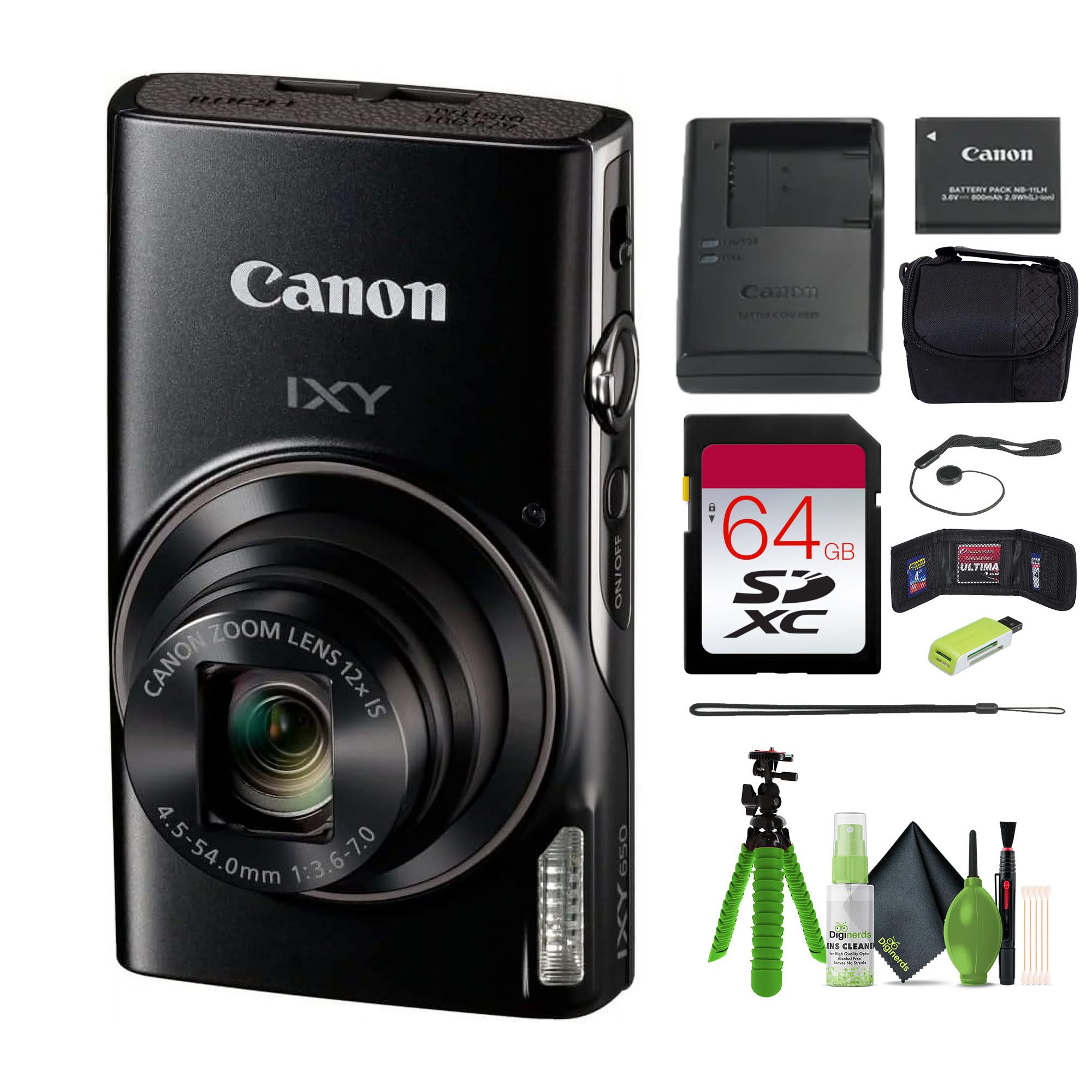
1.1 vaizdas: Priekyje view of the Canon PowerShot IXY 650 HS Compact Digital Camera. This image displays the camera's compact design, the prominent lens with 12x optical zoom, the built-in flash, and the Canon IXY branding.
2. Kas yra dėžutėje
Prieš tęsdami sąranką, patikrinkite, ar pakuotėje yra visi reikalingi daiktai.
- Canon IXY 650 Compact Digital Camera (Black)
- 64GB Extreme PRO Memory Card
- Mažas dėklas
- Atminties kortelių skaitytuvas
- 12 inch Flexible Vlogging Tripod
- Atminties kortelių piniginė
- Objektyvo dangtelio laikiklis
- Valymo rinkinys

2.1 vaizdas: Typical contents of the Canon PowerShot IXY 650 HS camera bundle. This image shows the camera, a battery, a battery charger, and a wrist strap, which are core components.
3. Sąranka
3.1. Akumuliatoriaus įkrovimas
- Įdėkite bateriją į pateiktą baterijos įkroviklį.
- Įjunkite įkroviklį į maitinimo lizdą.
- Įkrovimo indikatoriaus lemputė rodys įkrovimo būseną. Kraukite, kol lemputė rodys visišką įkrovimą.
3.2. Baterijos ir atminties kortelės įdėjimas
- Atidarykite akumuliatoriaus / kortelės skyriaus dangtelį fotoaparato apačioje.
- Įdėkite įkrautą bateriją tinkama kryptimi, kol ji spragtelės ir užsifiksuos vietoje.
- Insert the 64GB memory card into the card slot until it clicks. Ensure the card is facing the correct direction.
- Saugiai uždarykite skyriaus dangtelį.
3.1 vaizdas: Šoninė view of the Canon PowerShot IXY 650 HS. This image highlights the top controls including the power button, shutter button, and zoom lever.
4. Fotoaparato valdymas
4.1. Įjungimas/išjungimas
Paspauskite ĮJUNGTA/IŠJUNGTA mygtuką, esantį fotoaparato viršuje, kad jį įjungtumėte arba išjungtumėte.
4.2. Pagrindinė fotografija
- Pasirinkite fotografavimo režimą: Use the mode dial or menu to select your desired shooting mode (e.g., Automatic, Program, Manual).
- Įrėmink savo kadrą: Use the 3.0" LCD monitor to compose your image.
- Fokusas: Press the shutter button halfway down to autofocus. The camera will confirm focus.
- Užfiksuoti: Norėdami nufotografuoti, iki galo paspauskite užrakto mygtuką.
4.3. Priartinimo funkcija
The camera features a 12x optical zoom lens. Use the zoom lever around the shutter button to zoom in or out.

4.1 vaizdas: Illustration of the camera's zoom capabilities. This diagram shows the visual difference between 1x optical zoom (25mm equivalent), 12x optical zoom (300mm equivalent), and 24x progressive fine zoom (600mm equivalent), demonstrating the camera's versatility for various shooting distances.
4.4. Vaizdo įrašymas
To record Full HD 1080p video at 30 fps, press the dedicated movie record button. Press it again to stop recording.
4.5. „Wi-Fi“ ir NFC ryšys
The camera features built-in Wi-Fi with NFC for easy sharing and remote control.
- Press the dedicated Wi-Fi button.
- Follow the on-screen instructions to connect to a smartphone or tablet using the Canon Camera Connect app.
- For NFC-enabled devices, simply touch the camera to the device to establish a connection.

4.2 vaizdas: Wi-Fi functionality diagram for the Canon IXY 650 HS. This image illustrates how to activate Wi-Fi by pressing the dedicated button and shows the subsequent connection screen for transferring photos and videos to a smartphone or tablet.
4.6. Vaizdo stabilizavimas (išmanusis vaizdo stabilizavimas)
The Intelligent IS system automatically selects the optimal image stabilization mode for various shooting conditions, reducing camera shake for sharper images and smoother videos.

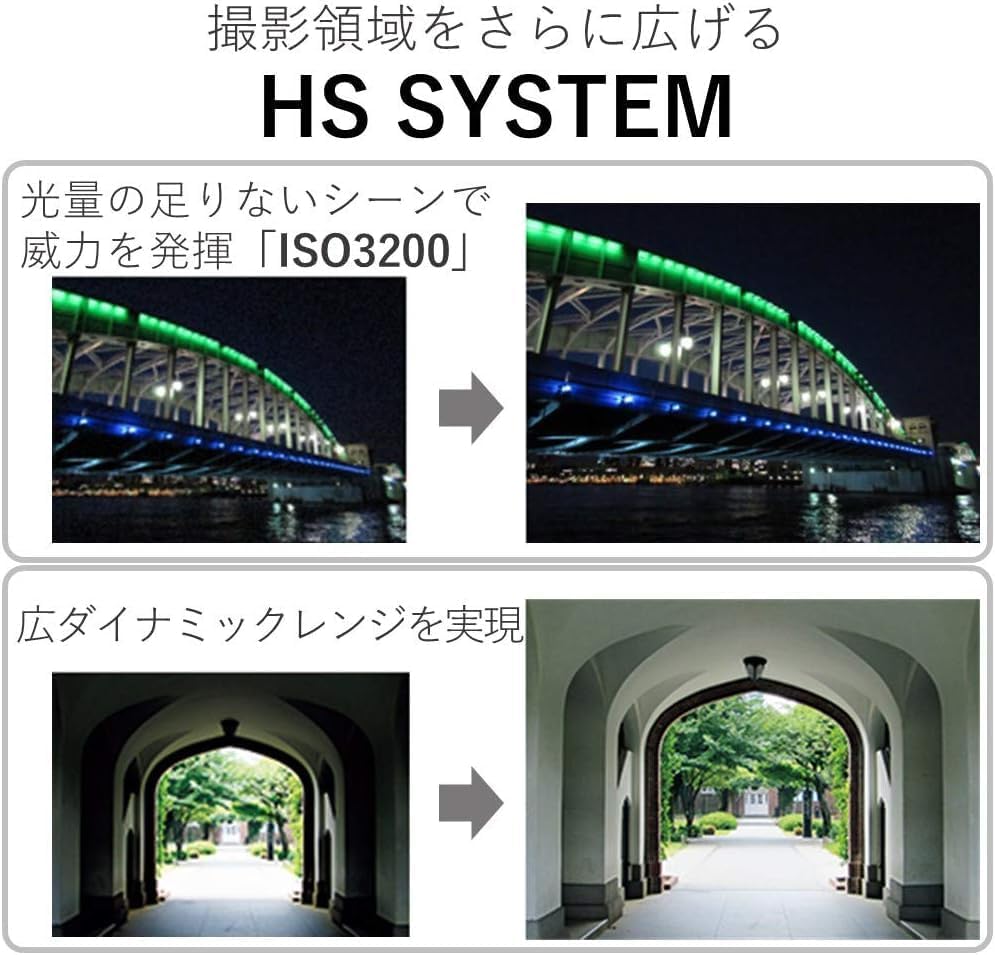
4.3 vaizdas: Multi-Scene IS and Auto Shutter features. This image demonstrates how the camera automatically adjusts image stabilization for different scenes, such as nightscapes, and how the auto shutter function detects smiles for optimal portrait capture.
5. Priežiūra
- Objektyvo valymas: Use a soft, lint-free cloth or a lens brush from the cleaning kit to gently remove dust and smudges. Avoid harsh chemicals.
- Kūno valymas: Nuvalykite fotoaparato korpusą minkštu, sausu skudurėliu. Nenaudokite organinių tirpiklių.
- Akumuliatoriaus priežiūra: Store batteries in a cool, dry place. Do not expose to extreme temperatures.
- Saugykla: When not in use for extended periods, remove the battery and store the camera in its case in a dry, well-ventilated area.
6. Problemų sprendimas
| Problema | Sprendimas |
|---|---|
| Kamera neįsijungia. | Įsitikinkite, kad akumuliatorius yra visiškai įkrautas ir teisingai įdėtas. Jei įmanoma, išbandykite kitą įkrautą akumuliatorių. |
| Vaizdai neryškūs. | Check if the lens is clean. Ensure sufficient lighting. Hold the camera steady or use a tripod. Verify that Intelligent IS is active. |
| Nepavyksta prisijungti prie „Wi-Fi“. | Ensure the Canon Camera Connect app is installed on your smart device. Restart both the camera and the smart device. Check network settings. |
| Atminties kortelės klaida. | Ensure the memory card is correctly inserted. Try formatting the card (this will erase all data). Use a different memory card if the issue persists. |
7. Specifikacijos
| Funkcija | Detalė |
|---|---|
| Prekės ženklas | Canon |
| Modelio pavadinimas | IXY 650 (ELPH 360) HS |
| Nuotraukų jutiklio skiriamoji geba | 20.2 MP |
| Nuotraukų jutiklių technologija | CMOS |
| Optinis priartinimas | 12x |
| Maksimalus židinio nuotolis | 300 milimetrai (ekvivalentas) |
| Minimalus židinio nuotolis | 25 milimetrai (ekvivalentas) |
| Vaizdo stabilizavimas | Optinis (išmanusis vaizdo stabilizatorius) |
| Vaizdo raiška | 1080p Full HD at 30 FPS |
| Ryšio technologija | NFC, WiFi |
| Ekrano dydis | 3 colio LCD |
| Maksimali ekrano skiriamoji geba | 0.461 MP (461k-dot) |
| Palaikoma File Formatas | JPEG (nuotraukos), MP4 (vaizdo įrašai) |
| Nepertraukiamas fotografavimas | 7.2 FPS |
| Išplėstas ISO maksimalus | 3200 |
| Baterijos tipas | Ličio jonas |
| Atminties talpa | 64 GB (išorinės atminties dydis) |
| Prekės svoris | 1.92 svaro |
| Spalva | Juoda |
| Atsparumo vandeniui lygis | Neatsparus vandeniui |
8. Garantija ir palaikymas
This product comes with a 90-day limited warranty. For warranty claims or technical support, please refer to the official Canon support channels or contact your retailer.
For additional resources, including software downloads and FAQs, visit the official Canon websvetainę.


