Įvadas
Ačiū, kad pirkoteasing the Edifier MG300 Computer Speakers PC SoundBar. This manual provides essential information for setting up, operating, and maintaining your new soundbar. Please read this manual thoroughly before use to ensure proper functionality and to maximize your listening experience.
Saugos informacija
Kad sumažintumėte elektros smūgio, gaisro ar įrenginio sugadinimo riziką, laikykitės šių saugos priemonių:
- Saugokite prietaisą nuo lietaus ar drėgmės.
- Ant prietaiso nedėkite daiktų, pripildytų skysčių, pavyzdžiui, vazų.
- Nemontuokite šalia jokių šilumos šaltinių, pvz., radiatorių, šilumokaičių, viryklių ar kitų įrenginių (įskaitant ampkeltuvai), kurie gamina šilumą.
- Naudokite tik gamintojo nurodytus priedus/priedus.
- Visus techninės priežiūros darbus patikėkite kvalifikuotam techninės priežiūros personalui.
Pakuotės turinys
Pažymėkite langelį prie šių elementų:
- Edifier MG300 Soundbar
- USB-A į USB-C laidas
- Vartotojo vadovas
Produktas baigtasview
The Edifier MG300 Soundbar features dual 52mm full-range speakers and dual inverter tubes for balanced audio. It includes dynamic RGB lighting effects and a hidden microphone for clear voice communication. Control buttons are located on the top panel for easy access.
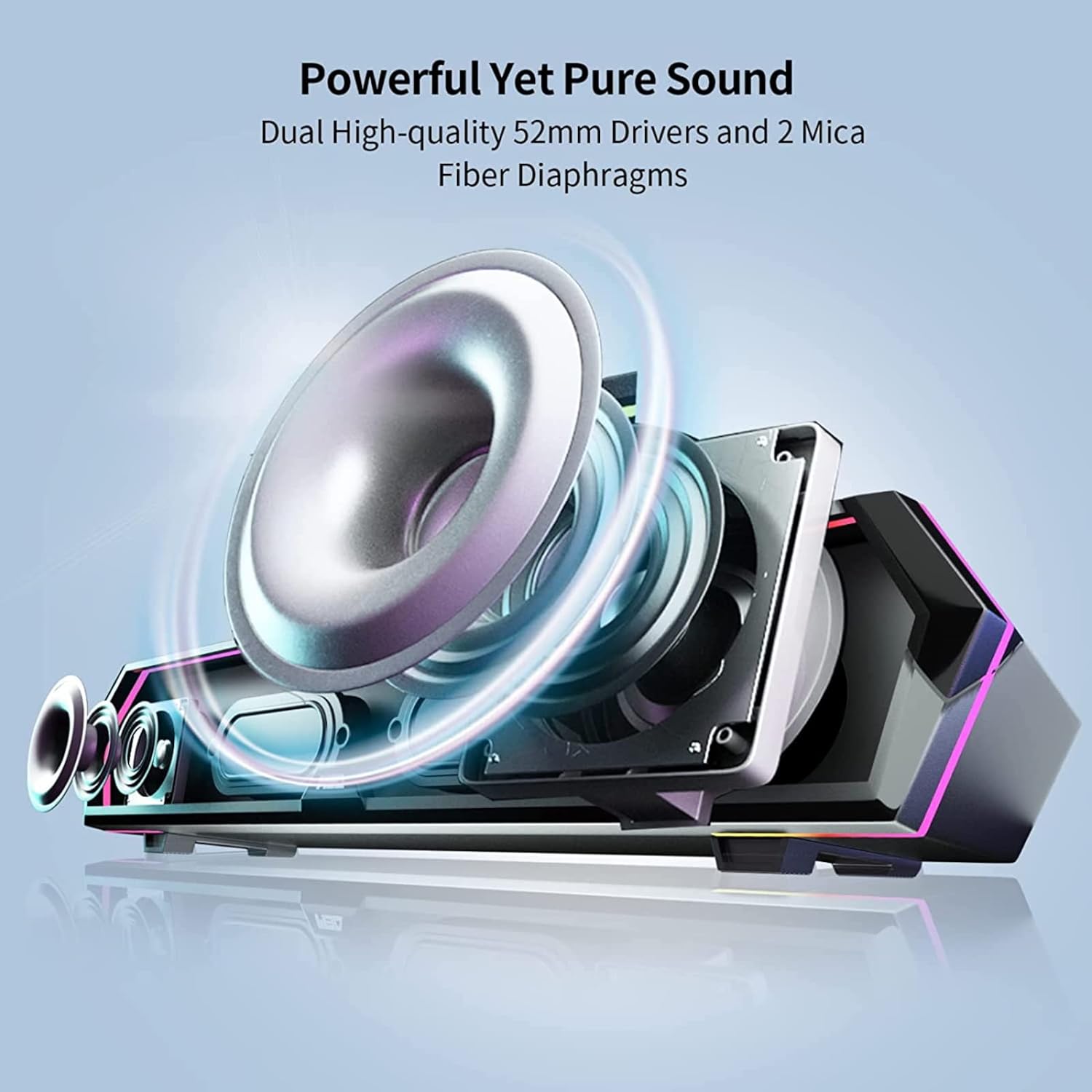
Image: Internal Speaker Components
This image illustrates the internal structure of the soundbar, showcasing the dual 52mm drivers and mica fiber diaphragms designed for powerful and pure sound reproduction.
Sąranka
1. Įdėjimas
Position the Edifier MG300 soundbar on a stable, flat surface, ideally directly under your computer monitor. Its compact design (485mm x 70mm x 80mm) is optimized to save desktop space.

Image: Soundbar Placement
The soundbar is shown positioned beneath a computer monitor, demonstrating its space-saving design and ideal placement for desktop use.
2. Power and Connection Options
The MG300 offers two primary connection methods: USB-A and Bluetooth 5.3.
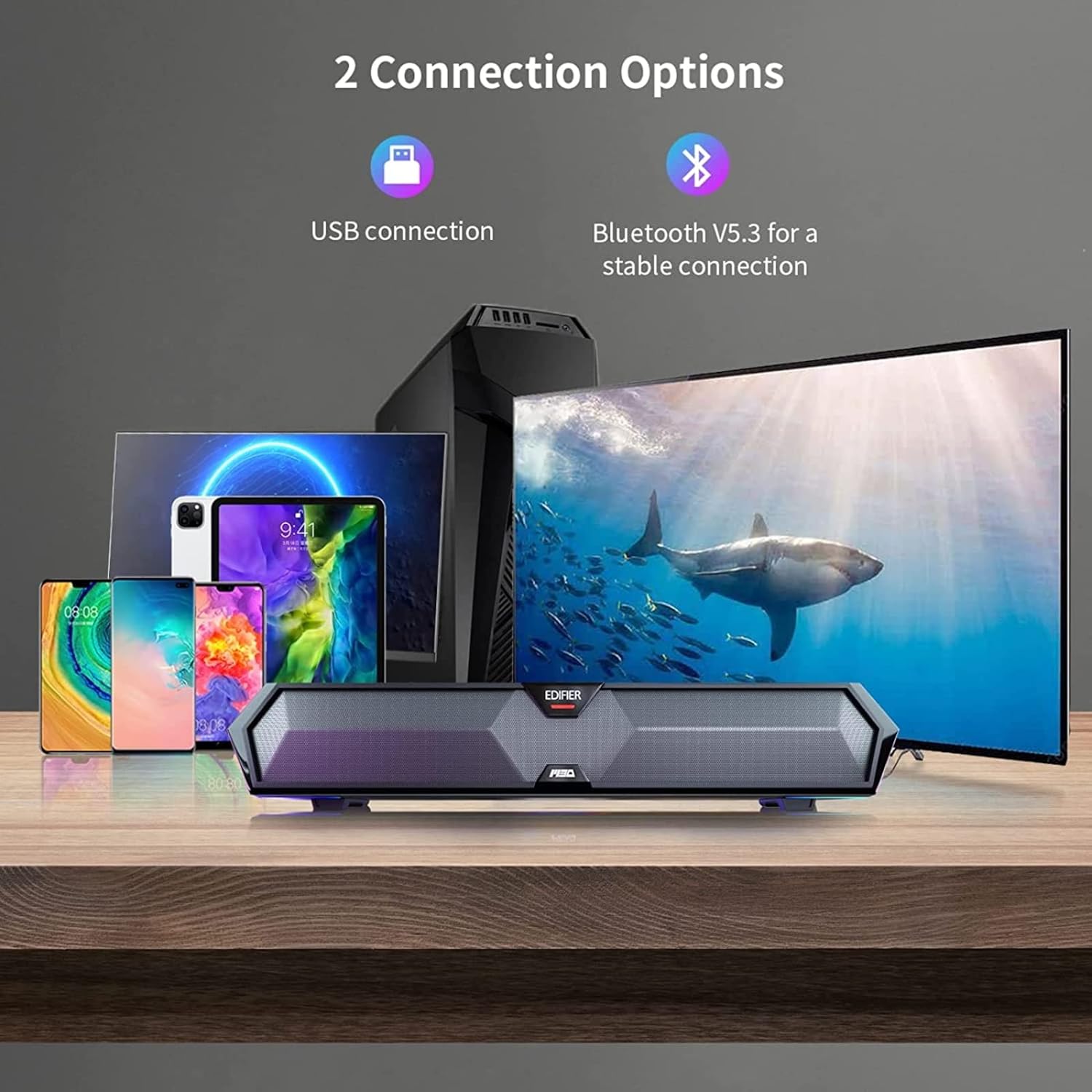
Image: Connection Options
This image illustrates the two main ways to connect the soundbar: via USB to a computer or wirelessly via Bluetooth to mobile devices.
USB jungtis (kompiuteriui)
- Connect the provided USB-A to USB-C cable to the USB-C port on the back of the soundbar.
- Plug the USB-A end into an available USB port on your computer.
- The soundbar will power on automatically and be recognized as an audio output device by your computer.
„Bluetooth“ ryšys (mobiliesiems įrenginiams)
- Press the Bluetooth button on the top panel of the soundbar to enter Bluetooth pairing mode. The RGB lights will flash to indicate pairing mode.
- Mobiliajame įrenginyje (išmaniajame telefone, planšetiniame kompiuteryje) įjunkite „Bluetooth“ ir ieškokite galimų įrenginių.
- Select "Edifier MG300" from the list of devices to pair.
- Once connected, the RGB lights will stop flashing and remain solid.
Naudojimo instrukcijos
1. Maitinimo įjungimas/išjungimas
Paspauskite ir palaikykite maitinimo mygtuką (U) on the top panel to turn the soundbar on or off.
2. Garsumo valdymas
Naudokite garsumo didinimo mygtuką (+) ir garsumo mažinimas (-) buttons on the top panel to adjust the audio level.
3. RGB apšvietimo valdymas
The soundbar features dynamic RGB lighting effects. Press the light control button (O:) on the top panel to cycle through different lighting modes or to turn the lights off.
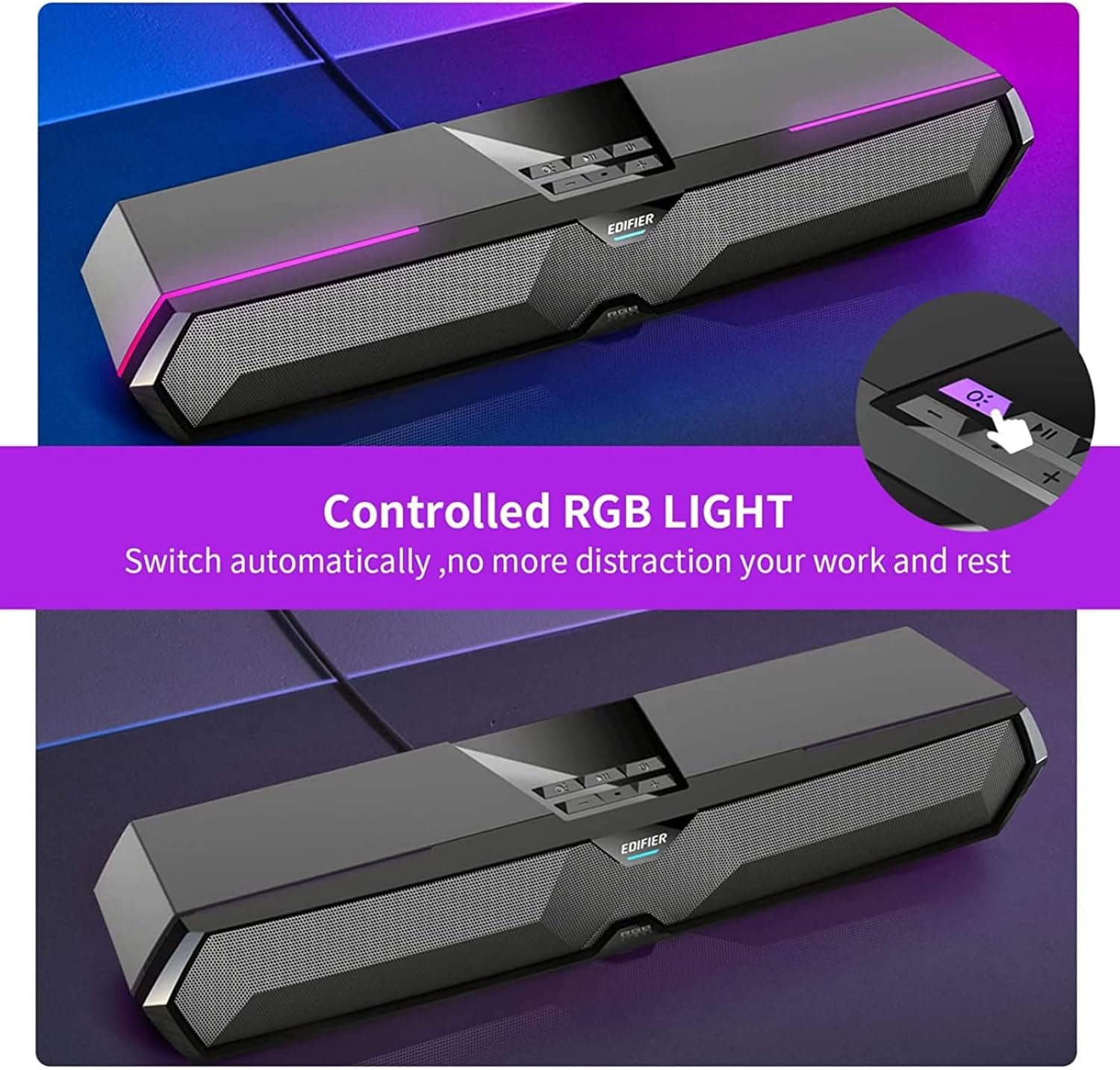
Image: RGB Light Control
This image shows the control panel on the soundbar, indicating the button used to manage the RGB lighting effects.
4. Music and Game Sound Modes
The MG300 offers optimized sound effects for both music and gaming. Press the mode button (often integrated with play/pause or a dedicated button) to switch between these modes. In music mode, vocals are amplified for a richer listening experience. In game mode, environmental details are enhanced for immersive realism.

Image: Game and Music Modes
This image demonstrates the soundbar's adaptability, showing it in use for both gaming and music listening, each with optimized sound profiles.
5. Using the Hidden Microphone
The soundbar features a hidden microphone, cleverly integrated under a silicone protective sleeve on the top panel. This design helps isolate external vibrations, ensuring crystal clear voice calls and communication during gaming or online meetings.

Image: Hidden Microphone in Use
This image depicts the soundbar's hidden microphone being utilized during a gaming session, emphasizing its clarity for in-game communication.
Priežiūra
To ensure the longevity and optimal performance of your Edifier MG300 soundbar, follow these maintenance guidelines:
- Valymas: Use a soft, dry cloth to wipe the surface of the soundbar. Do not use liquid cleaners or aerosol sprays, as they may damage the finish or internal components.
- Saugykla: Kai garso kolonėlės nenaudojate ilgesnį laiką, laikykite ją vėsioje, sausoje vietoje, toliau nuo tiesioginių saulės spindulių ir ekstremalių temperatūrų.
- Venkite kliūčių: Ensure that the speaker grilles are not obstructed to maintain proper sound dispersion and prevent overheating.
Trikčių šalinimas
If you encounter any issues with your Edifier MG300 soundbar, please refer to the following common problems and solutions:
- Nėra garso:
- Ensure the soundbar is powered on and connected correctly (USB or Bluetooth).
- Check the volume levels on both the soundbar and your connected device.
- If using USB, verify that the soundbar is selected as the default audio output device in your computer's sound settings.
- If using Bluetooth, ensure the device is paired and within range. - Prasta garso kokybė:
- Ensure the soundbar is placed on a stable surface and not obstructed.
- Try adjusting the volume and switching between music/game modes.
- If connected via Bluetooth, try moving closer to the soundbar to improve signal strength. - RGB lemputės neveikia:
- Press the light control button (O:), kad perjungtumėte režimus arba juos įjungtumėte.
- Ensure the soundbar is powered on. - Mikrofonas neveikia:
- Ensure the soundbar is connected via USB to your PC.
- Check your computer's sound settings to ensure the soundbar's microphone is selected as the input device.
Specifikacijos
| Modelio pavadinimas | MG300 |
| Garsiakalbio tipas | Daugiafunkcis kambarys |
| Ypatinga funkcija | Nešiojami |
| Rekomenduojami naudojimo būdai | Kompiuteriams |
| Suderinami įrenginiai | Computer, Laptop, Smartphone, Tablet |
| Erdvinio garso kanalo konfigūracija | 2.0 |
| Bendra išėjimo galia (RMS) | 2.5W + 2.5W (5 Watts total) |
| Bluetooth versija | V5.3 |
| Dažnio atsakas | 80 Hz–20 kHz |
| Matmenys (P x A x G) | 485 mm x 70 mm x 80 mm (15.67 colio gylis x 3.33 colio plotis x 2.89 colio aukštis) |
| Grynasis svoris | 0.9 kg (2.6 svaro) |
| Garso įėjimai | Bluetooth, USB-A Soundcard |
| Kontrolės metodas | Palieskite |
| Garso tvarkyklės dydis | 52 milimetrų |
Oficialus produkto vaizdo įrašas
Video: Edifier MG300 Overview
Šis vaizdo įrašas suteikia pabaigąview of the Edifier MG300 soundbar, showcasing its features and design. It highlights the multi-driver PC soundbar and subwoofer, Bluetooth 5.3 connectivity, seamless PC and mobile connection, game sound effects, dynamic RGB lighting, USB connection, hidden mic, and immersive sound capabilities.
Garantija ir palaikymas
The Edifier MG300 SoundBar comes with a Limited Warranty. For detailed warranty information or technical support, please refer to the official Edifier website or contact their customer service. Protection plans are also available for extended coverage.


