1. Produktas baigtasview
The HUAWEI WiFi AX2 is a high-performance wireless router designed to provide fast and reliable internet connectivity throughout your home. It supports Wi-Fi 6 technology, offering speeds up to 1500 Mbps, with a 5GHz band supporting up to 1201 Mbps and a 2.4GHz band supporting up to 300 Mbps. This router features HarmonyOS Mesh+ for seamless multi-router setups, comprehensive parental controls, and an advanced antenna design for stable connections.
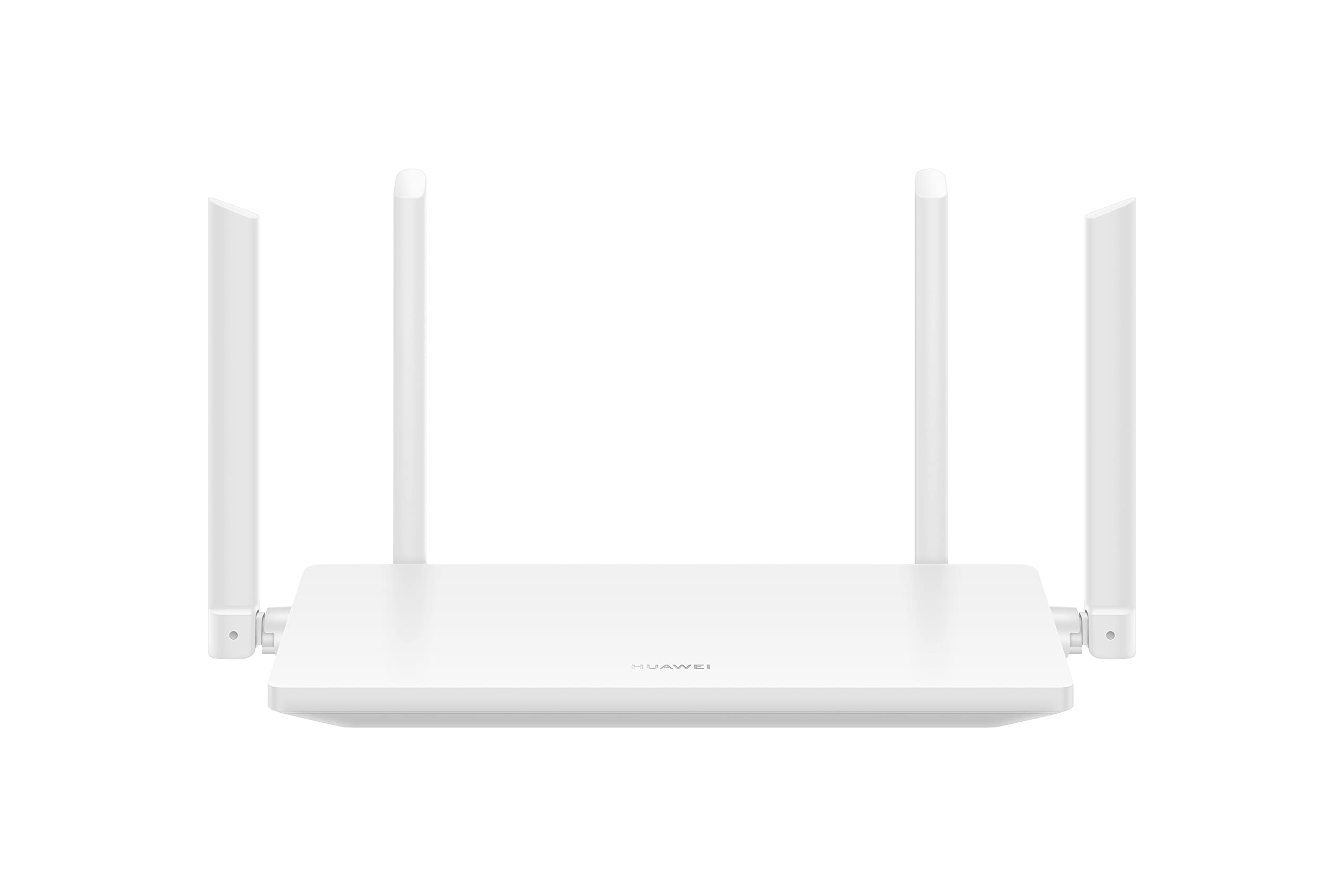
1.1 vaizdas: priekis view of the HUAWEI WiFi AX2 Wireless Router, showing its sleek white design and four external antennas.
2. Pakuotės turinys
Prieš tęsdami sąranką, įsitikinkite, kad pakuotėje yra visi šie elementai:
- HUAWEI WiFi AX2 Wireless Router (WS7001-20)
- Maitinimo adapteris
- Ethernet kabelis
- Greitos pradžios vadovas
- Garantijos kortelė
3. Sąrankos instrukcijos
Follow these steps to set up your HUAWEI WiFi AX2 Router:
- Prijunkite maitinimo adapterį: Plug the power adapter into the router's power port and then into a wall outlet. The power indicator light on the router should turn on.
- Prisijunkite prie interneto: Connect one end of the Ethernet cable to the WAN port (usually labeled 'WAN' or a globe icon) on your router and the other end to your modem's LAN port.
- Prijunkite savo įrenginius:
- Laidinis ryšys: Connect your computer or other network devices to any of the LAN ports (labeled 1, 2, 3) on the router using an Ethernet cable.
- Belaidis ryšys: Savo įrenginyje su „Wi-Fi“ ryšiu (išmaniajame telefone, planšetiniame kompiuteryje, nešiojamajame kompiuteryje) suraskite „Wi-Fi“ tinklo pavadinimą (SSID), atspausdintą ant etiketės maršrutizatoriaus apačioje. Pasirinkite jį ir įveskite „Wi-Fi“ slaptažodį (taip pat esantį ant etiketės).
- Prisijunkite prie Webpagrįstas valdymo puslapis: Atidarykite a web naršyklėje prijungtame įrenginyje ir įveskite 192.168.3.1 in the address bar. Follow the on-screen instructions to complete the initial setup, including setting up your Wi-Fi name and password.
- Atsisiųskite programėlę „HUAWEI AI Life“: For easier management and advanced features, download the HUAWEI AI Life app from your device's app store. Use the app to configure settings, manage connected devices, and utilize parental controls.

3.1 vaizdas: galinis view of the HUAWEI WiFi AX2 Router, showing the power port, three LAN/WAN ports, and the WPS/Reset button.
4. Naudojimo instrukcijos
4.1 Dual-Band Automatic Switching
The HUAWEI WiFi AX2 operates on both 2.4GHz and 5GHz bands simultaneously. It intelligently switches your devices between these bands to ensure optimal connection quality and speed at all times. This means you don't need to manually select between 2.4GHz and 5GHz networks.
4.2 HarmonyOS Mesh+
If you have multiple HUAWEI routers that support HarmonyOS Mesh+, you can group them under a single Wi-Fi name. This creates a unified mesh network, allowing your devices to automatically switch between routers as you move around your home, ensuring continuous and strong Wi-Fi coverage.
4.3 Comprehensive Parental Control
Manage your family's internet usage with the built-in parental control features. Through the HUAWEI AI Life app, you can:
- Blokuoti prieigą prie netinkamų websvetaines.
- Limit internet access time for specific devices.
- View internet usage statistics for connected devices.
5. Priežiūra
Norėdami užtikrinti optimalų maršrutizatoriaus veikimą ir ilgaamžiškumą, atsižvelkite į šiuos priežiūros patarimus:
- Vieta: Place the router in a central location, away from obstructions, large metal objects, and other electronic devices that may cause interference. Ensure adequate ventilation around the router.
- Firmware atnaujinimai: Reguliariai tikrinkite, ar yra programinės įrangos atnaujinimų, ir juos įdiekite per programėlę „HUAWEI AI Life“ arba web-based management page. Updates often include performance improvements and security patches.
- Perkrovimas: Jei kyla tinklo problemų, pabandykite perkrauti maršrutizatorių atjungdami maitinimo adapterį 10 sekundžių ir vėl jį prijungdami.
- Valymas: Maršrutizatorių laikykite švarų ir be dulkių. Išorę valykite minkšta, sausa šluoste. Nenaudokite skystų valiklių.

5.1 paveikslėlis: Šonas view of the HUAWEI WiFi AX2 Router, highlighting the ventilation slots for proper heat dissipation.
6. Problemų sprendimas
If you encounter issues with your HUAWEI WiFi AX2 Router, refer to the following common problems and solutions:
| Problema | Galima priežastis | Sprendimas |
|---|---|---|
| Nėra interneto prieigos | Incorrect cable connection, modem issue, or incorrect router settings. | Check that the Ethernet cable is securely connected to the WAN port and your modem. Reboot both the modem and the router. Verify internet settings via the web-based management page or AI Life app. |
| Lėtas „Wi-Fi“ greitis | Interference, too many connected devices, outdated firmware, or poor router placement. | Ensure the router is placed optimally (see Maintenance section). Reduce the number of active devices. Update router firmware. Consider if your internet service provider (ISP) speed is the bottleneck. |
| Dažnai nutrūksta „Wi-Fi“ ryšys | Signal interference, distance from router, or channel congestion. | Move closer to the router. Check for sources of interference (e.g., microwaves, cordless phones). Use the AI Life app to analyze Wi-Fi channels and switch to a less congested one. |
| Nepavyksta pasiekti maršrutizatoriaus nustatymų puslapio | Neteisingas IP adresas, įrenginys neprijungtas prie maršrutizatoriaus arba naršyklės problema. | Ensure your device is connected to the router's Wi-Fi or via an Ethernet cable. Verify you are entering 192.168.3.1 correctly. Try a different web naršyklė. |
If the problem persists, perform a factory reset by pressing and holding the WPS/Reset button on the back of the router for approximately 10 seconds until the indicator light flashes. Note that a factory reset will erase all your custom settings.
7. Specifikacijos
| Funkcija | Detalė |
|---|---|
| Prekės ženklas | HUAWEI |
| Modelio pavadinimas | WS7001-20 |
| Prekės modelio numeris | WS7001-20 |
| Gaminio matmenys | 25.76 x 16.35 x 2.9 cm |
| Prekės svoris | 580 g |
| Belaidis tipas | 802.11ax („Wi-Fi 6“) |
| Dažnių juostos klasė | Dviejų dažnių juosta (2.4 GHz ir 5 GHz) |
| Ryšio technologija | Wi-Fi |
| Operacinė sistema | RouterOS |
| Prievadų skaičius | 3 (LAN/WAN auto-sensing) |
| Ypatingos savybės | Prieigos taško režimas |
| Suderinami įrenginiai | Išmanusis telefonas, planšetinis kompiuteris |
| Rekomenduojami gaminio naudojimo būdai | Pradžia |
| Baterijos įtrauktos | Nr |
| Pasiekiama pirmoji data | 7 m. rugsėjo 2023 d |
8. Garantija ir palaikymas
8.1 Informacija apie garantiją
For detailed warranty information, please refer to the warranty card included in your product package or visit the official HUAWEI websvetainėje. Garantijos sąlygos gali skirtis priklausomai nuo regiono ir mažmenininko.
8.2 Techninė pagalba
If you require further assistance or have technical questions not covered in this manual, please contact HUAWEI customer support. You can find contact details on the official HUAWEI website or through the HUAWEI AI Life app.


