1. Įvadas
Thank you for choosing the boAt Airdopes 641 Truly Wireless Earbuds. This manual provides essential information for setting up, operating, and maintaining your earbuds to ensure optimal performance and longevity. Please read this guide carefully before using the product.
2. Produktas baigtasview
The boAt Airdopes 641 are designed for a seamless audio experience, featuring advanced connectivity and intuitive controls.

Vaizdas: Key features of the Airdopes 641, highlighting RGB LEDs, Instant Wake N' Pair (IWP) technology, Bluetooth 5.0 connectivity, 6mm Dual Drivers for audio, and a Capacitive Touch Panel for controls.
2.1 Komponentai
- Earbuds: Left and Right truly wireless earbuds with in-ear design.
- Įkrovimo dėklas: Nešiojamas dėklas ausinėms įkrauti ir laikyti.
- C tipo USB laidas: Dėklo įkrovimui.
- Vartotojo vadovas: Šis dokumentas.
2.2 Savybės
- "Bluetooth 5.0": Stabiliam ir efektyviam belaidžiam ryšiui.
- IWP (Instant Wake N' Pair): Enables quick pairing with your device once the case lid is opened.
- Capacitive Touch Panel: For easy control of music, calls, and voice assistant.
- 6mm Dual Drivers: Delivers immersive audio experience.
- RGB šviesos diodai: Indikatoriaus lemputės, rodančios būseną.
- Zveries rezimas: Low latency mode for gaming.
- IPX5 Water & Sweat Shield: Apsaugo nuo prakaito ir vandens purslų.
- Iki 30 valandų viso atkūrimo: Combined battery life of earbuds and charging case.
- C tipo USB įkrovimas: Modernus ir patogus įkrovimo prievadas.
3. Sąranka
3.1 Ausinių ir dėklo įkrovimas
Prieš pirmą kartą naudodami įsitikinkite, kad ir ausinės, ir įkrovimo dėklas yra visiškai įkrauti.
- Place both earbuds into the charging case, ensuring they are correctly seated. The earbuds will automatically begin charging.
- Prijunkite USB C tipo įkrovimo laidą prie dėklo įkrovimo prievado, o kitą galą – prie suderinamo USB maitinimo adapterio (nepridedamas).
- The LED indicators on the case will show the charging status. Once fully charged, the indicators may change or turn off.
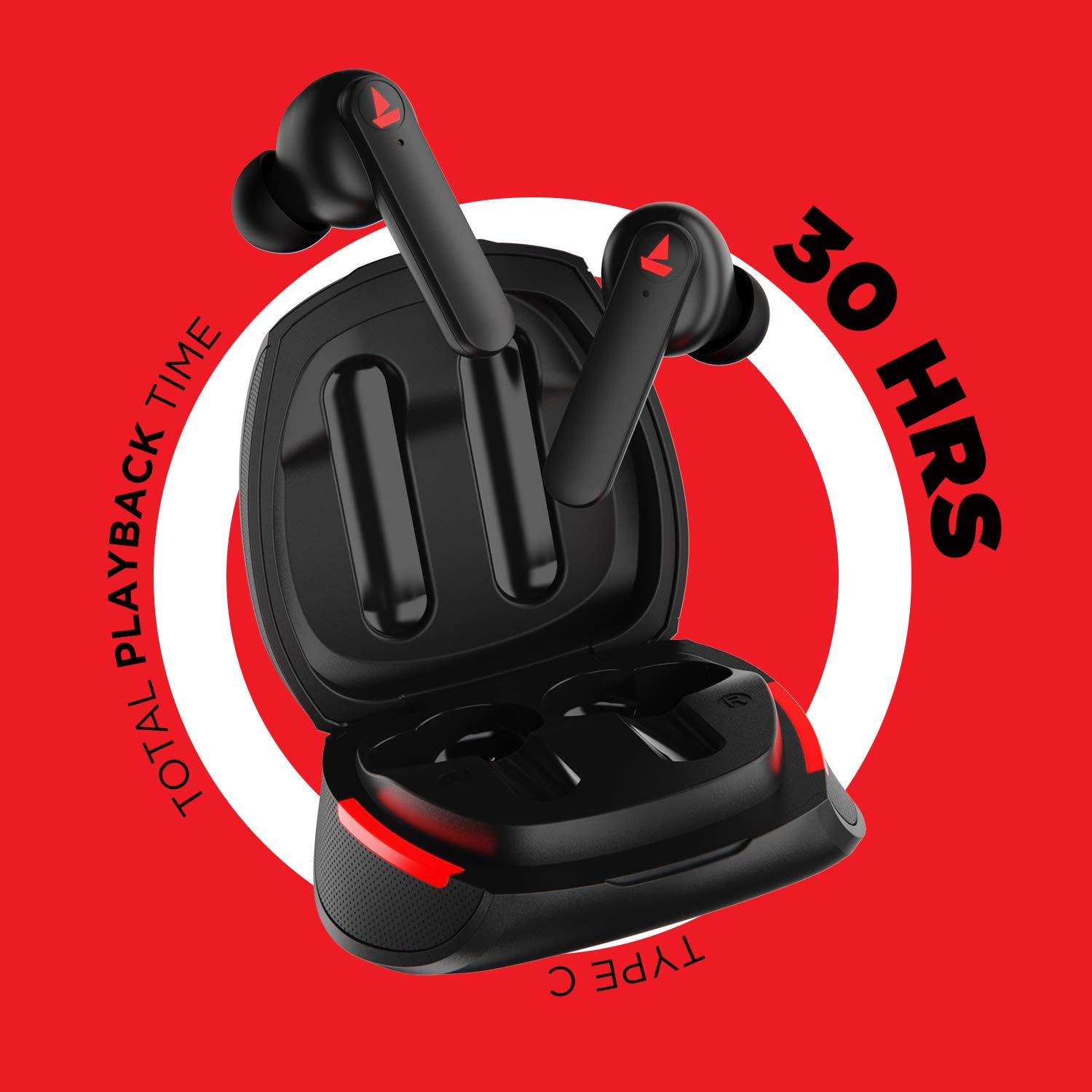
Vaizdas: The Airdopes 641 earbuds resting in their charging case, illustrating the Type-C charging capability and the impressive 30 hours of total playback time.
3.2 Initial Pairing (IWP Technology)
The Airdopes 641 feature Instant Wake N' Pair (IWP) technology for quick and effortless connection.
- Atidarykite įkrovimo dėklo dangtelį. Ausinės automatiškai įsijungs ir persijungs į susiejimo režimą.
- Išmaniajame telefone arba „Bluetooth“ įrenginyje įjunkite „Bluetooth“.
- Ieškokite "Airdopes 641" in the list of available devices and select it to pair.
- Susiejus išgirsite garso pranešimą ir ausinės bus paruoštos naudoti.
- The earbuds will automatically connect to the last paired device when the case lid is opened, provided Bluetooth is enabled on the device.
4. Naudojimo instrukcijos
4.1 Maitinimo įjungimas/išjungimas
- Maitinimas: Open the charging case lid. The earbuds will power on automatically. Alternatively, long-press the Capacitive Touch Control (CTC) on both earbuds for 3 seconds.
- Išjungti: Place the earbuds back into the charging case and close the lid. They will power off automatically. Alternatively, long-press the CTC on both earbuds for 5 seconds.
4.2 Capacitive Touch Controls (CTC)
The Airdopes 641 feature intuitive touch controls on each earbud.
- Leisti / pristabdyti: Single tap on either earbud's CTC.
- Kitas takelis: Double tap on the right earbud's CTC.
- Ankstesnis takelis: Double tap on the left earbud's CTC.
- Atsiliepti / Baigti skambutį: Single tap on either earbud's CTC.
- Atmesti skambutį: Long press on either earbud's CTC for 2 seconds.
- Suaktyvinti „Voice Assistant“: Triple tap on either earbud's CTC.
- Pagarsink: Long press the right earbud's CTC.
- Patildyti: Long press the left earbud's CTC.
4.3 BEAST Mode (Low Latency Gaming)
Activate BEAST Mode for a low-latency audio experience, ideal for gaming.

Vaizdas: The Airdopes 641 earbuds and their sleek charging case, emphasizing the "BEAST Mode" feature designed to provide a low-latency audio experience for gamers.
- Activate BEAST Mode: Triple tap on the right earbud's CTC.
- Deactivate BEAST Mode: Triple tap on the right earbud's CTC again.
5. Priežiūra
Proper care ensures the longevity and performance of your Airdopes 641.
5.1 Valymas
- Švelniai nuvalykite ausines ir įkrovimo dėklą minkštu, sausu, nepūkuotu skudurėliu.
- Nenaudokite abrazyvinių valiklių, alkoholio ar cheminių tirpiklių.
- Reguliariai valykite ausų galiukus ir tinklelį, kad nesikauptų ausų siera, kuri gali turėti įtakos garso kokybei.
5.2 Atsparumas vandeniui ir prakaitui (IPX5)

Vaizdas: The Airdopes 641 earbuds and their charging case surrounded by water splashes, illustrating their IPX5 rating for water and sweat resistance.
The Airdopes 641 are rated IPX5, meaning they are protected against low-pressure water jets from any direction. This makes them suitable for workouts and light rain.
- Nenardinkite ausinių į vandenį.
- Do not expose them to high-pressure water or steam.
- Prieš dėdami ausines atgal į įkrovimo dėklą, įsitikinkite, kad jos yra sausos, kad nepažeistumėte jų.
5.3 Saugykla
Kai nenaudojate, laikykite ausines įkrovimo dėkle, kad apsaugotumėte ir liktų įkrautos.
6. Problemų sprendimas
If you encounter issues with your Airdopes 641, try the following solutions.
6.1 Ausinės nesusijungia / neprisijungia
- Įsitikinkite, kad abi ausinės yra įkrautos.
- Make sure Bluetooth is enabled on your device and the earbuds are within range.
- Try forgetting "Airdopes 641" from your device's Bluetooth list and re-pairing.
- Perform a factory reset as described below.
6.2 Gamyklinių parametrų atkūrimas
A factory reset can resolve many common issues by restoring the earbuds to their original settings.

Vaizdas: A visual guide detailing the steps for a factory reset of the Airdopes 641. It emphasizes clearing the device from pairing history first, then long-pressing the Capacitive Touch Control (CTC) on both earbuds inside the case for 10 seconds until a green LED flashes three times, followed by closing and reopening the case.
- 1 veiksmas: Before performing the reset, clear "Airdopes 641" from your pairing device history by forgetting the device on your phone/tablet.
- 2 veiksmas: Place both earbuds back inside the charging case in the correct orientation.
- 3 veiksmas: Long press the Capacitive Touch Control (CTC) on both earbuds inside the case for up to 10 seconds. The successful reset will be indicated by the flashing of a green LED three times.
- 4 veiksmas: Uždarykite įkrovimo dėklo dangtelį ir vėl jį atidarykite.
- 5 veiksmas: Once you take the earbuds out from the charging case, they automatically restart and are ready for a new pairing.
Note: Please make sure the case is charged before performing a factory reset.
6.3 No Sound/Low Volume
- Patikrinkite garsumo lygius tiek savo įrenginyje, tiek ausinėse.
- Įsitikinkite, kad ausinės tinkamai įstatytos į ausis.
- Nuvalykite visas ausinių tinklelio šiukšles.
- Pabandykite iš naujo susieti ausines.
7. Specifikacijos
| Modelio pavadinimas | Orlaiviai 641 |
| Ryšio technologija | Belaidis ryšys („Bluetooth“) |
| Belaidžio ryšio technologija | Bluetooth 5.0 |
| Valdymo tipas | Palieskite, valdykite balsu |
| Garso tvarkyklės tipas | Dinaminis garsiakalbis (6 mm) |
| Ausų išdėstymas | Ausyje |
| Formos faktorius | Ausyje |
| Medžiaga | Plastikiniai |
| Atsparumo vandeniui įvertinimas | IPX5 |
| Įkrovimo prievadas | C tipo USB |
| Suderinami įrenginiai | Tablets, Cellphones, Laptops, Desktops, Smart Speaker, Television |
8. Garantija ir palaikymas
For warranty information and customer support, please refer to the warranty card included with your product or visit the official boAt websvetainę. Išsaugokite pirkimo čekį garantiniams reikalavimams.
Gamintojas: Imagine Marketing Pvt Ltd


