Įvadas
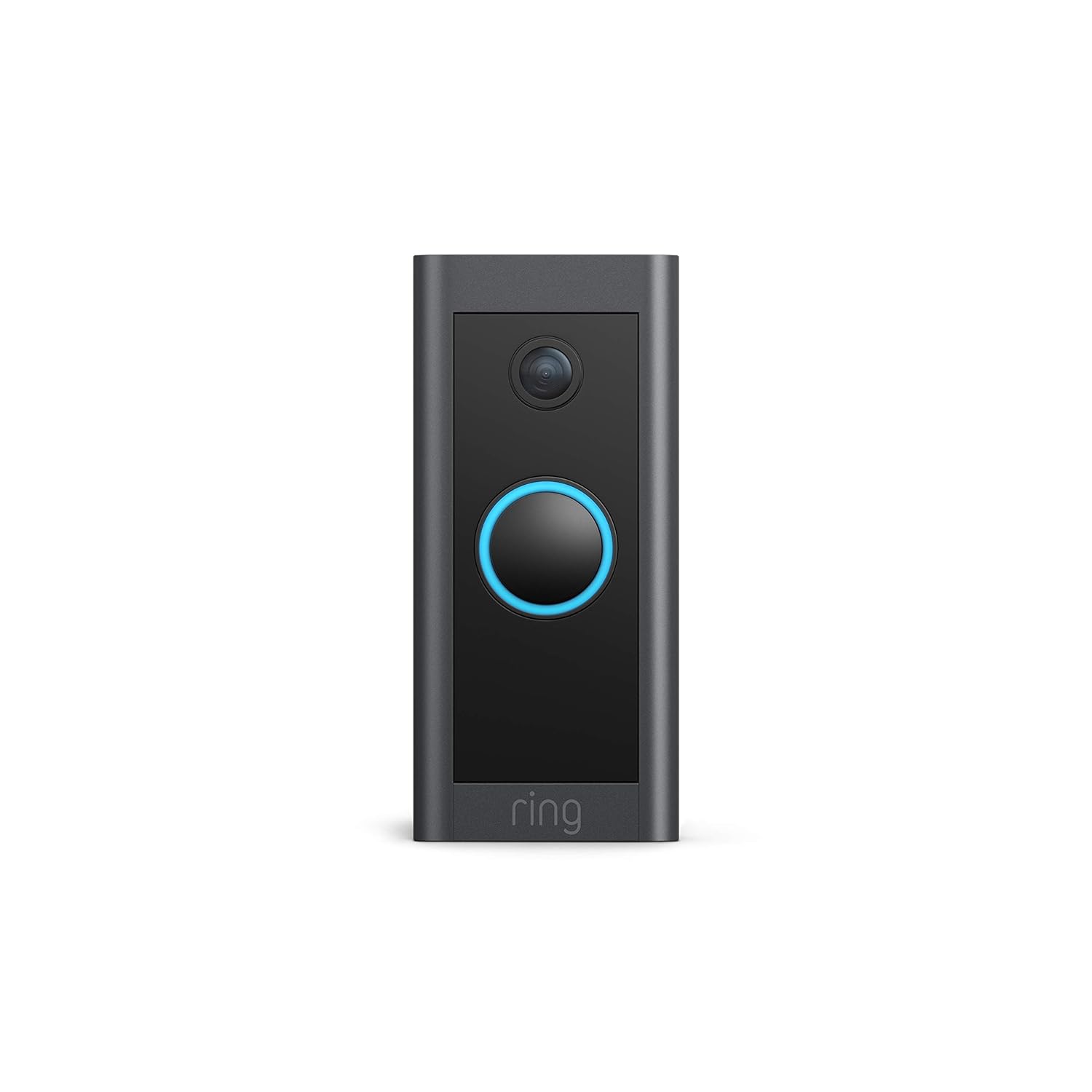
This manual provides comprehensive instructions for the installation, operation, and maintenance of your Ring Video Doorbell Wired. Please read this manual thoroughly before installation and use to ensure proper functionality and safety.
Kas įtraukta
Your Ring Video Doorbell Wired package includes the following items:
- Ring Video Doorbell Wired unit
- Installation tools and screws
- Vartotojo vadovas (šis dokumentas)
- Greitos pradžios vadovas
- Apsaugos lipdukai
Sąranka ir diegimas
The average installation time for the Ring Video Doorbell Wired is approximately 15 minutes. This device requires hardwiring to an existing doorbell system, a Ring plug-in adapter, or a compatible transformer.
Reikalavimai:
- Standard doorbell system, Ring plug-in adapter, or transformer with 10-24 VAC, 40VA max, 50/60Hz or 24VDC, 0.5A, 12W.
- Didelės spartos interneto ryšys.
- 802.11 b/g/n Wi-Fi connection at 2.4 GHz.
Diegimo žingsniai:
- Išjunkite maitinimą: Before beginning, ensure the power to your existing doorbell system is turned off at the breaker.
- Remove existing doorbell: Disconnect and remove your old doorbell button.
- Connect Ring Doorbell: Connect the wires from your existing doorbell system to the terminals on the back of the Ring Video Doorbell Wired. Ensure a secure connection.
- Pritvirtinkite durų skambutį: Secure the Ring Video Doorbell Wired to your wall using the provided screws and tools.
- Atkurti galią: Prie pertraukiklio vėl įjunkite maitinimą.
- In-app setup: Download the Ring app on your smartphone or tablet and follow the on-screen instructions to connect your doorbell to your Wi-Fi network and complete the setup process.

Naudojimo instrukcijos
The Ring Video Doorbell Wired offers various features to enhance your home security and communication.
Pagrindinės funkcijos:
- 1080p HD vaizdo įrašas: Provides clear, high-definition video with Live View and Night Vision for monitoring your front door.
- Dvipusis pokalbis: Communicate with visitors at your door from anywhere using the Ring app. Features noise cancellation for clear audio.
- Išplėstinis judesio aptikimas: Customizable motion zones allow you to receive alerts when motion is detected in specific areas.
- Įspėjimai realiuoju laiku: Get instant notifications on your phone when someone rings the doorbell or motion is detected.
- Naktinis matymas: Užtikrina aiškų matomumą net ir esant prastam apšvietimui.
- Alexa integracija: Connects with Alexa-enabled devices to hear alerts or view a live feed on screens.


Using the Ring App:
The Ring app is essential for managing your Video Doorbell. Through the app, you can:
- View tiesioginis vaizdo transliacijos kanalas.
- Engage in two-way talk with visitors.
- Customize motion detection settings and zones.
- Access recorded videos (with a Ring Protect subscription).
- Manage device settings and privacy options.
Priežiūra
To ensure optimal performance and longevity of your Ring Video Doorbell Wired, consider the following maintenance tips:
- Valymas: Periodiškai nuvalykite kameros objektyvą ir durų skambučio išorę minkšta,amp šluoste dulkėms ir nešvarumams pašalinti. Venkite abrazyvinių valiklių.
- Programinės įrangos atnaujinimai: Ensure your Ring app and doorbell firmware are always up to date. Updates often include performance improvements and security enhancements.
- Ryšio patikrinimas: Regularly check your Wi-Fi signal strength in the Ring app to ensure a stable connection.
- Aplinkos sąlygos: The doorbell is weather-resistant, designed to operate between -20°C to 50°C (-5°F to 120°F). Ensure it is not exposed to conditions outside this range.
Trikčių šalinimas
If you encounter issues with your Ring Video Doorbell Wired, try the following troubleshooting steps:
- Nėra maitinimo / neįsijungia:
- Verify that the power to your doorbell system is on at the breaker.
- Patikrinkite laidų jungtis, kad įsitikintumėte, jog jos yra saugios.
- Confirm your power source meets the required specifications (10-24 VAC, 40VA max, 50/60Hz, or 24VDC, 0.5A, 12W).
- Poor Video Quality/Offline:
- Check your Wi-Fi connection and signal strength in the Ring app.
- Ensure your internet service is active and stable.
- Paleiskite iš naujo „Wi-Fi“ maršrutizatorių.
- Nuvalykite fotoaparato objektyvą.
- Judesio aptikimo problemos:
- Adjust motion sensitivity and customize motion zones in the Ring app.
- Įsitikinkite, kad nėra jokių kliūčių, blokuojančių jutiklio view.
- Two-Way Talk Problems:
- Check your device's microphone and speaker settings in the Ring app.
- Įsitikinkite, kad jūsų išmaniojo telefono garsumas yra padidintas.
- Patikrinkite stabilų interneto ryšį.
For further assistance, refer to the support section or contact Ring customer service.
Specifikacijos
| Funkcija | Detalė |
|---|---|
| Vidutinis diegimo laikas | ~15 minučių |
| Vaizdo įrašas | 1080p HD vaizdo įrašas, tiesioginis View, Naktinis matymas |
| Laukas View | 155 ° horizontaliai, 90 ° vertikaliai |
| Judesio aptikimas | Pažangus judesio aptikimas su pritaikomomis judesio zonomis |
| Garsas | Dviejų krypčių garsas su triukšmo slopinimu |
| Galia | Hardwired (10-24 VAC, 40VA max, 50/60Hz, or 24VDC, 0.5A, 12W) |
| Interneto reikalavimai | Didelės spartos internetas |
| Ryšys | 802.11 b/g/n Wi-Fi ryšys @ 2.4 GHz |
| Eksploatavimo sąlygos | -20°C to 50°C (-5°F to 120°F), weather resistant |
| Galimos spalvos | Juoda |
| Matmenys | 101 mm x 45.7 mm x 22.4 mm (3.98 x 1.81 x 0.88 colio) |
| Karta | Ring Video Doorbell Wired 1st Generation – 2021 Release |
Garantija ir palaikymas
Garantija: The Ring Video Doorbell Wired comes with a 1-year limited warranty. Use of the Ring Video Doorbell is subject to the terms found on the official Ring websvetainę.
Palaikymas: For more information and assistance, please visit the official Ring Video Doorbell Wired support page. You can typically find this by searching for "Ring Video Doorbell Wired support" on the Ring website or your preferred search engine.