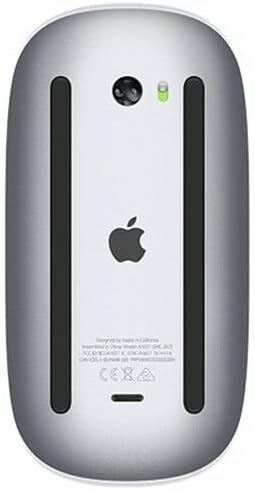
Produktas baigtasview
The Apple Magic Mouse 2 is a wireless, rechargeable mouse designed for seamless integration with Mac OS X. It features a multi-touch surface for intuitive gestures and an ambidextrous design for comfortable use by both left and right-handed users. Its optimized foot design allows for smooth gliding across surfaces, enhancing precision and ease of use.
Pagrindinės savybės
- Belaidis ryšys: Connects wirelessly via Bluetooth for convenient, clutter-free use.
- Multi-Touch Surface: Supports intuitive gestures like swiping and scrolling directly on the mouse surface.
- Įkraunama baterija: Features a built-in rechargeable battery, eliminating the need for disposable batteries.
- Abipusis dizainas: Ergonomically designed for comfortable use in either hand.
- Optimized Foot Design: Ensures smooth and effortless gliding across your desk.
Priežiūra
Cleaning Your Magic Mouse 2
To keep your Magic Mouse 2 clean and functioning optimally:
- Turn off the mouse using the switch on the bottom.
- Šiek tiek naudokite minkštą, be pūkelių šluostę dampened with water to wipe the exterior surfaces.
- Avoid getting moisture in any openings. Do not use window cleaners, household cleaners, aerosol sprays, solvents, alcohol, ammonia, or abrasives to clean your mouse.
Akumuliatoriaus priežiūra
To maximize the lifespan of your Magic Mouse 2's rechargeable battery:
- Venkite dažnai visiškai iškrauti akumuliatorių.
- Store the mouse at room temperature when not in use for extended periods.
- If storing for a long time, charge the battery to about 50% before turning it off.
Garantija ir palaikymas
Gaminio garantija
Apple products typically come with a one-year limited warranty against defects in materials and workmanship. For detailed warranty information, please refer to the official Apple warranty documentation included with your product or visit the Apple Support websvetainę.
Pagalba klientams
Dėl papildomos pagalbos, techninės pagalbos ar paslaugų užklausų apsilankykite oficialioje „Apple“ palaikymo svetainėje website or contact Apple Customer Service:
- Apple palaikymas Websvetainė: support.apple.com
- Pagalba telefonu: Refer to your region's Apple webVietinių kontaktinių numerių svetainė.