1. Įvadas
This manual provides essential information for the safe and effective use of your Canon EOS Rebel T5 Digital SLR Camera Kit. The Canon EOS Rebel T5 is designed for capturing high-quality still images and Full HD video, featuring an 18.0 Megapixel CMOS sensor and a DIGIC 4 image processor. Its intuitive design makes it suitable for both beginners and experienced photographers.
2. Kas yra dėžutėje
Jūsų „Canon EOS Rebel T5“ rinkinį paprastai sudaro šie komponentai:
- Canon EOS Rebel T5 fotoaparato korpusas
- Canon EF-S 18-55mm f/3.5-5.6 IS II Standard Zoom Lens
- Baterijų paketas
- Akumuliatoriaus įkroviklis
- Sąsajos kabelis (USB)
- Platus dirželis
- EOS Digital Solution Disk (Software)
- Instrukcijų vadovai

Figure 2.1: Typical contents of the Canon EOS Rebel T5 kit.
3. Sąranka
3.1 Objektyvo pritvirtinimas
- Nuimkite korpuso dangtelį nuo fotoaparato ir galinį objektyvo dangtelį nuo objektyvo.
- Suderinkite raudoną indekso žymę ant objektyvo su raudonu indekso žyme ant fotoaparato korpuso.
- Sukite objektyvą pagal laikrodžio rodyklę, kol jis užsifiksuos vietoje.
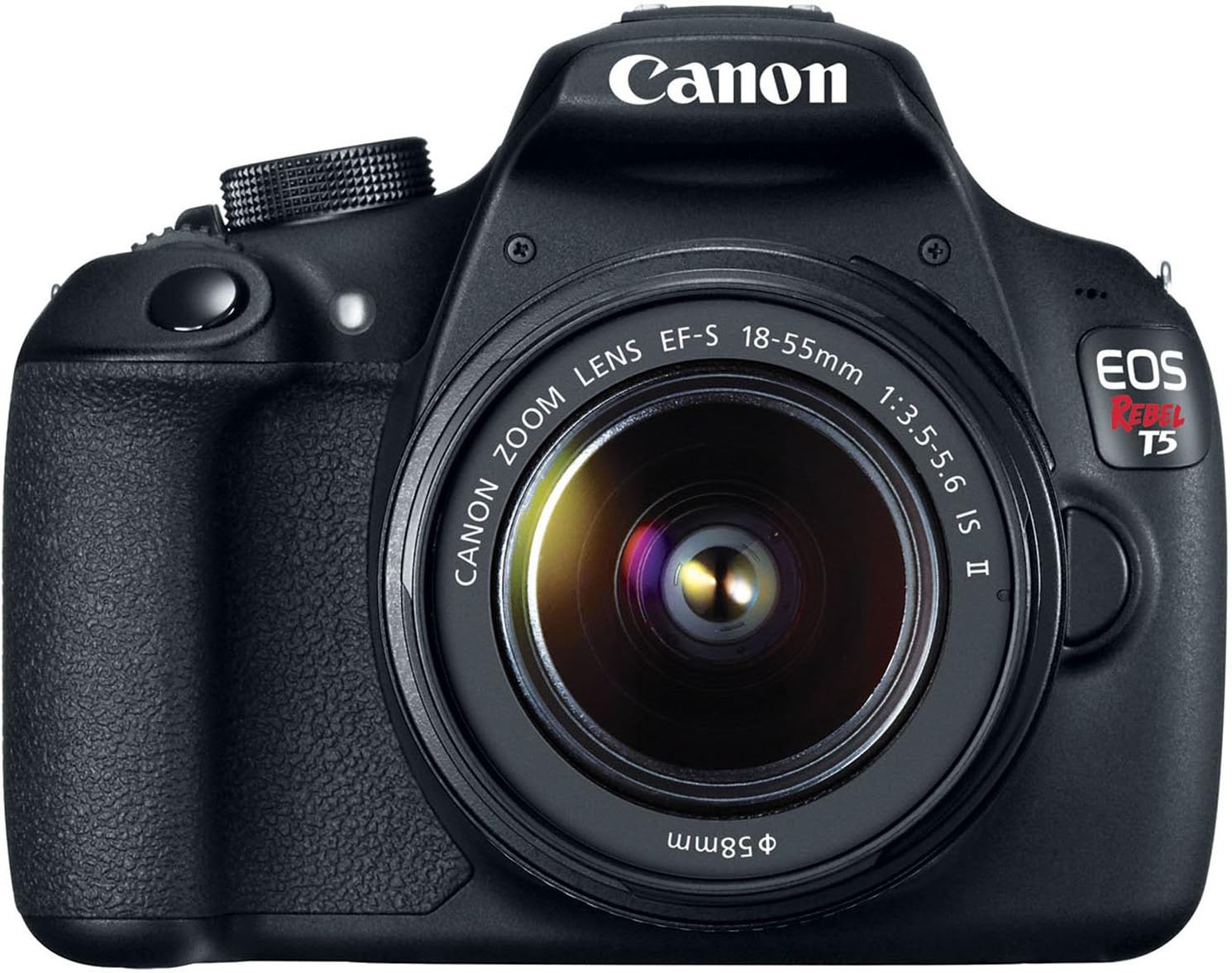
3.1 pav.: priekis view of the Canon EOS Rebel T5 with the EF-S 18-55mm lens.
3.2 Akumuliatoriaus įdėjimas
- Atidarykite baterijų skyriaus dangtelį, esantį fotoaparato apačioje.
- Insert the charged battery pack with the electrical contacts facing inward, ensuring it clicks into place.
- Uždarykite akumuliatoriaus skyriaus dangtelį.
3.3 SD kortelės įdėjimas
An SD card is required to store photos and videos. The SD card is not included with the kit and must be purchased separately. Open the SD card slot cover on the side of the camera and insert the SD card until it clicks. Ensure the card is inserted correctly to avoid damage.
Video 3.1: This video provides a visual guide on unboxing and basic setup, including attaching the lens and inserting the battery into the Canon EOS Rebel T5 Digital Camera.
4. Naudojimo instrukcijos
4.1 Maitinimo įjungimas/išjungimas
To power on the camera, rotate the power switch to the 'ON' position. To power off, rotate it to 'OFF'.
4.2 režimų ratukas
Fotoaparato viršuje esantis režimo pasirinkimo ratukas leidžia pasirinkti įvairius fotografavimo režimus:
- Basic Zone Modes: Fully automatic modes for simple point-and-shoot operation (e.g., Scene Intelligent Auto, Flash Off, Creative Auto, Portrait, Landscape, Close-up, Sports, Night Portrait).
- Creative Zone Modes: Provide more control over settings (e.g., Program AE (P), Shutter-priority AE (Tv), Aperture-priority AE (Av), Manual Exposure (M)).
- Filmavimo režimas: For recording Full HD videos.

4.1 pav.: galinis view of the Canon EOS Rebel T5, highlighting the LCD and control layout.
4.3 Fotografavimas
- Pasirinkite norimą fotografavimo režimą naudodami režimo pasirinkimo ratuką.
- Pažiūrėkite per viewfinder or use the LCD screen for Live View šaudymas.
- Press the shutter button halfway to activate the 9-point autofocus system and achieve focus.
- Norėdami nufotografuoti, iki galo paspauskite užrakto mygtuką.
4.4 Vaizdo įrašų įrašymas
Switch the mode dial to the movie shooting mode. Press the Live View shooting/Movie shooting button to start and stop recording. The camera supports Full HD video recording.
4.5 Using the Built-in Flash
In low-light conditions or when backlighting is present, the built-in flash can be used. In Basic Zone modes, the flash may pop up automatically. In Creative Zone modes, you can manually raise the flash by pressing the flash button.
Video 4.1: This video offers an honest review of the Canon T5, demonstrating various features and operational aspects of the camera.
5. Priežiūra
5.1 Lęšių priežiūra
- Always keep the lens cap on when not in use to protect the front element.
- Use a lens brush or blower to remove dust, then gently wipe with a microfiber lens cloth. Avoid touching the lens surface with your fingers.
- For stubborn smudges, use a small amount of lens cleaning solution on a clean cloth.
5.2 Camera Body Care
- Nuvalykite fotoaparato korpusą minkštu, sausu skudurėliu.
- Saugokite fotoaparatą nuo ekstremalių temperatūrų, drėgmės ar dulkių.
- Nenaudokite organinių tirpiklių ar stiprių valymo priemonių.
5.3 Akumuliatoriaus priežiūra
- Charge the battery fully before first use and whenever the battery indicator is low.
- Nenaudojamas baterijas laikykite vėsioje, sausoje vietoje.
- Išimkite bateriją iš fotoaparato, jei jis nebus naudojamas ilgesnį laiką.
6. Problemų sprendimas
- "No card in camera" message: Ensure an SD card is inserted correctly and is not full or damaged.
- Autofocus is slow: In very low light or with subjects lacking contrast, autofocus may be slower. Try using the built-in flash or switching to manual focus.
- Kamera neįsijungia: Patikrinkite, ar akumuliatorius įkrautas ir tinkamai įdėtas.
- Vaizdai neryškūs: Ensure the lens is clean, the camera is stable (use a tripod if necessary), and the correct focus mode is selected.
7. Specifikacijos
| Jutiklio tipas | CMOS |
| Nuotraukų jutiklio skiriamoji geba | 18 MP |
| Vaizdo raiška | FHD 1080p |
| Objektyvas | EF-S 18-55mm f/3.5-5.6 IS II standard zoom lens |
| Automatinio fokusavimo taškai | 9 taškų AF sistema |
| Nepertraukiamo fotografavimo greitis | 3 FPS |
| Ekrano dydis | 3 colių |
| Palaikoma File Formatas | JPEG, RAW |
| Ryšio technologija | Laidinis, belaidis („Wi-Fi“) |
| Prekės svoris | 1 svaro |
8. Garantija ir palaikymas
8.1 Informacija apie garantiją
This Canon EOS Rebel T5 camera kit comes with a 90-day limited warranty. Please retain your proof of purchase for any warranty claims.
8.2 Pagalba klientams
For further assistance, technical support, or service inquiries, please refer to the official Canon support website or contact their customer service department. Detailed contact information can typically be found in the included warranty card or on the manufacturer's websvetainę.


