1. ບົດແນະນຳ
This manual provides comprehensive instructions for the safe and efficient installation, operation, and maintenance of your MOUNT PRO Dual Monitor Desk Mount. Please read this manual thoroughly before installation and retain it for future reference.
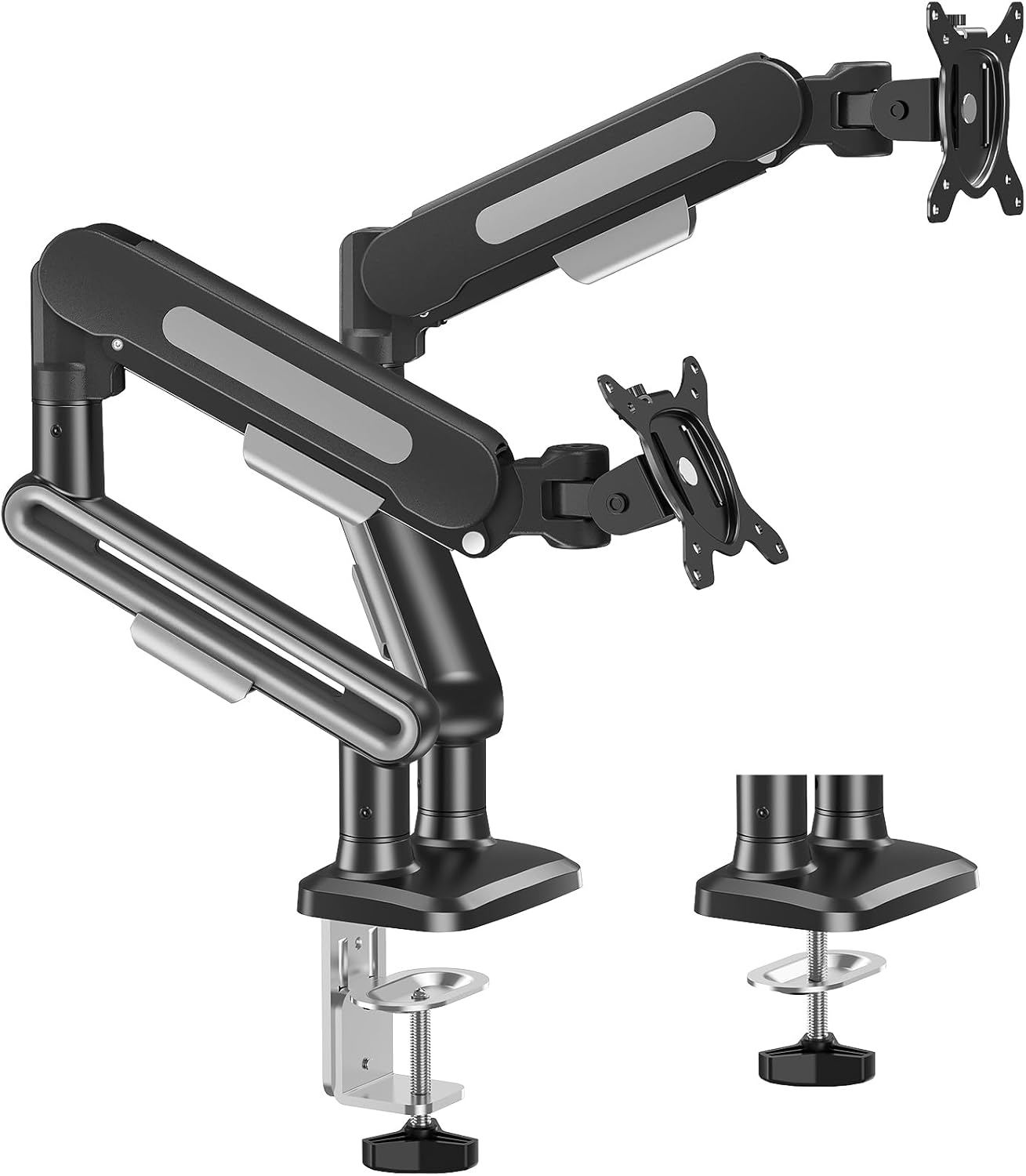
Image 1.1: MOUNT PRO Dual Monitor Desk Mount showing both C-clamp ແລະຕົວເລືອກພື້ນຖານ grommet.
2. ຂໍ້ມູນຄວາມປອດໄພ
Always ensure the mounting surface can support the combined weight of the mount and monitors. Do not exceed the maximum weight capacity. Use appropriate tools and follow all installation steps carefully. Keep children and pets away during installation.
3. ເນື້ອໃນຊຸດ
ກວດສອບວ່າອົງປະກອບທັງຫມົດແມ່ນມີຢູ່ກ່ອນທີ່ຈະເລີ່ມຕົ້ນການຕິດຕັ້ງ:
- Dual Monitor Arms (2)
- Desk Mount Base (1)
- C-Clamp ຮາດແວຕິດຕັ້ງ
- Grommet Mounting Hardware
- VESA Plates (2)
- Assembly Tools (Allen wrenches, etc.)
- ຄູ່ມືການສອນ
4. ຂໍ້ມູນຈໍາເພາະຂອງຜະລິດຕະພັນ
| ຄຸນສົມບັດ | ຂໍ້ມູນຈໍາເພາະ |
|---|---|
| ຍີ່ຫໍ້ | mount PRO |
| ຕົວແບບ | B0FCM83HFV |
| ຕິດຕາມຄວາມເຂົ້າກັນໄດ້ຂອງຂະຫນາດ | 22" to 39" (flat or curved LCD/LED/OLED screens) |
| Weight Capacity (per arm) | 4.4-26.5 lbs |
| ຄວາມເຂົ້າກັນໄດ້ຂອງ VESA | 75x75mm, 100x100mm |
| ປະເພດການເຄື່ອນໄຫວ | Swivel, Tilt, Rotation |
| ມຸມອຽງສູງສຸດ | +75°/-45° |
| ພືດຫມູນວຽນ | 360° |
| ໝູນ | 180° (at arm joints) |
| ສ່ວນຂະຫຍາຍສູງສຸດ | 22 ນິ້ວ |
| ຄວາມສູງສູງສຸດ | 18.5 ນິ້ວ |
| C-Clamp ຄວາມໜາຂອງໂຕະ | 0.39" ຫາ 3.35" |
| ຄວາມໜາຂອງໂຕະ Grommet | 0.39" ຫາ 2.76" |
| ເສັ້ນຜ່າສູນກາງຮູ Grommet | 0.39" ຫາ 2.36" |
| ວັດສະດຸ | ໂລຫະ |
| ສີ | ດຳ |

Image 4.1: Key specifications including VESA patterns, screen size, and weight capacity.

Image 4.2: Visual representation of monitor size and weight compatibility.
5. ຄໍາແນະນໍາການຕິດຕັ້ງ
5.1 ຕົວເລືອກການຕິດຕັ້ງ
The MOUNT PRO Dual Monitor Desk Mount offers two installation methods: C-clamp and Grommet Base. Choose the method suitable for your desk.
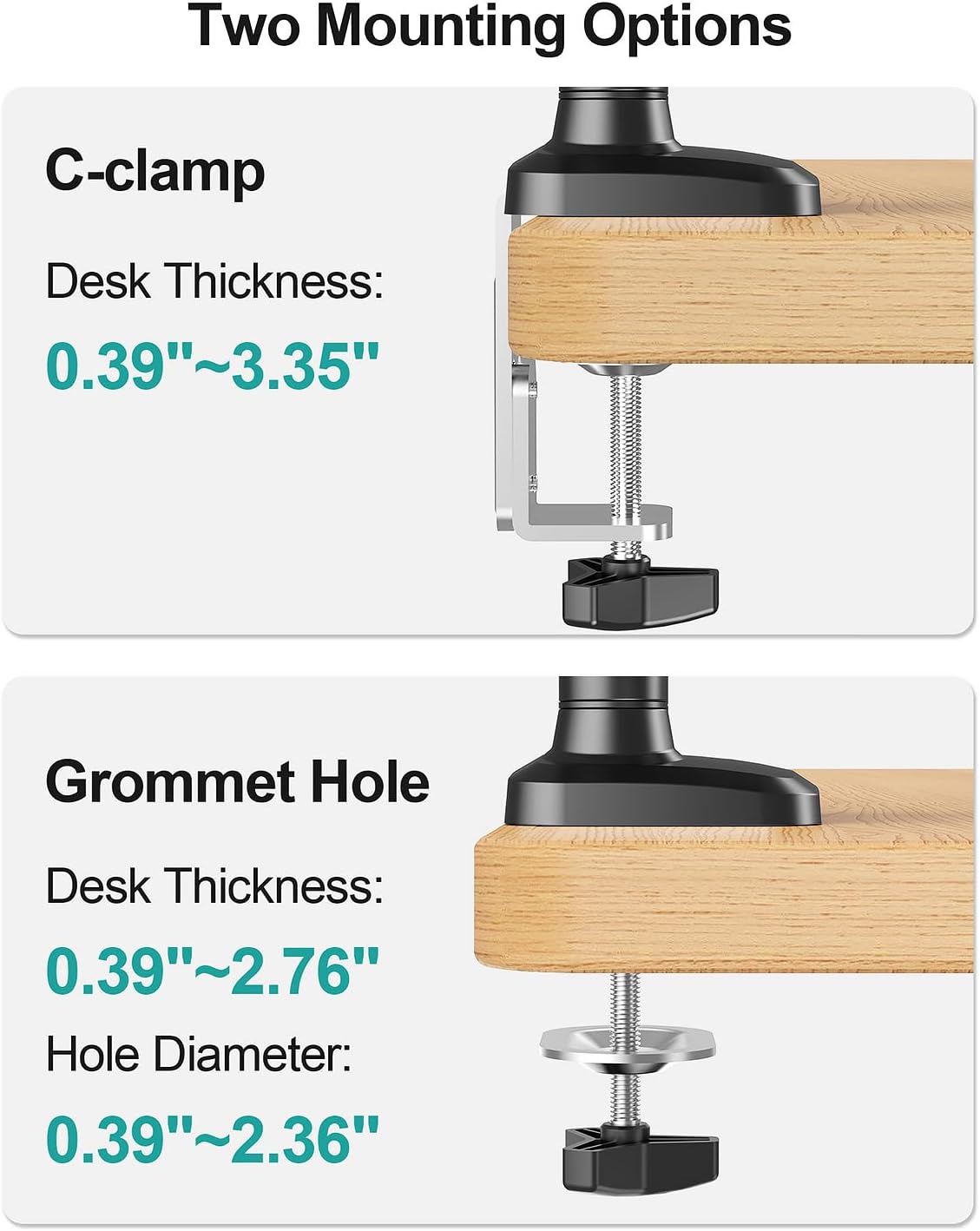
Image 5.1: Visual guide for C-clamp and Grommet mounting, including desk thickness specifications.

ຮູບພາບ 5.2: ລາຍລະອຽດ view of C-clamp and Grommet Base installation requirements.

Image 5.3: Desk compatibility guidelines for C-clamp ການຕິດຕັ້ງ. Do not install on tempered glass table tops.
5.2 Attaching Monitors (VESA Compatibility)
Ensure your monitors are VESA compatible (75x75mm or 100x100mm). Attach the VESA plates to the back of your monitors using the provided screws.

Image 5.4: Guide to checking VESA compatibility for different monitor types.
5.3 ການຈັດການສາຍ
Utilize the integrated cable management covers on the arms to route and conceal monitor cables for a tidy workspace.

ຮູບພາບ 5.5: ຕົວຢ່າງample of effective cable management using the monitor arm features.
6. ຄໍາແນະນໍາການດໍາເນີນງານ
6.1 ການປັບຕຳແໜ່ງຈໍພາບ
The pneumatic arms allow for flexible adjustment of your monitors to achieve optimal ergonomic positioning.
- ການປັບຄວາມສູງ: Gently push or pull the monitor up or down to your desired height. The gas spring mechanism will hold it in place. Max height is 18.5 inches.
- ສ່ວນຂະຫຍາຍ: Extend or retract the arms to bring the monitors closer or further away. Max extension is 22 inches.
- ອຽງ: Adjust the monitor tilt (+75°/-45°) for the ideal viewມຸມ ing.
- ໝູນ: Swivel the monitors up to 180° at the arm joints to share your display or change orientation.
- ໝຸນ: Rotate the monitor 360° for landscape or portrait orientation.
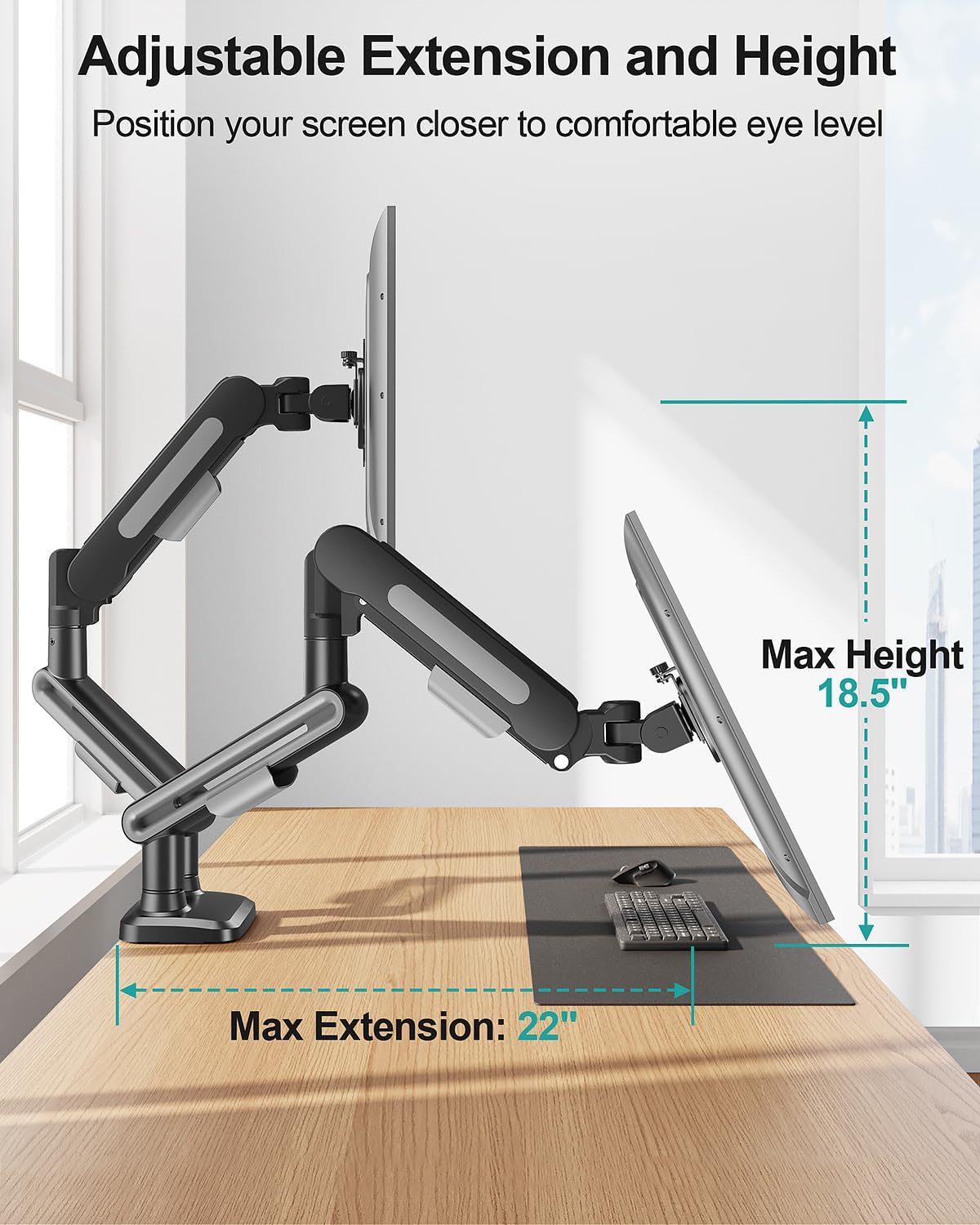
Image 6.1: Illustration of maximum extension and height adjustments.

ຮູບພາບ 6.2: ລາຍລະອຽດ view of swivel, tilt, and rotation capabilities.

ຮູບພາບ 6.3: ຕົວຢ່າງamples of supported monitor configurations.
6.2 Gas Spring Tension Adjustment
Adjust the gas spring tension to match the weight of your monitors for smooth and stable movement. Keep the arm in a horizontal position during adjustment.
- Monitor Raise Up (Lighter Monitor): Turn the adjustment screw clockwise ("-") to reduce tension.
- Monitor Drop Down (Heavier Monitor): Turn the adjustment screw counter-clockwise ("+") to increase tension.
Note: When adjusting gas spring tension, the number of turns depends on the display's weight. It may take up to 17 turns.
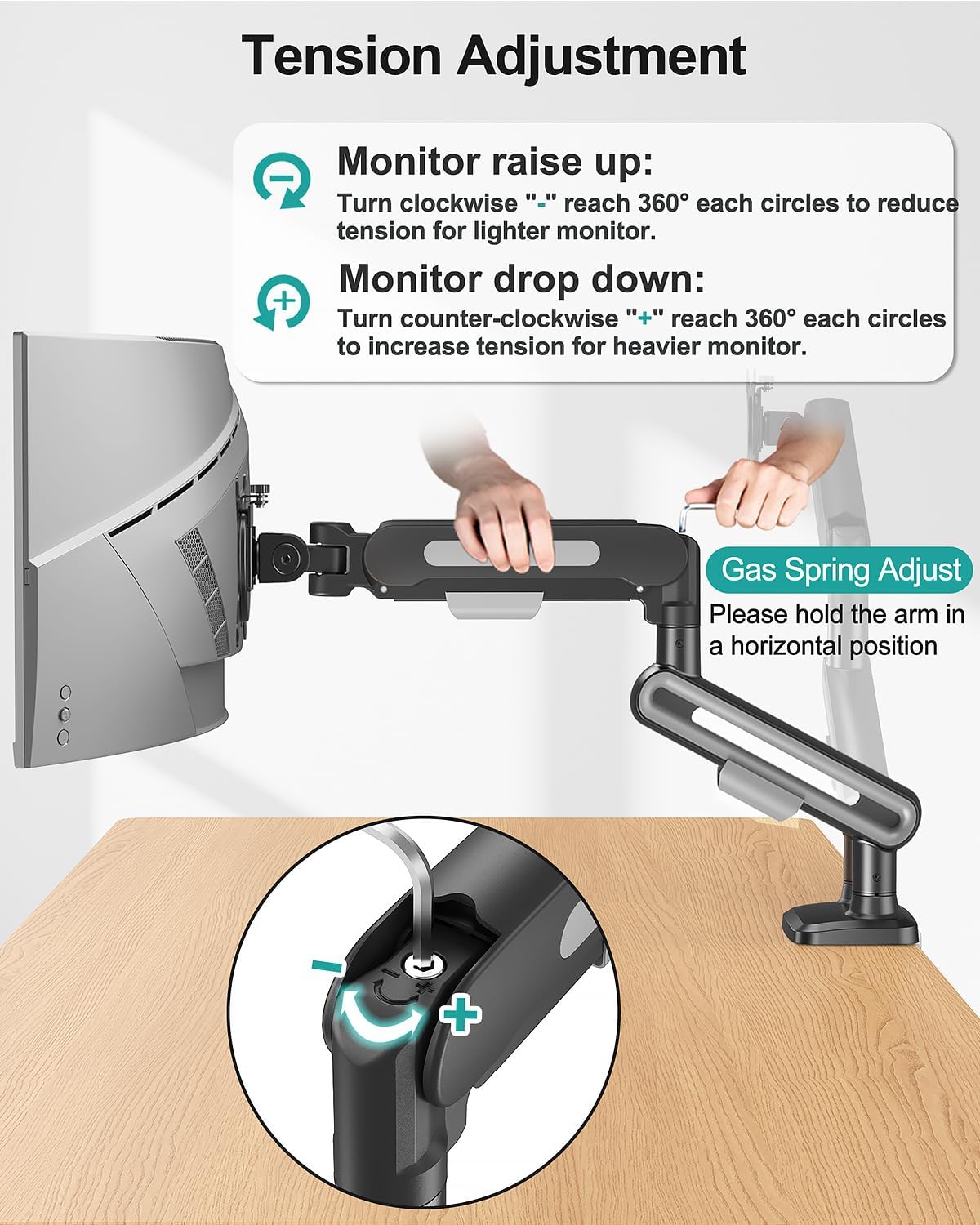
Image 6.4: Instructions for gas spring tension adjustment.

Image 6.5: Steps for adjusting monitor tilt.
7. ບໍາລຸງຮັກສາ
- ກວດສອບສະກູ ແລະ ຈຸດເຊື່ອມຕໍ່ທັງໝົດເປັນປະຈຳເພື່ອຮັບປະກັນວ່າພວກມັນແໜ້ນ ແລະ ໝັ້ນຄົງ.
- ທຳຄວາມສະອາດຕົວຍຶດດ້ວຍຜ້ານຸ້ມ, damp ຜ້າ. ຫຼີກລ້ຽງການເຮັດຄວາມສະອາດຂັດ.
- Periodically re-adjust gas spring tension if monitor movement becomes too stiff or too loose.
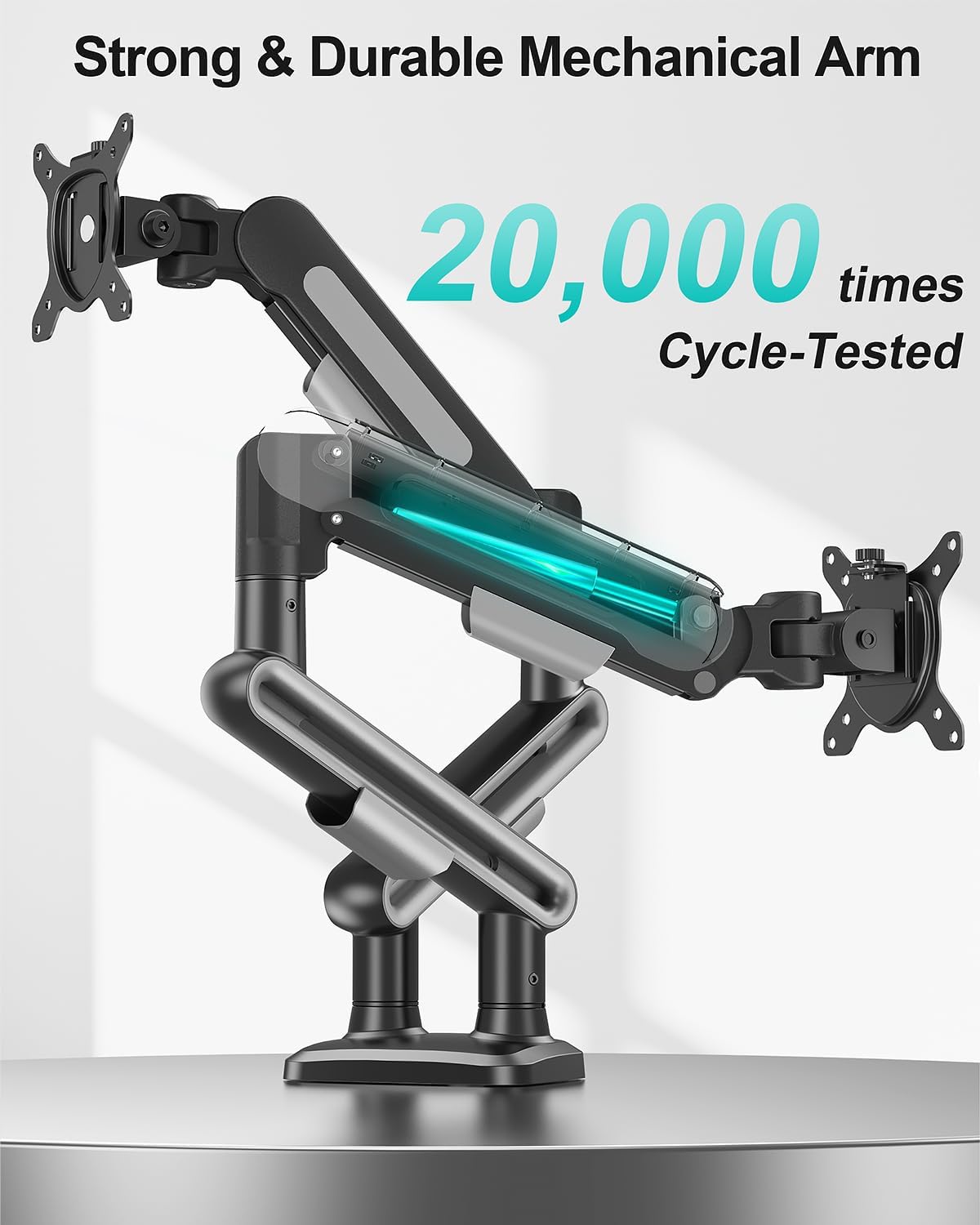
Image 7.1: The durable mechanical arm is designed for long-term use.
8. ການແກ້ໄຂບັນຫາ
- Monitor Sags/Drops: Increase gas spring tension by turning the adjustment screw counter-clockwise ("+").
- Monitor Too Stiff to Move: Decrease gas spring tension by turning the adjustment screw clockwise ("-").
- ພູເຂົາຮູ້ສຶກບໍ່ໝັ້ນຄົງ: Ensure all mounting hardware (C-clamp or grommet base) is securely tightened to the desk. Verify VESA plate screws are tight on the monitor.
9. ການຮັບປະກັນແລະການສະຫນັບສະຫນູນ
For warranty information or technical assistance, please refer to the contact details provided with your product packaging or visit the MOUNT PRO official website. Feel free to contact us if you encounter any problems during the installation and use of the product.


