1. ບົດແນະນຳ
This manual provides essential information for the safe and efficient use of your HP 140W USB-C AC Adapter (Model TPN-LA29). Please read this manual thoroughly before using the product and retain it for future reference.
The HP 140W USB-C AC Adapter is designed to provide reliable power to compatible HP laptops, including the HP Spectre 2-in-1 Laptop 16-aa0023dx, HP OMEN Transcend Laptop 14-fb0000 RTX 4050 4060, and HP Spectre x360 16-aa0000 Ultra 7 RTX 4050 models. It features a USB-C connector for versatile compatibility and fast charging capabilities.
2. ຂໍ້ມູນຄວາມປອດໄພ
ປະຕິບັດຕາມຄວາມລະມັດລະວັງດ້ານຄວາມປອດໄພຕໍ່ໄປນີ້ເພື່ອປ້ອງກັນການບາດເຈັບ ຫຼືຄວາມເສຍຫາຍຕໍ່ອຸປະກອນຂອງທ່ານ:
- ໃຊ້ສະເພາະກັບອຸປະກອນທີ່ເຂົ້າກັນໄດ້ຕາມທີ່ລະບຸໄວ້ໃນຄູ່ມືນີ້ເທົ່ານັ້ນ.
- ຢ່າໃຫ້ອະແດບເຕີຖືກນໍ້າ, ຄວາມຊຸ່ມ ຫຼື ອຸນຫະພູມສູງສຸດ.
- ຫຼີກລ່ຽງການຕົກ ຫຼື ເຮັດໃຫ້ອະແດບເຕີໄດ້ຮັບຜົນກະທົບຢ່າງຮຸນແຮງ.
- Do not attempt to disassemble or modify the adapter. This will void the warranty and may cause electric shock or fire.
- Ensure the power outlet is easily accessible and properly grounded.
- ຖອດອະແດບເຕີອອກຈາກປລັກສຽບໄຟໃນລະຫວ່າງການມີພະຍຸຟ້າຜ່າ ຫຼືເມື່ອບໍ່ໄດ້ໃຊ້ເປັນເວລາດົນ.
- ຮັກສາອະແດບເຕີໃຫ້ຫ່າງຈາກເດັກນ້ອຍ.
- If the adapter or cable is damaged, discontinue use immediately and seek professional assistance.
3. ເນື້ອໃນຊຸດ
ກວດສອບວ່າລາຍການທັງຫມົດແມ່ນມີຢູ່ໃນຊຸດຂອງທ່ານ:
- HP 140W USB-C AC Adapter (Model TPN-LA29)
- ສາຍໄຟ
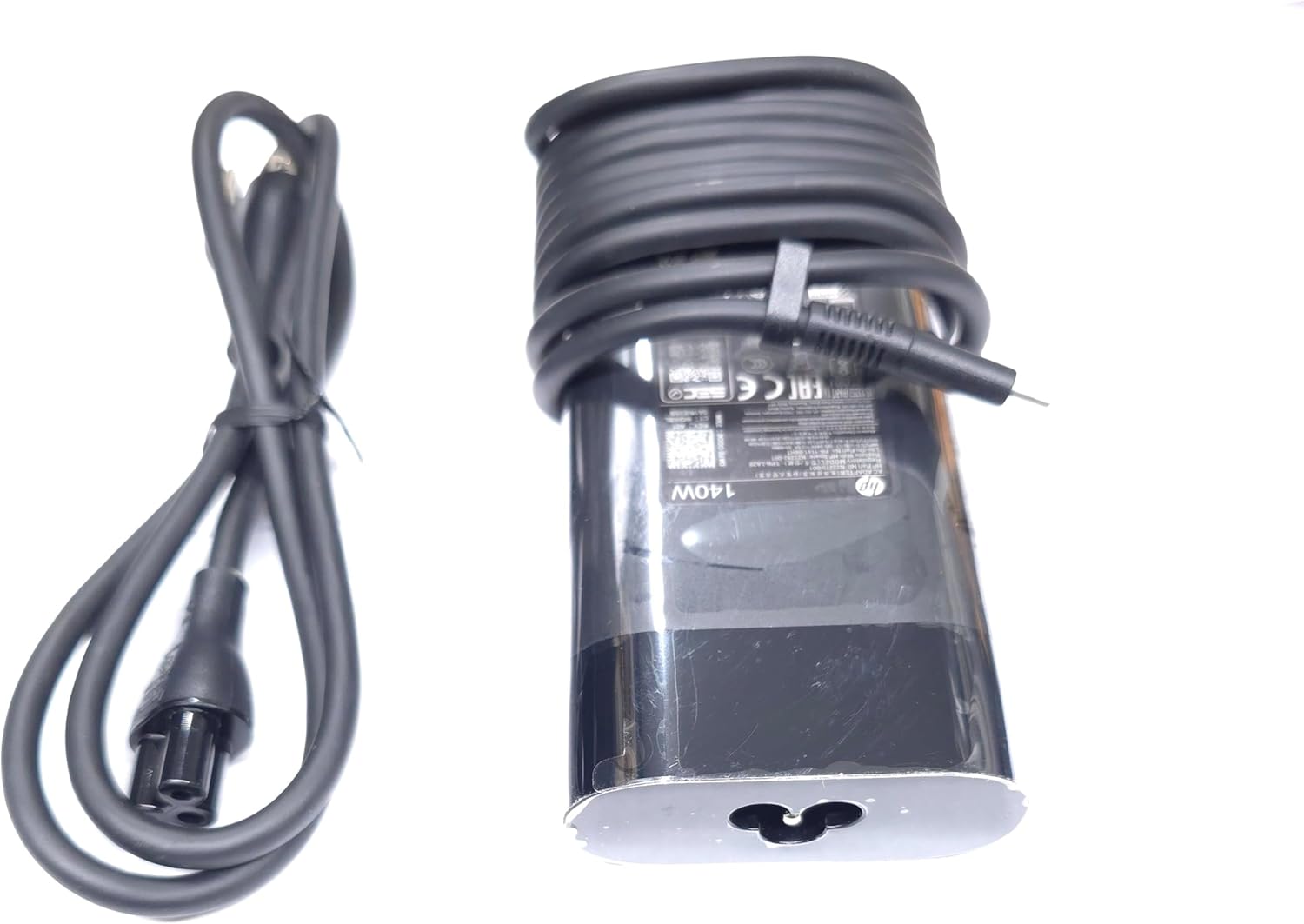
Image: The HP 140W USB-C AC Adapter and its accompanying power cord, as typically found in the product packaging.
4. ຄໍາແນະນໍາການຕິດຕັ້ງ
Follow these steps to set up your HP 140W USB-C AC Adapter:
- ເຊື່ອມຕໍ່ສາຍໄຟ: Insert the power cord into the AC input port on the HP 140W USB-C AC Adapter. Ensure a firm connection.
- ເຊື່ອມຕໍ່ຫາປລັກສຽບໄຟ: Plug the other end of the power cord into a standard AC wall outlet.
- ເຊື່ອມຕໍ່ຫາແລັບທັອບ: Insert the USB-C connector of the adapter into the USB-C charging port on your compatible HP laptop.
- ຢືນຢັນການເຊື່ອມຕໍ່: Confirm that your laptop indicates it is receiving power or charging.

Image: The USB-C end of the adapter cable, ready to be connected to a compatible laptop's charging port.
5. ຄໍາແນະນໍາການດໍາເນີນງານ
The HP 140W USB-C AC Adapter is designed for automatic operation. Once connected, it will provide power to your laptop and charge its battery.
- ຕົວຊີ້ບອກການສາກໄຟ: Your laptop's operating system or physical indicator light will show the charging status.
- ປະສິດທິພາບທີ່ດີທີ່ສຸດ: For best performance, ensure the adapter is placed in a well-ventilated area to prevent overheating.
- ຕັດການເຊື່ອມຕໍ່: To disconnect, first unplug the USB-C connector from your laptop, then unplug the power cord from the wall outlet.
6. ການບໍາລຸງຮັກສາແລະການດູແລ
Proper care ensures the longevity and optimal performance of your adapter:
- ທໍາຄວາມສະອາດ: ໃຊ້ຜ້າອ່ອນໆແຫ້ງເພື່ອທຳຄວາມສະອາດອະແດບເຕີ. ຢ່າໃຊ້ນ້ຳຢາທຳຄວາມສະອາດ ຫຼື ຕົວລະລາຍ.
- ການເກັບຮັກສາ: When not in use, store the adapter in a cool, dry place. Avoid tightly wrapping the cables to prevent damage.
- ການກວດກາ: Periodically inspect the adapter and cables for any signs of wear, cuts, or damage. If damage is found, replace the adapter.
7. ການແກ້ໄຂບັນຫາ
If you encounter issues with your HP 140W USB-C AC Adapter, refer to the following common problems and solutions:
| ບັນຫາ | ສາເຫດທີ່ເປັນໄປໄດ້ | ການແກ້ໄຂ |
|---|---|---|
| ແລັບທັອບບໍ່ໄດ້ສາກໄຟ. | ການເຊື່ອມຕໍ່ວ່າງ, ປລັກສຽບມີບັນຫາ, ອຸປະກອນເຂົ້າກັນບໍ່ໄດ້. |
|
| ອະແດບເຕີຮ້ອນເມື່ອສຳຜັດ. | Normal operation, poor ventilation, excessive load. |
|
| Sparking at outlet when plugging in. | Normal inrush current, faulty outlet. |
|
8. ຂໍ້ມູນຈໍາເພາະ
Detailed technical specifications for the HP 140W USB-C AC Adapter:
- ໝາຍເລກຕົວແບບ: TPN-LA29
- ປ້ອນຂໍ້ມູນ: AC 100V - 240V, 2.5A, 50-60Hz (Worldwide Use)
- ຜົນຜະລິດ:
- 5.0V / 3.0A (15.0W)
- 9.0V / 3.0A
- 12.0V / 5.0A
- 15.0V / 5.0A
- 20.0V / 5.0A
- 28.0V / 5.0A
- ຜົນຜະລິດພະລັງງານທັງໝົດ: 140W
- ປະເພດຕົວເຊື່ອມຕໍ່: USB-C (ປະເພດ-C)
- ສີ: ດຳ
- ນ້ໍາຫນັກລາຍການ: ປະມານ 1 ປອນ (0.45 ກິໂລ)
- ຂະໜາດແພັກເກດ: 7.83 x 6.93 x 1.26 ນິ້ວ (19.89 x 17.60 x 3.20 cm)
- Compatible P/N: TPN-LA29, N22270-001, N22282-001, PA-1141-08HT
- ຜູ້ຜະລິດ: Lite-On Technology Corp.
- ຄຸນນະສົມບັດພິເສດ: ການສາກໄວ
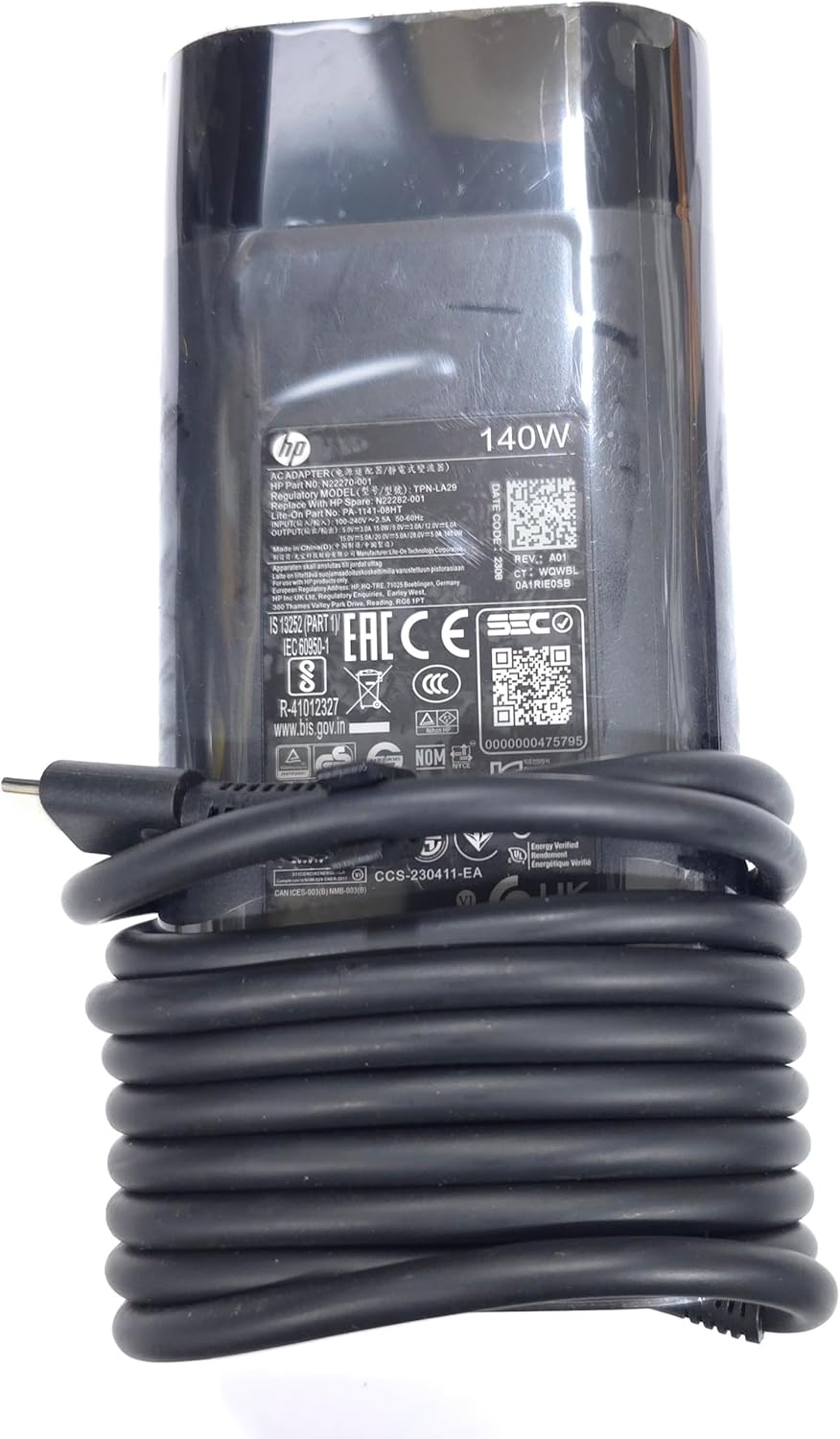
ຮູບພາບ: A close-up view of the adapter's label, displaying detailed electrical specifications and model information.
9. ການຮັບປະກັນແລະການສະຫນັບສະຫນູນ
For warranty information and technical support, please refer to the documentation provided with your original HP laptop or visit the official HP support website. The manufacturer, Lite-On Technology Corp., provides the adapter under HP's quality standards.
ສະຫນັບສະຫນູນອອນໄລນ໌: For the latest drivers, troubleshooting guides, and product information, visit www.hp.com/support.
ຕິດຕໍ່ສະຫນັບສະຫນູນ: Refer to your region-specific HP support contact details for phone or chat assistance.