ແນະນຳ
Thank you for choosing the Groove Electronics 4-in-1 Wireless Earbuds. This comprehensive kit is designed to enhance your audio experience and keep you powered on the go. Featuring advanced Bluetooth 5.3, IPX7 waterproofing, and an impressive 80 hours of total playtime with the charging case, these earbuds deliver superior sound and convenience for your active lifestyle. This manual provides detailed instructions for setup, operation, maintenance, and troubleshooting to ensure you get the most out of your device.

Image: Groove Electronics Wireless Earbuds being used in various active scenarios like driving, traveling, everyday use, and sports, highlighting their versatility.
ເນື້ອໃນຊຸດ
Your Groove Electronics 4-in-1 Wireless Earbuds kit includes the following items:
- ຫູຟັງໄຮ້ສາຍ (ຊ້າຍ ແລະຂວາ)
- ກ່ອງສາກ
- Dual Port 25W Quick Charge Adapter
- ແຜ່ນສາກໂທລະສັບໄຮ້ສາຍ
- ກະເປົ໋າພົກພາປ້ອງກັນ
- ສາຍສາກ USB-C
- ເບາະຫູ (ຂະໜາດຕ່າງໆ)

ຮູບພາບ: ສໍາເລັດ view of the Groove Electronics 4-in-1 Wireless Earbuds kit, showing the earbuds, charging case, wireless charging pad, dual port adapter, USB-C cable, protective case, and ear cushions.
ຕັ້ງຄ່າ
1. ການສາກໄຟເບື້ອງຕົ້ນ
Before first use, fully charge the earbuds and the charging case. Place the earbuds into the charging case. Connect the USB-C charging cable to the charging case and the other end to the provided Dual Port 25W Quick Charge Adapter. Plug the adapter into a power outlet. The LED display on the charging case will indicate the charging status. A full charge provides up to 14 hours of playtime for the earbuds and up to 80 hours total with the charging case.

Image: Illustration showing the charging case with an LED display indicating 100% charge, emphasizing the 80 hours of total playtime and 14 hours single charge.

Image: Setup showing the 25W dual port quick charger adapter plugged into a wall outlet, charging both the earbud case and a smartphone via the wireless charging pad simultaneously.
2. ການຈັບຄູ່ Bluetooth
- ກວດໃຫ້ແນ່ໃຈວ່າໄດ້ສາກຫູຟັງຫູຟັງ ແລະຢູ່ພາຍໃນກ່ອງສາກ.
- ເປີດກ່ອງສາກໄຟ. ຫູຟັງເອຍບັດຈະເຂົ້າສູ່ໂໝດຈັບຄູ່ໂດຍອັດຕະໂນມັດ.
- ໃນອຸປະກອນຂອງທ່ານ (ໂທລະສັບສະຫຼາດ, ແທັບເລັດ, ແລັບທັອບ), ໄປທີ່ການຕັ້ງຄ່າ Bluetooth ແລະເປີດ Bluetooth.
- Look for "GROOVE-X31" (or similar model name) in the list of available devices and select it to connect.
- ເມື່ອເຊື່ອມຕໍ່ແລ້ວ, ທ່ານຈະໄດ້ຍິນສຽງຢືນຢັນ, ແລະໄຟສັນຍານຂອງຫູຟັງຈະປ່ຽນໄປ.
The earbuds feature Bluetooth 5.3 for a stable and extended connection range of up to 100 feet.

Image: A visual representation of the earbuds pairing with a smartphone via Bluetooth 5.3, showing the Bluetooth icon and a connection status on the phone screen.
ຄໍາແນະນໍາການດໍາເນີນງານ
ໃສ່ຫູຟັງ
The Groove Electronics earbuds are designed with ear hooks for a secure and comfortable fit, ideal for active use. Choose the appropriate ear cushion size for optimal comfort and sound quality. Gently place the earbud into your ear canal and adjust the ear hook over your ear until it feels snug and stable.

Image: The Groove Electronics earbuds and charging case displayed on a tray, along with the wireless charging pad, dual port adapter, USB-C cable, and protective carrying case, illustrating the complete travel kit.
ການຄວບຄຸມປຸ່ມ
The earbuds feature intuitive push-button controls for easy management of music and calls:
| ການປະຕິບັດ | ການຄວບຄຸມ |
|---|---|
| ຫຼິ້ນ/ຢຸດຊົ່ວຄາວ | Single press (L/R) |
| Switch Song (Next/Previous) | Double press (L/R) |
| ຜູ້ຊ່ວຍສຽງ (Siri) | Triple press (L/R) |
| ຕອບ/ວາງສາຍ | Single press (L/R) |
| ປັບລະດັບສຽງ | Press and hold for 2 seconds (L for Volume Down, R for Volume Up) |
| ປະຕິເສດການໂທ | ກົດຄ້າງໄວ້ 2 ວິນາທີ (L/R) |
| ຣີເຊັດ | Five presses (L/R) |
| ເປີດ/ປິດ | Press and hold for 2/5 seconds (L/R) |

Image: A detailed diagram illustrating the intuitive push-button controls on the earbuds, showing single, double, triple, and long presses for various functions like play/pause, skip song, voice assistant, answer/hang up, adjust volume, reject call, reset, and power on/off.
ແຜ່ນສາກໂທລະສັບໄຮ້ສາຍ
The included wireless phone charging pad allows you to conveniently charge compatible smartphones. Simply place your phone on the charging pad. Ensure your phone is centered on the pad for optimal charging. The charging pad requires power from the dual port adapter or another USB power source.
ຄຸນະພາບສຽງ
Experience high-definition stereo sound with robust 10mm drivers, delivering rich bass, clear mids, and crisp highs for an immersive audio experience.

Image: A visual representation of sound waves emanating from an earbud, illustrating high-fidelity stereo sound and an immersive listening experience.
ບໍາລຸງຮັກສາ
ທໍາຄວາມສະອາດ
Regularly clean your earbuds and charging case to maintain optimal performance and hygiene. Use a soft, dry, lint-free cloth to wipe down the surfaces. For ear cushions, remove them and clean with a mild soap solution if necessary, then rinse and dry thoroughly before reattaching. Do not use abrasive cleaners or immerse the charging case in water.
ກັນນໍ້າ (IPX7)
The earbuds are IPX7 waterproof, meaning they can withstand submersion in up to 1 meter of water for 30 minutes. This makes them ideal for workouts and outdoor activities, providing protection against sweat and rain. However, the charging case is not waterproof. Always ensure earbuds are dry before placing them back into the charging case.
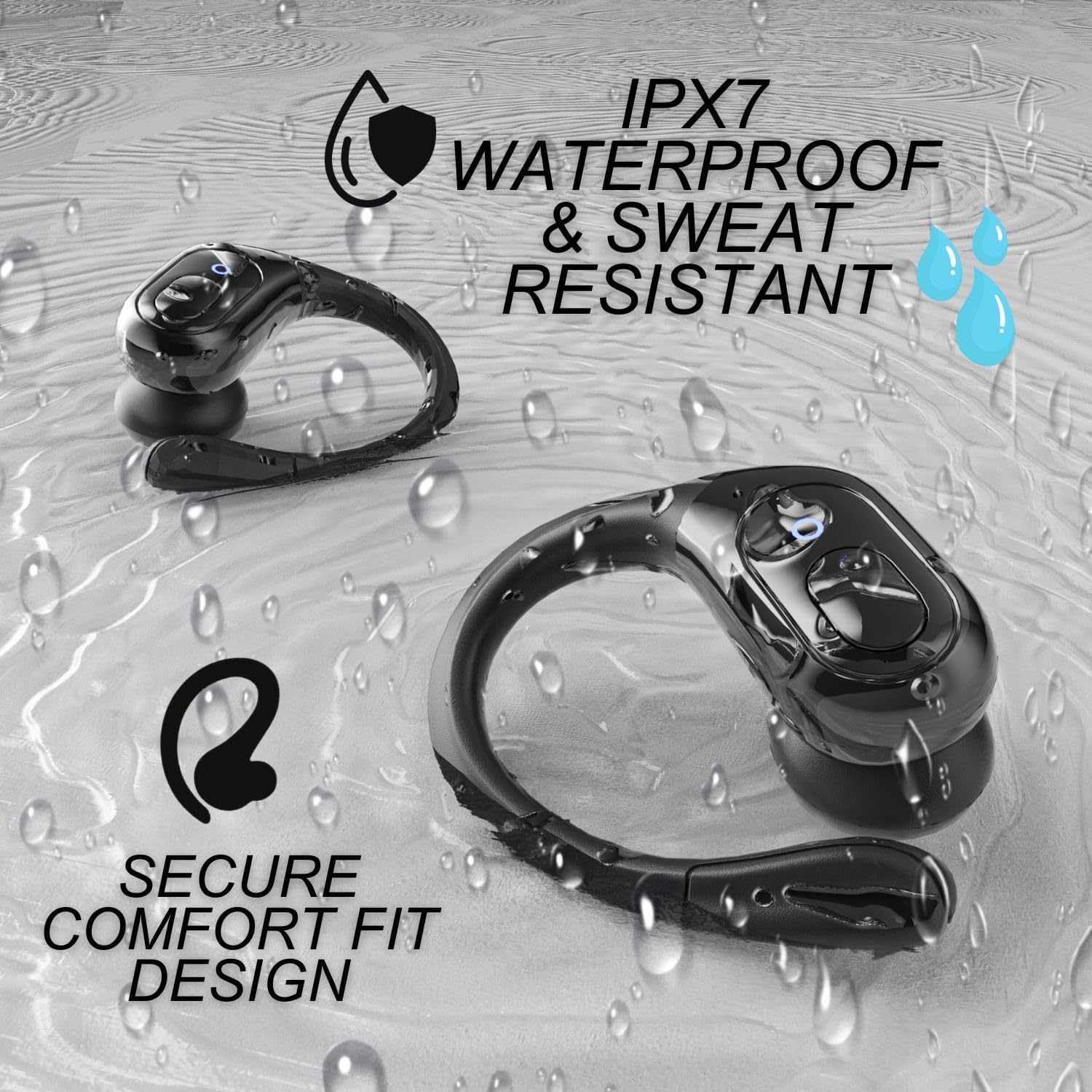
Image: The earbuds shown with water droplets, emphasizing their IPX7 waterproof and sweat-resistant features, along with a secure comfort fit design.
ການເກັບຮັກສາ
When not in use, store the earbuds in their charging case, and keep the entire kit in the provided protective carrying case. Store in a cool, dry place away from extreme temperatures and direct sunlight.
ການແກ້ໄຂບັນຫາ
If you encounter any issues with your Groove Electronics Wireless Earbuds, please refer to the following common solutions:
- ຫູຟັງບໍ່ຈັບຄູ່:
Ensure both earbuds are charged. Place them back in the case, close the lid, wait a few seconds, then open it again to re-enter pairing mode. Delete "GROOVE-X31" from your device's Bluetooth list and try pairing again. - ບໍ່ມີສຽງຈາກຫູຟັງອັນໜຶ່ງ:
Check if both earbuds are charged. Try resetting the earbuds (refer to Button Controls section). Ensure they are properly seated in the charging case to make contact with charging pins. - ກ່ອງສາກບໍ່ສາກ:
Verify the USB-C cable is securely connected to both the case and the power adapter/source. Try a different USB-C cable or power adapter. - Wireless charging pad not working:
Ensure the charging pad is connected to a power source. Verify your phone supports wireless charging and is correctly aligned on the pad. - ຄຸນະພາບສຽງບໍ່ດີ:
Ensure earbuds are clean and ear cushions are properly fitted. Move closer to your connected device to avoid interference.
ຂໍ້ມູນຈໍາເພາະ
| ຄຸນສົມບັດ | ລາຍລະອຽດ |
|---|---|
| ໝາຍເລກຕົວແບບ | 4-1 Wireless Earbuds Travel Kit- Black |
| ຍີ່ຫໍ້ | Groove Electronics |
| ເຕັກໂນໂລຊີການເຊື່ອມຕໍ່ | ໄຮ້ສາຍ (Bluetooth) |
| ລຸ້ນ Bluetooth | 5.3 |
| ອາຍຸແບັດເຕີຣີ Earbud | 14 ຊົ່ວໂມງ (ຄ່າບໍລິການດຽວ) |
| ເວລາຫຼິ້ນທັງໝົດ (ພ້ອມກໍລະນີ) | 80 ຊົ່ວໂມງ |
| ການຕໍ່ຕ້ານນ້ໍາ | IPX7 |
| ການຄວບຄຸມສິ່ງລົບກວນ | Active Noise Cancellation |
| ປະເພດໄດເວີສຽງ | ໄດເວີໄດນາມິກ (10 ມມ) |
| ວິທີການຄວບຄຸມ | ແຕະ / ປຸ່ມ |
| ອົງປະກອບລວມ | Earbuds, Charging Case, Dual Port 25W Quick Charge Adapter, Wireless Phone Charging Pad, Protective Case, Ear Cushions |
| ນ້ໍາຫນັກລາຍການ | 11.7 ອອນ |
| ຂະໜາດສິນຄ້າ | 5.5 x 4 x 1.75 ນິ້ວ |
ວິດີໂອຜະລິດຕະພັນຢ່າງເປັນທາງການ
ຄຸນສົມບັດຜະລິດຕະພັນຫຼາຍກວ່າview
ວິດີໂອ: ວິດີໂອນີ້ສະຫນອງການທີ່ສົມບູນແບບview of the Groove Electronics 4-in-1 Wireless Earbuds, highlighting their design, secure fit, sound quality, battery life, Bluetooth connectivity, and the included charging accessories. It demonstrates the product's features and benefits for an active lifestyle.
Product Feature with Audio
Video: This video showcases the key features of the Groove Electronics Wireless Earbuds with accompanying audio narration. It details aspects such as the secure fit, 10mm drivers for clear audio, 55mAh battery for extended playtime, Bluetooth 5.3 for reliable connectivity, and the convenience of the 4-in-1 kit including the fast charger and waterproof case.
ການຮັບປະກັນ & ສະຫນັບສະຫນູນ
Groove Electronics stands behind the quality of its products. For warranty information, please refer to the documentation included with your purchase or visit the official Groove Electronics store on Amazon. For further assistance or technical support, please contact Groove Electronics customer service through the Amazon platform or their official webເວັບໄຊ.
Manufacturer: Groove Electronics
ສໍາລັບຜະລິດຕະພັນແລະຂໍ້ມູນເພີ່ມເຕີມ, ໄປຢ້ຽມຢາມ Groove Electronics Store.


