1. ເກີນview
This manual provides essential information for setting up, operating, maintaining, and troubleshooting your HP 14-dq5009nr laptop. Designed for productivity and entertainment, this thin and light laptop offers reliable performance for everyday tasks.

Figure 1: HP 14-dq5009nr Laptop in Natural Silver.
ຄຸນນະສົມບັດທີ່ສໍາຄັນ:
- Micro-Edge HD Display: Enjoy an ultra-wide viewing experience with minimal bezel.
- Intel Core i3-1215U Processor: 12th Generation Intel Core processor with 6 cores for multitasking.
- Intel UHD Graphics: Smooth streaming of 4K content and casual gaming.
- ການເກັບຮັກສາແລະຄວາມຊົງຈໍາ: 256 GB PCIe NVMe M.2 SSD for fast performance and 8 GB DDR4 RAM for enhanced multitasking.
- Windows 11 Home in S Mode: Secure operating system with fast boot times and protection against malware.

ຮູບ 2: ເກີນview of the HP 14-dq5009nr Laptop's main features including display, processor, graphics, storage, and memory.
2. ຕັ້ງຄ່າ
2.1 ການເປີດເຄື່ອງເບື້ອງຕົ້ນ
- ຖອດແລັບທັອບຂອງເຈົ້າ ແລະອຸປະກອນເສີມທັງໝົດອອກຈາກກ່ອງ.
- ເຊື່ອມຕໍ່ອະແດບເຕີໄຟກັບຜອດສາກໄຟຂອງແລັບທັອບ ແລະຈາກນັ້ນໄປຫາປລັກສຽບໄຟ.
- Open the laptop lid. The laptop may power on automatically, or you may need to press the power button located on the top right of the keyboard.
- Follow the on-screen instructions to complete the Windows 11 Home in S Mode setup, including selecting your region, language, and connecting to a Wi-Fi network.

Figure 3: The HP laptop screen showing the Windows 11 Start Menu, indicating successful initial setup.
2.2 ການເຊື່ອມຕໍ່ Wi-Fi
During the initial setup, you will be prompted to connect to a wireless network. If you need to connect later or change networks:
- ຄລິກທີ່ ໄອຄອນເຄືອຂ່າຍ (usually a Wi-Fi symbol) in the bottom-right corner of the taskbar.
- ເລືອກເຄືອຂ່າຍ Wi-Fi ທີ່ທ່ານຕ້ອງການຈາກບັນຊີລາຍຊື່.
- ກົດ ເຊື່ອມຕໍ່ and enter the network security key (password) if prompted.
3. ປະຕິບັດການຄອມພິວເຕີ HP ຂອງທ່ານ
3.1 ແປ້ນພິມ ແລະ ແຜ່ນສໍາຜັດ
The laptop features a full-sized keyboard and an integrated precision touchpad with multi-touch support. The touchpad supports gestures for smooth scrolling, zooming, and navigation.
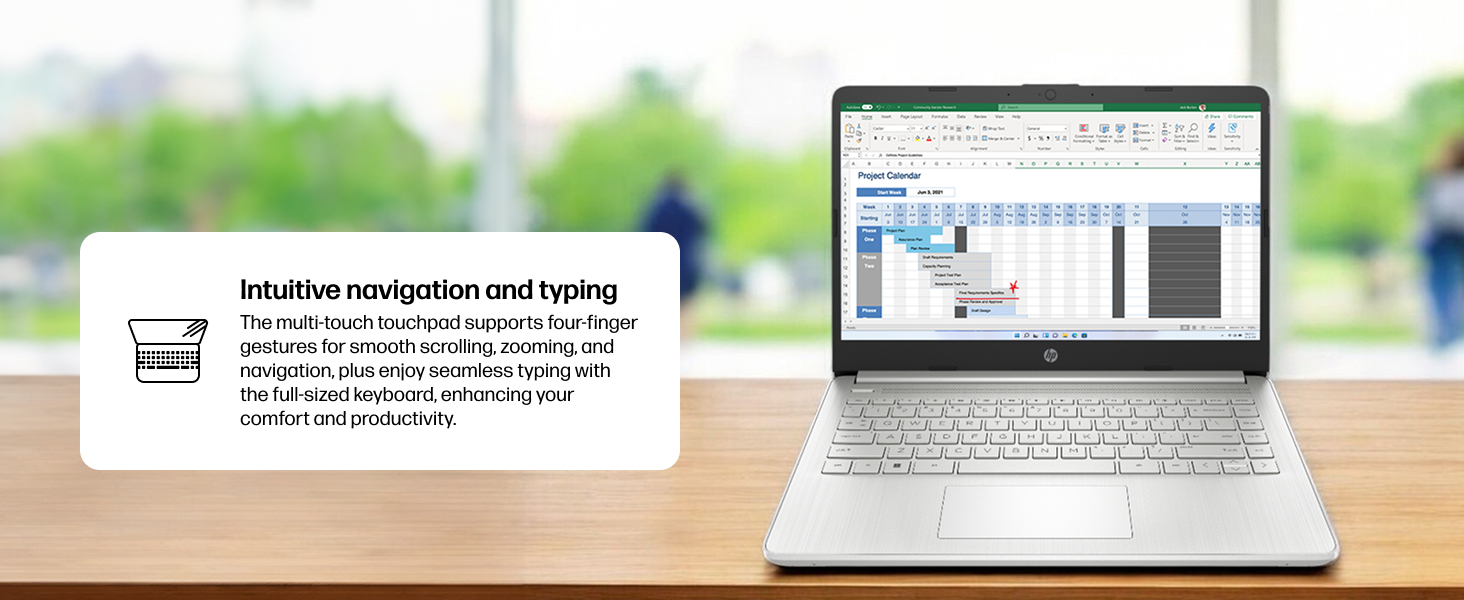
Figure 4: Demonstrating intuitive navigation and typing with the multi-touch touchpad and full-sized keyboard.
3.2 ຈໍສະແດງຜົນ ແລະກາຟິກ
Your HP laptop is equipped with a 14-inch HD micro-edge display and Intel UHD Graphics, providing vibrant visuals for various tasks, from web browsing to multimedia consumption.
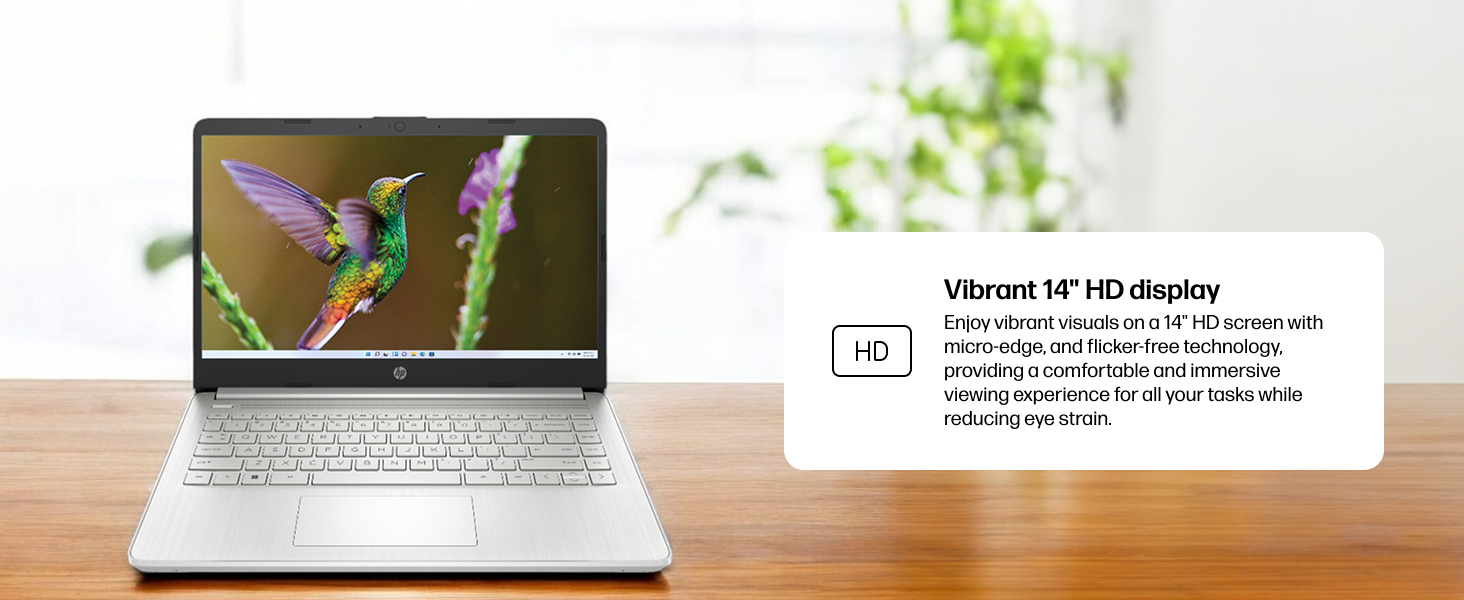
Figure 5: The laptop screen showcasing vivid visuals powered by Intel UHD graphics.
3.3 ພອດ ແລະການເຊື່ອມຕໍ່
The laptop offers a range of ports for connecting peripherals and external devices:
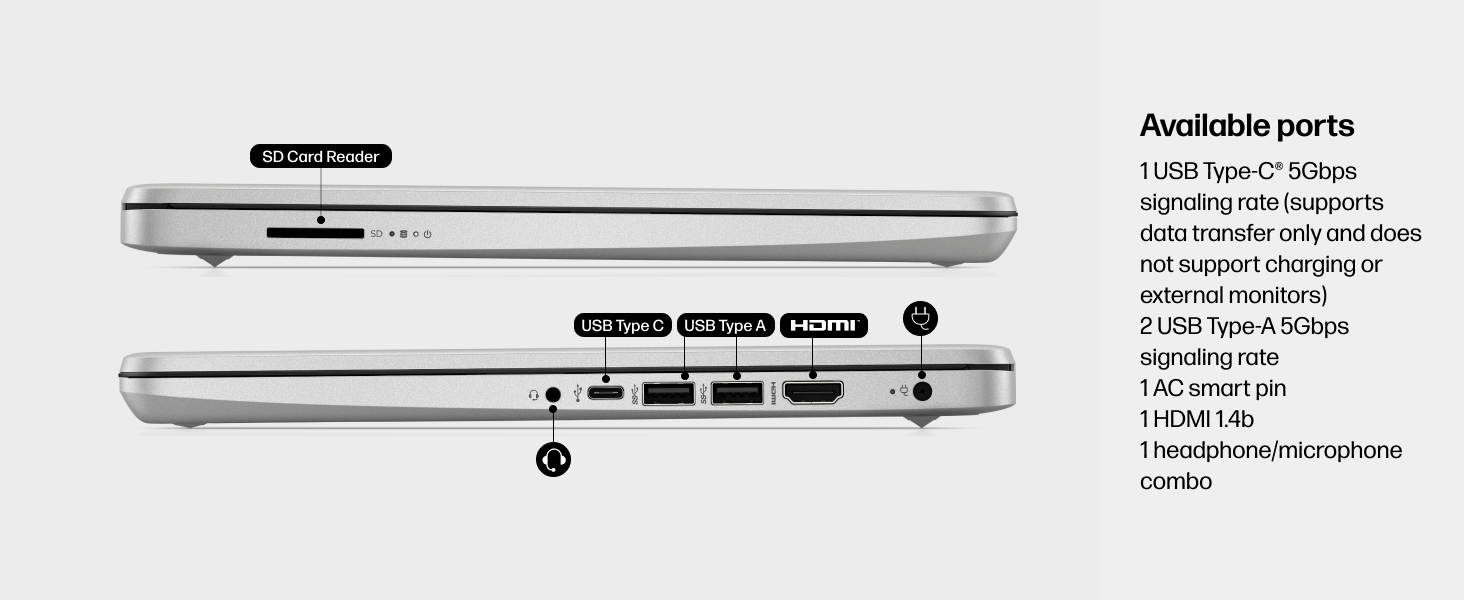
ຮູບທີ 6: ລາຍລະອຽດ view of the available ports on the HP 14-dq5009nr laptop.
- 1 USB Type-C® 5Gbps signaling rate (supports data transfer only, no charging or external monitors)
- 2 USB Type-A ອັດຕາສັນຍານ 5Gbps
- 1 AC smart pin (for power adapter)
- 1 HDMI 1.4b
- 1 ຊ່ອງສຽບຫູຟັງ/ໄມໂຄຣໂຟນ
- 1 SD Card Reader
4. ບໍາລຸງຮັກສາ
4.1 ການດູແລຫມໍ້ໄຟ
The HP 14-dq5009nr features a long-lasting battery and HP Fast Charge technology, allowing you to charge from 0 to 50% in approximately 45 minutes. To maximize battery lifespan:
- ຫຼີກເວັ້ນອຸນຫະພູມທີ່ຮຸນແຮງ.
- ຢ່າປະຖິ້ມຫມໍ້ໄຟເຕັມທີ່ເປັນປົກກະຕິ.
- ເກັບຮັກສາຄອມພິວເຕີໂນດບຸກໄວ້ໃນຂະນະທີ່ບໍ່ໄດ້ໃຊ້ເປັນເວລາດົນ.
4.2 ຄໍາແນະນໍາການທໍາຄວາມສະອາດ
- ໃຊ້ຜ້າແພທີ່ອ່ອນໆ ທີ່ບໍ່ມີເສັ້ນດ່າງ dampສໍາເລັດດ້ວຍນ້ໍາຫຼືເຄື່ອງເຮັດຄວາມສະອາດຫນ້າຈໍເພື່ອເຮັດຄວາມສະອາດຈໍສະແດງຜົນ.
- ສໍາລັບແປ້ນພິມ ແລະຕົວເຄື່ອງ, ໃຫ້ໃຊ້ຜ້າອ່ອນໆ. ຫຼີກເວັ້ນການສານເຄມີທີ່ຮຸນແຮງ.
4.3 ການປັບປຸງຊອບແວ
Ensure your Windows 11 operating system and drivers are regularly updated for optimal performance and security. Windows Update typically handles this automatically.
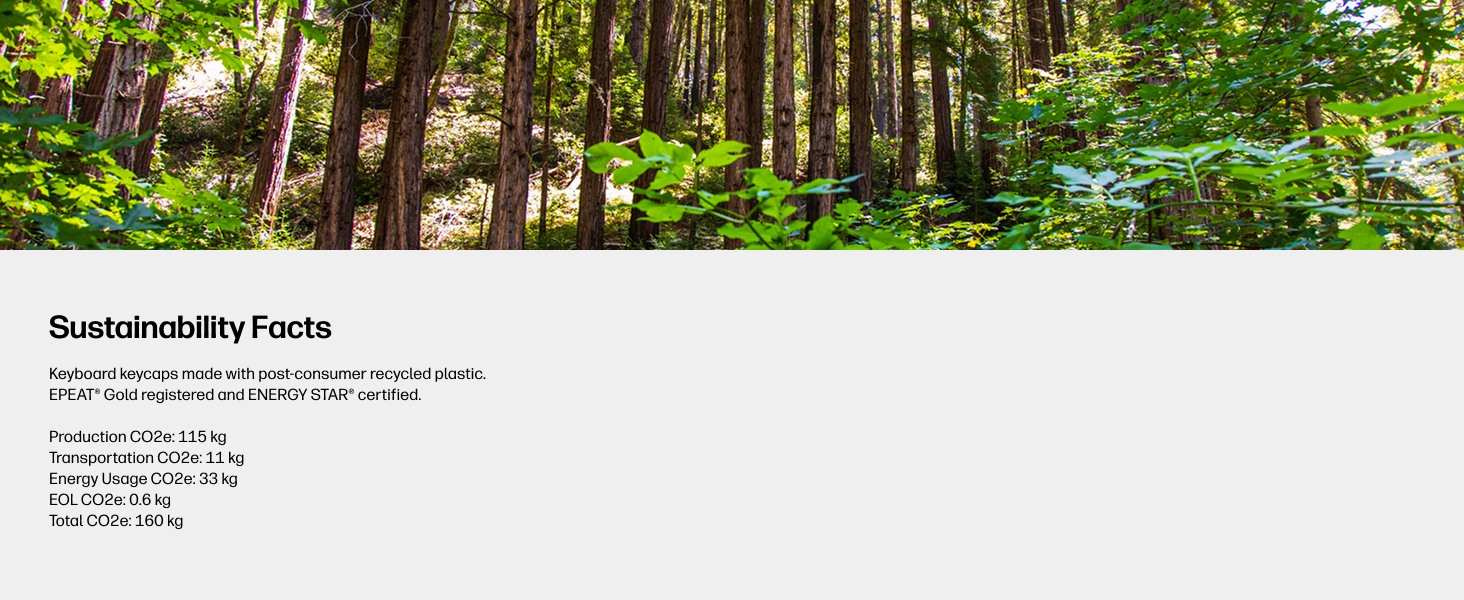
Figure 7: The laptop's keyboard keycaps are made from post-consumer recycled plastic, reflecting HP's commitment to sustainability.
5. ການແກ້ໄຂບັນຫາ
5.1 ບັນຫາພະລັງງານ
- ແລັບທັອບບໍ່ເປີດ: Ensure the power adapter is securely connected and the battery has sufficient charge. Try pressing and holding the power button for 15 seconds.
- ແບັດເຕີຣີບໍ່ສາກໄຟ: ກວດສອບວ່າອະແດບເຕີໄຟ ແລະ ສາຍໄຟບໍ່ເສຍຫາຍ. ລອງໃຊ້ປລັກໄຟອື່ນ.
5.2 ບັນຫາການສະແດງ
- ຫນ້າຈໍເປົ່າ: Connect an external monitor to check if the display is the issue. Try adjusting screen brightness using the function keys (F2/F3 or similar, look for sun icons).
- ໜ້າຈໍກະພິບ: ອັບເດດໄດເວີກຣາຟິກຂອງທ່ານ.
5.3 ບັນຫາການເຊື່ອມຕໍ່
- Wi-Fi ບໍ່ເຊື່ອມຕໍ່: Ensure Wi-Fi is enabled in Windows settings. Restart your router and modem.
- ອຸປະກອນ Bluetooth ບໍ່ໄດ້ຈັບຄູ່: ໃຫ້ແນ່ໃຈວ່າ Bluetooth ຖືກເປີດໃຊ້ງານຢູ່ໃນທັງສອງອຸປະກອນ ແລະ ພວກມັນຢູ່ໃນໂໝດຈັບຄູ່.
6. ຂໍ້ມູນຈໍາເພາະ
| ຄຸນສົມບັດ | ຂໍ້ມູນຈໍາເພາະ |
|---|---|
| ຂະຫນາດຈໍສະແດງຜົນຢືນ | 14 ນິ້ວ |
| ຄວາມລະອຽດໜ້າຈໍ | 1366 x 768 ພິກເຊວ (HD) |
| ໂຮງງານຜະລິດ | Intel Core i3-1215U (4.4 GHz) |
| RAM | 8 GB DDR4 (2400 MHz) |
| ຮາດດິດ | SSD 256 GB (PCIe NVMe M.2) |
| Graphics Coprocessor | Intel UHD Graphics |
| ລະບົບປະຕິບັດການ | Windows 11 Home ໃນ S Mode |
| ປະເພດໄຮ້ສາຍ | 802.11a/b/g/n/ac, Bluetooth |
| ນ້ໍາຫນັກລາຍການ | 3.24 ປອນ |
| ຂະໜາດສິນຄ້າ | 12.76 x 0.71 x 8.86 ນິ້ວ |
| ສີ | ເງິນ |
7. ການຮັບປະກັນແລະການສະຫນັບສະຫນູນ
7.1 ຂໍ້ມູນການຮັບປະກັນ
Your HP 14-dq5009nr laptop comes with a ການຮັບປະກັນຮາດແວຈໍາກັດ 1 ປີ. Additionally, ສະຫນັບສະຫນູນດ້ານວິຊາການຈໍາກັດ 90 ວັນ for software and initial setup is provided when the product is shipped from and sold by Amazon.
7.2 ສະຫນັບສະຫນູນດ້ານວິຊາການ
For technical assistance, please refer to the official HP support channels. Web support is available 24 hours a day, 7 days a week. You can also visit the HP Store ໃນ Amazon ສໍາລັບຂໍ້ມູນເພີ່ມເຕີມແລະຊັບພະຍາກອນ.