1. ບົດແນະນຳ
This manual provides detailed instructions for the installation, function, maintenance, and troubleshooting of the Watts 0887709 Float & Vent Kit. This kit is specifically designed to repair the float and vent assembly in Watts 800M4-1/2 and 800M4-3/4 series vacuum breakers, restoring their proper operation and preventing backflow in plumbing systems.
2. ຂໍ້ມູນຄວາມປອດໄພ
- Always turn off the main water supply to the vacuum breaker before beginning any repair or maintenance.
- ໃສ່ອຸປະກອນປ້ອງກັນສ່ວນບຸກຄົນທີ່ເຫມາະສົມ, ເຊັ່ນ: ຖົງມືແລະການປ້ອງກັນຕາ, ໃນລະຫວ່າງການຕິດຕັ້ງ.
- Ensure all connections are properly tightened to prevent leaks.
- ຖ້າທ່ານບໍ່ແນ່ໃຈກ່ຽວກັບຂັ້ນຕອນໃດນຶ່ງ, ໃຫ້ປຶກສາກັບຊ່າງທໍ່ນ້ຳທີ່ມີຄຸນວຸດທິ.
3. ອົງປະກອບລວມ
The Watts 0887709 Float & Vent Kit includes the following essential components for repairing your vacuum breaker:
- Vent Disc Holder Assembly
- ລະດູໃບໄມ້ປົ່ງ
- Bonnet O-ring
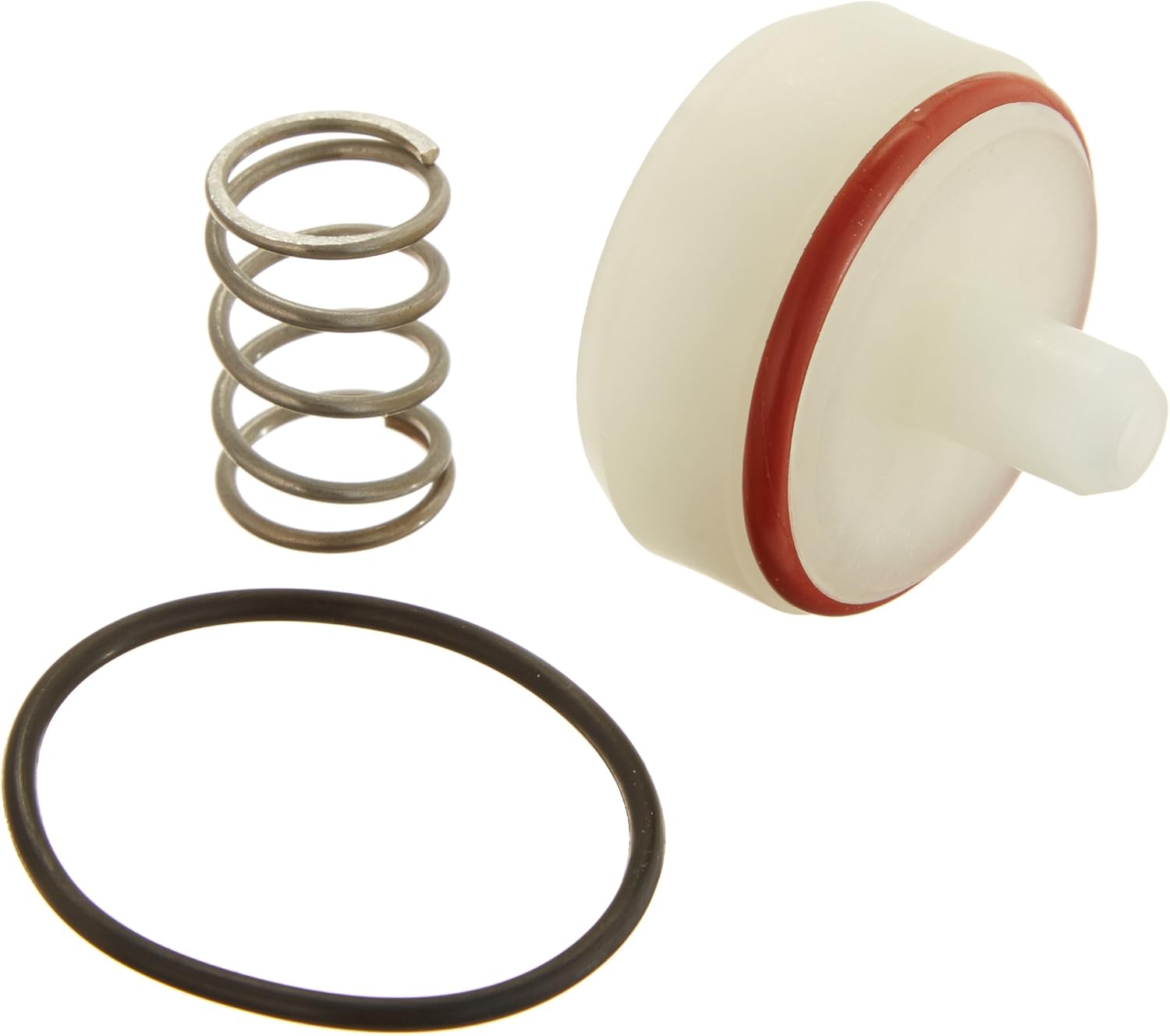
ຮູບພາບ 1: The Watts 0887709 Float & Vent Kit, showing the vent disc holder assembly (white plastic with red O-ring), a coiled metal spring, and a black rubber O-ring.
4. ການຕິດຕັ້ງ (Setup)
Follow these steps to replace the float and vent components in your Watts 800M4 vacuum breaker:
- ປິດການສະຫນອງນ້ໍາ: Locate the main water shut-off valve for the irrigation system or the specific line connected to the vacuum breaker and turn it off completely.
- ບັນເທົາຄວາມກົດດັນ: Open any downstream valves or faucets to relieve pressure in the system.
- Disassemble the Bonnet: Carefully unscrew the bonnet of the Watts 800M4 vacuum breaker. This may require a wrench.
- ເອົາອົງປະກອບເກົ່າອອກ: Once the bonnet is removed, extract the old vent disc holder assembly, vent spring, and bonnet O-ring. Note their orientation for correct reassembly.
- ທໍາຄວາມສະອາດທີ່ຢູ່ອາໄສ: Clean any debris or mineral deposits from the interior of the vacuum breaker housing and the bonnet.
- ຕິດຕັ້ງອົງປະກອບໃໝ່:
- Place the new bonnet O-ring into its groove within the bonnet.
- Insert the new vent spring into its designated position.
- Carefully place the new vent disc holder assembly into the vacuum breaker body, ensuring it seats correctly.
- Reassemble the Bonnet: Screw the bonnet back onto the vacuum breaker body. Hand-tighten first, then use a wrench to snug it securely, but do not overtighten.
- ຟື້ນຟູການສະຫນອງນ້ໍາ: ຄ່ອຍໆເປີດການສະໜອງນ້ຳຫຼັກຄືນ.
- ກວດສອບການຮົ່ວໄຫລ: Inspect the vacuum breaker for any signs of leaks. If leaks are present, turn off the water, re-check component seating, and tighten connections as necessary.
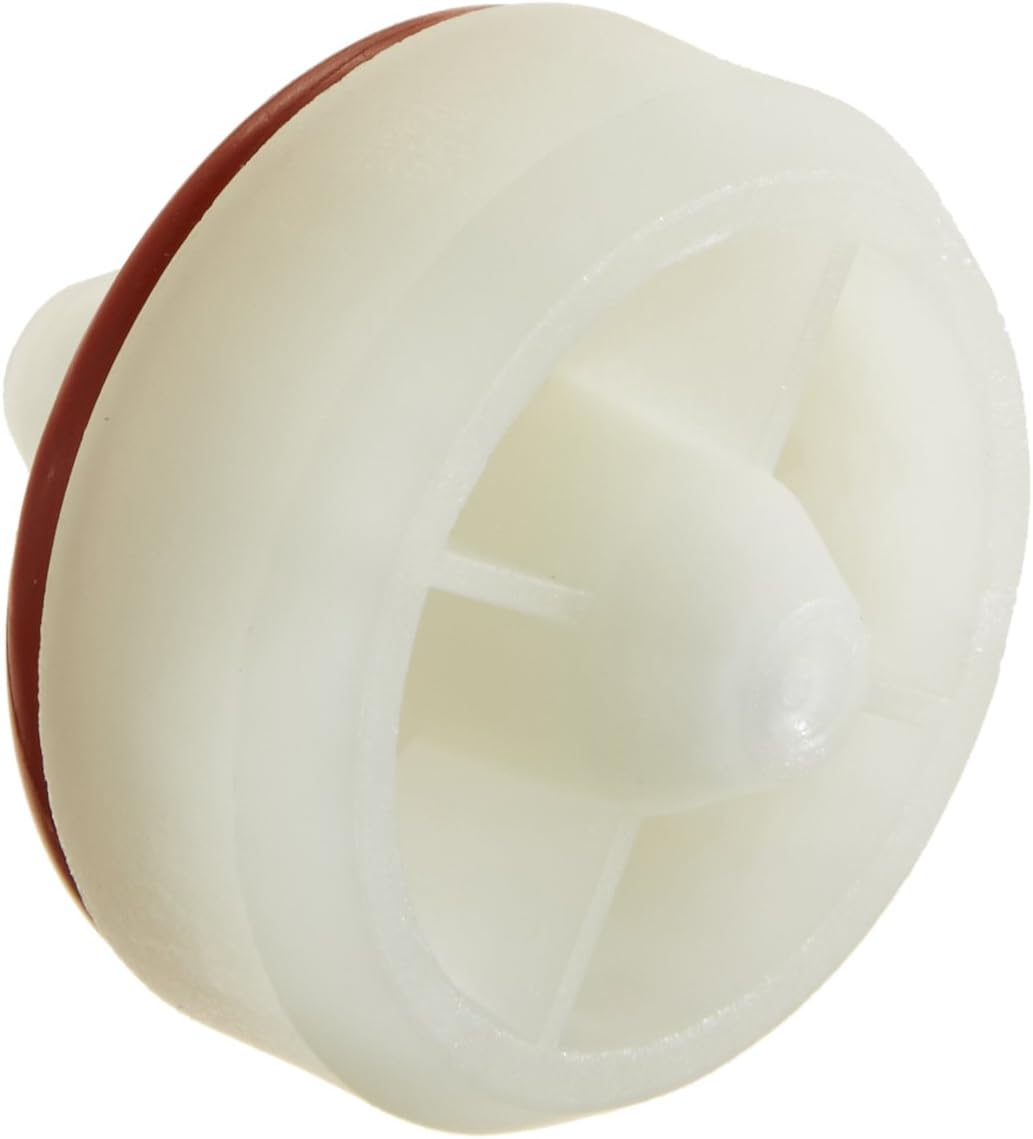
ຮູບພາບ 2: ໃກ້ຊິດ view of the vent disc holder assembly, a key component of the repair kit, showing its white plastic body and red sealing O-ring.
5. Function (Operating Principle)
The float and vent assembly within the Watts 800M4 vacuum breaker plays a critical role in preventing backflow. When the water supply pressure drops or a vacuum condition occurs, the float drops, opening the vent. This allows air to enter the system, breaking the vacuum and preventing contaminated water from being siphoned back into the potable water supply. When pressure is restored, the float rises, sealing the vent and allowing normal water flow.
6. ບໍາລຸງຮັກສາ
Regular inspection and maintenance can extend the life of your vacuum breaker and ensure its continued effectiveness:
- ການກວດກາປະຈຳປີ: Visually inspect the vacuum breaker annually for any signs of wear, cracks, or leaks.
- ກວດສອບອົງປະກອບ: Periodically check the vent disc holder assembly and O-rings for signs of deterioration, such as hardening, cracking, or deformation. Replace components from this kit if wear is observed.
- ທໍາຄວາມສະອາດ: If mineral deposits or debris accumulate, disassemble the unit (following installation steps 1-4) and clean the components with a soft brush and water. Avoid harsh chemicals.
- ລະດູໜາວ (ຖ້າມີ): In freezing climates, ensure the vacuum breaker is properly drained or protected from freezing temperatures to prevent damage.
7. ການແກ້ໄຂບັນຫາ
Here are common issues and their potential solutions:
| ບັນຫາ | ສາເຫດທີ່ເປັນໄປໄດ້ | ການແກ້ໄຂ |
|---|---|---|
| Constant Leakage | Worn or improperly seated O-ring; damaged vent disc holder assembly. | Turn off water, disassemble, inspect and replace O-rings and vent disc holder assembly. Ensure proper seating. |
| High-Pitched Whining Noise | Worn or deformed O-ring, causing vibration. | Turn off water, disassemble, inspect and replace the bonnet O-ring and other seals. |
| Failure to Prevent Backflow | Damaged or stuck float/vent assembly. | Turn off water, disassemble, inspect the vent disc holder assembly and spring for damage or obstruction. Replace if necessary. |
| ຫຼຸດການໄຫຼຂອງນໍ້າ | Debris obstructing the vent or internal components. | Turn off water, disassemble, and clean all internal components. |
8. ຂໍ້ມູນຈໍາເພາະ
- ໝາຍເລກຕົວແບບ: 0887709
- ເລກສ່ວນ: RK800M4V1/2-3/4
- ຄວາມເຂົ້າກັນໄດ້: Watts 800M4-1/2 and 800M4-3/4 Vacuum Breakers
- ວັດສະດຸ: Rubber, Silicone (for seals), Plastic (for disc holder assembly), Metal (for spring)
- ນ້ໍາຫນັກລາຍການ: ປະມານ 0.8 ອອນສ໌
- ອົງປະກອບລວມ: Vent Disc Holder Assembly, Vent Spring, Bonnet O-ring
9. ຂໍ້ມູນການຮັບປະກັນ
For specific warranty details regarding the Watts 0887709 Float & Vent Kit, please refer to the official Watts manufacturer's warranty policy. Warranty terms typically cover defects in materials and workmanship under normal use and service. Proof of purchase may be required for warranty claims.
10. ການຊ່ວຍເຫຼືອລູກຄ້າ
If you require further assistance, have questions about installation, or need to report a product issue, please contact Watts customer support directly. You can typically find contact information, including phone numbers and online support portals, on the official Watts webເວັບໄຊ (www.watts.com).


