1. 서론
Thank you for choosing the LG 34 Inch UltraWide WQHD Curved Monitor. This manual provides essential information for the safe and efficient use of your new monitor. Please read it thoroughly before operating the device and keep it for future reference.
패키지 내용
- LG 34 Inch UltraWide Curved Monitor
- 모니터 스탠드(베이스 및 넥)
- 전원 케이블
- HDMI 케이블
- DisplayPort 케이블
- USB-C 케이블
- 사용자 설명서 및 보증 카드
2. 주요 특징
- 34-inch WQHD UltraWide Curved Display: Expansive 21:9 screen (3440 x 1440) for enhanced productivity and immersive view주고받음.
- HDR Display with 99% sRGB: Delivers vibrant, natural colors and distinct image layers, supporting HDR brightness performance.
- 120Hz 높은 화면 주사율: Ensures fluid scrolling and dynamic content for a comfortable visual experience.
- 5ms(GTG) 응답 시간: Provides quick pixel response for smooth motion.
- LG Switch for Multitasking & Eye Care: Enables quick split-screen functionality, customizable layouts, and Reader Mode to reduce eye strain.
- 조정 가능한 스탠드: Supports height, tilt, and swivel adjustments for optimal view각도를 나타냅니다.
- 내장 스피커: 편의성을 위한 통합 오디오 기능.
- 다중 연결 옵션: Includes DisplayPort and HDMI inputs.
3. 설정
3.1 스탠드 조립
Carefully remove the monitor and stand components from the packaging. Follow the instructions below to attach the stand to the monitor.
- 긁힘을 방지하려면 모니터를 부드럽고 깨끗한 표면에 뒤집어서 놓으세요.
- 스탠드 넥을 모니터 후면 패널에 부착하세요. 제자리에 딸깍 소리가 나도록 단단히 고정하세요.
- Attach the stand base to the bottom of the stand neck. Tighten the screw(s) firmly to secure the base.
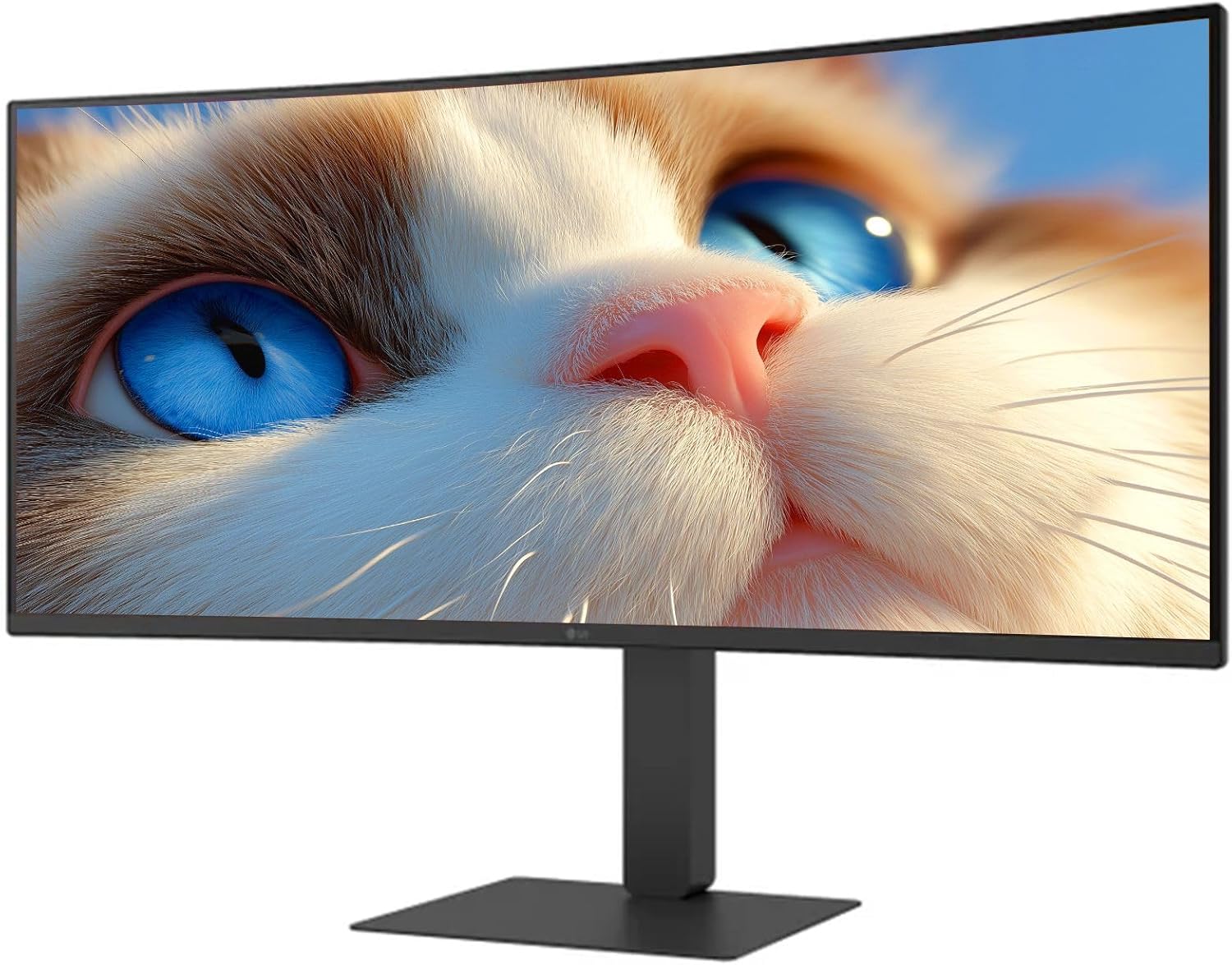
그림 1: 전면 view of the LG 34 Inch UltraWide Curved Monitor with stand.

그림 2: 측면 view of the LG 34 Inch UltraWide Curved Monitor with stand.
3.2 모니터 연결
적절한 케이블을 사용하여 모니터를 컴퓨터나 다른 장치에 연결합니다.
- 전원 케이블을 모니터의 전원 입력 단자에 연결한 다음 전원 콘센트에 연결합니다.
- For video input, connect either an HDMI cable or a DisplayPort cable from your computer's graphics card to the corresponding port on the monitor.
- If your computer supports USB-C, you can use the provided USB-C cable for video, audio, and data transfer.

그림 3: 후면 view of the monitor showing available ports for connectivity.
4. 모니터 작동하기
4.1 전원 켜기/끄기
Press the power button, usually located on the bottom center of the monitor, to turn the monitor on or off. The power indicator light will illuminate when the monitor is on.
4.2 온스크린 디스플레이(OSD) 메뉴
The OSD menu allows you to adjust various monitor settings. Use the joystick button (typically located on the bottom center) to navigate the menu.
- 사진 모드: Select from various preset modes (e.g., Custom, Reader, HDR Effect) or customize settings like brightness, contrast, and sharpness.
- 입력: Manually select the input source (HDMI, DisplayPort, USB-C).
- 일반적인: Access settings for language, OSD transparency, and power-saving options.
4.3 스탠드 조정
The monitor stand offers ergonomic adjustments for your comfort:
- 높이 조정: 원하는 높이로 모니터를 살짝 위아래로 밀거나 당기세요.
- 기울기 조정: Hold both sides of the monitor and tilt it forwards or backwards.
- 회전 조정: 모니터를 받침대를 기준으로 좌우로 회전합니다.
5. 유지관리
5.1 모니터 청소
모니터의 수명과 최적의 성능을 보장하려면 다음 청소 지침을 따르세요.
- 청소하기 전에는 항상 모니터의 플러그를 전원 콘센트에서 뽑으세요.
- 부드럽고 털이 없는 천을 살짝 사용하세요.amp물이나 특수 스크린 세척제로 세척하세요.
- 세척제를 화면에 직접 뿌리지 마세요.
- 연마성 세척제, 용제 또는 암모니아 기반 제품 사용을 피하십시오.
6. 문제 해결
모니터에 문제가 발생하면 다음의 일반적인 해결책을 참조하세요.
- 전원 없음: 전원 케이블이 모니터와 전원 콘센트에 단단히 연결되어 있는지 확인하세요. 전원 콘센트가 제대로 작동하는지 확인하세요.
- 신호 없음: Verify that the video cable (HDMI, DisplayPort, or USB-C) is correctly connected to both the monitor and your computer. Ensure the correct input source is selected in the OSD menu.
- 화면 깜빡임: Check the video cable connection. Try adjusting the refresh rate in your computer's display settings.
- 이미지 왜곡: Reset the monitor to factory settings via the OSD menu. Ensure your computer's display resolution matches the monitor's native resolution (3440 x 1440).
- 내장 스피커에서 소리가 나지 않음: Check the volume settings on both the monitor and your computer. Ensure the audio output is correctly routed to the monitor.
If the problem persists after trying these steps, please contact LG customer support.
7. 사양
| 특징 | 사양 |
|---|---|
| 상표 | LG |
| 모델 번호 | 195174134092 |
| 화면 크기 | 34인치 |
| 최대 해상도 | HD(3440 x 1440) |
| 새로 고침 빈도 | 120Hz |
| 응답 시간 | 5ms(GTG) |
| 종횡비 | 21시 9분 |
| 색상 영역 | sRGB 99 % |
| HDR 지원 | HDR10 |
| View잉 각도 | 178 degrees (R/L), 178 degrees (U/D) |
| 디스플레이 커넥터 | 1 x HDMI, 1 x 디스플레이포트 |
| 눈의 피로 완화 기능 | Low blue light, Flicker-free, Anti-glare, Reader Mode |
| 내장 스피커 | 예 |
| 제품 치수(스탠드 포함) | 8.7인치 깊이 x 32.1인치 너비 x 19.2인치 높이 |
| 제품 무게(스탠드 포함) | 16.8 파운드 |
8. 보증 및 지원
Your LG 34 Inch UltraWide Curved Monitor comes with a standard manufacturer's warranty. Please refer to the warranty card included in your package for detailed terms and conditions.
기술 지원, 서비스 또는 기타 문의 사항은 LG 공식 웹사이트를 방문하십시오. website or contact their customer service hotline. Keep your purchase receipt and product serial number (located on the back of the monitor) handy when contacting support.