1. 서론
구매해주셔서 감사합니다asing the LG 43 inch UHD AI UA73 4K Smart TV. This television combines stunning 4K Ultra High Definition visuals with advanced Artificial Intelligence features and the intuitive webOS25 platform. Enjoy vibrant colors, sharp details, and smart functionalities including AI-powered search and voice control. This manual provides essential information for setting up, operating, and maintaining your new television.
2. 안전 정보
TV를 사용하기 전에 모든 안전 지침을 주의 깊게 읽어 주십시오. 나중에 참조할 수 있도록 이 설명서를 보관하십시오.
2.1 전기 안전
- 벽면 콘센트나 연장 코드에 과부하가 걸리지 않도록 하십시오.
- 전원 코드가 TV와 벽면 콘센트에 제대로 꽂혀 있는지 확인하십시오.
- 젖은 손으로 전원 플러그를 만지지 마세요.
2.2 배치
- TV를 안정적이고 평평한 표면에 놓거나 호환되는 VESA 마운트를 사용하여 벽에 단단히 고정하십시오.
- 과열을 방지하려면 TV 주변에 적절한 환기가 이루어지도록 하세요.
- 텔레비전을 직사광선, 열원 및 습기로부터 멀리 두십시오.
2.3 청소
- 청소하기 전에 TV의 플러그를 뽑으세요.
- Use a soft, dry cloth to clean the screen and exterior. Do not use liquid cleaners or sprays directly on the TV.
3. 패키지 내용
상자에 모든 품목이 들어 있는지 확인하세요.
- LG 43 inch UHD AI 4K Smart TV (Model 43UA73006LA)
- AI Magic Remote Control
- 전원 코드
- TV 스탠드 (2개) 및 나사
- User Manual and Regulatory Information
- 리모컨용 배터리(AA x 2)
4. 설정
4.1 포장 해제 및 스탠드 설치
- TV를 포장에서 조심스럽게 꺼내세요. 이 작업에는 두 사람이 함께하는 것이 좋습니다.
- 손상을 방지하려면 TV 화면을 아래로 하여 부드럽고 평평한 표면에 놓으세요.
- Attach the stand pieces to the TV using the provided screws, ensuring they are securely fastened. Refer to the diagram in the quick setup guide for specific screw locations.
- Alternatively, if wall-mounting, follow the instructions provided with your VESA-compatible wall mount kit.
4.2 주변기기 연결하기
Connect external devices such as Blu-ray players, game consoles, or soundbars to the appropriate ports on the back of the TV.
- HDMI 포트: 고화질 비디오와 오디오를 위해.
- USB 포트: USB 저장 장치를 연결합니다.
- 안테나/케이블 입력: 안테나나 케이블 TV를 연결하는 데 사용합니다.
- 광 디지털 오디오 출력: 사운드바 또는 오디오 리시버에 연결합니다.
4.3 초기 전원 켜기 및 네트워크 연결
- 전원 코드를 TV에 꽂은 다음 벽면 콘센트에 꽂습니다.
- 리모컨이나 TV의 전원 버튼을 누르세요.
- Follow the on-screen instructions for the initial setup wizard. This will guide you through language selection, time zone, and network connection.
- Wi-Fi 네트워크를 선택하고 비밀번호를 입력하거나 유선 연결을 위해 이더넷 케이블을 연결하세요.
5. 운영
5.1 AI Magic Remote Control
The AI Magic Remote allows for intuitive control of your TV, including point-and-click navigation and voice commands.
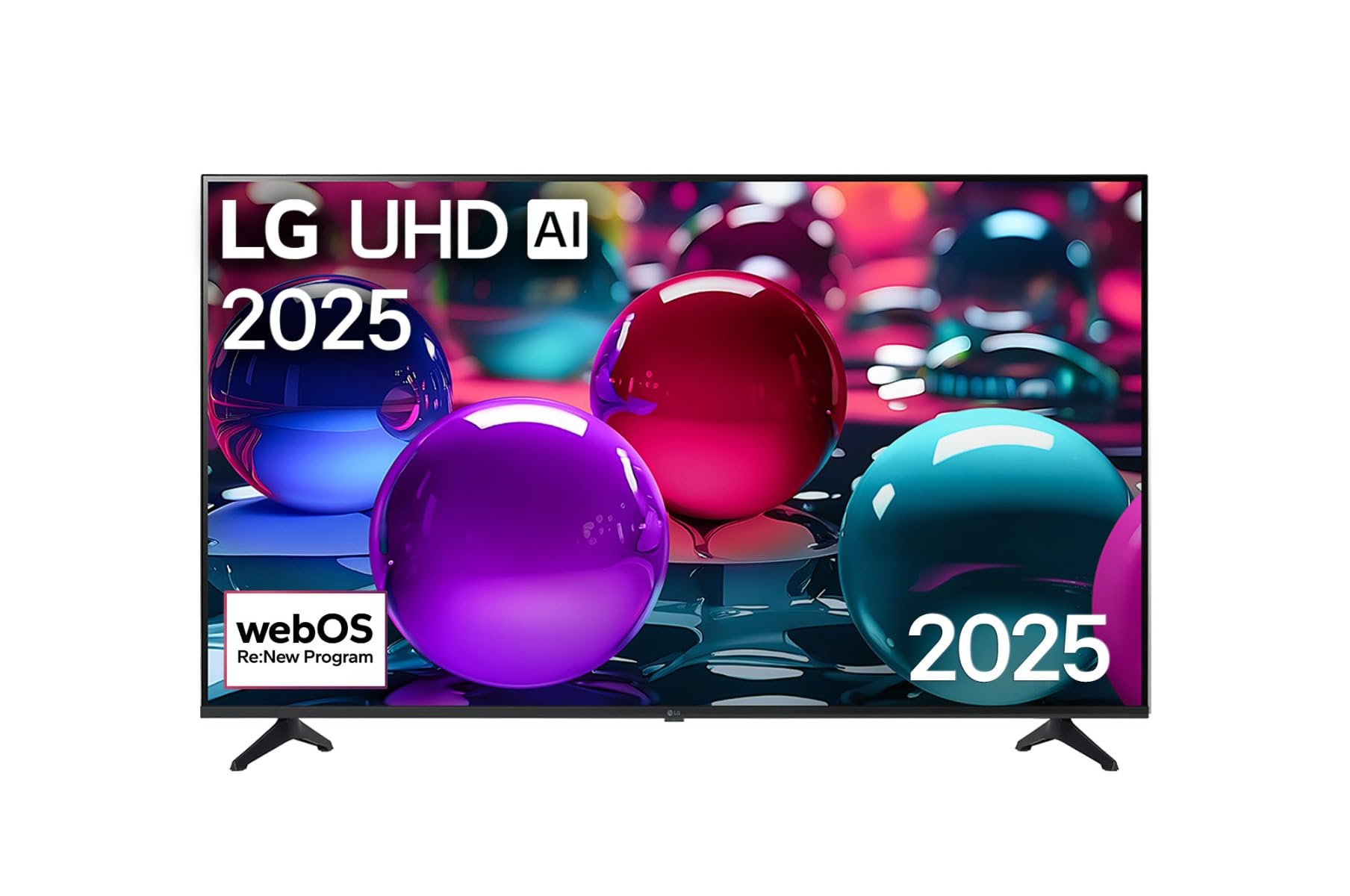
This image displays the LG 43 inch UHD AI 4K Smart TV, highlighting its webOS Re:New Program and Artificial Intelligence features. The accompanying AI Magic Remote is shown with a speech bubble indicating 'Just speak!', emphasizing its voice control capabilities.
- 전원 버튼: TV를 켜거나 끕니다.
- 스크롤 휠/확인 버튼: 메뉴를 탐색하고 선택 사항을 확인합니다.
- 음성 명령 버튼: Press and hold to activate AI Search, AI Chatbot, or AI Concierge. Speak your command into the remote.
- 홈 버튼: 액세스 webOS 홈 화면.
- 뒤로가기 버튼: 이전 화면으로 돌아갑니다.
- 볼륨 높이기/낮추기: 볼륨을 조절합니다.
- 채널 위/아래: 채널을 변경합니다.
5.2 webOS 인터페이스
그만큼 webOS Home screen provides quick access to apps, inputs, and settings. Use the Magic Remote to point and click on desired options or navigate with the directional buttons.
- 앱 실행기: Customize and access your favorite streaming services and applications.
- 입력 선택기 : Switch between HDMI inputs, USB, or live TV.
- 설정: 화면, 소리, 네트워크 및 일반 TV 설정을 조정하세요.
5.3 AI 기능
Leverage the power of AI for enhanced TV experience:
- AI 검색: Use voice commands to find content, information, or apps quickly.
- AI 챗봇: Interact with the TV for assistance or information.
- AI 컨시어지: Receive personalized content recommendations and smart home integration.
6. 유지관리
6.1 TV 청소
텔레비전의 외관과 성능을 유지하려면:
- 청소하기 전에는 항상 TV의 플러그를 뽑아 두세요.
- 부드럽고 보풀이 없는 천을 사용하여 화면을 부드럽게 닦으세요. 잘 지워지지 않는 얼룩은 가볍게 닦아주세요.amp천에 물을 묻힌 후 바로 닦아 말리세요.
- 부드럽고 마른 천으로 TV 프레임과 스탠드를 닦으세요.
- Do not use abrasive cleaners, alcohol, benzene, or thinners, as these can damage the screen or finish.
6.2 소프트웨어 업데이트
Your LG Smart TV periodically receives software updates to improve performance and add new features. Ensure your TV is connected to the internet to receive these updates automatically. You can also manually check for updates in the TV's settings menu.
7. 문제 해결
TV에 문제가 발생하면 다음의 일반적인 해결책을 참조하세요.
| 문제 | 가능한 해결책 |
|---|---|
| 전원이 없습니다 | Check if the power cord is securely plugged in. Try a different power outlet. |
| 화면은 나오지 않지만 소리는 나옵니다 | 올바른 입력 소스가 선택되었는지 확인하세요. 외부 장치와의 케이블 연결을 확인하세요. |
| 소리는 나지 않지만 화면은 나옵니다 | 볼륨 레벨과 음소거 설정을 확인하세요. TV 메뉴에서 오디오 출력 설정을 확인하세요. |
| 리모컨이 작동하지 않습니다 | Replace batteries. Ensure there are no obstructions between the remote and the TV. Re-pair the Magic Remote if necessary (refer to TV settings). |
| Wi-Fi에 연결할 수 없습니다 | Restart your router and modem. Check Wi-Fi password. Ensure the TV is within range of the router. |
| 화질 문제(예: 흐릿함, 왜곡됨) | Check the resolution of the input source. Adjust picture settings in the TV menu. |
If the problem persists, please contact LG customer support.
8. 사양
| 특징 | 세부 사항 |
|---|---|
| 상표 | LG |
| 모델명 | 43UA73006LA |
| 화면 크기 | 43 인치 |
| 디스플레이 기술 | 주도의 |
| 해결 | 4K UHD(3840 x 2160) |
| 종횡비 | 16시 9분 |
| 운영 체제 | webOS25 |
| 특별 기능 | AI Processor, AI Magic Remote, HDR10, Sleep Timer |
| 색상 | 검은색 |
| 품목 무게 | 6.8킬로그램(14.96파운드) |
| 제품 치수 | 37.68 x 37.68 x 21.97 인치 |
| 첫 번째 이용 가능 날짜 | 28년 2025월 XNUMX일 |
9. 보증 및 지원
9.1 제품 보증
Your LG 43 inch UHD AI UA73 4K Smart TV is covered by a limited manufacturer's warranty. Please refer to the warranty card included in your package for specific terms, conditions, and duration of coverage. Keep your proof of purchase for warranty claims.
9.2 고객 지원
기술 지원, 이 설명서를 넘어서는 문제 해결 또는 보증 서비스가 필요한 경우 LG 고객 지원 센터에 문의하세요.
- Web대지: 공식 LG 지원을 방문하세요 webFAQ, 다운로드, 서비스 요청 사이트입니다.
- 핸드폰: Refer to your warranty card or LG's official web지역 연락처 사이트.