1. 서론
This manual provides comprehensive instructions for the setup, operation, and maintenance of your ULTIMEA Skywave X40 5.1.2ch Wireless Surround Sound System. This system is designed to deliver an immersive audio experience with Dolby Atmos, featuring a soundbar, wireless subwoofer, and two wireless surround speakers.
Please read this manual thoroughly before using the product to ensure proper operation and to maximize your enjoyment of the system.
2. 안전 정보
- 이 제품을 물이 떨어지거나 튀는 곳에 노출시키지 마십시오.
- 꽃병 등 액체가 들어 있는 물건을 기기 위에 올려놓지 마십시오.
- 적절한 환기를 유지하세요. 환기구를 막지 마세요.
- Place the system on a stable, flat surface.
- 제조사가 지정한 부속품/액세서리만 사용하세요.
- 번개 폭풍 시 또는 장기간 사용하지 않을 때는 기기의 플러그를 뽑아두세요.
- 모든 서비스는 자격을 갖춘 서비스 담당자에게 의뢰하세요.
3. 패키지 내용
아래 나열된 모든 품목이 패키지에 포함되어 있는지 확인하세요.
- 1 X 사운드바
- 1 X 10" Subwoofer
- 2 X Surround Speaker
- 1 X Soundbar Power Adaptor
- 1 X Subwoofer Power Cord
- 2 X Surround Power Adaptor
- 1 X HDMI 케이블
- 1 X Digital Optical Cable
- 1 X Remote Control (Battery not included)
- 1 X 사용자 설명서
- 1 X Wall Mounting Guide
- 12 X Bracket Screw
- 6 X 브라켓
- 6 X 벽 앵커
4. 제품 오버view
The ULTIMEA Skywave X40 system consists of a main soundbar, a wireless subwoofer, and two wireless surround speakers, designed to create a 5.1.2 channel audio environment.

이미지: 이상view of the ULTIMEA Skywave X40 system, showing the soundbar, wireless subwoofer, and two wireless surround speakers.
4.1 사운드바 기능
- Up-Firing Speakers: Two integrated up-firing speakers project sound upwards for immersive overhead audio effects, crucial for Dolby Atmos.
- 제어판: Located on the top of the soundbar for easy access to power, volume, and input selection.
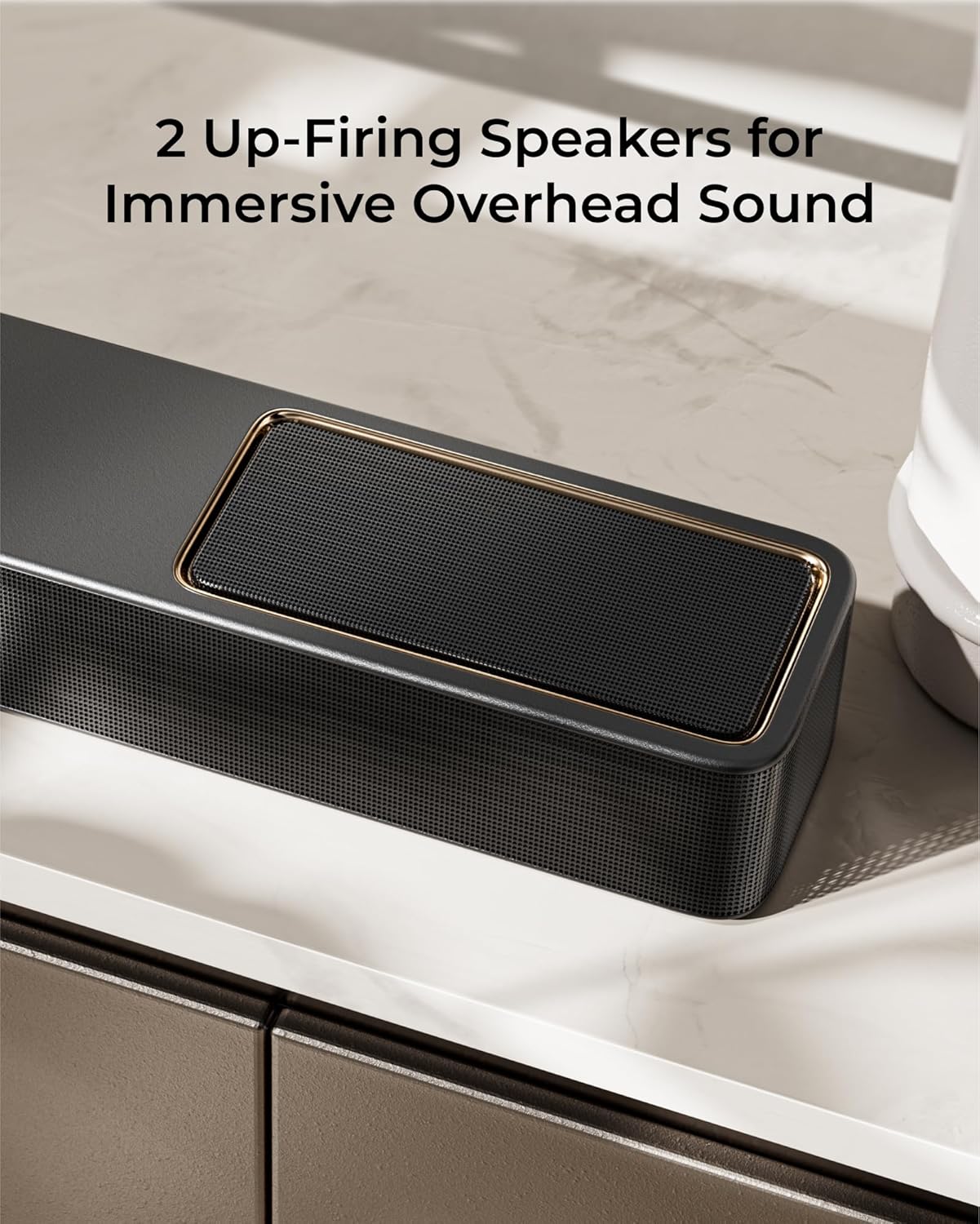
이미지: 자세한 view of the soundbar's up-firing speakers, designed to enhance the vertical sound dimension.
4.2 무선 서브우퍼
- 6.5인치 드라이버: Delivers deep, powerful bass frequencies.
- 무선 연결 : Connects wirelessly to the soundbar for flexible placement.
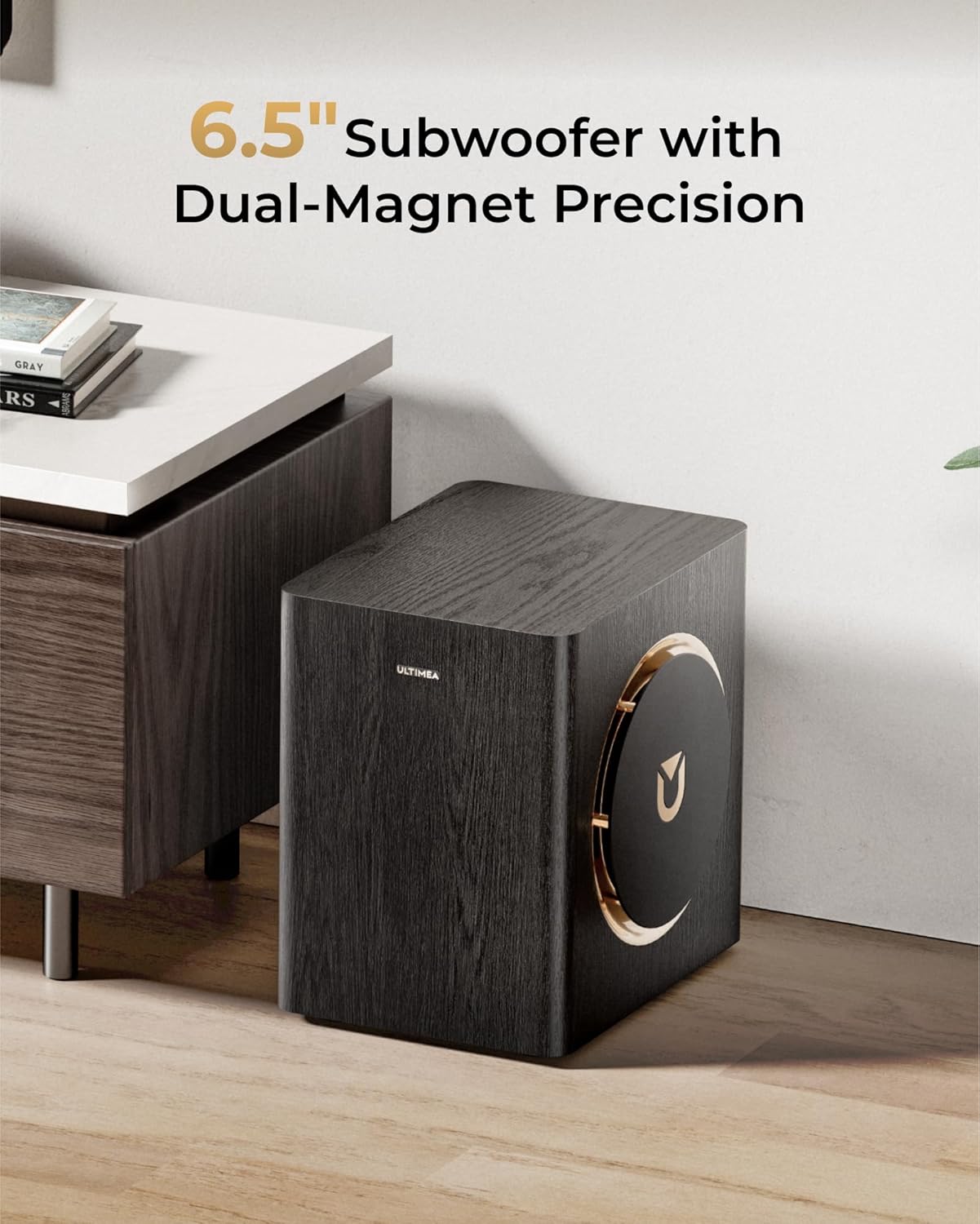
Image: The wireless subwoofer, featuring a 6.5-inch driver and a stylish wooden finish with gold accents.
4.3 Wireless Surround Speakers
- Rear Channel Audio: Provide discrete rear channel audio for a complete surround sound field.
- 무선 디자인 : Connect wirelessly to the soundbar, simplifying setup and placement.

Image: The two compact wireless surround speakers, designed for placement behind the listening area.
5. 설정
5.1 Soundbar Assembly
The soundbar may come in multiple sections. Connect the sections by aligning the connectors and gently pushing them together until they click into place.

Image: Diagram illustrating the process of connecting the soundbar sections.
5.2 구성 요소 배치
For optimal sound performance, position the soundbar centrally below your TV. Place the wireless subwoofer in a location that provides balanced bass, typically near the soundbar or in a corner. The wireless surround speakers should be placed behind your primary listening position, ideally at ear level or slightly above.
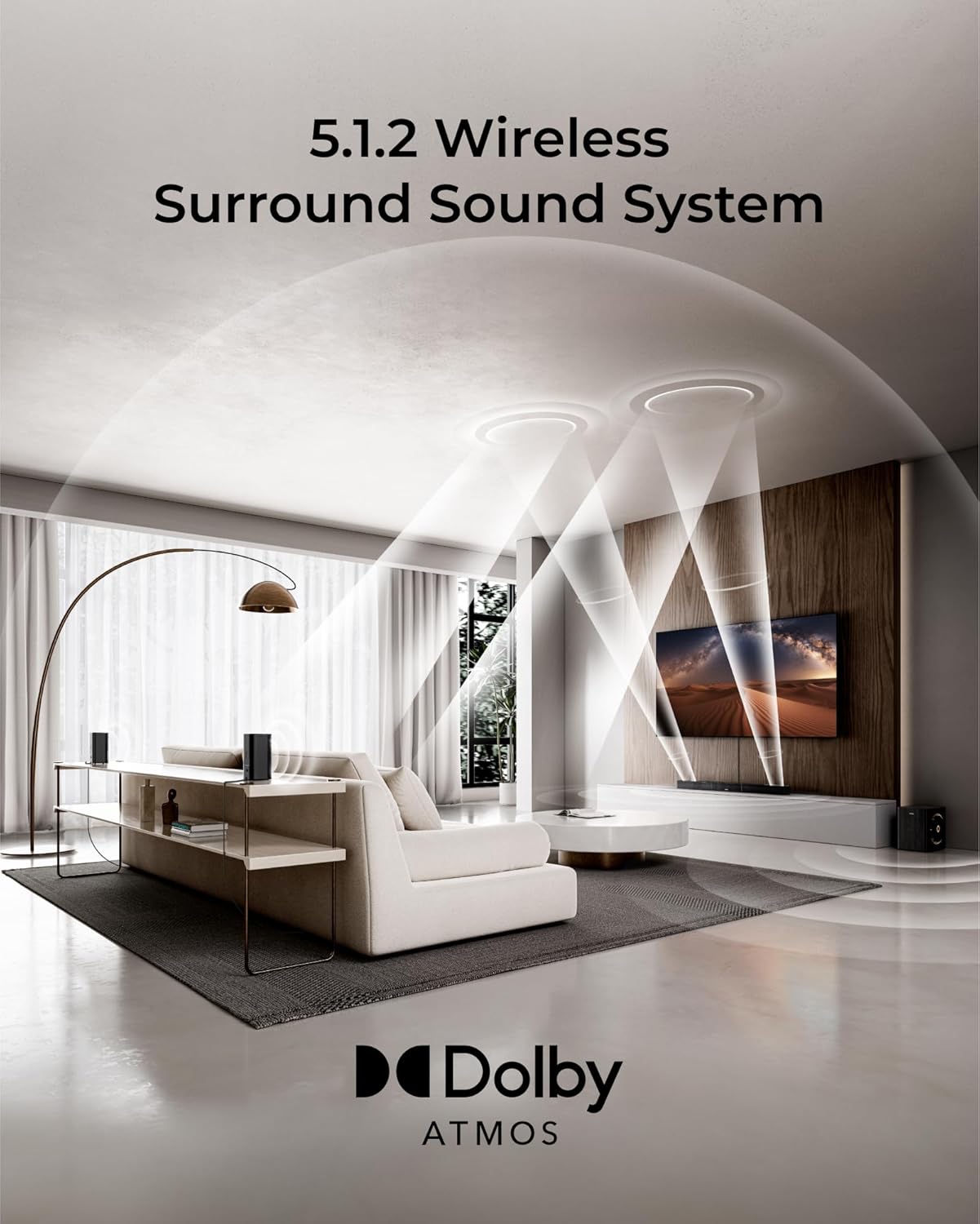
Image: A visual guide for placing the soundbar, subwoofer, and surround speakers in a living room setup for 5.1.2 channel audio.
5.3 전원 연결
- Connect the soundbar power adaptor to the soundbar's DC IN port and then to a power outlet.
- Connect the subwoofer power cord to the subwoofer and then to a power outlet.
- Connect the surround speaker power adaptors to each surround speaker and then to power outlets.
The soundbar, subwoofer, and surround speakers are designed to automatically pair upon powering on. If pairing does not occur, refer to the troubleshooting section.
6. 연결
The ULTIMEA Skywave X40 offers multiple connectivity options for various audio sources.

Image: Diagram showing the available input ports on the rear of the soundbar, including HDMI eARC, HDMI IN, Optical, USB, and DC IN.
6.1 HDMI eARC Connection
For the best audio quality and control, connect your TV's HDMI eARC/ARC port to the soundbar's HDMI TO TV (eARC) port using the provided HDMI cable. This allows for high-resolution audio transmission and TV remote control of the soundbar's volume.

Image: A close-up of an HDMI cable connected to a device, illustrating the 4K HDR passthrough capability.
6.2 HDMI IN Connection
Connect external devices such as gaming consoles, Blu-ray players, or streaming devices to the soundbar's HDMI IN port. This allows the soundbar to process the audio and pass the video signal through to your TV.
6.3 광 연결
If your TV does not support HDMI ARC/eARC, use the optical cable to connect your TV's optical output to the soundbar's OPTICAL input. Ensure your TV's audio output is set to 'PCM' or 'Stereo' if you experience no sound.
6.4 블루투스 연결
블루투스 장치를 연결하려면:
- Press the Bluetooth button on the remote control or soundbar to enter Bluetooth pairing mode. The display will show 'BT'.
- On your device, search for 'ULTIMEA Skywave X40' in the Bluetooth settings and select it to pair.
- Once connected, the display will show 'PAIRED'.
6.5 USB 재생
사운드바의 USB 포트에 USB 드라이브를 삽입하여 오디오를 재생하세요. files. The system supports common audio formats.
7. 사용 설명서
7.1 전원 켜기/끄기
사운드바 또는 리모컨의 전원 버튼을 눌러 시스템을 켜거나 끄세요.
7.2 입력 선택
Press the 'Input' button on the remote control or soundbar to cycle through available input sources (HDMI eARC, HDMI IN, Optical, Bluetooth, USB).
7.3 볼륨 조절
Use the 'Volume +' and 'Volume -' buttons on the remote control or soundbar to adjust the master volume. You can also adjust the bass and surround speaker levels independently using the remote.

Image: The remote control for the ULTIMEA Skywave X40, showing buttons for power, input, volume, and sound mode selection.
7.4가지 사운드 모드
The system offers various sound modes optimized for different content types. Use the 'MODE' button on the remote to switch between modes such as Movie, Music, News, or Game. Each mode adjusts the audio profile 더욱 향상된 청취 경험을 위해.
7.5 ULTIMEA App Control
Download the ULTIMEA app from your smartphone's app store for advanced control and customization options, including equalizer settings and sound profiles.

Image: Screenshots of the ULTIMEA mobile application interface, demonstrating equalizer and sound customization options.
8. 유지관리
음향 시스템의 수명과 최적의 성능을 보장하려면 다음 유지 관리 지침을 따르십시오.
- 청소: 사운드바, 서브우퍼, 서라운드 스피커 표면은 부드럽고 마른 천으로 닦아주세요. 액체 세척제나 연마성 재질은 사용하지 마십시오.
- 통풍: 과열을 방지하기 위해 모든 환기구가 막히지 않고 깨끗하게 유지되도록 하십시오.
- 저장: If storing the system for an extended period, unplug all components and store them in a cool, dry place.
9. 문제 해결
If you encounter issues with your ULTIMEA Skywave X40 system, refer to the following common problems and solutions:
| 문제 | 가능한 원인 | 해결책 |
|---|---|---|
| 전원이 없습니다 | Power cables not connected securely; Power outlet not active. | 모든 전원 연결을 확인하세요. 다른 콘센트에 연결해 보세요. |
| 소리가 나지 않습니다 | Incorrect input source selected; Volume too low; Cables not connected properly; TV audio output settings incorrect. | Select the correct input source. Increase volume. Check all audio cables. For Optical connection, set TV audio output to PCM. |
| Subwoofer/Surround speakers not pairing | 간섭; 범위 이탈; 페어링 문제. | Ensure components are within range and free from obstructions. Power cycle all components. Refer to manual for manual pairing steps if automatic pairing fails. |
| 블루투스 연결 문제 | Device not in pairing mode; Device already connected to another system; Interference. | 사운드바가 블루투스 페어링 모드인지 확인하세요. 다른 기기와의 연결을 해제한 후 다시 페어링을 시도하세요. |
| 리모컨이 작동하지 않습니다 | 배터리가 방전되었거나 리모컨과 사운드바 사이에 장애물이 있는 경우입니다. | Replace batteries. Ensure clear line of sight to the soundbar's IR receiver. |
10. 사양
| 특징 | 사양 |
|---|---|
| 모델명 | 스카이웨이브 X40 |
| 품목 모델 번호 | 우4124 |
| 서라운드 사운드 채널 구성 | 5.1.2 |
| 스피커 유형 | 사운드바 |
| 스피커 최대 출력 전력 | 530 와트 |
| 서브우퍼 직경 | 6.5 인치 |
| 주파수 응답 | 35Hz |
| 연결 기술 | HDMI eARC / 광출력 / 블루투스 / USB |
| 무선 통신 기술 | 블루투스, Wi-Fi |
| 블루투스 범위 | 15 미터 |
| 서브우퍼 연결 기술 | 무선 전화 |
| 제품 치수 | 43.31인치 깊이 x 2.76인치 너비 x 3.94인치 높이 |
| 품목 무게 | 32.1파운드 |
| 색상 | 블랙 & 골드 |
| 전원 | 코드식 전기 |
| 장착 유형 | 탁상 마운트 |
11. 보증 및 지원
The ULTIMEA Skywave X40 comes with a Limited Warranty. Please refer to the warranty card included in your package for specific terms and conditions.
For technical support, troubleshooting assistance, or warranty claims, please contact ULTIMEA customer service through the official web사이트 또는 제품 포장에 제공된 연락처 정보를 참조하세요.


