1. 서론
This manual provides essential information for setting up, operating, maintaining, and troubleshooting your GMKtec G10 Mini PC. The GMKtec G10 is a compact and powerful mini-desktop computer designed for various tasks, from office work and multimedia consumption to light gaming. It features an AMD Ryzen 5 3500U processor, 16GB of DDR4 RAM, and a 1TB M.2 SSD, offering reliable performance and efficient operation.
2. 패키지 내용
아래 나열된 모든 품목이 패키지에 포함되어 있는지 확인하세요.
- GMKtec G10 Mini PC
- 전원 공급 장치 및 케이블
- 사용자 설명서
- HDMI 케이블
- VESA 마운트 (나사 포함)
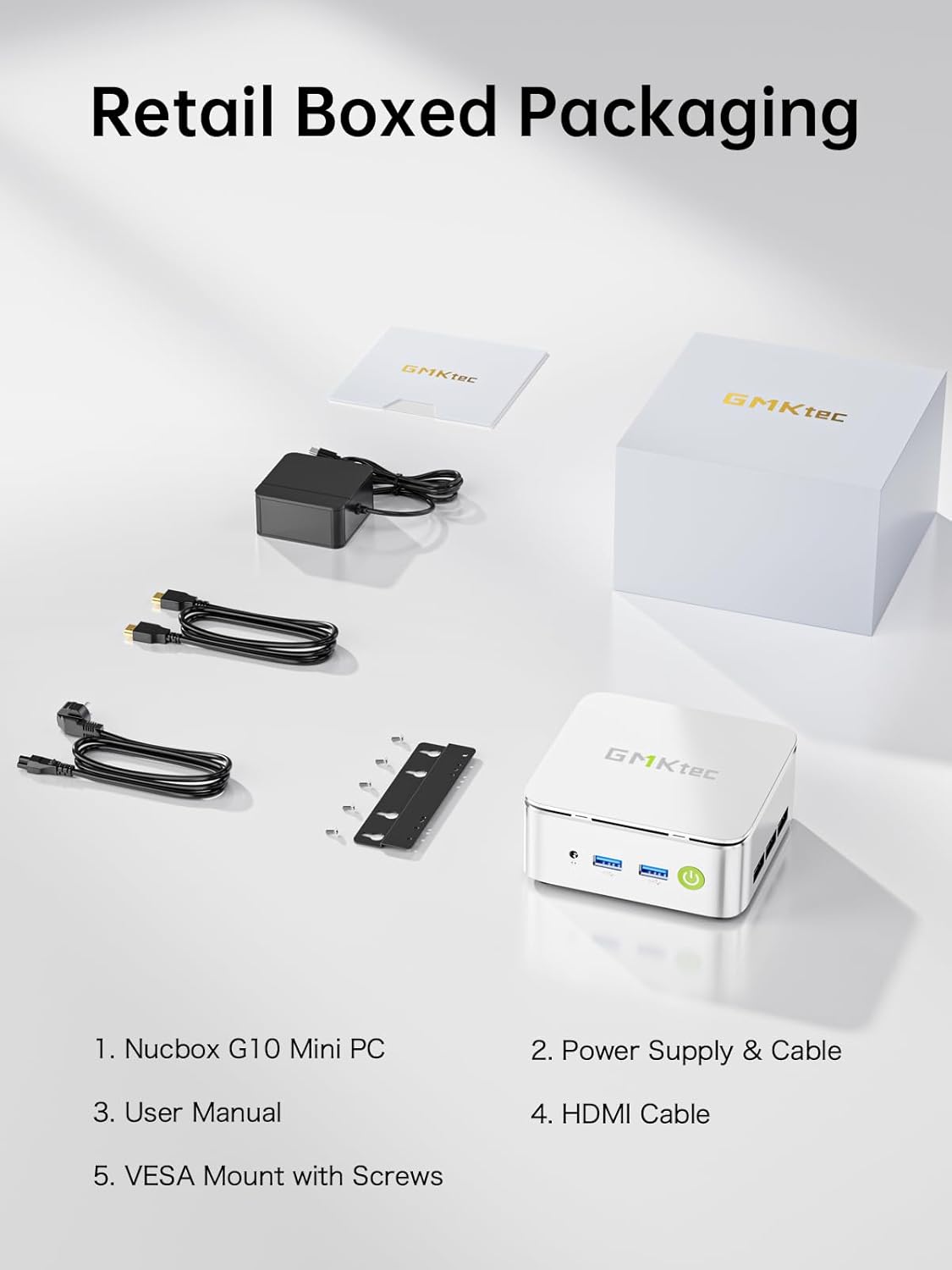
영상: Contents of the GMKtec G10 Mini PC retail box, including the mini PC unit, power adapter, user manual, HDMI cable, and VESA mount with screws.
3. 제품 오버view
3.1. 외부 구성 요소 및 포트
Familiarize yourself with the various ports and components of your GMKtec G10 Mini PC for proper connectivity.
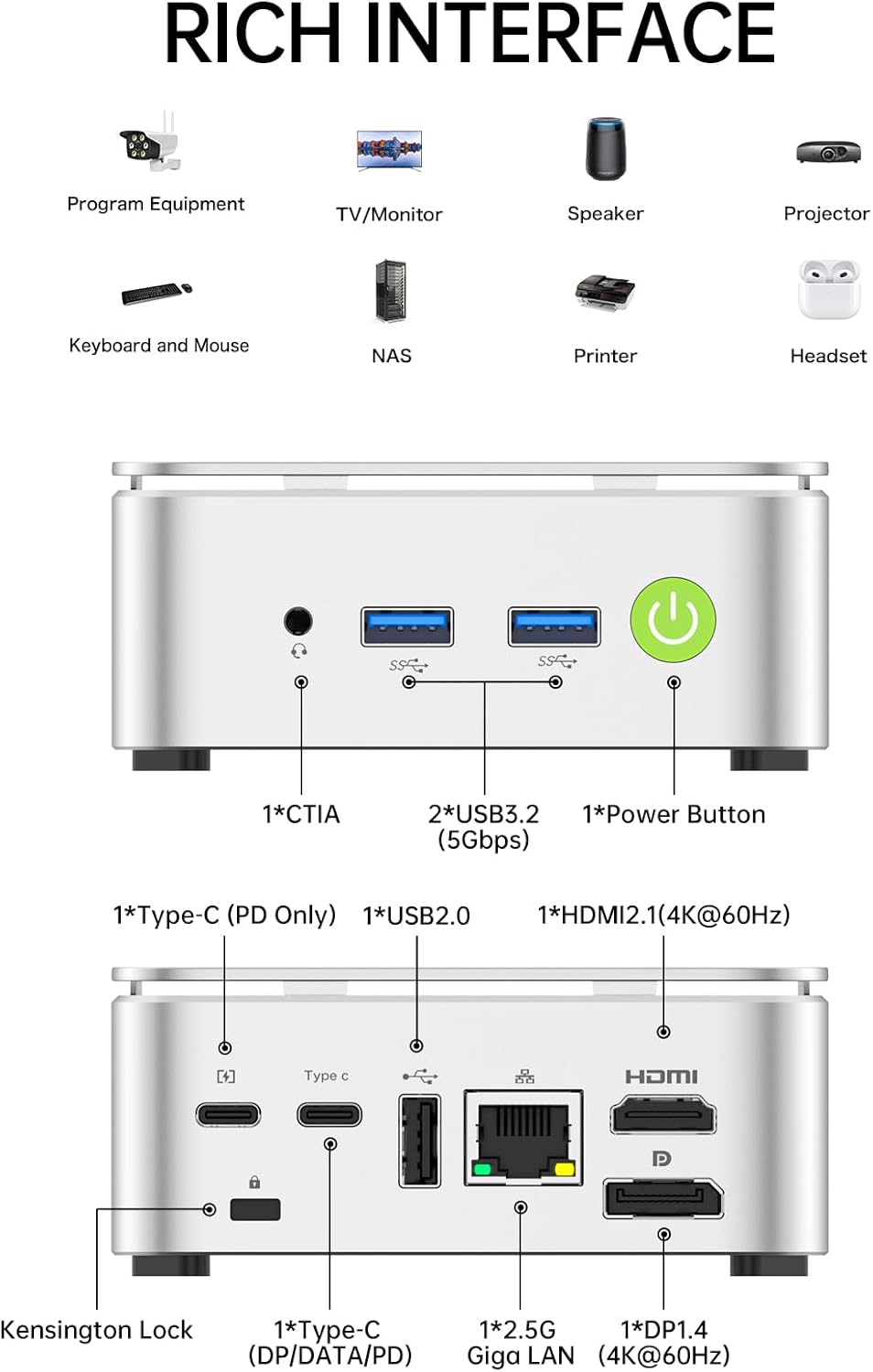
영상: A detailed diagram illustrating the front and rear ports of the GMKtec G10 Mini PC. The front panel includes an audio jack (CTIA), two USB 3.2 (5Gbps) ports, and the power button. The rear panel features a Kensington Lock slot, a full-function USB-C port (DP/Data/PD), a USB 2.0 port, a 2.5G Gigabit LAN port, a DisplayPort 1.4 (4K@60Hz), and an HDMI 2.1 (4K@60Hz) port.
전면 패널:
- 1x CTIA Audio Jack: 헤드폰이나 헤드셋용입니다.
- 2x USB 3.2 (5Gbps) Ports: 키보드, 마우스, 외부 저장 장치 등의 주변 장치를 연결하는 데 사용됩니다.
- 전원 버튼 1개: 장치를 켜거나 끕니다.
후면 패널 :
- 켄싱턴 잠금 슬롯 1개: 물리적 보안을 위해서입니다.
- USB 2.0 포트 1개: For connecting low-bandwidth peripherals.
- 1x 2.5G Gigabit LAN Port: 고속 유선 네트워크 연결용입니다.
- 1x DisplayPort 1.4 (4K@60Hz): 디스플레이 연결용입니다.
- 1x HDMI 2.1(4K@60Hz): 디스플레이 연결용입니다.
- 1x Full-function USB-C Port (DP/DATA/PD): Supports display output, data transfer, and power delivery.
3.2. 내부 구성 요소
The GMKtec G10 Mini PC is equipped with the following core components:
- 프로세서: AMD Ryzen 5 3500U (4 Cores, 8 Threads, up to 3.70GHz Turbo Boost)
- 제도법: Integrated AMD Radeon Vega 8 Graphics (1200 MHz)
- 숫양: 16GB DDR4 SO-DIMM (2x 8GB, Dual-Channel, expandable up to 64GB)
- 저장: 1TB M.2 2280 PCIe 3.0 SSD (expandable up to 16TB with dual M.2 slots)
- 회로망: 2.5G Ethernet, Wi-Fi 5 (802.11ac), Bluetooth 5.0

영상: 내부 view of the GMKtec G10 Mini PC, showing the two SO-DIMM DDR4 slots for RAM and two M.2 2280 SSD slots for storage, illustrating its dual-channel memory and high-capacity storage expansion capabilities.
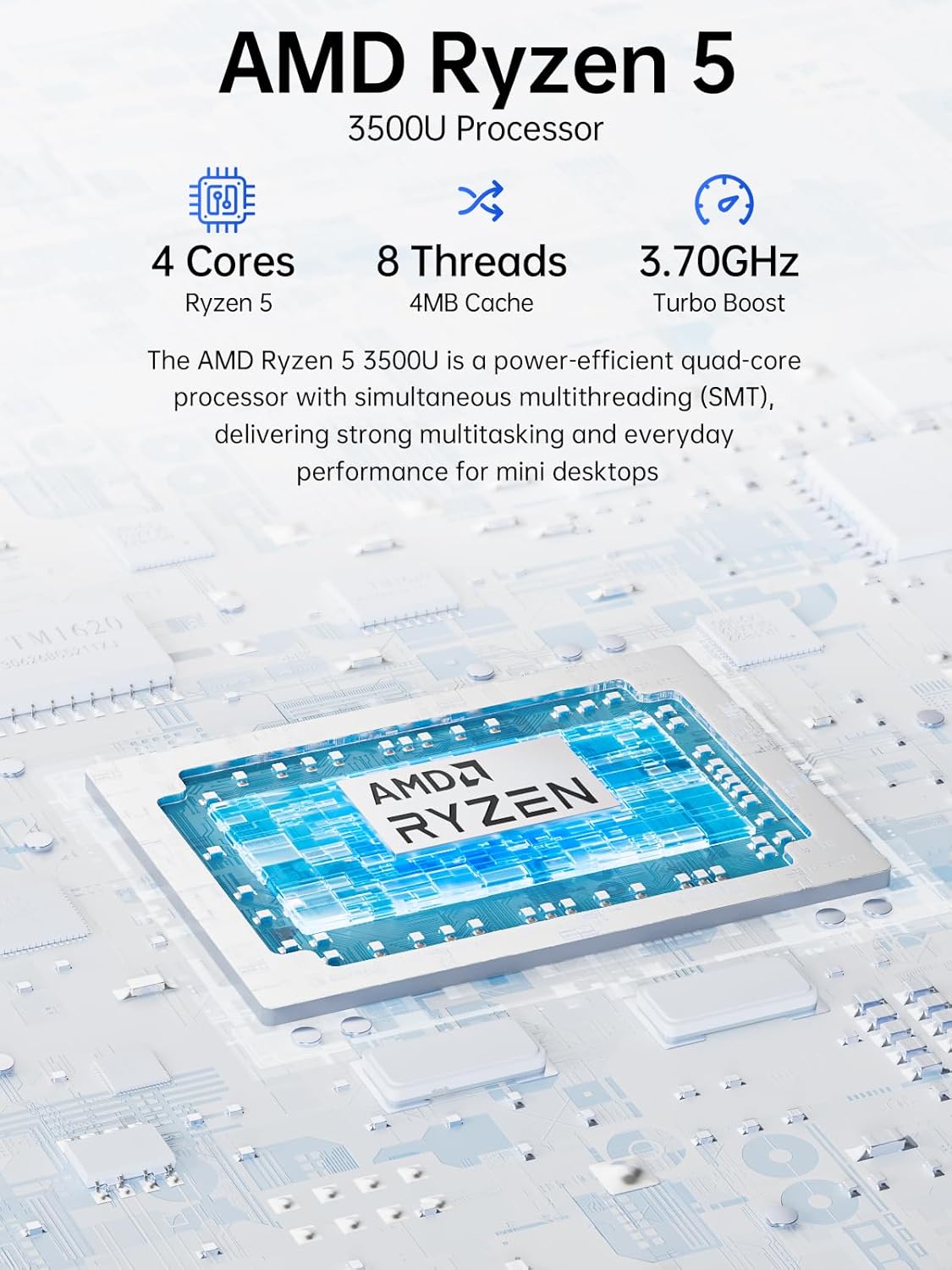
영상: A diagram highlighting the AMD Ryzen 5 3500U processor, detailing its 4 Cores, 8 Threads, 4MB Cache, and 3.70GHz Turbo Boost frequency. This processor provides strong multitasking and everyday performance for mini desktops.
4. 설정 지침
4.1. 초기 연결
- 디스플레이 연결: Connect your monitor(s) to the Mini PC using the HDMI, DisplayPort, or USB-C ports. The G10 supports up to three 4K displays simultaneously.
- 주변기기 연결: 사용 가능한 USB 포트에 USB 키보드와 마우스를 연결하세요.
- 네트워크 연결(선택 사항): For a wired connection, connect an Ethernet cable from your router/modem to the 2.5G LAN port on the Mini PC. For wireless, Wi-Fi 5 is built-in.
- 전원 연결: Connect the power adapter to the DC-in port on the Mini PC, then plug the power cable into an electrical outlet.
4.2. 첫 번째 부팅
- 전면 패널의 전원 버튼을 누르세요.
- The Mini PC will boot into the pre-installed Windows 11 Pro operating system.
- 화면의 지시에 따라 언어, 지역, 네트워크 연결, 사용자 계정 생성 등 Windows 초기 설정을 완료합니다.
5. 사용 설명서
5.1. 기본 사용법
- 전원 켜기/끄기: Press the power button to turn on. To turn off, use the Windows Shut Down option or press and hold the power button for 5 seconds.
- 다시 시작: Windows 재시작 옵션을 사용하세요.
- 수면 모드 : 윈도우 절전 모드를 사용하거나 전원 버튼을 짧게 누르십시오.
5.2. 디스플레이 구성
The GMKtec G10 supports connecting up to three 4K displays simultaneously via its HDMI, DisplayPort, and USB-C outputs. You can configure display settings within Windows:
- 바탕 화면에서 마우스 오른쪽 버튼을 클릭하고 "디스플레이 설정"을 선택하세요.
- Here you can detect, arrange, and configure the resolution and orientation for each connected display.
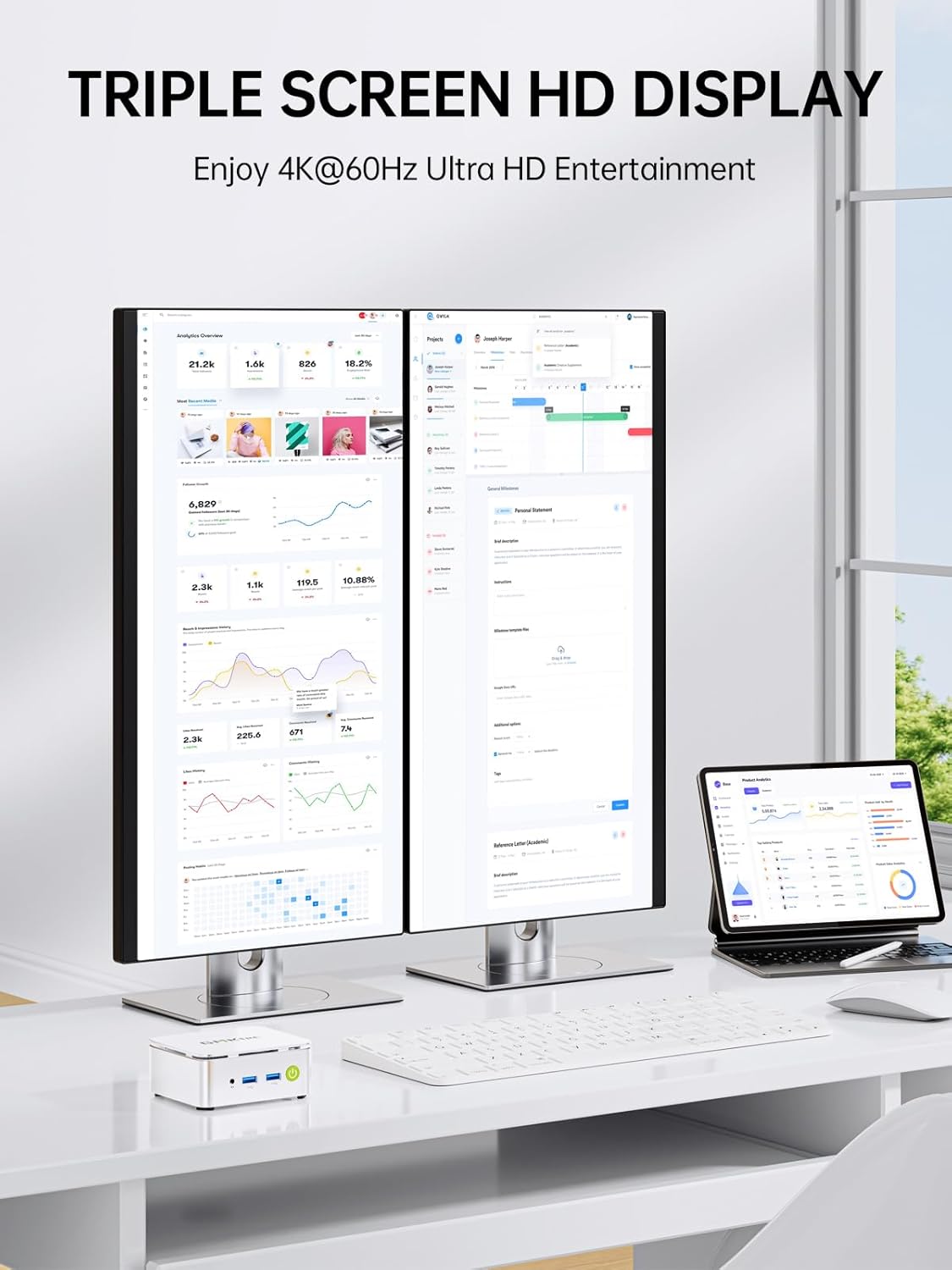
영상: The GMKtec G10 Mini PC connected to two external monitors and a tablet via its triple display output capabilities, demonstrating its ability to support multiple 4K screens for enhanced productivity or entertainment.
5.3. 네트워크 및 연결성
- 유선 네트워크: The 2.5G LAN port provides high-speed internet access. Ensure your router supports 2.5G for optimal performance.
- Wireless Network (Wi-Fi 5): To connect to Wi-Fi, click the network icon in the Windows taskbar, select your desired network, and enter the password.
- 블루투스 5.0 : To pair Bluetooth devices, go to Windows Settings > Devices > Bluetooth & other devices, and follow the pairing instructions for your device.
5.4. 메모리 및 저장 공간 확장
The GMKtec G10 Mini PC supports memory expansion up to 64GB DDR4 RAM and storage expansion up to 16TB via its dual M.2 2280 PCIe 3.0 slots. Refer to the internal components image in Section 3.2 for slot locations. Consult a qualified technician for hardware upgrades.
6. 유지관리
6.1. 청소
- 청소하기 전에 미니 PC의 전원이 꺼져 있고 전원 플러그가 뽑혀 있는지 확인하십시오.
- 부드럽고 마른 천으로 외부를 닦으세요.
- 환풍구에 쌓인 먼지는 압축 공기를 사용하여 제거하십시오. 환풍구에 물건을 넣지 마십시오.
6.2. 냉각 시스템
The GMKtec G10 features an efficient cooling system designed for quiet operation. Ensure proper airflow around the device by keeping vents unobstructed.
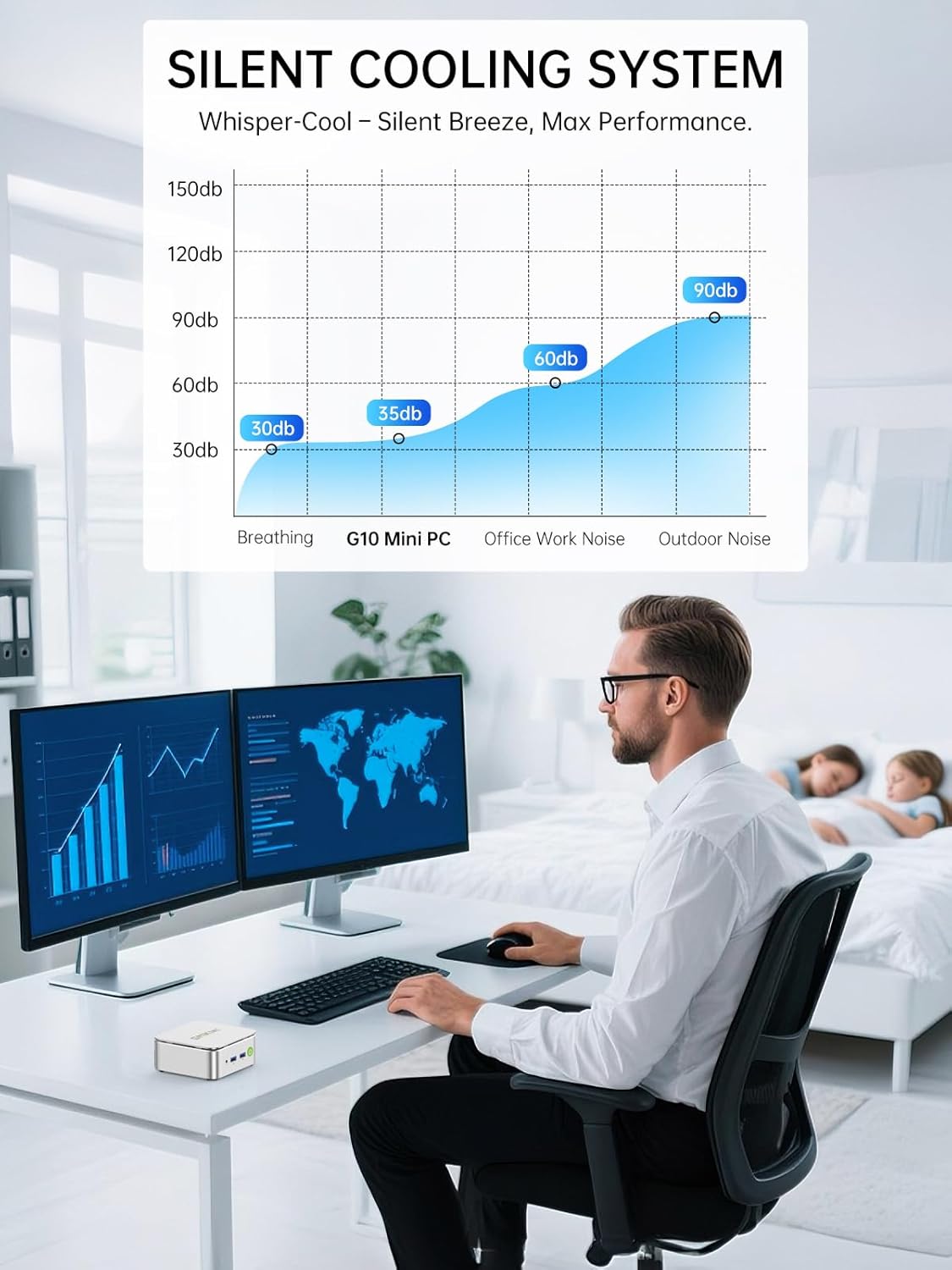
영상: A graph illustrating the noise levels of the GMKtec G10 Mini PC's silent cooling system, showing it operates at approximately 35dB, which is comparable to a quiet breathing sound and significantly lower than typical office work noise.
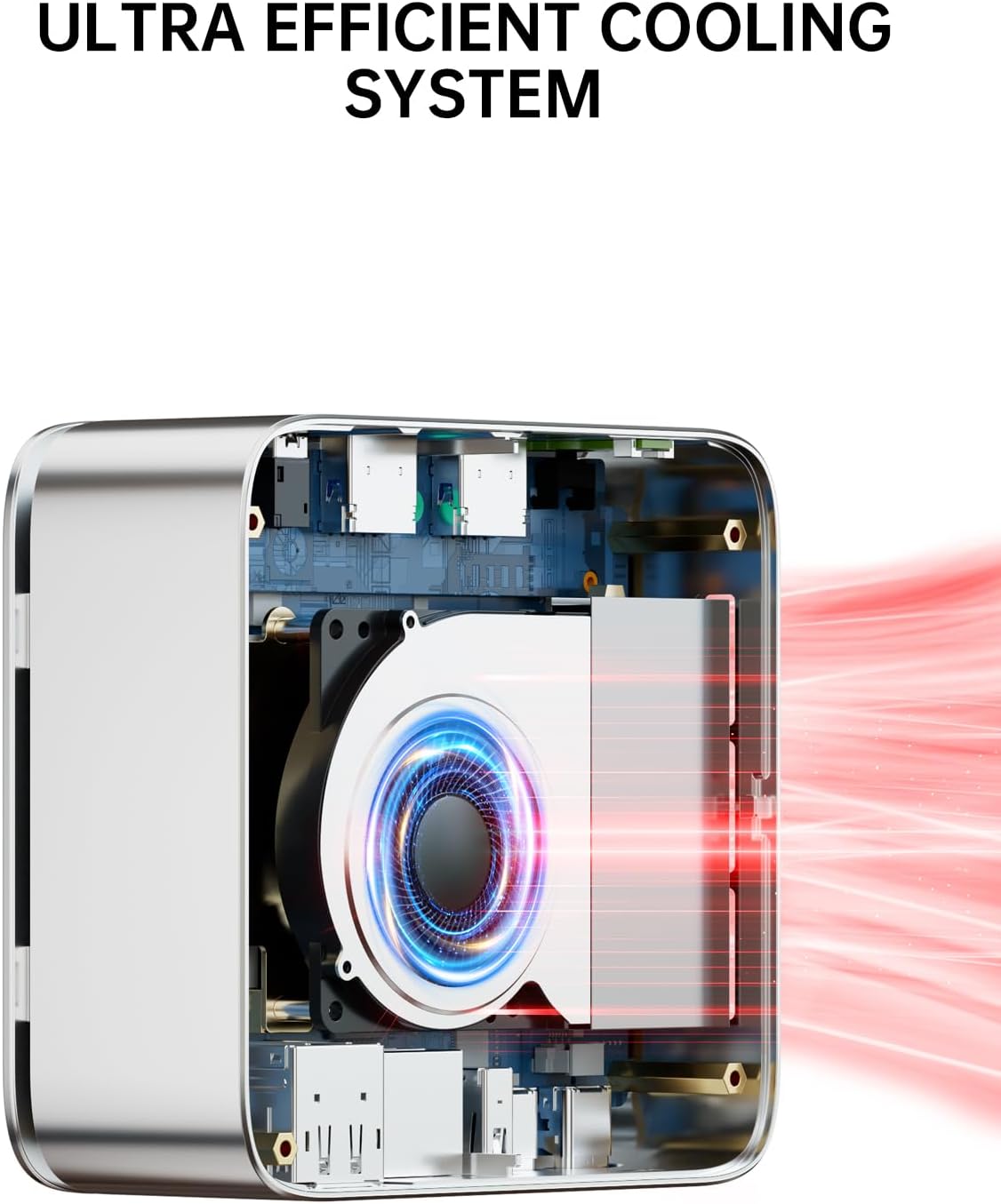
영상: An internal diagram of the GMKtec G10 Mini PC's ultra-efficient cooling system, showing the fan and heat sink design that ensures optimal thermal management and quiet performance.
6.3. 소프트웨어 업데이트
Regularly update your Windows operating system and device drivers to ensure optimal performance, security, and compatibility. Windows Update can be accessed via Settings > Update & Security > Windows Update.
7. 문제 해결
If you encounter issues with your GMKtec G10 Mini PC, refer to the following common solutions:
| 문제 | 가능한 해결책 |
|---|---|
| No power / PC does not turn on | Ensure the power adapter is securely connected to both the Mini PC and a working electrical outlet. Test the outlet with another device. |
| 모니터에 표시되지 않음 | Check all display cable connections (HDMI, DisplayPort, USB-C). Ensure the monitor is powered on and set to the correct input source. Try a different cable or monitor if possible. |
| 인터넷 연결 없음(유선) | Verify the Ethernet cable is properly connected. Check your router/modem status. Restart your router/modem and the Mini PC. |
| 인터넷 연결 없음 (무선) | Ensure Wi-Fi is enabled in Windows settings. Check if your Wi-Fi network is visible and you are entering the correct password. Restart your router/modem and the Mini PC. |
| 주변 장치(키보드/마우스)가 작동하지 않습니다 | Try connecting the peripheral to a different USB port. Ensure drivers are installed (Windows usually handles this automatically). Test the peripheral on another computer. |
8. 사양
Detailed technical specifications for the GMKtec G10 Mini PC:
- 상표: GMK텍
- 모델: G10
- 프로세서: AMD Ryzen 5 3500U (4 Cores, 8 Threads, 2.1 GHz base, up to 3.7 GHz boost)
- 프로세서 소켓: FP5
- 제도법: Integrated AMD Radeon Vega 8 Graphics (1200 MHz)
- 숫양: 16 GB DDR4 SO-DIMM (Dual-Channel), Max 64 GB supported
- 저장: 1 TB M.2 SSD (PCIe 3.0), expandable up to 16 TB via dual M.2 2280 slots
- 운영 체제: 윈도우 11 프로
- 유선 네트워크: 2.5G 이더넷
- 무선 연결 : Wi-Fi 5(802.11ac), 블루투스 5.0
- 전면 포트: 1x CTIA Audio Jack, 2x USB 3.2 (5Gbps), 1x Power Button
- 후면 포트: 1x Kensington Lock, 1x USB 2.0, 1x 2.5G LAN, 1x DisplayPort 1.4 (4K@60Hz), 1x HDMI 2.1 (4K@60Hz), 1x Full-function USB-C (DP/DATA/PD)
- 디스플레이 해상도: 최대 3840x2160(4K) 해상도 지원
- 크기(패키지): 16.4 x 15.8 x 10.5cm
- 무게(패키지): 930g
9. 보증 및 지원
9.1. 보증 정보
GMKtec offers a limited warranty of 3 years for each Mini PC, starting from the purchase date. This warranty covers defects resulting from design and manufacturing processes. For specific terms and conditions, please refer to the warranty card included in your package or visit the official GMKtec web대지.
9.2. 고객 지원
Should you require technical assistance or have questions regarding your GMKtec G10 Mini PC, please contact GMKtec's professional after-sales support team. Contact information can typically be found on the official GMKtec web사이트 또는 제품과 함께 제공된 설명서를 참조하세요.


