소개
This manual provides essential information for setting up, operating, and maintaining your HP 17.3" FHD Laptop. Designed for productivity and connectivity, this laptop features an Intel Core i3-N305 processor, a Full HD IPS anti-glare display, and runs on Windows 11 Pro. Please read this manual thoroughly to ensure proper use and to maximize your laptop's performance.
상자 안에 무엇이 들어있나요?
패키지에 모든 품목이 들어 있는지 확인하세요.
- 1 x HP 17.3" FHD Laptop
- 1 x 전원 어댑터
- 1 x 사용 설명서(이 문서)
- 1 x Accessory Kit (includes 32GB USB Flash Drive, Bluetooth Earbuds, Electronic Cleaning Kit, USB-C Hub, 3-in-1 Charging Cable, USB-C Cable)
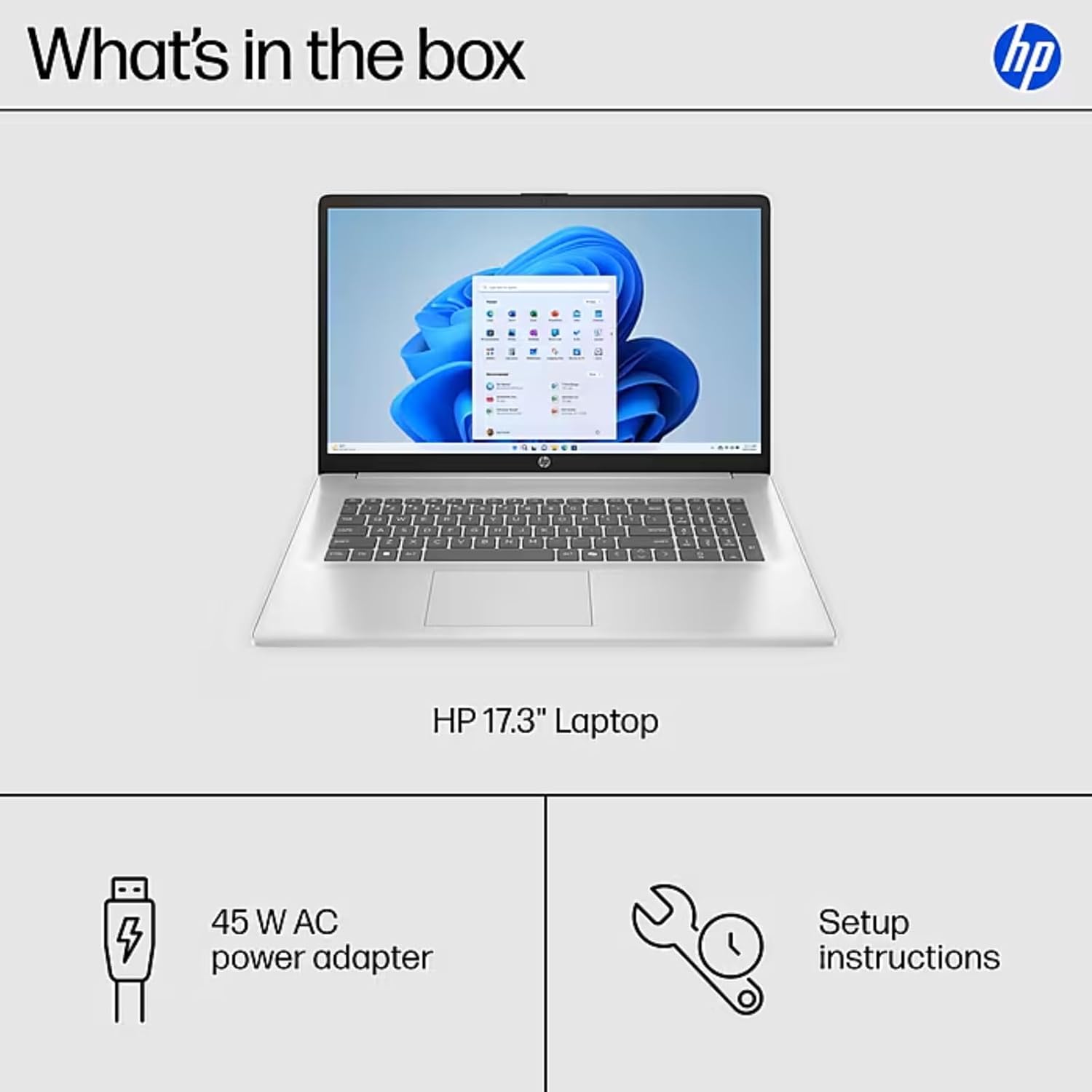
Image: The contents of the HP 17.3" Laptop box, including the laptop, power adapter, and a separate accessory kit.
설정
- 노트북 풀기: 노트북과 모든 액세서리를 포장에서 조심스럽게 꺼내세요.
- 전원 연결: Plug the power adapter into the laptop's AC Smart Pin port and then into a power outlet. Allow the battery to charge for at least 30 minutes before initial use.
- 초기 부팅: Open the laptop lid and press the power button. The laptop will guide you through the Windows 11 Pro setup process. Follow the on-screen instructions to configure your language, region, network, and user account.
- Wi-Fi에 연결: During the initial setup, you will be prompted to connect to a wireless network. Select your network and enter the password.
- 업데이트 설치: 설치가 완료되면 최적의 성능과 보안을 보장하기 위해 사용 가능한 Windows 업데이트를 확인하고 설치하는 것이 좋습니다.
노트북 작동하기
디스플레이 기능
The HP 17.3" laptop features a Full HD (1920 x 1080) IPS anti-glare display. This screen provides vibrant colors and wide 178° viewing angles, reducing reflections for comfortable viewing in various lighting conditions. The large screen size is ideal for multitasking, document review, and media consumption.
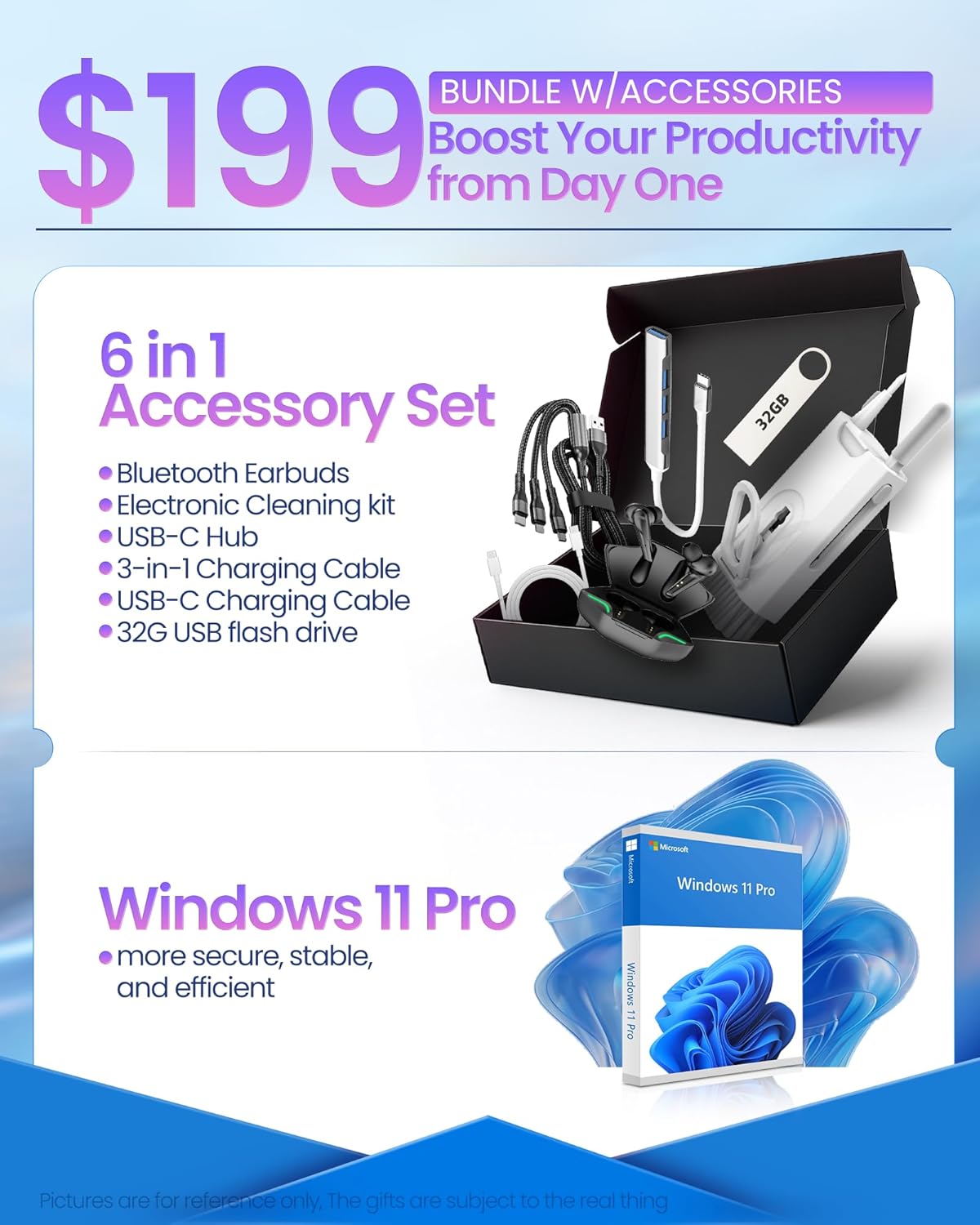
Image: The HP 17.3" laptop showcasing its Full HD display.
프로세서 및 성능
Equipped with an Intel Core i3-N305 processor (8 cores, up to 3.9 GHz turbo) and Intel UHD Graphics, this laptop delivers efficient performance for daily tasks, schoolwork, and business applications. The 32GB DDR4 RAM ensures smooth multitasking, while the 2TB NVMe SSD provides fast storage access and quick boot times.

Image: The HP laptop running multiple applications, illustrating its multitasking performance.
Copilot AI Key
The dedicated Copilot AI Key provides instant access to AI-powered productivity tools within Windows 11 Pro. Press this key to quickly get assistance with writing, brainstorming, or finding information, streamlining your workflow.

이미지: 클로즈업 view of the Copilot key on the HP laptop keyboard.
포트 및 연결성
이 노트북은 주변기기 및 외부 디스플레이 연결을 위한 다양한 포트를 제공합니다.
- 1 x USB 2.0 타입-A
- 1 x USB 3.2 Gen 1 타입-A
- 1 x USB 3.2 Gen 1 Type-C (5 Gbps)
- 1 x HDMI 1.4b
- 1 x Headphone/Mic Combo Jack
- 1 x AC Smart Pin
For wireless connectivity, the laptop supports Wi-Fi 6 and Bluetooth 5.4.

이미지: 상세 view of the laptop's side ports.
제품 끝view 동영상
영상: 공식 발표view of the HP 17.3" HD Laptop for Student & Business with Windows 11 Pro, highlighting its features and benefits.
유지
- 청소: 부드럽고 보풀이 없는 천을 사용하여 화면과 외부를 닦으세요. 잘 지워지지 않는 얼룩은 가볍게 닦아주세요.amp천에 물이나 화면에 안전한 세척제를 묻혀 닦아주세요. 강한 화학 물질은 피하세요.
- 배터리 관리 : 배터리 수명을 연장하려면 극한 온도에 노출되지 않도록 하십시오. 배터리 잔량이 20% 미만으로 떨어질 때까지 방전시킨 후 완전히 충전하는 것이 좋습니다.
- 소프트웨어 업데이트: Regularly install operating system and driver updates to ensure security and optimal performance.
- 스토리지 관리: 불필요한 것을 주기적으로 정리하세요 files and applications to maintain sufficient free storage space on your SSD.
- 물리적 보호: Transport your laptop in a protective sleeve or bag to prevent scratches and damage.
문제 해결
If you encounter issues with your HP laptop, consider the following common solutions:
- 노트북 전원이 켜지지 않음:
- 전원 어댑터가 노트북과 작동하는 전원 콘센트에 모두 단단히 연결되어 있는지 확인하세요.
- 다른 장치를 연결해 전원 콘센트가 작동하는지 확인하세요.
- 전원 버튼을 15~20초간 눌러 하드 리셋을 실행해 보세요.
- Screen Issues (No Display, Flickering):
- 노트북의 디스플레이나 그래픽 출력에 문제가 있는지 확인하려면 외부 모니터를 HDMI 포트에 연결하세요.
- 노트북을 다시 시작합니다.
- Windows 업데이트 또는 HP 지원 도우미를 통해 디스플레이 드라이버가 최신 버전인지 확인하십시오.
- Wi-Fi 연결 문제:
- Toggle Wi-Fi off and on in Windows settings.
- 라우터와 모뎀을 다시 시작하세요.
- Ensure Wi-Fi drivers are updated.
- 네트워크를 잊고 다시 연결하세요.
- 느린 성능:
- 백그라운드에서 실행 중인 불필요한 애플리케이션을 닫으세요.
- 작업 관리자에서 CPU 또는 RAM 사용량이 높은 프로세스를 확인하십시오.
- Windows와 드라이버가 최신 상태인지 확인하세요.
- 디스크 정리를 실행하여 저장 공간을 확보하세요.
For more advanced troubleshooting or persistent issues, please refer to the HP support web사이트를 방문하거나 고객 서비스에 문의하세요.
명세서
| 상표 | HP |
| 모델명 | HP 17 inch Laptop (B5RH2UA#ABA) |
| 운영 체제 | 윈도우 11 프로 |
| 화면 크기 | 17.3인치 |
| 화면 해상도 | 1920 x 1080픽셀(풀 HD) |
| 디스플레이 유형 | IPS, Anti-glare, LED, 178° wide view각도를 ing |
| 프로세서 | Intel Core i3-N305 (8 cores, up to 3.9 GHz) |
| 제도법 | 통합 Intel UHD 그래픽 |
| 숫양 | 32GB DDR4(3200MHz) |
| 저장 | 2TB SSD |
| 무선 연결 | 와이파이 6, 블루투스 5.4 |
| 포트 | 1x USB 2.0 Type-A, 1x USB 3.2 Gen 1 Type-A, 1x USB 3.2 Gen 1 Type-C, 1x HDMI 1.4b, 1x Headphone/Mic Combo, 1x AC Smart Pin |
| 배터리 수명 | Up to 9.5 hours (Average: 9 hours) |
| 치수(길이 x 너비 x 높이) | 15.78인치 x 10.15인치 x 0.78인치 |
| 무게 | 4.6파운드 |
| 색상 | 은 |
보증 및 지원
Your HP 17 FHD Laptop comes with a standard manufacturer's warranty. For detailed information regarding warranty terms, coverage, and duration, please refer to the warranty card included with your product or visit the official HP support web대지.
For technical assistance, driver downloads, and frequently asked questions, please visit the HP Support web대지: 지원.hp.com. You can also contact HP customer service directly for personalized support.