소개
This manual provides comprehensive instructions for the setup, operation, and maintenance of your Lepro OE1 AI Smart RGBICW LED Corner Floor Lamp. Please read this manual thoroughly before use to ensure proper functionality and safety.
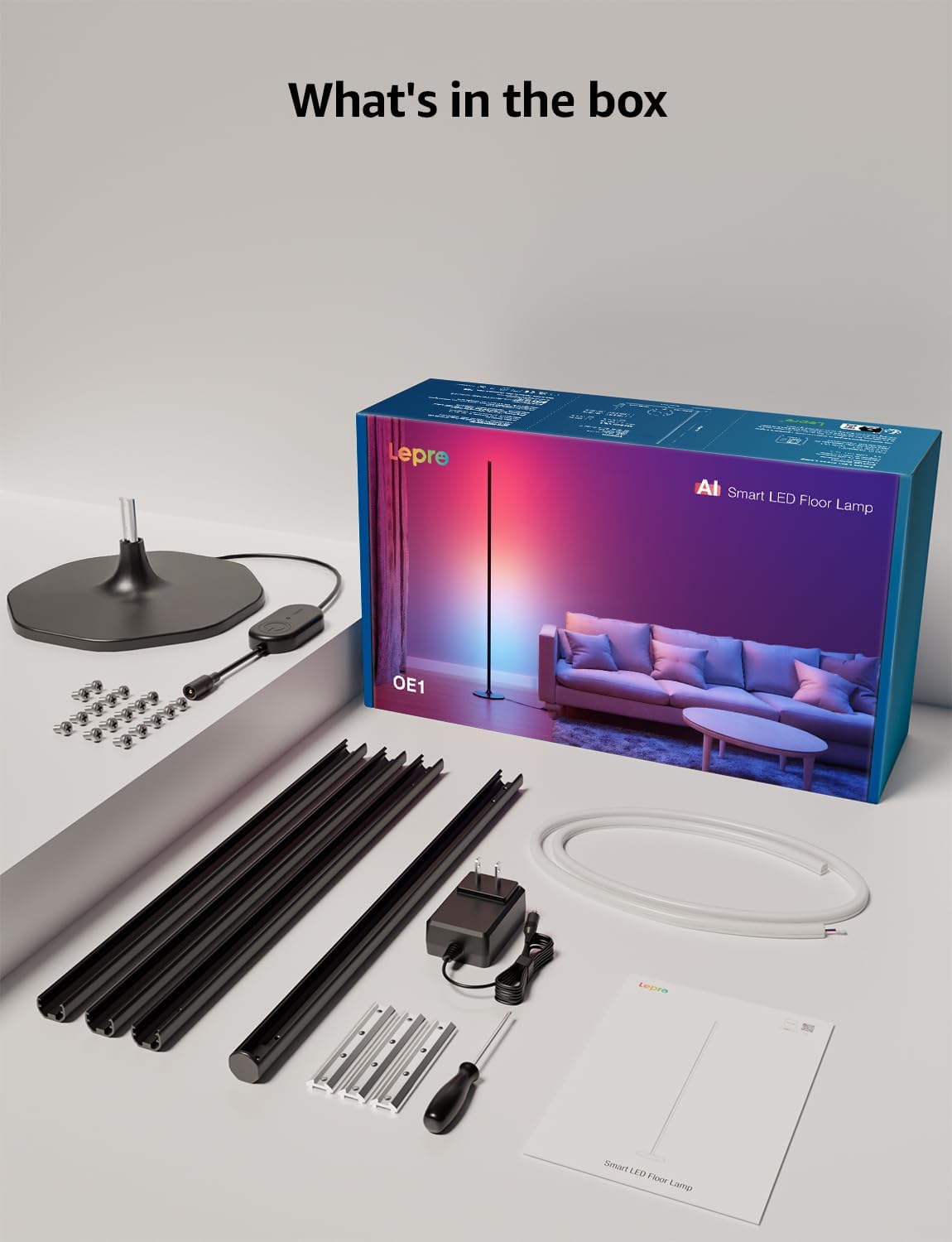
패키지 내용
패키지에 모든 구성 요소가 들어 있는지 확인하세요.
- Lamp 베이스
- Metal Poles (multiple sections)
- Metal Connecting Pieces
- LED 스트립 조명
- 나사 및 드라이버
- 전원 어댑터
- 사용자 설명서
설정 및 조립
Follow these steps to assemble and set up your Lepro OE1 floor lamp:
- Assemble the Metal Poles: Align the metal slots of the pole sections with the connecting pieces. Use the provided screws and screwdriver to tighten them securely. Continue this process until all pole sections are connected to form the main lamp 몸.
- 베이스에 부착: Secure the assembled metal pole to the lamp base using the designated screws.
- LED 스트립을 삽입하세요: Carefully insert the LED strip light into the channel of the assembled metal pole. Ensure the strip's bottom connector aligns with the wire from the base.
- 배선 연결: Connect the wire from the LED strip to the wire extending from the lamp 베이스.
- Position the LED Strip: Gently press and adjust the LED strip from the middle outwards to ensure it sits flush and evenly within the pole's channel. Do not cut the strip lights, as this will cause damage.
- 전원 연결: l에 전원 어댑터를 연결합니다.amp 그런 다음 일반 전기 콘센트에 꽂으세요.

앱 다운로드 및 연결
The Lepro OE1 lamp is controlled via the Lepro app. It is compatible with 2.4GHz WiFi networks only. Ensure your phone's Bluetooth is enabled during the pairing process.
- Download the "Lepro" app from your device's app store. (Note: Not compatible with "Lepro Lampux" or "Smart Life" apps).
- 새 계정을 등록하거나 로그인하십시오.
- Ensure your phone's Bluetooth is on and connected to a 2.4GHz WiFi network.
- In the app, select "Add Device" and follow the on-screen instructions to pair your OE1 lamp.
Video 1: Step-by-step guide on how to assemble the Lepro OE1 AI floor lamp.
Video 2: Instructions on how to connect the OE1 AI floor lamp to the Lepro app.
작동 지침
The Lepro OE1 lamp offers various control methods and lighting features:
1. Lepro App Control
The Lepro app provides full control over your lamp의 기능:
- LightGPM 4 - Personalized AI Lighting Designer: Use voice or text prompts to describe your desired mood or scene. The AI will generate lighting effects tailored to your preferences. The more you use it, the more it adapts.
- DIY 조명: Customize your ambiance with over 16 million RGB colors and various effects. Adjust colors, brightness, and speed. Save your custom settings and explore community ideas within the app.
- 음악 동기화: The RGB+ICW color-changing floor lamp reacts to music beats, creating dynamic lighting effects.
- Photo-to-Vibe: Upload a photo of your room, a movie poster, or a game character, and LightGPM will generate a lighting design to match the image's theme.
- 따뜻한 흰색 조명: For daily use, the lamp provides 1000 lumens of warm white light at 2700K, adjustable from 1% to 100% brightness.
- 원격 관리: l을 제어하세요amp remotely via the Lepro App, even when away from home.
- 일정: Set automatic on/off timers for convenience.


2. 음성 제어(Alexa 및 Google Assistant)
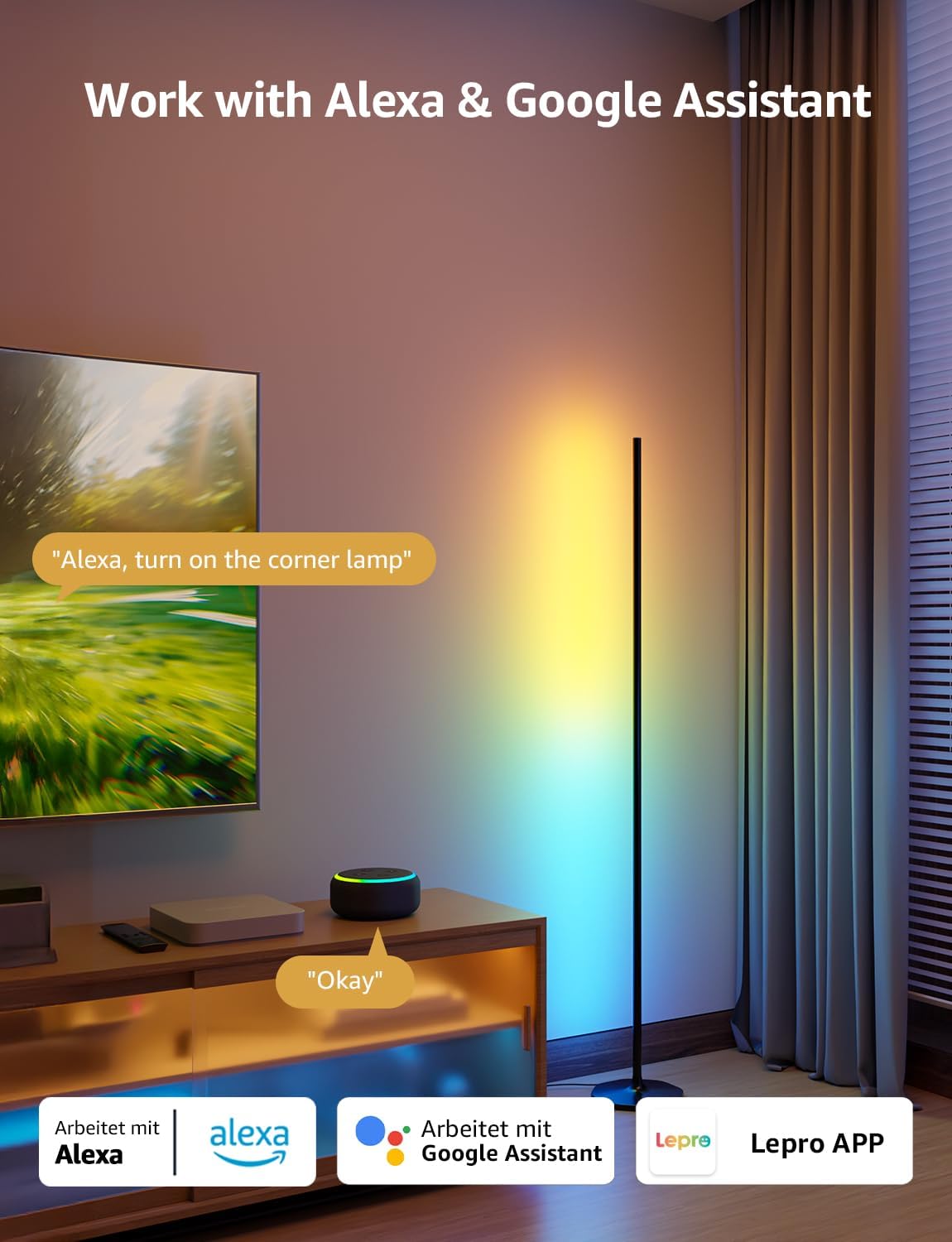
The OE1 lamp supports effortless voice control through Amazon Alexa and Google Assistant. Link your Lepro account with Alexa or Google Assistant in their respective apps to enable voice commands.
- Example commands: "Alexa, turn on the corner lamp," "Hey Google, set the floor lamp to blue," "Alexa, dim the floor lamp 최대 50%."
3. 그룹 제어
For multiple Lepro AI devices, simultaneous group control is supported through the Lepro app, allowing you to manage all your smart lights together.
유지
To ensure the longevity and optimal performance of your Lepro OE1 floor lamp:
- 청소: l을 닦다amp with a soft, dry cloth. Avoid using abrasive cleaners or solvents that may damage the finish or LED strip.
- 놓기: l을 놓으세요amp on a stable, flat surface. Avoid areas with excessive moisture or direct exposure to sunlight, which can affect the LED lifespan.
- 힘: 청소 또는 유지 보수를 하기 전에 항상 전원 어댑터를 분리하십시오.
문제 해결
If you encounter issues with your Lepro OE1 floor lamp, 다음의 일반적인 솔루션을 참조하세요.
- Lamp 켜지지 않음:
- 전원 어댑터가 양쪽 l에 안전하게 연결되어 있는지 확인하십시오.amp 그리고 작동하는 전기 콘센트.
- 다른 장치를 연결해 전원 콘센트가 작동하는지 확인하세요.
- Unable to connect to the Lepro app:
- 스마트폰의 블루투스가 활성화되어 있는지 확인하세요.
- Confirm your WiFi network is 2.4GHz. The lamp does not support 5GHz WiFi.
- Ensure your phone is connected to the same 2.4GHz WiFi network as the lamp 초기 설정 중.
- l을 재설정해 보세요.amp (see "Resetting the Lamp" below).
- 음성 제어가 작동하지 않습니다:
- Ensure your Lepro account is correctly linked with your Alexa or Google Assistant app.
- Check your internet connection for both the lamp and your voice assistant device.
L 재설정amp
If you experience persistent issues or need to re-pair your lamp, perform a factory reset:
- Locate the control button on the power cable.
- 버튼을 5초간 누르세요.
- A flashing blue light on the lamp indicates a successful reset. The lamp is now ready for re-pairing with the Lepro app.
Video 3: Visual demonstration of how to reset the Lepro OE1 AI floor lamp.
명세서
| 특징 | 세부 사항 |
|---|---|
| 상표 | 나병 |
| 모델 번호 | OE1 |
| 제품 치수 | 7.87인치 깊이 x 7.87인치 너비 x 55.11인치 높이 |
| 품목 무게 | 2.86 파운드 |
| 광원 유형 | 주도의 |
| 명도 | 1000루멘 |
| 색온도 | 2700 켈빈(웜화이트) |
| 밝은 색상 | RGB, 웜 화이트 |
| 왓tage | 20 와트 |
| 권tage | 120볼트(AC) |
| 제어 방법 | Voice, App (Lepro App) |
| 연결성 | Bluetooth, 2.4G WiFi (5GHz not supported) |
| 평균 수명 | 20000시간 |
| 재료 | 알류미늄 |
| 마무리 유형 | 매트 |
| 실내/실외 사용 | 실내 |
| 조립이 필요합니다 | 예 |
| 한국어: | 810168791135 |
보증 및 지원
For warranty information or technical support, please refer to the official Lepro web사이트를 방문하거나 고객 서비스에 직접 문의하세요. 보증 청구를 위해 구매 영수증을 보관하세요.
Optional protection plans may be available for purchase separately. Please check with your retailer for details.


