소개
The FULAIM X6 is a versatile 4-channel wireless lavalier microphone system designed for high-quality audio capture in various scenarios, including video recording, live streaming, interviews, and podcasts. Its compact and portable design, combined with advanced features like noise reduction and long battery life, makes it an ideal solution for content creators and professionals.
패키지 내용

이미지: 이상view of the FULAIM X6 Wireless Lavalier Microphone System, showing all included components neatly arranged.
- 1 × Receiver (RX)
- 4 × Transmitters (TX)
- 1 × USB-C 어댑터
- 1 × Lightning Adapter
- 1 × 3.5mm TRS 어댑터
- 4 × Magnetic Sheets
- 모피 앞유리 4개
- 1 × 충전 케이블
- 1 × 사용자 설명서
- 1 × 여행용 케이스
설치 가이드
1. 장치 충전
Before first use, ensure all transmitters and the receiver are fully charged. Use the provided USB-A to 4x USB-C charging cable to charge all units simultaneously. A full charge takes approximately 2.5 hours.
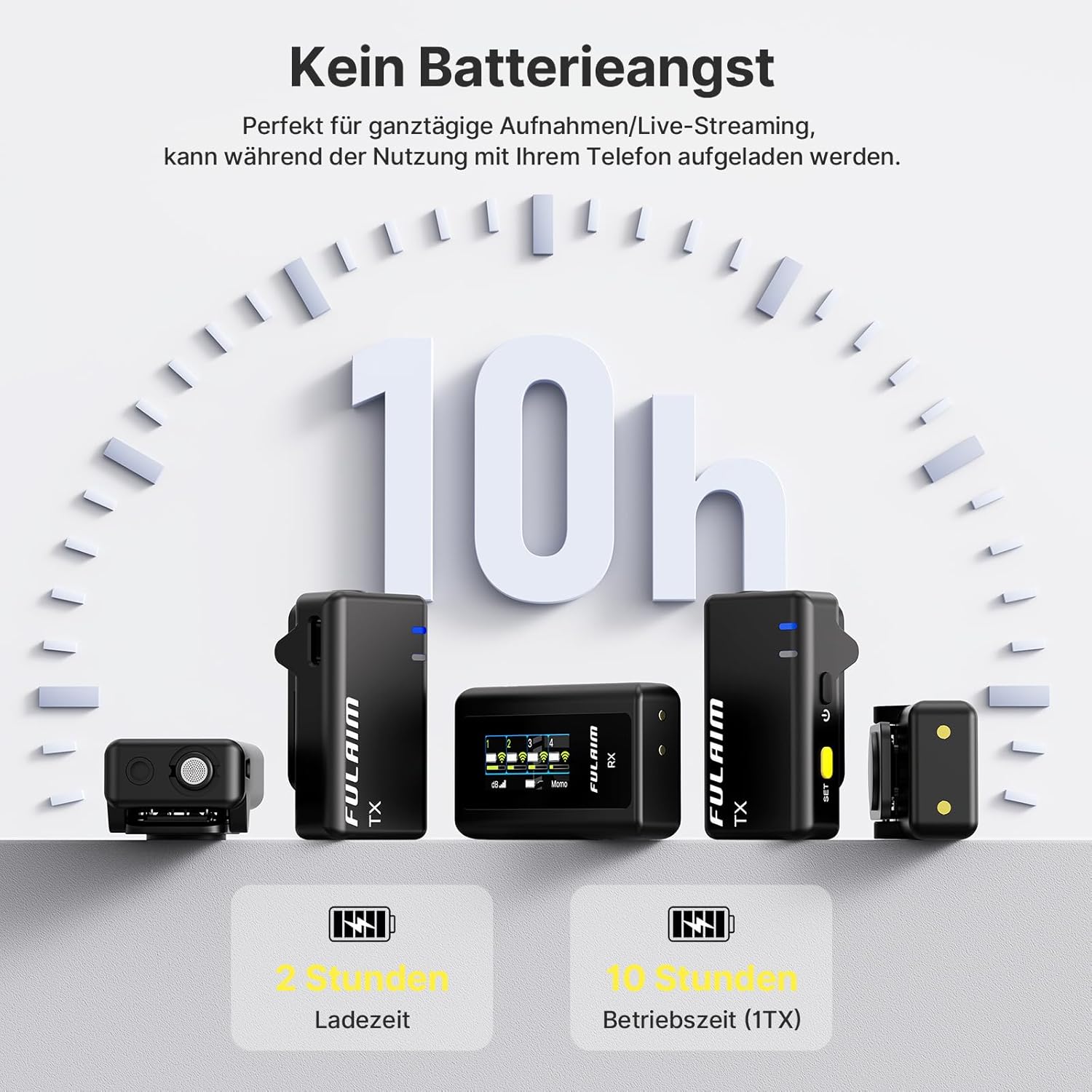
Image: Illustration of the FULAIM X6 system's battery life, indicating up to 10 hours of operation per transmitter and a 2.5-hour charging time.

Image: All FULAIM X6 units (transmitters and receiver) connected to a power bank via USB-C for simultaneous charging, ensuring they are always ready for use.
2. 기기에 연결하기
The FULAIM X6 system offers broad compatibility with various devices. Choose the appropriate adapter for your recording equipment:
- Smartphones (USB-C/Lightning): Attach the USB-C or Lightning adapter to the receiver, then plug it directly into your smartphone's charging port.
- Cameras/Laptops (3.5mm TRS): Use the 3.5mm TRS adapter to connect the receiver to your camera's microphone input or laptop's audio jack.

Image: The FULAIM X6 receiver shown connected to both a smartphone and a laptop, demonstrating its plug-and-play functionality and automatic pairing.

Image: The FULAIM X6 system showcasing its wide compatibility, with the receiver connected to a laptop, a smartphone, and a DSLR camera, highlighting its versatility.
3. 자동 페어링
The transmitters and receiver are designed for automatic pairing. Simply power on both the transmitters and the receiver, and they will connect wirelessly within seconds. No manual pairing steps or apps are required.
작동 지침
1. Transmitter (TX) Usage
Each lightweight transmitter features an integrated omnidirectional microphone for 360° clear sound capture. They can be easily attached to clothing using the built-in clip or the included magnetic sheets.
- 클립온: Use the integrated clip to attach the transmitter to collars, lapels, or pockets.
- 자석 부착: For discreet placement or delicate fabrics, use the magnetic sheet. Place the magnetic sheet inside your clothing and the transmitter on the outside, allowing them to snap together.
- External Lavalier Microphones: The transmitters also support external lavalier microphones (not included) via their 3.5mm input jack for additional flexibility.

Image: Demonstrates the versatile attachment options for the FULAIM X6 transmitter, including clip-on and magnetic methods, for secure and discreet placement.
For outdoor use or in windy conditions, attach the provided fur windshields to minimize wind noise and environmental sounds, ensuring reliable audio quality.
2. Receiver (RX) Functions
The compact receiver features a bright, high-contrast LED display that provides real-time information about recording volume, battery levels, wireless signal strength, and gain settings. This allows for intuitive monitoring during your recordings.

Image: Close-up of the FULAIM X6 receiver's high-resolution display, detailing indicators for power/status, battery levels, signal strength, and noise reduction modes (ENC1/ENC2).
3. 음질 및 노이즈 감소
The FULAIM X6 system is equipped with advanced audio processing capabilities to deliver clear and crisp sound:
- DSP 노이즈 감소: An integrated DSP noise reduction chip automatically reduces unwanted background noise.
- 저역 통과 필터: Eliminates low-frequency interference such as wind noise and vibrations.
- 투에스tage Environmental Noise Cancellation (ENC): Enhances vocal clarity by further suppressing ambient noise.
- 고품질 녹음: Supports 48kHz/24-bit recording with a 70 dB Signal-to-Noise Ratio (SNR) and a wide frequency range of 30Hz–20kHz.

Image: A FULAIM X6 transmitter demonstrating the effectiveness of its upgraded 2-level noise reduction, showing how background noise is filtered for clear voice capture.

Image: The FULAIM X6 receiver and transmitter illustrating the Low Cut Filter feature, which reduces background noise like wind and vibrations for improved audio clarity.

Image: A FULAIM X6 system connected to a smartphone on a tripod, demonstrating its capability for 48kHz/24-bit CD-quality audio recording with a wide frequency range and high SNR.
4. 녹음 모드
The system offers flexible recording modes for post-production:
- 모노 모드 : Best for single audio sources like interviews or vlogs, providing focused audio on one channel.
- Safety Track Mode (MS - Mid-Side): Ideal for flexible stereo width adjustment in post-production, useful for music or podcasts. It records a normal audio track and a -6dB safety track to prevent clipping.

Image: A FULAIM X6 transmitter displaying the options for Mono and MS (Mid-Side) recording modes, offering flexible audio processing solutions for post-production.
5. 모니터링 및 재생
- 실시간 모니터링: The receiver includes a 3.5mm TRS monitoring port, allowing you to connect headphones for real-time audio monitoring during recording. This ensures you can check the audio status and make timely adjustments.
- 즉시 재생: 다시 할 수 있습니다view audio instantly through your smartphone's speaker without disconnecting the receiver, facilitating quick audio checks.

Image: A professional using headphones connected to a camera with the FULAIM X6 receiver, demonstrating real-time audio monitoring capabilities for precise adjustments during recording.
6. Stable Transmission Range
The FULAIM X6 utilizes 2.4GHz frequency hopping technology to ensure stable and interference-resistant performance. It achieves a transmission range of up to 50 meters (164 feet) in open, unobstructed environments, making it suitable for various recording locations.

Image: The FULAIM X6 system demonstrating its stable 50-meter (164 ft) line-of-sight transmission range in an open, unobstructed environment, ideal for outdoor recording.
7. 녹화 중 충전
The receiver supports charging your connected device (e.g., smartphone) while recording, ensuring uninterrupted performance for extended sessions. Simply connect a power source to the receiver's USB-C charging port.
Note: Plugging or unplugging the charging cable during recording may cause a brief 5-second interruption.

Image: A user recording with a smartphone and the FULAIM X6 system, illustrating the ability to charge the phone simultaneously, ensuring continuous operation.
유지
To ensure the longevity and optimal performance of your FULAIM X6 Wireless Lavalier Microphone System, follow these maintenance guidelines:
- 청소: Gently wipe the transmitters and receiver with a soft, dry cloth. Avoid using harsh chemicals or abrasive materials.
- 저장: When not in use, store the system in its provided travel case to protect it from dust, moisture, and physical damage.
- 배터리 관리 : For long-term storage, ensure the batteries are partially charged (around 50%) to preserve their lifespan. Avoid fully discharging or overcharging for extended periods.
- 환경 조건: Keep the devices away from extreme temperatures, direct sunlight, and high humidity.
문제 해결
If you encounter issues with your FULAIM X6 system, refer to the following common problems and solutions:
| 문제 | 가능한 원인 | 해결책 |
|---|---|---|
| 소리가 나지 않거나 볼륨이 작음 |
|
|
| Intermittent audio or static |
|
|
| Transmitter not pairing |
|
|
| Poor noise reduction performance |
|
|
명세서
| 특징 | 세부 사항 |
|---|---|
| 모델명 | X6 |
| 상표 | 풀라임 |
| 연결 기술 | 2.4GHz 무선 |
| 커넥터 유형 | USB Type-C, Lightning, 3.5 mm Jack |
| 특별 기능 | Battery indicator light, Mute function, Clip, Noise reduction, Volume control |
| 호환 장치 | Laptop, Camera, Tablet, Smartphone |
| 색상 | 검은색 |
| 극성 패턴 | 전방위 |
| 배터리 유형 | 리튬 폴리머(5개 필요, 포함) |
| Battery Life (per TX) | 최대 10시간 |
| 충전 시간 | 약 2.5시간 |
| 전송 범위 | Up to 50m (164 ft) in open, unobstructed environments |
| Audio Recording Quality | 48kHz/24비트 |
| 주파수 응답 | 30Hz–20kHz |
| 신호 대 잡음비 (SNR) | 70데시벨 |
보증 및 지원
FULAIM products are designed and manufactured to the highest quality standards. For information regarding warranty coverage and technical support, please refer to the warranty card included in your package or visit the official FULAIM website. You can also contact FULAIM customer service through the retailer where you purchased the product.
추가 지원이 필요하면 다음 연락처로 문의하십시오.
- 제조업체: Fuzhou Huiqixin Technology Co., Ltd
- 브랜드 스토어: FULAIM Amazon Store


