소개
Welcome to the user manual for your new VERTU H1 Smart Watch. This guide provides detailed instructions on how to set up, operate, maintain, and troubleshoot your device. The VERTU H1 combines aerospace-grade carbon fiber and a sapphire crystal display with advanced smart features, including comprehensive health monitoring, extensive sports modes, and seamless Android compatibility. Please read this manual carefully to ensure optimal performance and longevity of your smartwatch.

Image: The VERTU H1 Smart Watch in white and gold, showcasing its elegant design and sapphire display.
상자 안에 무엇이 들어있나요?
Upon opening your VERTU H1 Smart Watch package, please verify that all the following items are included:
- VERTU H1 Smart Watch (METAWATCH 1)
- 무선 충전기
- 사용 설명서 (본 문서)
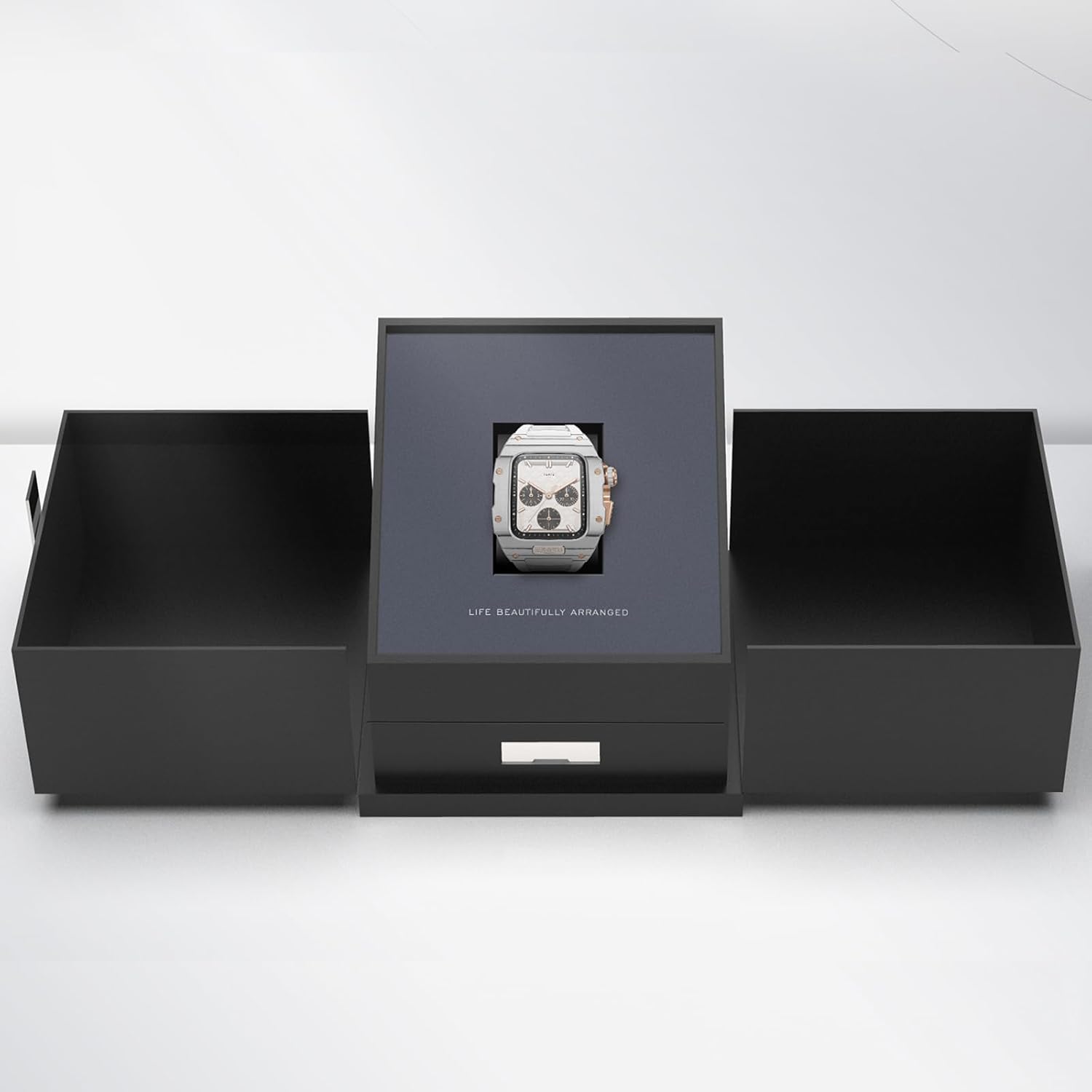
Image: The VERTU H1 Smart Watch presented within its elegant black packaging, indicating the unboxing experience.
설정
1. 스마트워치 충전하기
Before first use, fully charge your VERTU H1 Smart Watch. Place the watch on the provided wireless charger. The screen will indicate charging status. A full charge typically takes approximately 2 hours.
2. 전원 켜기 / 끄기
- 전원 켜기: Press and hold the side button until the VERTU logo appears.
- 전원 끄기 : 측면 버튼을 길게 누른 다음, 화면에서 '전원 끄기'를 선택하세요.
3. 앱 설치 및 페어링
To unlock the full functionality of your VERTU H1, you need to pair it with your Android smartphone via the dedicated app.
- Scan the QR code in the manual or on the watch screen (if available) to download the 'VERTU WATCH' application from the Google Play Store.
- 스마트폰에서 Bluetooth가 활성화되어 있는지 확인하세요.
- Open the 'VERTU WATCH' app and follow the on-screen instructions to create an account or log in.
- In the app, select 'Add Device' or 'Pair New Device'. The app will search for your VERTU H1.
- Select your watch from the list of discovered devices. Confirm the pairing request on both your watch and smartphone.

Image: An illustration showing the internal chip of the VERTU H1 Smart Watch and its connection to the companion mobile application, symbolizing the pairing process.
4. 초기 구성
After successful pairing, the app will guide you through initial settings such as language selection, time format, and personal profile setup (e.g., age, height, weight for accurate health and fitness tracking).
작동 지침
항해
- 터치스크린: 좌우 또는 상하로 스와이프하여 메뉴와 알림을 탐색하세요. 탭하여 선택하세요.
- 측면 버튼: 홈 화면으로 돌아가거나 기기를 깨우려면 누르세요. 전원 옵션을 사용하려면 길게 누르세요.
- 디지털 크라운: Rotate to scroll through lists or zoom in/out. Press to select or return to the previous screen.
전화 걸기 및 받기
With the VERTU H1 connected to your smartphone, you can make and answer calls directly from your wrist.
- 전화 받기: 전화가 걸려오면 시계 화면의 초록색 통화 아이콘을 누르세요.
- 전화 걸기: 시계의 다이얼러 또는 연락처 목록에 접속하여 전화를 걸 수 있습니다.
알림
Receive notifications from your paired smartphone directly on your watch. Swipe down from the top of the screen to view 최근 알림.
사용자 정의
나만의 시계 경험을 만들어보세요:
- 시계 모드 : Long press the home screen to change watch faces. More options are available in the 'VERTU WATCH' app.
- 설정: Access the settings menu on the watch to adjust brightness, vibration, and other preferences.
OTA 업데이트
The VERTU H1 supports Over-The-Air (OTA) updates. Ensure your watch is connected to the app and has sufficient battery for seamless software upgrades, which enhance features and performance.
건강 모니터링 기능
The VERTU H1 Smart Watch provides continuous, real-time monitoring of vital health metrics to help you stay informed about your well-being.
심박수 모니터링
이 시계는 하루 종일 지속적으로 심박수를 추적합니다. View your current heart rate and historical data in the 'Heart Rate' section on the watch or in the app.
혈중 산소(SpO2) 모니터링
Monitor your blood oxygen levels to assess your respiratory health. Access the 'Oximetry' function on your watch for on-demand measurements or view 앱의 트렌드.

Image: The VERTU H1 Smart Watch screen showing detailed health metrics, including oximetry (blood oxygen saturation) and heart rate data, with graphs illustrating trends.
수면 추적
The watch automatically monitors your sleep patterns, including deep sleep, light sleep, and wake times. Review your sleep quality analysis in the 'Sleep' section of the app.

Image: The VERTU H1 Smart Watch displaying sleep tracking data, showing duration of deep sleep and overall sleep time.
Sedentary Reminder & Drinking Water Reminder
The watch can remind you to move after periods of inactivity and prompt you to drink water, promoting healthier habits throughout your day. Configure these reminders in the 'VERTU WATCH' app.
피트니스 트래킹 기능
The VERTU H1 is equipped with advanced features to support your fitness journey, offering comprehensive monitoring of your workout sessions.
100개 이상의 스포츠 모드
Choose from over 100 built-in sports modes, including outdoor running, indoor running, outdoor walking, and many more. Select your activity to track specific metrics relevant to your workout.

Image: The VERTU H1 Smart Watch screen showing a list of available sports modes, including outdoor running, indoor running, and outdoor walking.
활동 추적
The watch automatically tracks your daily activities, including steps taken, distance covered, and calories burned. View your daily activity rings and progress in the 'Daily Activities' section on the watch or in the app.
내장형 GPS
For outdoor activities, the built-in GPS accurately records your route, distance, and pace, providing detailed insights into your performance without needing your phone.
유지
스마트워치 청소하기
정기적으로 세척하면 시계의 외관과 기능을 유지하는 데 도움이 됩니다.
- Wipe the screen and case with a soft, lint-free cloth. If necessary, damp천을 물에 살짝 적셔주세요.
- Clean the FKM strap with mild soap and water, then rinse thoroughly and dry.
- Avoid using harsh chemicals, abrasive materials, or compressed air, as these can damage the watch.
방수 기능(IP68)
The VERTU H1 Smart Watch is IP68 waterproof, meaning it is protected against dust ingress and can withstand immersion in water up to 1.5 meters for 30 minutes. While suitable for daily wear and activities like swimming, it is not recommended for diving or high-pressure water activities. Avoid exposing the watch to hot water, steam, or corrosive liquids.
배터리 관리
- 시계를 정기적으로 충전하고, 장시간 완전히 방전되지 않도록 주의하세요.
- 시계를 사용하지 않을 때는 서늘하고 건조한 곳에 보관하세요.
- 제공된 무선 충전기만 사용하십시오.
문제 해결
If you encounter issues with your VERTU H1 Smart Watch, try the following solutions:
| 문제 | 가능한 해결책 |
|---|---|
| Watch won't power on | 시계가 완전히 충전되었는지 확인하십시오. 무선 충전기에 최소 30분 동안 연결해 두세요. |
| 스마트폰과 페어링이 불가능합니다 | Ensure Bluetooth is enabled on your phone. Restart both the watch and the phone. Clear Bluetooth cache on your phone. Try pairing again through the 'VERTU WATCH' app. |
| Inaccurate health/fitness data | Ensure the watch is worn snugly on your wrist, about one finger's width above the wrist bone. Clean the sensor on the back of the watch. Update your personal information in the app. |
| 배터리 수명이 짧음 | Reduce screen brightness. Turn off unnecessary notifications. Limit continuous heart rate monitoring if not needed. Ensure no background apps are draining power. |
| 시계가 반응하지 않습니다 | 시계가 다시 시작될 때까지 측면 버튼을 약 10~15초 동안 길게 눌러 강제 재시작을 수행하십시오. |
문제가 지속될 경우 지원 섹션을 참조하거나 고객 서비스에 문의하십시오.
명세서
| 특징 | 세부 사항 |
|---|---|
| 모델명 | H1 (Internal: METAWATCH 1) |
| 상표 | 베르투 |
| 화면 크기 | 1.85 Inches (Sapphire Crystal Display) |
| 케이스 소재 | Aerospace-grade Carbon Fiber |
| 스트랩 소재 | Fluoroelastomer (FKM) |
| 운영 체제 | 안드로이드 기반 |
| 연결성 | 블루투스 |
| 배터리 용량 | 260mAh |
| 방수성 | IP68 |
| 특별 기능 | Activity Tracker, Built-in GPS, Heart Rate/Blood Oxygen Detection, Phone Call, Sedentary Reminder, 100+ Sports Modes |
보증 및 지원
보증 정보
Your VERTU H1 Smart Watch comes with a standard manufacturer's warranty. Please refer to the warranty card included in your product packaging for specific terms, conditions, and duration. Keep your proof of purchase for warranty claims.
고객 지원
For technical assistance, troubleshooting beyond this manual, or warranty inquiries, please contact VERTU customer support. Contact details can typically be found on the official VERTU web사이트 또는 제품 포장에 표시되어 있습니다.


