소개
Thank you for choosing the ZEALOT S97 Bluetooth Speaker. This manual provides detailed instructions on how to set up, operate, maintain, and troubleshoot your speaker to ensure optimal performance and longevity. Please read this manual carefully before using the product and keep it for future reference.

이미지: 앞면 view of the ZEALOT S97 Bluetooth Speaker, showcasin견고한 디자인과 통합된 손잡이가 특징입니다.
패키지 내용
다음 품목이 패키지에 포함되어 있는지 확인하세요.
- ZEALOT S97 블루투스 스피커
- 충전 케이블(USB-C)
- 사용자 설명서
제품 끝view
스피커의 구성 요소와 제어 장치에 대해 알아보세요.

이미지: 자세한 view of the ZEALOT S97 speaker, highlighting the control panel on top and the illuminated side woofers.
제어판
- 전원 버튼: 전원을 켜거나 끄려면 길게 누릅니다.
- 모드 버튼(M): 눌러서 블루투스, AUX, TF 카드 모드 간 전환하세요.
- 재생/일시 정지 버튼: Press to play or pause audio. Press and hold for voice assistant.
- 볼륨 낮추기(-): 볼륨을 낮추려면 누르세요. 이전 트랙을 보려면 길게 누르세요.
- 볼륨 높이기(+): 볼륨을 높이려면 누르세요. 다음 트랙을 보려면 길게 누르세요.
- TWS 버튼: True Wireless Stereo 페어링을 시작하려면 누르세요.
설정
1. 스피커 충전
처음 사용하기 전에 스피커를 완전히 충전하십시오. 제공된 USB-C 충전 케이블을 스피커의 충전 포트에 연결하고 다른 한쪽 끝을 USB 전원 어댑터(별매) 또는 컴퓨터의 USB 포트에 연결하십시오.
- 충전 중에는 충전 표시등이 켜집니다.
- 완전히 충전되면 불빛이 꺼지거나 색상이 바뀝니다.
- 완충 시 약 30시간 동안 사용 가능합니다.

Image: The ZEALOT S97 speaker on a wooden table, connected via its charging port to a smartphone, demonstrating its power bank capability and long playtime.
2. 전원 켜기 / 끄기
를 누르고 계세요 전원 버튼 for 2-3 seconds to turn the speaker on or off. You will hear an audible prompt.
3. 블루투스 페어링
- Turn on the ZEALOT S97 speaker. It will automatically enter Bluetooth pairing mode, indicated by a flashing LED light.
- 장치(스마트폰, 태블릿, 컴퓨터)에서 Bluetooth를 활성화합니다.
- 검색 사용 가능한 블루투스 장치 목록에 "ZEALOT S97"가 있습니다.
- Select "ZEALOT S97" to connect. Once connected, the LED light will become solid, and you will hear a confirmation sound.
- 비밀번호를 입력하라는 메시지가 나타나면 "0000"을 입력하세요.
스피커는 전원이 켜지면 마지막으로 페어링된 기기에 자동으로 다시 연결됩니다. 단, 기기의 Bluetooth가 활성화되어 있고 범위 내에 있어야 합니다.
작동 지침
오디오 재생
- 재생/일시 중지: 를 누르세요 재생/일시정지 버튼.
- 다음 트랙: 를 누르고 계세요 볼륨 높이기(+) 버튼.
- 이전 트랙 : 를 누르고 계세요 볼륨 낮추기(-) 버튼.
- 볼륨 조절: 를 누르세요 볼륨 업(+) or 볼륨 작게 (-) 볼륨을 조절하는 버튼.
진정한 무선 스테레오 (TWS) 페어링
You can pair two ZEALOT S97 speakers together for a true stereo sound experience.
- 두 ZEALOT S97 스피커 모두 전원이 켜져 있고 Bluetooth 장치에 연결되어 있지 않은지 확인하세요.
- 스피커 중 하나(기본 스피커)에서 버튼을 누르세요. TWS 버튼스피커가 TWS 페어링 모드로 들어갑니다.
- 두 스피커는 자동으로 서로 연결됩니다. 연결되면 확인음이 들립니다.
- Once TWS is established, connect your device to the primary speaker via Bluetooth as described in the "Bluetooth Pairing" section.

Image: Two ZEALOT S97 speakers positioned outdoors at dusk, demonstrating the True Wireless Stereo (TWS) pairing capability for an enhanced audio experience.
추가 기능
- 저음 강화: The S97 features dual woofer enhancement for powerful bass.
- IP67 방수 및 방진: The speaker is designed to withstand water immersion up to 1 meter for 30 minutes and is fully protected against dust.
- Massive Studio Stereo Sound: Delivers 90W of powerful, clear audio.

Image: Close-up of the ZEALOT S97 speaker's side, highlighting the illuminated dual woofer for enhanced bass output.
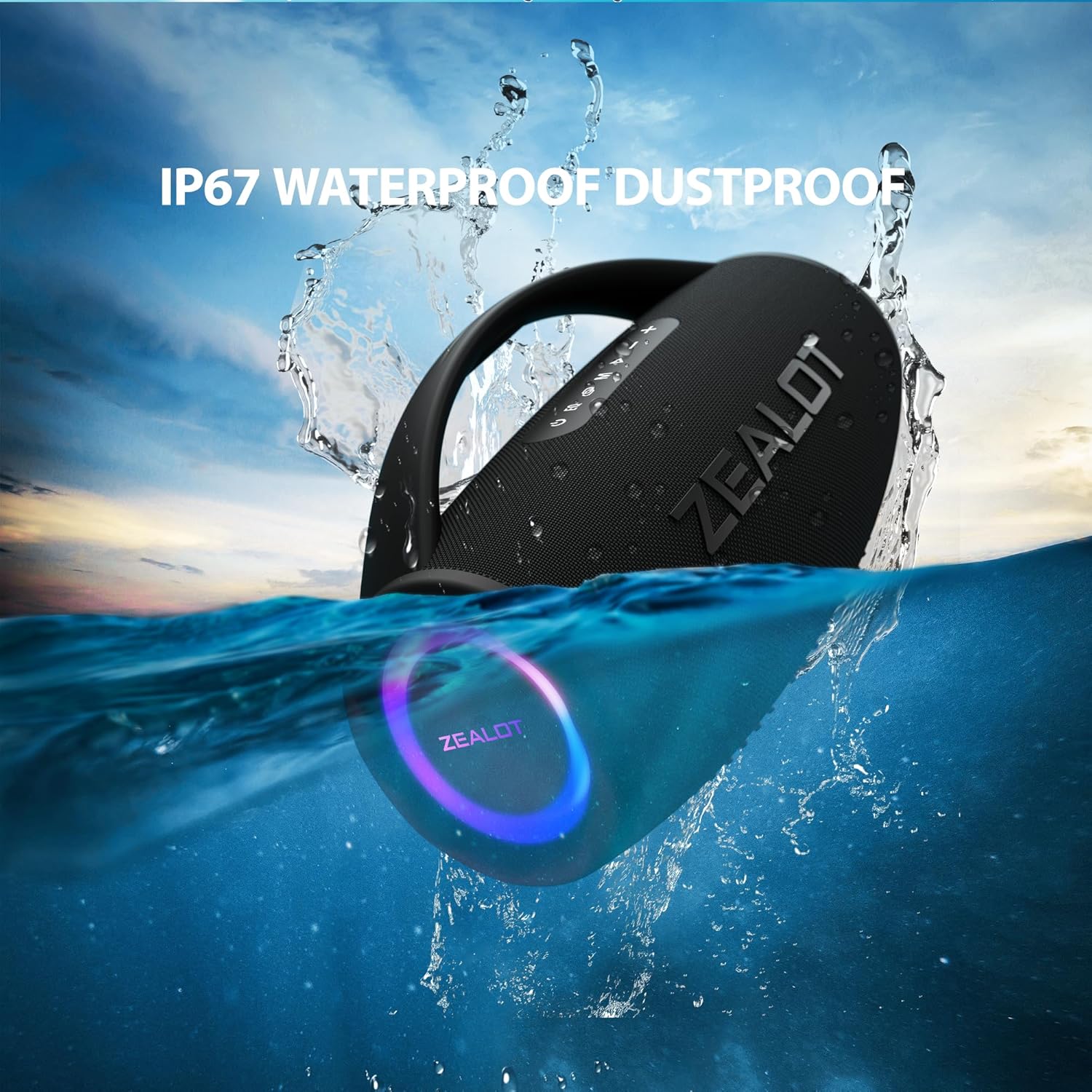
Image: The ZEALOT S97 speaker partially submerged in water, illustrating its IP67 waterproof and dustproof rating.

이미지: X선 스타일 view of the ZEALOT S97 speaker, showing its internal components and emphasizing its 90W massive studio stereo sound capabilities.
유지
청소
부드러운 천으로 스피커를 닦고 damp 천을 사용하십시오. 강한 화학 약품이나 연마성 세척제를 사용하지 마십시오. 충전 또는 케이블 연결 전에 모든 포트가 완전히 건조되었는지 확인하십시오.
저장
스피커를 직사광선과 극한의 온도를 피해 서늘하고 건조한 곳에 보관하세요. 장기간 보관할 경우, 배터리 성능을 유지하기 위해 몇 달에 한 번씩 배터리를 약 50%까지 충전하세요.
배터리 관리
- 배터리를 자주 완전히 방전시키지 마세요.
- 스피커를 60°C(140°F) 이상의 온도에 노출시키지 마십시오.
- 제공된 충전 케이블이나 인증된 동등 제품만 사용하세요.
문제 해결
| 문제 | 가능한 원인 | 해결책 |
|---|---|---|
| 스피커가 켜지지 않습니다. | 배터리가 부족합니다. | 스피커를 완전히 충전하세요. |
| 소리가 나지 않습니다. | 볼륨이 너무 작습니다. 기기가 연결되지 않았습니다. 모드가 잘못되었습니다. | Increase volume on speaker and device; Re-pair Bluetooth; Press 'M' button to select correct mode. |
| 블루투스 연결이 불안정하거나 실패합니다. | 기기가 너무 멀리 떨어져 있습니다. 간섭이 발생합니다. 스피커가 페어링 모드가 아닙니다. | Move device closer to speaker; Avoid obstacles; Ensure speaker is in pairing mode (flashing LED). |
| TWS 페어링이 실패합니다. | 스피커가 이미 다른 기기에 연결되어 있음; TWS 페어링 모드가 아님. | Disconnect both speakers from any Bluetooth devices; Ensure both are in TWS pairing mode. |
명세서
| 특징 | 세부 사항 |
|---|---|
| 상표 | 열광 자 |
| 모델명 | S97 |
| 연결 기술 | 블루투스 |
| 스피커 유형 | 집 밖의 |
| 특징 | Bass Boost, IP67 Waterproof/Dustproof |
| 추천 용도 | 음악 플레이어용 |
| 호환 장치 | 블루투스 지원 기기 |
| 컨트롤러 유형 | 앱 제어 |
| 제품 치수 | 36.4D x 22W x 36.4Hcm |
| 스피커 Amp화형 | 활동적인 |
| 왓tage | 90 watts (RMS), 180 watts (Max Output) |
| 전원 | 배터리 |
| 배터리 셀 구성 | 리튬 이온 |
| 재료 | Weather-resistant plastic or durable metal |
| 주파수 응답 | 80Hz |
| 오디오 출력 모드 | 스테레오 재생 |
보증 및 지원
ZEALOT products are manufactured to the highest quality standards. For warranty information, technical support, or customer service inquiries, please refer to the warranty card included with your product or visit the official ZEALOT web사이트. 보증 청구를 위해 구매 증빙 자료를 보관하세요.
추가적인 도움이 필요하시면 제품을 구매하신 플랫폼을 통해 판매자에게 문의하실 수도 있습니다.