LAUNCH CR3008 Plus Professional OBD2 Scanner Diagnostic Tool Instruction Manual
Model: CR3008 Plus
브랜드: LAUNCH
소개
The LAUNCH CR3008 Plus is a professional OBD2 scanner and diagnostic tool designed to help vehicle owners and technicians quickly and accurately diagnose car problems. This manual provides detailed instructions for setting up, operating, maintaining, and troubleshooting your device, ensuring you can effectively utilize its full range of features.
설정
1. 언박싱 및 구성품
패키지를 열면 모든 구성품이 들어 있는지 확인하세요.
1x LAUNCH Creader 3008 Plus Unit
1x 사용자 설명서
Image: The LAUNCH CR3008 Plus unit with its included components.
2. 디바이스 오버view
Familiarize yourself with the physical features of the CR3008 Plus:
표시하다: 2.8-inch TFT true color LCD screen for clear readability.
키패드 : Silicone buttons for easy navigation and operation.
OBD2 Cable: Integrated 32-inch data cable for vehicle connection.
USB-C 포트: Located at the bottom for software updates and data printing.
이미지: 앞면 view of the LAUNCH CR3008 Plus, highlighting its display and silicone keypad.
Image: The LAUNCH CR3008 Plus showing its integrated OBD2 cable for vehicle connection.
Image: The USB-C port located at the bottom of the LAUNCH CR3008 Plus, used for updates and data transfer.
비디오: 자세한 내용view of the LAUNCH CR3008 Plus, demonstrating its physical features and user interface.
3. Initial Setup (Plug & Play)
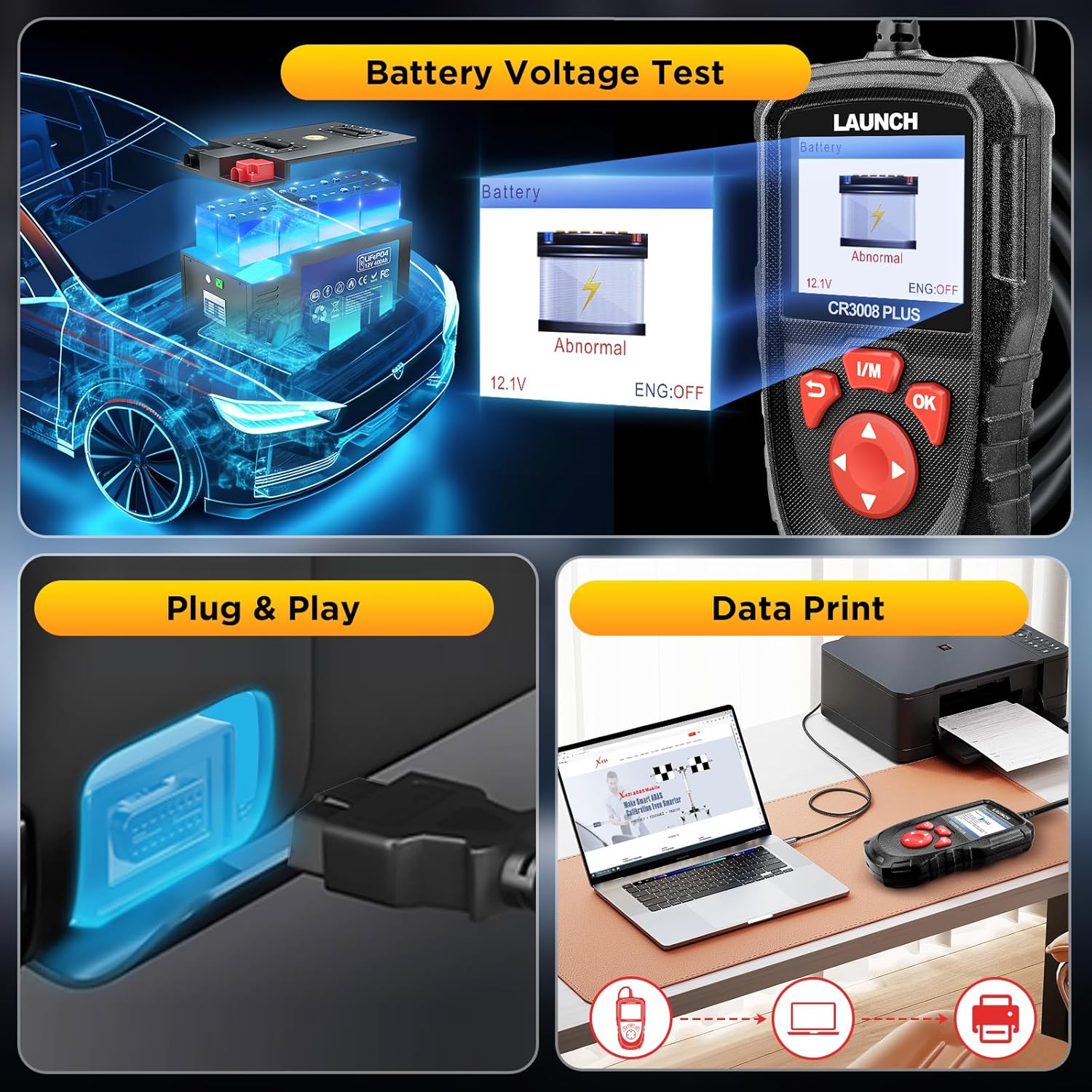
The LAUNCH CR3008 Plus is designed for immediate use without the need for batteries or chargers, as it is powered directly from your vehicle's OBD2 port.
차량의 16핀 OBD2 데이터 링크 커넥터(DLC)를 찾으세요. 일반적으로 운전석 쪽 대시보드 아래에 있습니다.
Plug the CR3008 Plus's integrated OBD2 cable into the vehicle's DLC.
Turn the vehicle's ignition to the 'ON' position (engine can be off or running, depending on the function). The device will power on automatically.
Video: Demonstration of the simple plug-and-play setup for the LAUNCH CR3008 Plus, showing how to connect it to a vehicle's OBD2 port.
장치 작동
1. 메인 메뉴 탐색
The main menu provides access to all diagnostic and utility functions. Use the directional buttons (up, down, left, right) to navigate and the 'OK' button to select an option.
Image: The main menu of the LAUNCH CR3008 Plus, displaying icons for Diagnose, Battery, Review조회, 인쇄, 도움말, 설정 및 정보.
2. 진단 기능
Select 'Diagnose' from the main menu to access the core diagnostic features:
코드 읽기: 진단 문제 코드(DTC)에 대한 자세한 설명을 표시합니다.
코드 지우기: 고장 코드를 삭제하고 고장 표시등을 끕니다.amp (MIL) 수리 후.
라이브 데이터 스트림: Reads and displays real-time ECU/PCM data, often with graphical plotting.
View 프레임 데이터 고정: Shows vehicle conditions recorded by the on-board computer at the time an emission-related fault occurred.
O2 센서 테스트 : O2 센서 모니터 테스트 결과를 검색하여 표시합니다.
온보드 모니터 테스트: 배출 관련 파워트레인 구성 요소 및 시스템에 대한 테스트 결과를 검색하여 표시합니다.
EVAP 시스템 테스트: 차량의 EVAP 시스템에 대한 누출 테스트를 시작합니다.
차량 정보: Displays information such as VIN, CID, and CVN.
Image: The diagnostic menu of the LAUNCH CR3008 Plus, listing various test modes and functions.
Image: The scanner displaying the status of the Check Engine Light (MIL) and its ability to clear fault codes.
Video: A demonstration of how to use the LAUNCH CR3008 Plus to diagnose car issues, including reading and clearing codes.
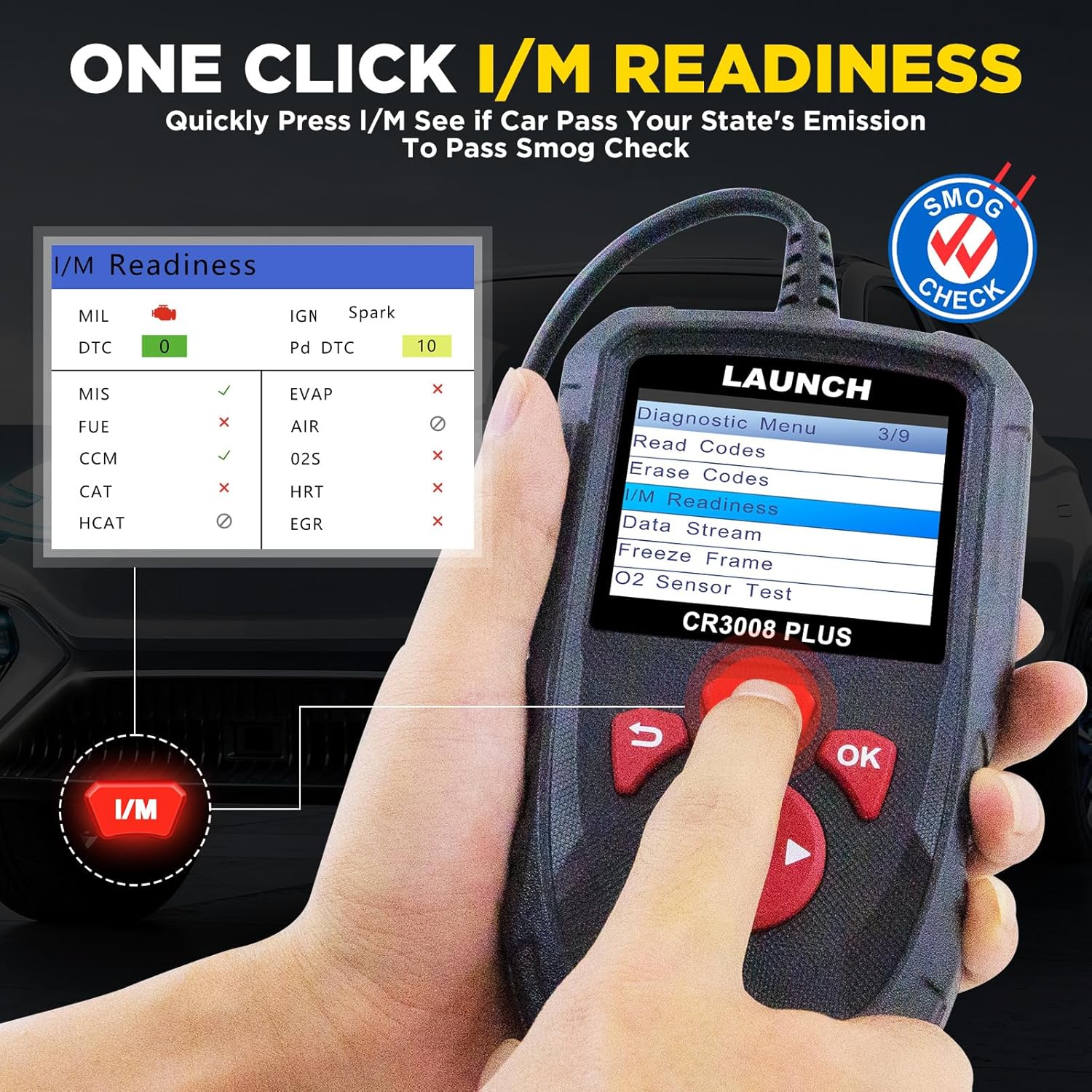
3. One-Click I/M Readiness
This convenient feature allows for a quick check of your vehicle's emission readiness status, which is crucial for smog tests.
From the main menu, press the dedicated 'I/M' button.
The scanner will quickly process and display the readiness status of various emission-related systems.
Image: The One-Click I/M Readiness screen, showing the status of various emission monitors for a quick smog check.
4. 배터리 용량tage 테스트
Quickly check your car's battery voltage and health:
메인 메뉴에서 '배터리'를 선택하세요.
The device will display the current battery voltage and indicate its status (Normal/Abnormal).
Image: The Battery Voltage Test screen, showing the current voltage and battery health status.
5. DTC 조회
The built-in DTC library allows you to quickly find definitions and possible causes of Diagnostic Trouble Codes without needing to search online.
Select 'Lookup' from the main menu.
Input the DTC code using the directional buttons.
The scanner will display the definition and relevant information for the entered code.
Image: The DTC Lookup feature, allowing users to input a code and receive its definition and potential causes.
유지
1. 소프트웨어 업데이트
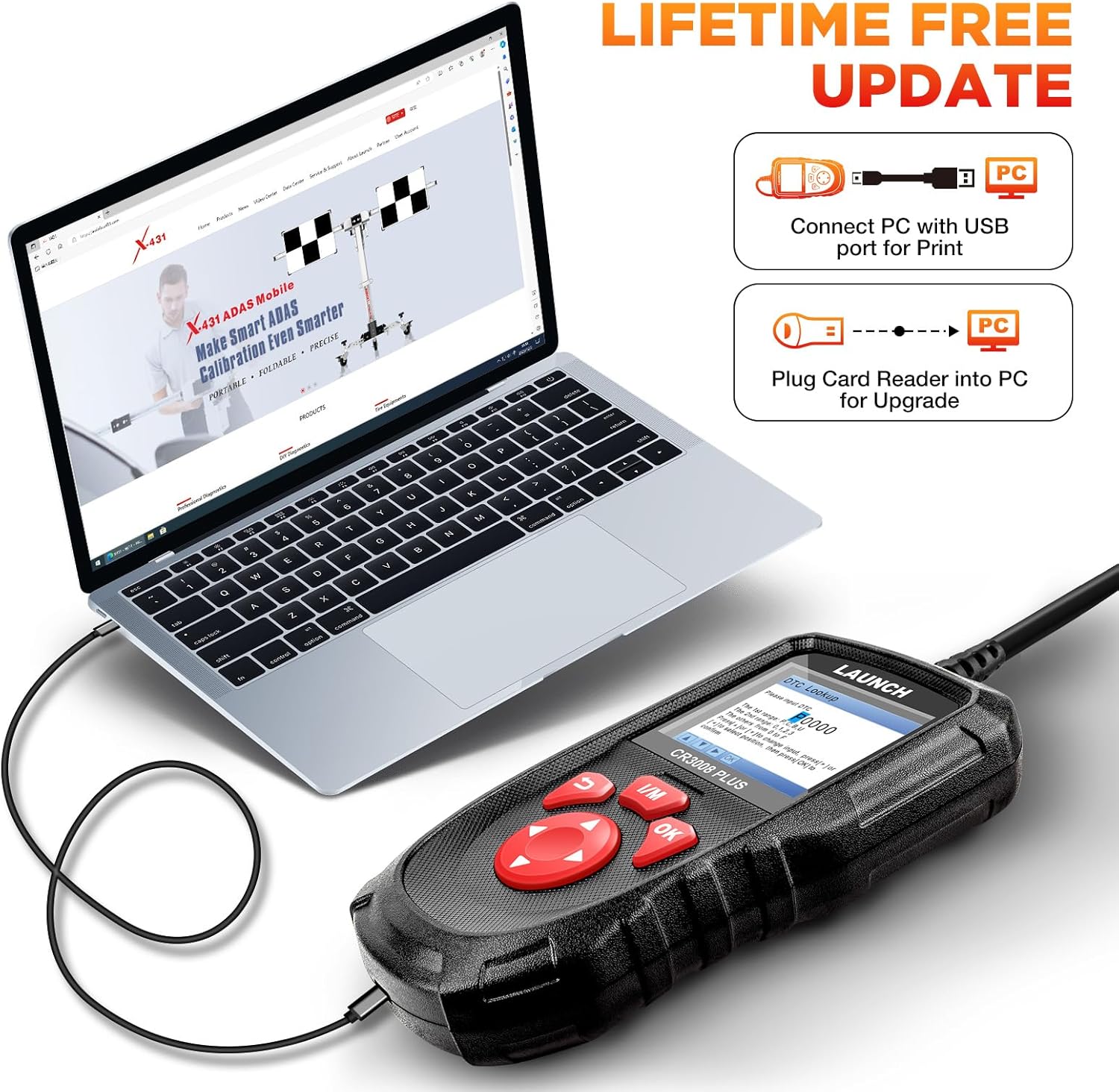
The LAUNCH CR3008 Plus offers free lifetime software updates to ensure compatibility with new vehicle models and diagnostic protocols.
공식 출시 페이지를 방문하세요. website to download the update tool (compatible with Windows XP, 7, 8, & 10).
Connect the CR3008 Plus to your computer via a USB cable using the USB-C port at the bottom of the device.
Register the scanner using its serial number through the update tool.
Follow the on-screen instructions to download and install the latest software updates. Ensure a stable internet connection during the process.
Image: Close-up of the USB-C port on the LAUNCH CR3008 Plus, used for connecting to a computer for software updates.
Image: The LAUNCH CR3008 Plus connected to a laptop, illustrating the process for software updates or printing diagnostic reports.
2. Data Record and Print
The device allows you to record diagnostic data for later review and print reports for your records or to share with a mechanic.
Record Mode : Enable 'Record Mode' in the 'Setup' menu to save live data streams and DTCs during diagnosis.
Review 데이터: Access 'Review' from the main menu to view recorded DTCs, data streams, and freeze frame data.
보고서 인쇄: Connect the scanner to a computer via USB. Use the LAUNCH update tool's 'Print Manager' function to print saved diagnostic reports.
Image: The LAUNCH CR3008 Plus connected to a laptop, illustrating the process for software updates or printing diagnostic reports.
문제 해결
If you encounter issues with your LAUNCH CR3008 Plus, consider the following common troubleshooting steps:
No Power/Communication Error:
Ensure your vehicle supports OBD2 protocols and has a standard 16-pin data connector. Check the compliance label under the hood for OBD certification.
Verify the vehicle's wiring and fuses for any short circuits.
Try connecting the scanner to another OBD2-compliant vehicle to determine if the communication error persists.
Check Engine Light (MIL) Issues:
If the MIL is on, use the 'Read Codes' function to identify the specific DTCs. The scanner will help pinpoint the area to investigate.
If the engine is running erratically (stalling, poor acceleration, decreased fuel efficiency) even without the MIL, use 'Live Data Stream' to monitor parameters and identify values outside the normal range.
Remember, clearing codes only turns off the MIL; the underlying fault must be repaired to prevent the code from reappearing.
소프트웨어 업데이트 문제:
Ensure your computer's operating system is compatible (Windows XP, 7, 8, or 10).
Verify your internet connection is strong and stable during the update process.
Double-check that the serial number entered for registration is correct.
명세서
모델: LAUNCH Creader 3008 Plus
표시하다: 2.8-inch TFT True Color LCD
운영 체제: 리눅스
연결성: OBD2 (integrated cable), USB-C (for PC connection)
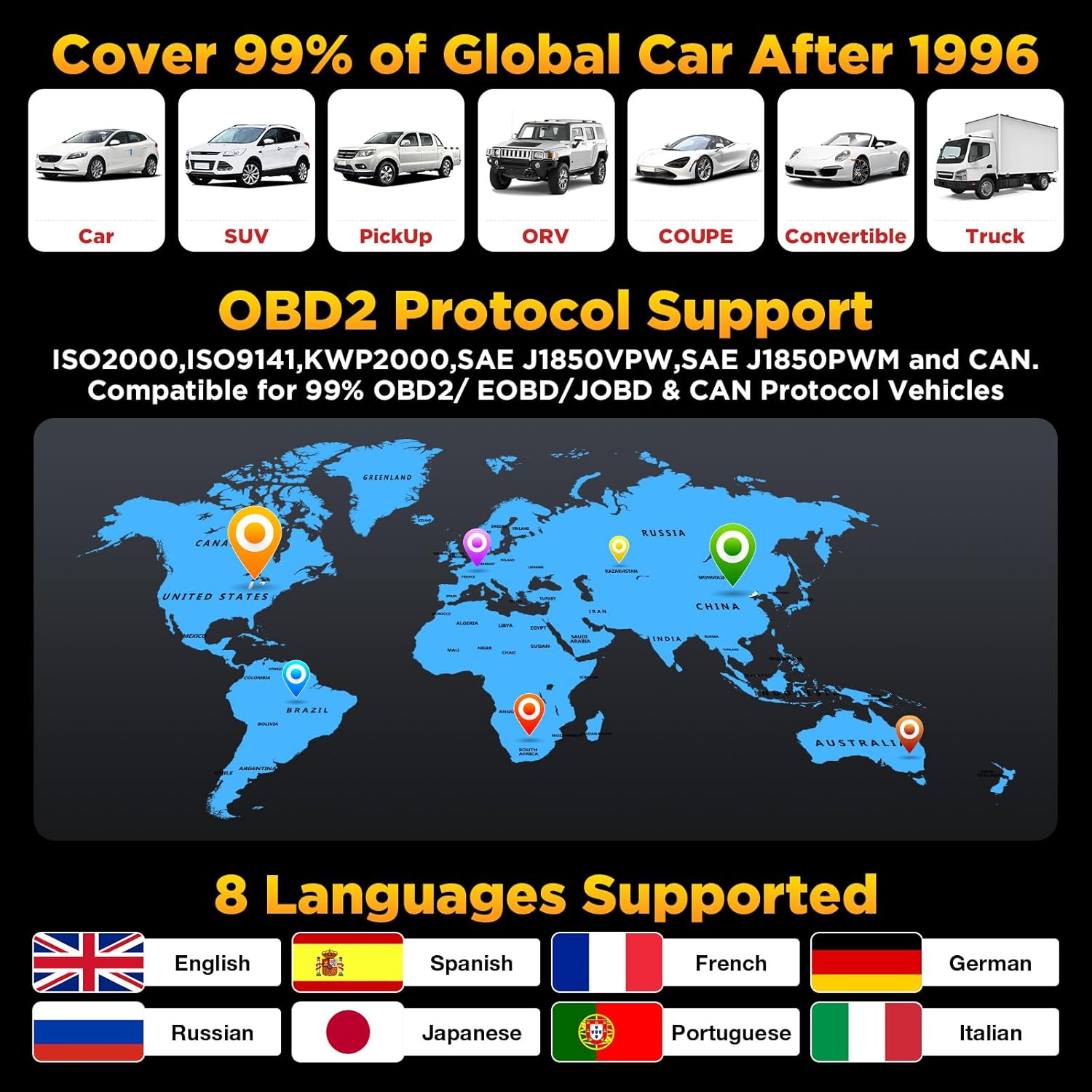
차량 호환성: US vehicles (1996 & newer), EU vehicles (2000 & newer), Asian vehicles (2008 & newer)
지원 언어: English, Spanish, French, German, Russian, Japanese, Portuguese, Italian
품목 무게: 12.7 온스
제품 크기: 4.65 x 2.68 x 0.88 인치
원산지: 중국
보증 및 지원
보증
The LAUNCH CR3008 Plus comes with a 5-year warranty, ensuring long-term reliability and peace of mind for your investment.
지원하다
For any technical assistance or inquiries, LAUNCH offers 24/7/365 technical support. Please refer to the contact information provided in your product packaging or on the official LAUNCH web직접적인 도움을 받을 수 있는 사이트입니다.
관련 문서 - CR3008 플러스
Launch CR3008 Plus 빠른 시작 가이드 LAUNCH CR3008 Plus OBD2 스캐너의 빠른 시작 가이드로, 구성 요소, 제어 방법 및 OBD II 규격 차량의 기본 진단 절차를 자세히 설명합니다.
LAUNCH CRP123E FAQ: 문제 해결 및 지원 LAUNCH CRP123E 자동차 진단 도구에 대한 자주 묻는 질문으로 업데이트, 등록, 언어 지원, 기능, 패키지 내용, 문제 해결 등에 대한 내용이 포함되어 있습니다.
LAUNCH CRP123X OBD2 스캐너: 구매 전 주요 정보 LAUNCH CRP123X OBD2 스캐너 사용자를 위한 10가지 중요 사항을 담은 필수 가이드입니다. 호환성, 업데이트, 보증, 사용 팁, 그리고 포함된 액세서리에 대한 정보를 제공합니다. 제품 기능, 지원 및 반품 정책에 대해 알아보세요.
CReader VII+ 업그레이드 프로세스 가이드 실행 TF 카드 또는 USB 케이블을 사용하여 LAUNCH CReader VII+ 자동차 진단 스캔 도구를 업그레이드하는 방법에 대한 단계별 가이드입니다. 소프트웨어 다운로드, 설치 및 등록 지침이 포함되어 있습니다.