1. 서론
구매해주셔서 감사합니다asing the TOPTRO X2 Mini Portable Projector. This manual provides essential information for setting up, operating, and maintaining your projector. Please read it thoroughly before use to ensure optimal performance and safety.

Image 1.1: TOPTRO X2 Projector, carrying bag, and screen projection.

Image 1.2: Key features of the TOPTRO X2 Projector.
2. 안전 지침
- l을 사용할 때 프로젝터 렌즈를 직접 쳐다보지 마십시오.amp 켜져있습니다.
- 과열을 방지하려면 프로젝터 주변을 적절하게 환기시키십시오.
- 프로젝터를 물, 습기 및 인화성 물질로부터 멀리하십시오.
- 프로젝터와 함께 제공된 전원 어댑터만 사용하십시오.
- Do not attempt to disassemble or repair the projector yourself. Contact professional support if needed.
- 어린이의 손이 닿지 않는 곳에 보관하세요.
3. 패키지 내용
다음 품목이 패키지에 포함되어 있는지 확인하세요.
- TOPTRO X2 Mini Portable Projector
- 전원 어댑터
- 원격 제어
- HDMI 케이블
- AV 케이블
- 사용자 설명서
- 운반 가방
4. 제품 오버view
프로젝터의 구성 요소와 조작법을 숙지하십시오.

Image 4.1: Projector controls and ports.
4.1 정면 View
- 투사 렌즈: 이미지를 방출합니다.
- 초점 링: 이미지 선명도를 조정합니다.
4.2위 View
- 제어판: Power button, navigation buttons, OK button.
4.3 후면/측면 View
- 전원 입력: 전원 어댑터에 연결합니다.
- HDMI 포트: Connect to HDMI-enabled devices (laptops, game consoles).
- USB 포트: 미디어 재생을 위해 USB 드라이브를 연결하세요.
- AV 포트: Connect to older devices using the AV cable.
- 오디오 출력(3.5mm): 외부 스피커 또는 헤드폰을 연결하세요.
- IR 수신기 : 원격 제어 신호용입니다.
5. 설정
5.1 배치
Position the projector on a stable, flat surface or mount it. Ensure the projection path is clear.

Image 5.1: Multiple installation options.
5.2 전원 연결
- Connect the power adapter to the projector's power input.
- 전원 어댑터를 전원 콘센트에 꽂습니다.
5.3 초점 조정
프로젝터 렌즈의 초점 링을 돌려 투사된 이미지가 선명하고 또렷해질 때까지 조정하십시오.
5.4 키스톤 보정
If the projected image appears trapezoidal, use the manual keystone correction feature to adjust the vertical angle. This projector supports ±15° vertical keystone correction.

Image 5.2: Manual keystone correction.
6. 운영
6.1 전원 켜기/끄기
프로젝터 또는 리모컨의 전원 버튼을 눌러 기기를 켜거나 끄세요.
6.2 입력 소스 선택
Use the 'Source' button on the remote or projector to select your desired input (HDMI1, HDMI2, USB, AV, Screen Mirroring).

Image 6.1: Projector ports and compatible devices.
6.3 Wireless Connection (WiFi Screen Mirroring)
The TOPTRO X2 supports wireless screen mirroring for iOS, Android, Windows 10, and Mac devices. No additional adapters or cables are needed.
- 입력 소스로 '화면 미러링'을 선택하세요.
- Follow the on-screen instructions to connect your device via WiFi.

Image 6.2: Wireless WiFi connection in use.
6.4 블루투스 연결
더욱 향상된 오디오 경험을 위해 외부 블루투스 스피커 또는 헤드폰을 연결하세요.
- 프로젝터 메뉴에서 Bluetooth 설정으로 이동합니다.
- Bluetooth를 활성화하고 사용 가능한 장치를 검색합니다.
- Select your Bluetooth speaker or headphones to pair.

이미지 6.3: 블루투스 5.0 연결.
6.5 Adjusting Projection Size (Zoom)
The projector features a zoom function to adjust the screen size from 75% to 100% without moving the projector.

Image 6.4: Zoom function (75%-100%).
6.6 외부 장치 연결
Connect various devices such as TV sticks, laptops, game consoles, or USB drives to the projector's HDMI or USB ports.
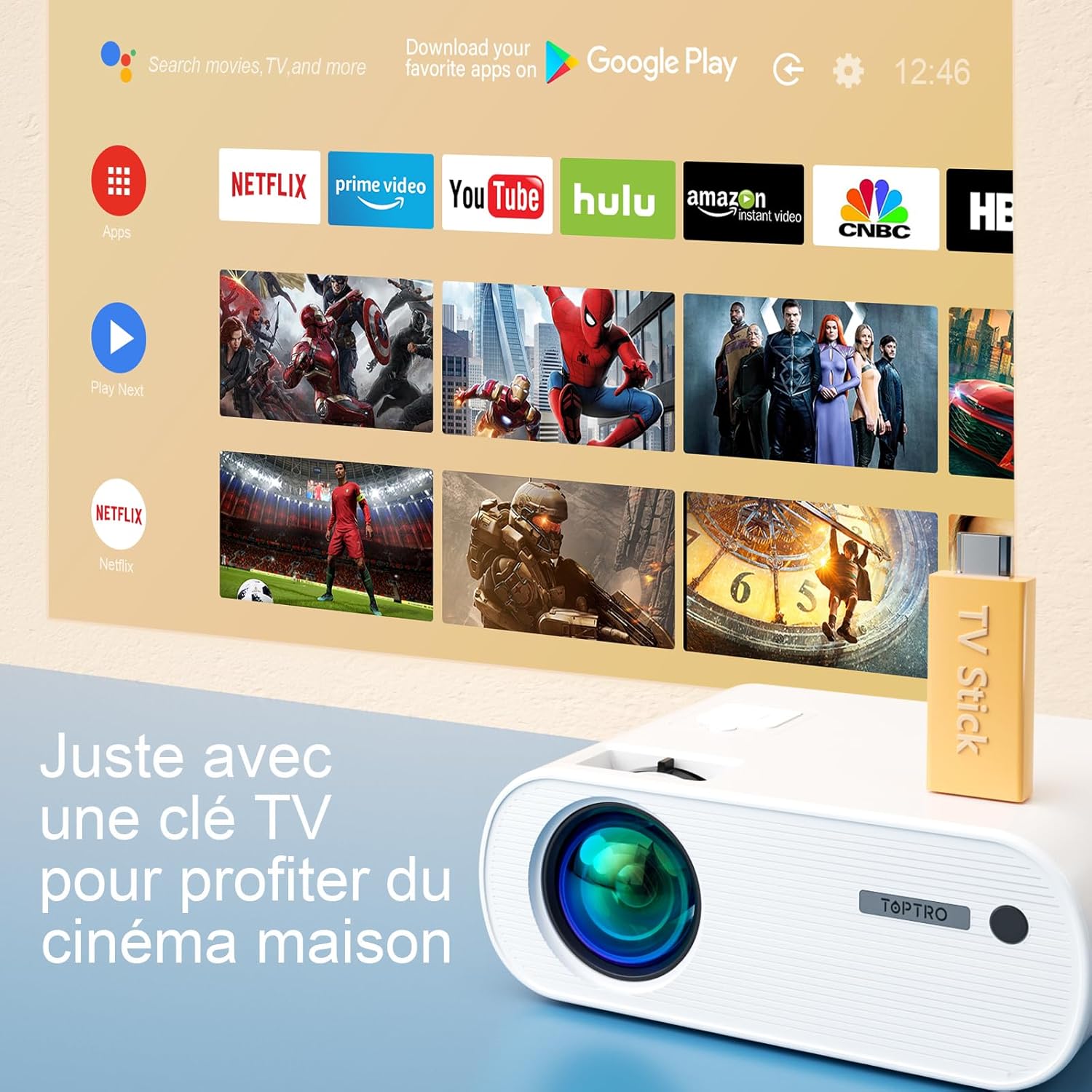
Image 6.5: Enjoying home cinema with a TV stick.
7. 유지관리
7.1 청소
- Use a soft, dry cloth to clean the projector's exterior.
- For the lens, use a professional lens cleaning cloth and solution. Avoid harsh chemicals.
- Regularly clean the ventilation vents to prevent dust buildup.
7.2 보관
When not in use, store the projector in its carrying bag in a cool, dry place, away from direct sunlight and extreme temperatures.
7.3리터amp 케어
이 프로젝터는 LED 광원을 특징으로 합니다.amp with an extended lifespan of up to 90,000 hours, ensuring long-term use without frequent lamp 대사.

Image 7.1: Projector features including 90,000 hours LED lamp 삶.
8. 문제 해결
- 전원 없음: Ensure the power adapter is securely connected to both the projector and the power outlet.
- 이미지 없음: Check the input source selection. Ensure the connected device is powered on and sending a signal. Adjust focus.
- 흐릿한 이미지: Adjust the focus ring. Ensure the projection surface is flat.
- 소리 없음: 프로젝터와 연결된 기기의 볼륨 설정을 확인하십시오. 외부 스피커가 블루투스를 통해 제대로 연결되었거나 페어링되었는지 확인하십시오.
- 원격 제어가 작동하지 않음: Replace the batteries. Ensure there are no obstructions between the remote and the projector's IR receiver.
- WiFi 연결 문제: Ensure your device and projector are within range of the WiFi network. Restart both devices.
9. 사양
Detailed technical specifications for the TOPTRO X2 Projector:

Image 9.1: Brightness and contrast comparison.
| 특징 | 사양 |
|---|---|
| 상표 | 탑트로 |
| 모델 시리즈 | X2 |
| 디스플레이 유형 | 액정표시장치 |
| 네이티브 해상도 | 1280 x 720 픽셀 |
| 지원되는 해상도 | 풀HD 1080P |
| 명도 | 12000루멘 |
| 대비율 | 20000시 1분 |
| 연결 기술 | 와이파이, 블루투스 |
| 하드웨어 인터페이스 | HDMI, USB, AV |
| 키스톤 보정 | Manual ±15° (Vertical) |
| 줌 기능 | 75% - 100% |
| Lamp 삶 | 최대 90,000시간 |
| 제품 크기(L x W x H) | 21.2 x 17.2 x 8cm |
| 폼 팩터 | 가지고 다닐 수 있는 |
| 장착 유형 | 테이블탑 |
10. 보증 및 지원
TOPTRO is committed to providing high-quality products and professional technical support. While specific warranty details may vary by region or retailer, TOPTRO ensures quality control before delivery.
If you encounter any issues or have questions regarding your TOPTRO X2 projector, please do not hesitate to contact TOPTRO customer support. Our team is available to assist you.
For support, please refer to the contact information provided with your purchase or visit the official TOPTRO web대지.


