1. 서론
구매해주셔서 감사합니다asing the Nedis LED Plug-in Night Light with Motion Sensor. This manual provides important information regarding the installation, operation, and maintenance of your device. Please read it thoroughly before use and keep it for future reference.
제품 특징:
- Compact plug-in design, ideal for bedrooms, hallways, and nurseries.
- Emits a comfortable warm white light in dark environments.
- Equipped with a motion sensor that activates the light upon detecting movement.
- Features a day/night sensor, ensuring the light only activates in darkness.
- Automatic shut-off approximately 30 seconds after motion ceases.
- 에너지 효율적인 LED 조명.

그림 1: 전면 view of the Nedis LED Plug-in Night Light, showing its warm white illumination.
2. 안전 지침
안전한 작동을 위해 항상 다음 기본 안전 예방 조치를 따르세요.
- 이 제품은 실내에서만 사용하세요.
- 장치를 물이나 습기에 노출시키지 마십시오.
- 기기를 분해, 수리 또는 개조하지 마십시오. 그렇게 할 경우 보증이 무효화됩니다.
- 전원 콘센트가 쉽게 접근할 수 있고 과부하가 걸리지 않았는지 확인하십시오.
- 어린이의 손이 닿지 않는 곳에 보관하세요.
- Do not cover the night light when in use, as this may cause overheating.
- Avoid placing the night light near heat sources or in direct sunlight.
3. 설정
The Nedis LED Plug-in Night Light is designed for simple, direct use.
- 장치 포장 풀기: 야간등을 포장에서 조심스럽게 꺼내세요.
- 적합한 위치를 선택하세요: Choose an indoor power outlet in a hallway, bedroom, nursery, or any area where soft, automatic lighting is desired. Ensure the motion sensor (located at the bottom front) is not obstructed.
- 전원 콘센트에 꽂으세요: Insert the night light directly into a standard wall power outlet. Ensure it is securely seated.
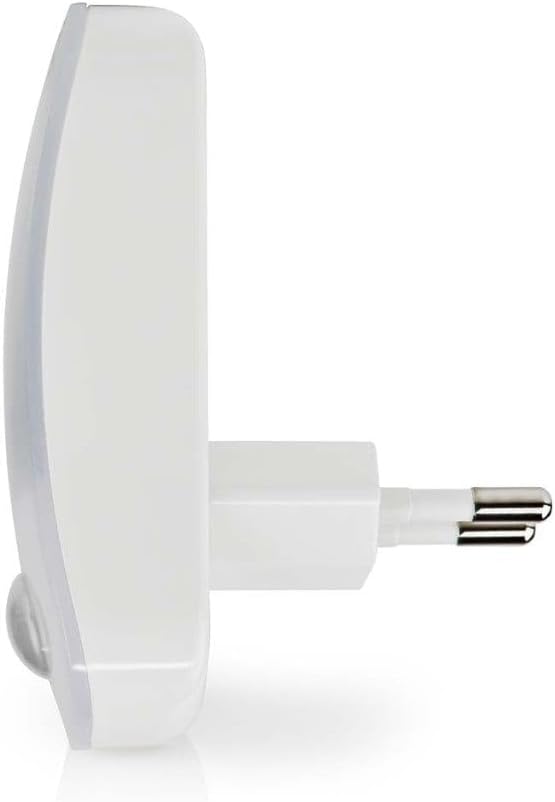

그림 2: 측면 및 뒷면 views illustrating the plug-in design for direct insertion into a power outlet.
4. 사용 설명서
The Nedis LED Plug-in Night Light operates automatically once plugged in.
- 자동 활성화 : The integrated day/night sensor detects ambient light levels. The night light will only activate when the surrounding environment is dark enough.
- 동작 감지: Once in a dark environment, the motion sensor will detect movement within its range. Upon detection, the warm white LED light will illuminate.
- 자동 차단 : The light will remain on as long as motion is detected. Approximately 30 seconds after the last detected movement, the light will automatically turn off to conserve energy.
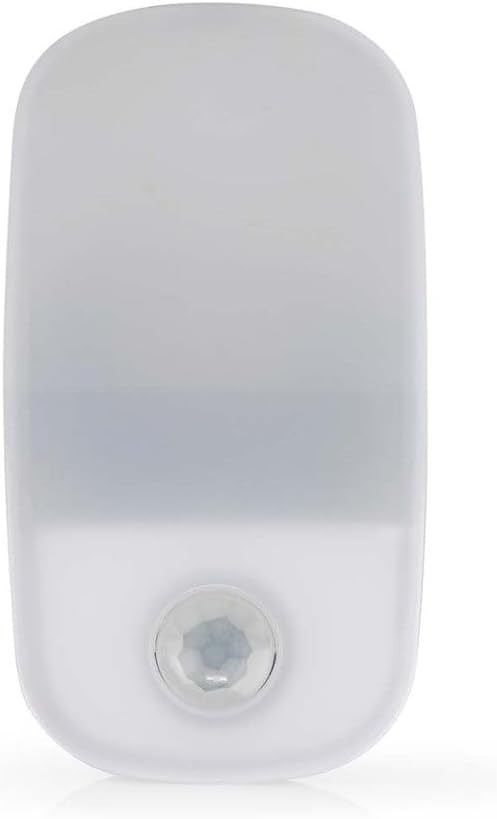
Figure 3: The night light in an unlit state, highlighting the motion sensor for automatic operation.
5. 유지관리
The Nedis LED Plug-in Night Light requires minimal maintenance.
- 청소: Before cleaning, always unplug the device from the power outlet. Use a soft, dry cloth to wipe the surface. Do not use abrasive cleaners, solvents, or harsh chemicals, as these may damage the finish.
- 저장: If not in use for an extended period, unplug the device and store it in a cool, dry place away from direct sunlight.
- 사용자가 수리할 수 없는 부품: There are no user-serviceable parts inside this device. Do not attempt to open or repair it.
6. 문제 해결
If you encounter issues with your night light, refer to the following common problems and solutions:
| 문제 | 가능한 원인 | 해결책 |
|---|---|---|
| 조명이 켜지지 않습니다. |
|
|
| 표시등이 계속 켜져 있습니다. |
|
|
| 불빛이 깜빡이거나 어둡습니다. |
|
|
7. 사양
| 특징 | 세부 사항 |
|---|---|
| 상표 | 네디스 |
| 모델 번호 | LNLW10WT |
| 색상 | 하얀색 |
| 특별 기능 | Motion Detector, Energy Efficiency |
| 마무리 유형 | 우아한 |
| 기본 소재 | 플라스틱 |
| 제품 크기(D x W x H) | 81 x 44 x 60mm(약 3.2 x 1.7 x 2.4인치) |
| 품목 무게 | 41.3그램 |
| Lamp 유형 | 야간 조명 (LED) |
| 광 출력 | 11루멘 |
| 전력 소비 | 0.55와트 |
| 스위치 유형 | Automatic (Motion/Light Sensor) |
| 원산지 | 중국 |
8. 보증 및 지원
Nedis products are built to high quality standards and are covered by a warranty period for manufacturing defects. The specific warranty period may vary depending on the region and point of purchase. Please refer to your purchase receipt or contact your retailer for detailed warranty information.
For technical support or inquiries, please visit the official Nedis website or contact their customer service department. Contact information can typically be found on the product packaging or the Nedis web대지.
Note: Keep your proof of purchase (receipt or invoice) for any warranty claims.


