1. 서론
This manual provides essential information for the safe and efficient operation of your Orange Box-L Portable Bluetooth Speaker. Please read these instructions carefully before using the product and retain them for future reference.

이미지 1.1: 앞면 view of the Orange Box-L Portable Bluetooth Speaker, showcasing its classic orange finish and woven speaker grille.
2. 상자 안에 무엇이 들어있나요?
Carefully unpack your Orange Box-L and ensure all items are present. If any items are missing or damaged, please contact customer support.
- Orange Box-L Portable Bluetooth Speaker
- 전원 케이블
- Power Adaptor (not explicitly listed but implied for power cable)
- 3.5mm Aux Cable (implied from product images)
- 사용 설명서 (본 문서)

Image 2.1: The Orange Box-L speaker displayed with its retail packaging, indicating the included accessories.
3. 설정
3.1 전원 연결
- Connect the power cable to the power adaptor.
- Plug the power adaptor into the DC input port on the rear of the Orange Box-L.
- Insert the power cable into a suitable wall outlet.
3.2 초기 전원 켜기
Locate the power switch on the top panel of the speaker. Flip the switch to the 'ON' position. The power indicator light will illuminate.

Image 3.1: Close-up of the top control panel, showing the on/off switch, Treble, Bass, and Volume knobs, AUX input, Bluetooth button, and indicator lights.
4. 사용 설명서
4.1 블루투스 페어링
The Orange Box-L supports Bluetooth 5.0 for wireless audio streaming.
- 스피커의 전원이 켜져 있는지 확인하십시오.
- 를 누르고 계세요 블루투스 버튼 on the top panel until the Bluetooth indicator light begins to flash, indicating pairing mode.
- On your mobile device (smartphone, tablet, computer), navigate to the Bluetooth settings.
- Select "Orange Box-L" from the list of available devices.
- 연결되면 스피커의 Bluetooth 표시등이 켜집니다.

Image 4.1: The Orange Box-L speaker positioned on a wooden shelf, highlighting its Bluetooth connectivity feature.
4.2 AUX 연결
For wired audio playback, use the 3.5mm AUX input.
- Connect one end of the 3.5mm AUX cable to the AUX input port on the top panel of the speaker.
- Connect the other end of the 3.5mm AUX cable to the headphone jack or audio output of your audio source device.
- 스피커가 자동으로 AUX 입력 모드로 전환됩니다.
4.3 EQ 컨트롤
Adjust the sound to your preference using the Treble and Bass controls.
- 볼륨 노브: 시계 방향으로 돌리면 소리가 커지고, 시계 반대 방향으로 돌리면 소리가 작아집니다.
- 고음 노브: Adjusts the high-frequency response. Turn clockwise for brighter sound, counter-clockwise for softer highs.
- 베이스 노브: Adjusts the low-frequency response. Turn clockwise for more bass, counter-clockwise for less bass.
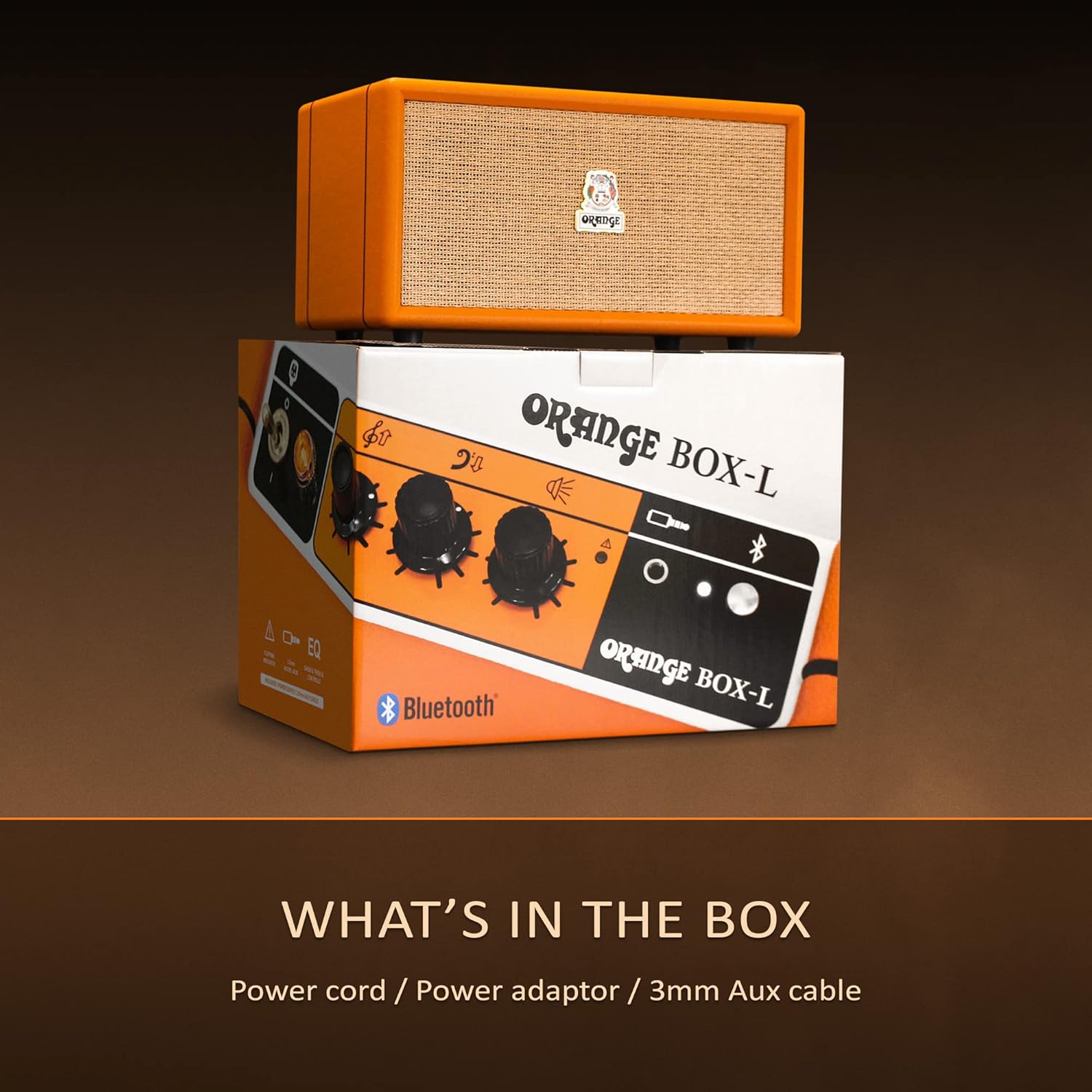
Image 4.2: The Orange Box-L speaker on a shelf, with overlaid icons indicating features like 3.5mm AUX connection, 50W RMS power, 4.3kg weight, EQ control, and an overload light.
5. 유지관리
To ensure the longevity and optimal performance of your Orange Box-L speaker, follow these maintenance guidelines:
- 청소: 부드럽고 마른 천으로 외부 표면을 닦으십시오. 액체 세제나 연마제를 사용하지 마십시오.
- 저장: 스피커는 직사광선과 극한의 온도를 피해 시원하고 건조한 곳에 보관하세요.
- 손질: 스피커를 떨어뜨리거나 강한 충격을 주지 마십시오.
- 통풍: Ensure the speaker's vents are not obstructed to prevent overheating.
6. 문제 해결
If you encounter issues with your Orange Box-L, refer to the following common problems and solutions:
| 문제 | 가능한 원인 | 해결책 |
|---|---|---|
| 전원이 없습니다 | 전원 케이블이 연결되지 않았습니다. 벽면 콘센트가 작동하지 않습니다. | Check power cable connections; Try a different outlet |
| 소리가 나지 않습니다 | Volume too low; Incorrect input selected; Device not paired (Bluetooth) | Increase volume; Ensure correct input (Bluetooth/AUX); Re-pair Bluetooth device |
| 블루투스 연결 해제 | 기기가 범위를 벗어났습니다; 간섭 발생 | Move device closer to speaker; Avoid obstacles; Minimize other wireless devices |
| 왜곡된 오디오 | Volume too high (speaker or source); Overload light active | Reduce volume on speaker and/or source device; Adjust EQ settings |
7. 사양
Detailed technical specifications for the Orange Box-L Portable Bluetooth Speaker:
- 모델: ORANGE-BOX-L
- 제품 크기: 7.68 x 13.78 x 7.87인치(19.5 x 35 x 20cm)
- 품목 무게: 13.2파운드(6kg)
- 전력 출력: 50W RMS (as indicated by image)
- 블루투스 버전: 5.0 (as indicated by image)
- 연결성: 블루투스, 3.5mm AUX 입력
- 제조업체: 주황색
- 첫 이용 가능 날짜: 26년 2024월 XNUMX일
8. 보증 및 지원
For warranty information and customer support, please refer to the official Orange web사이트를 방문하거나 판매점에 문의하세요. 보증 청구를 위해 구매 증빙 자료를 보관하세요.
온라인 지원: Visit the Orange Store on Amazon


