1. 서론
The FULAIM WM400 UHF Wireless Lavalier Microphone System is designed for high-quality audio recording across various applications, including YouTube live streams, vlogging, interviews, and conferences. This system offers stable signal transmission, wide compatibility, and user-friendly features for both beginners and professionals.

Image: FULAIM WM400 system being used in various settings like interviews, news broadcasts, vlogging, live streaming, online teaching, and music recording, highlighting its wide application.
2. 제품 오버view
The FULAIM WM400 system includes a central receiver and four compact transmitters, each equipped with a built-in microphone and an input for an external lavalier microphone. The system operates on UHF frequencies to ensure clear and stable audio transmission.

이미지: 포괄적인 view of the FULAIM WM400 system, showcasing the receiver, four transmitters, four lavalier microphones, various connecting cables (Lightning, Type-C, TRS), charging cables, wind muffs, a cold shoe mount, and a carrying case.
2.1 구성 요소 및 제어

Image: Detailed diagram illustrating the components and controls of both the FULAIM WM400 Transmitter (TX) and Receiver (RX). The transmitter features a built-in mic, MIC IN socket, powerswitch, SET button, "+", "-", charging input socket, and TFT display. The receiver includes headphone output, audio output, power switch, SET button, "+", "-", charging input socket, and TFT display.
Transmitter (WM400 TX) Features:
- 내장 마이크: Integrated microphone for direct audio capture.
- MIC IN socket: 3.5mm input for external lavalier microphones.
- Powerswitch: 켜기/끄기 제어.
- SET 버튼: 메뉴 탐색 및 설정 조정을 위해.
- "+" / "-": Buttons for adjusting settings like channel and volume.
- Charging input socket: 충전용 USB-C 포트.
- TFT 디스플레이: Shows channel, frequency, battery status, and other settings.
Receiver (WM400 RX) Features:
- 헤드폰 출력: 실시간 오디오 모니터링을 위한 3.5mm 잭.
- 오디오 출력 : Connects to recording devices (cameras, smartphones, PCs).
- 전원 스위치: 켜기/끄기 제어.
- SET 버튼: 메뉴 탐색 및 설정 조정을 위해.
- "+" / "-": Buttons for adjusting settings like volume and channel.
- Charging input socket: 충전용 USB-C 포트.
- TFT 디스플레이: Shows battery levels for all connected transmitters, volume, and channel status.
3. 설정
3.1 기기 충전
The FULAIM WM400 system features built-in rechargeable lithium-ion batteries. The transmitters have a 750mAh battery, offering approximately 5 hours of working time, while the receiver has a 2000mAh battery, providing about 5-6 hours of operation. Use the provided multi-charging cables to charge multiple units simultaneously.

Image: Illustration showing the FULAIM WM400 receiver and transmitters connected to power sources using the included multi-charging cables, indicating their built-in rechargeable batteries and operating times.
3.2 녹음 장치 연결하기
The system comes with various cables to ensure wide compatibility with different devices. Connect the receiver's audio output to your camera, smartphone, or computer using the appropriate cable.

Image: Diagram showing the FULAIM WM400 system's wide compatibility, illustrating connections to iPhone (Lightning cable), Android phones (Type-C cable), Cameras (TRS cable), and PCs/Laptops (Type-C cable + Type-C to USB adapter).
- DSLR 카메라용: Use the provided TRS cable.
- iPhone의 경우: Use the provided Lightning cable.
- 안드로이드 스마트폰의 경우: Use the provided USB-C cable.
- For Laptops/PCs: Use the provided USB-C cable, potentially with the USB-C to USB adapter if your device only has standard USB-A ports.
Attach the receiver to your camera's hot shoe using the Receiver Cold Shoe Assembly for secure mounting.
4. 사용 설명서
4.1 전원 켜기 및 페어링
To power on the receiver and transmitters, press and hold their respective power buttons. The units will automatically pair within seconds. The receiver's dual LCD screen will display the connection status and battery levels of all connected transmitters.

이미지: 클로즈업 view of the FULAIM WM400 Receiver and Transmitter LCD screens, showing battery indicators, channel information, and volume levels, indicating successful pairing and monitoring capabilities.
4.2 Channel Selection and Interference Prevention
The WM400 system offers 200 selectable UHF channels (50 channels per transmitter). If you experience interference, you can quickly switch channels on the transmitter to find a clear frequency. The working range of the microphone system is up to 164 feet (50 meters) in open areas.

Image: Visual representation of the FULAIM WM400's 50-meter operating distance and the ability to switch between Stereo or Dual-Mono modes, indicating its flexibility for different recording needs.
4.3 Mono/Stereo Output Modes
The system supports both Mono and Stereo output modes, which can be selected on the receiver. Mono mode combines all audio inputs into a single channel, while Stereo mode separates them into left and right channels, offering more flexibility for post-processing.

Image: A side-by-side comparison illustrating the difference between Mono and Stereo output modes on the FULAIM WM400 system, showing how audio signals are combined or separated.
4.4 Audio Monitoring and Low Cut Function
Connect your headphones to the receiver's 3.5mm headphone jack to monitor audio in real-time during recording. This allows you to ensure optimal sound quality and prevent issues. The transmitters also feature a low cut function to filter out low-frequency noises like wind or traffic, ensuring clearer sound output.
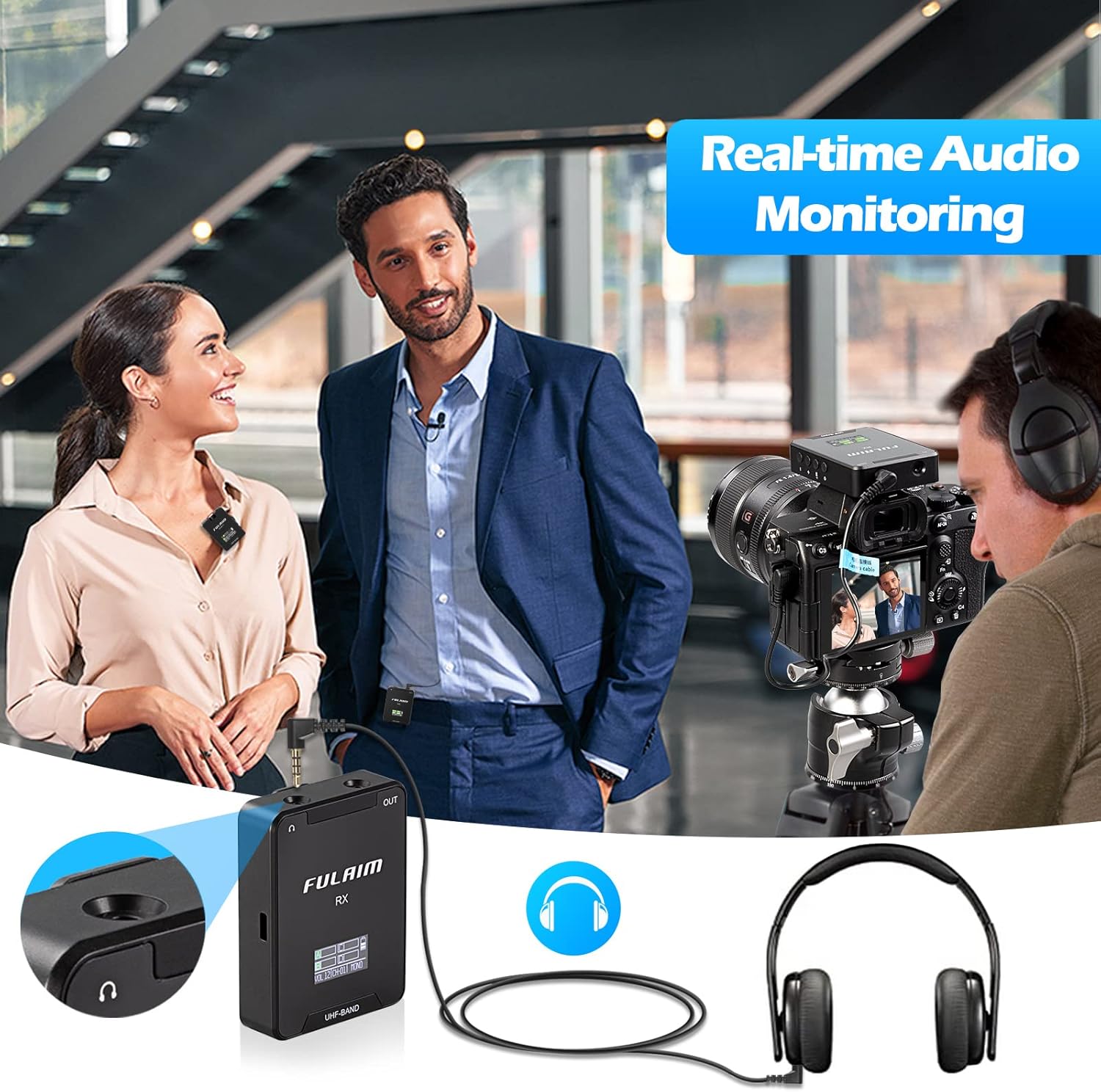
Image: A person monitoring audio with headphones connected to the FULAIM WM400 receiver while recording, emphasizing the real-time audio monitoring feature.
4.5 Using Lavalier Microphones
Each transmitter can be used with its built-in microphone or by connecting one of the four included lavalier microphones. The lavalier microphones offer discreet placement and can be easily clipped to clothing. Use the included wind muffs with the lavalier microphones to reduce wind noise in outdoor environments.

Image: Two individuals demonstrating the FULAIM WM400's multiple input modes, showing one person using the built-in microphone on the transmitter clipped to their collar, and another using an external lavalier microphone.
5. 유지관리
- 청소: 부드럽고 마른 천으로 기기를 닦으십시오. 강한 화학 약품이나 연마성 재료는 사용하지 마십시오.
- 저장: Store the microphone system in the provided nylon handbag in a cool, dry place when not in use.
- 배터리 관리 : To prolong battery life, avoid fully discharging the batteries frequently. Charge them regularly, even if not in active use.
- 케이블 관리 : 케이블을 정리하여 꼬임과 손상을 방지하세요.
6. 문제 해결
| 문제 | 가능한 원인 | 해결책 |
|---|---|---|
| 오디오 출력이 없습니다 |
|
|
| Audio interference/static |
|
|
| Poor sound quality (e.g., wind noise) |
|
|
7. 사양
- 모델: FULAIM WM400
- 마이크 폼 팩터: 마이크 시스템
- 채널 수: 200 (50 per transmitter)
- 주파수 응답: 20Hz - 20kHz
- 신호 대 잡음비 : 80데시벨
- 오디오 감도: 60데시벨
- 극성 패턴: 전방위
- 전원: Rechargeable Lithium-ion Battery (USB-C)
- 작동 시간: Approx. 5 hours (Transmitters), 5-6 hours (Receiver)
- 작업 범위: 개방된 공간에서는 최대 164피트(50미터)까지
- 품목 무게: 1.87파운드(전체 패키지)
- 색상: 검은색
- 호환 장치: Camera, Smartphone, Laptop, PC
- 연결 기술 : TRS, TRRS, USB C, Lightning
- 제조업체: Fulaim
- 한국어: 730637812003
8. 상자 안에 무엇이 들어있나요?
The FULAIM WM400 UHF Wireless Lavalier Microphone System package includes the following items:

Image: Detailed visual breakdown of the FULAIM WM400 package contents, including cables (Type-C, Lightning, TRRS), lavalier microphones, USB-C to USB adapter, charging cables, wind muffs, receiver, transmitters, receiver cold shoe assembly, and nylon handbag.
- 1 x 수신기(RX)
- 4 x 송신기(TX)
- 4 x 라발리에 마이크
- 4 x Wind Muffs
- 1 x Type-C Cable (for device connection)
- 1 x Lightning Cable (for device connection)
- 1 x TRRS Cable (for device connection)
- 1 x Type-C-USB 어댑터
- 2 x Charging Cables (one dual, one triple USB-C)
- 1 x Receiver Cold Shoe Assembly
- 1 x Nylon Handbag
- 1 x 사용자 설명서
- 1 x 보증 카드
9. 공식 제품 영상
Watch the official FULAIM WM400 Wireless Microphone System overview video for a detailed look at its features and functionality.
Video: An official product video from FULAIM demonstrating the WM400 Wireless Microphone System with its four transmitters, showcasing its features, setup, and use cases.
10. 보증 및 지원
The FULAIM WM400 system comes with a warranty card included in the package. For detailed warranty information and customer support, please refer to the warranty card or visit the official FULAIM store on Amazon:
FULAIM specializes in the research and development of audio equipment, aiming to provide high-quality professional recording equipment and satisfactory service.


