소개
This manual provides instructions for the MageGee Typewriter Mechanical Gaming Keyboard. It covers setup, operation, maintenance, and troubleshooting to ensure optimal performance and longevity of your device. Please read this manual thoroughly before using the keyboard.
패키지 내용
- MageGee Typewriter Mechanical Gaming Keyboard
- 자석 손목 받침대
- USB 케이블
- 사용 설명서 (본 문서)
설정
1. 키보드 연결
- 키보드와 함께 제공된 USB 케이블을 찾으세요.
- Connect the USB Type-A end of the cable to an available USB port on your computer (PC, Laptop, or Mac).
- Connect the other end of the USB cable to the port on the keyboard.
- 이 키보드는 플러그 앤 플레이 방식이므로 기본 기능을 사용하는 데 추가 드라이버나 소프트웨어가 필요하지 않습니다. 운영 체제가 자동으로 장치를 감지하고 구성합니다.
2. 손목 받침대 부착
If your model includes a magnetic wrist rest, align it with the front edge of the keyboard. The magnets will help secure it in place, providing ergonomic support during use.
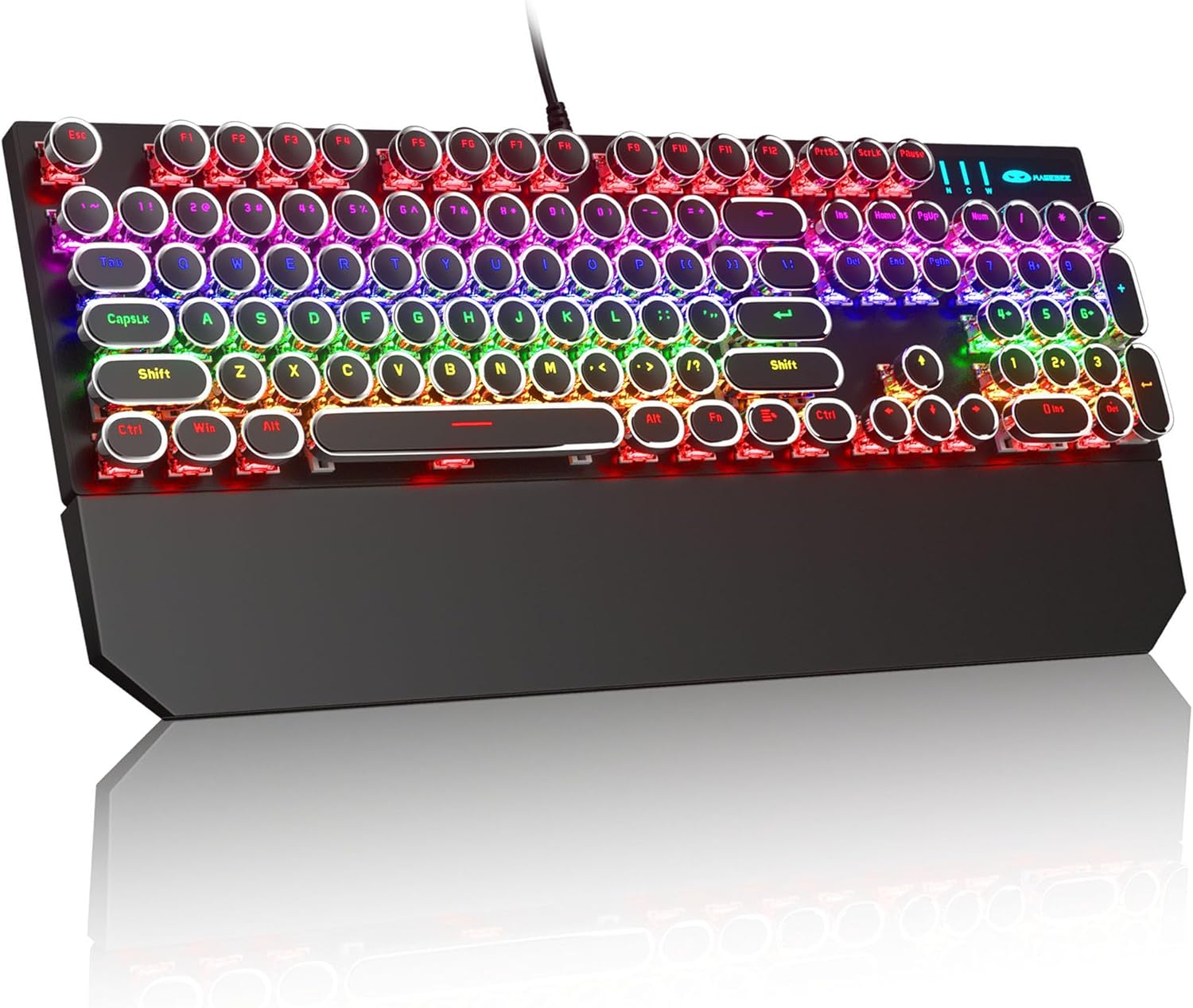
Image: The MageGee Typewriter Mechanical Gaming Keyboard connected via USB, with its magnetic wrist rest attached. The keyboard features retro round keycaps and vibrant RGB backlighting.
작동 지침
키보드 레이아웃
The MageGee Typewriter Mechanical Gaming Keyboard features a full-size 104-key layout, including a numeric keypad and dedicated function keys (F1-F12).

이미지: 오버헤드 view of the keyboard, highlighting the full 104-key layout and the LED backlighting effect.
백라이트 제어
The keyboard features multiple RGB rainbow backlit modes. Use the following key combinations to adjust the lighting effects:
- Fn + 입력: Cycle through various backlight modes.
- Fn + 홈: 백라이트 밝기를 조절합니다.
- Fn + 페이지업: 백라이트 속도를 높입니다.
- Fn + PgDn: 백라이트 속도를 낮춥니다.
- Fn + 델: Change backlight color (if applicable to the current mode).
- Fn + 끝백라이트를 켜거나 끕니다.

이미지: 클로즈업 view of the keyboard's keys, illustrating the RGB backlighting and the visible blue mechanical switches beneath the round keycaps.
멀티미디어 및 기능 키
The F1-F12 keys can be used in conjunction with the Fn key to access multimedia and system functions. Specific functions may vary slightly depending on your operating system.
| 키 조합 | 기능 |
|---|---|
| FN + F1 | 미디어 플레이어 |
| FN + F2 | 볼륨 낮추기 |
| FN + F3 | 볼륨을 높이다 |
| FN + F4 | 무음 |
| FN + F5 | 멈추다 |
| FN + F6 | 이전 트랙 |
| FN + F7 | 재생/일시정지 |
| FN + F8 | 다음 트랙 |
| FN + F9 | 이메일 |
| FN + F10 | Web 브라우저 |
| FN + F11 | 내 컴퓨터 |
| FN + F12 | 계산자 |
유지
키보드 청소
- 청소하기 전에 키보드를 컴퓨터에서 분리하세요.
- 부드럽고 털이 없는 천을 살짝 사용하세요.amp물이나 순한 세척액을 사용하여 키캡과 키보드 표면을 닦으세요.
- 키 사이의 먼지와 이물질을 제거하려면 압축 공기를 사용하세요.
- 강한 화학 물질이나 연마성 세척제를 사용하거나 액체를 키보드에 직접 뿌리지 마세요.
일반 관리
- 키보드를 극한의 온도, 습도 또는 직사광선에 노출시키지 마세요.
- Do not drop the keyboard or subject it to strong impacts.
- Keep liquids away from the keyboard to prevent damage.
문제 해결
키보드가 응답하지 않음
- USB 케이블이 키보드와 컴퓨터에 모두 단단히 연결되어 있는지 확인하세요.
- 키보드를 컴퓨터의 다른 USB 포트에 연결해보세요.
- 다른 컴퓨터에서 키보드를 테스트하여 컴퓨터 특정 문제인지 확인하세요.
- 컴퓨터를 다시 시작하세요.
백라이트가 작동하지 않거나 잘못되었습니다
- Ensure the backlight is not turned off (Fn + End).
- Adjust backlight brightness (Fn + Home).
- Cycle through different backlight modes (Fn + Ins) to see if the issue persists across all modes.
키가 인식되지 않거나 이중 입력되는 경우
- Clean the affected key(s) using compressed air to remove any debris.
- If the issue persists, it may indicate a hardware fault. Contact customer support for assistance.
명세서
| 특징 | 세부 사항 |
|---|---|
| 모델 | Typewriter Mechanical Gaming Keyboard |
| 연결성 | 유선 USB 2.0 |
| 키 유형 | 기계식 (파란색 스위치) |
| 키캡 | Retro Round, Double-shot injection molded |
| 백라이트 | RGB Rainbow Backlit |
| 공들여 나열한 것 | 104-Key Full-Size, Anti-ghosting |
| 호환성 | Windows (2000, XP, ME, Vista, 7, 8), Linux, Mac |
| 치수(길이 x 너비 x 높이) | 17.1 x 4.9 x 1.3인치(434mm x 130mm x 37mm) |
| 품목 무게 | 1.99파운드 |
| 재료 | Aluminum alloy metal panel |

Image: A diagram illustrating the physical dimensions of the keyboard and its detachable wrist rest.
보증 및 지원
보증 정보
MageGee products are designed for quality and reliability. This product comes with a standard manufacturer's warranty against defects in materials and workmanship. Please refer to the product packaging or the official MageGee web구체적인 보증 조건 및 기간은 해당 사이트를 참조하십시오.
고객 지원
If you encounter any issues or have questions regarding your MageGee Typewriter Mechanical Gaming Keyboard, please contact our customer support team:
- 이메일: support@magegee.com
- Web대지: www.mageee.com
When contacting support, please provide your product model and a detailed description of the issue.


