소개
Thank you for choosing the realme Techlife Robot 2-in-1 Vacuum Cleaner with Mopping. This device is designed to provide efficient and convenient floor cleaning with advanced features. This manual provides essential information for safe operation, setup, maintenance, and troubleshooting to ensure optimal performance of your robot vacuum cleaner.

The realme Techlife Robot 2-in-1 Vacuum Cleaner, showcasin세련된 디자인과 컴팩트한 폼팩터를 자랑합니다.
안전 정보
Before using the appliance, please read this user manual carefully and keep it for future reference. This device is intended for indoor use only. Do not use it in commercial or industrial environments. Ensure the charging dock is placed on a flat surface against a wall, with no obstacles within 1 meter in front and 0.5 meters on either side. Keep the device away from water and moisture. Do not allow children or pets to play with the device. Always supervise children when the device is in operation. Do not use the device to clean liquids, burning objects, or sharp objects. Regularly check the brushes and wheels for tangled hair or debris.
패키지 내용
포장을 풀 때 모든 품목이 들어 있고 상태가 양호한지 확인하세요.
- realme Techlife Robot Vacuum Cleaner
- 충전 도크
- 전원 어댑터
- 수조
- 원격 제어
- 사이드 브러시(2쌍)
- 메인 브러쉬
- 청소 도구
- 사용자 설명서
제품 끝view
맨 위 View
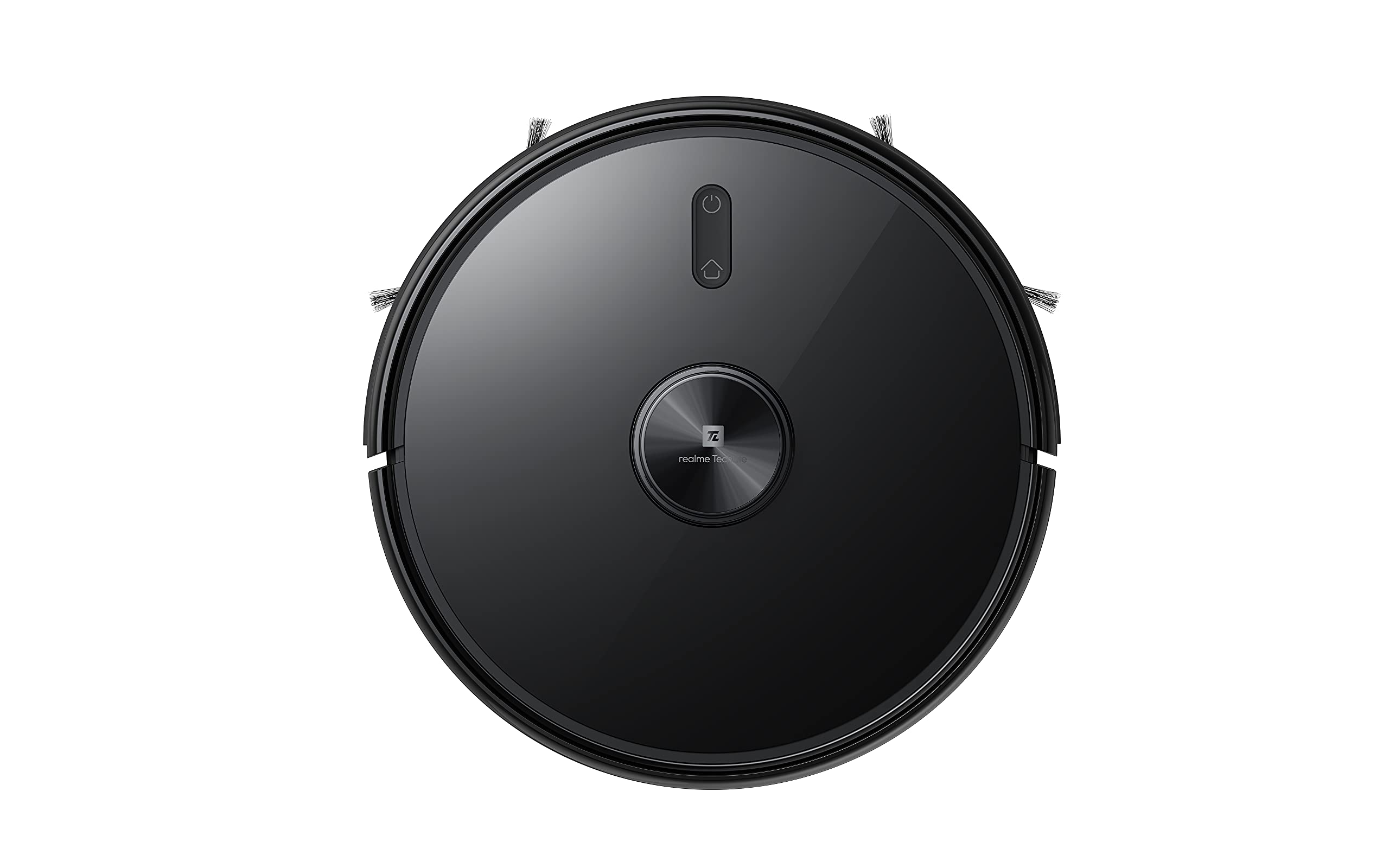
상단 view of the robot vacuum, showing the power button and LiDAR sensor housing.
The top of the robot features the LiDAR navigation sensor for accurate mapping and navigation, along with control buttons for starting/pausing cleaning and returning to the charging dock.
맨 아래 View
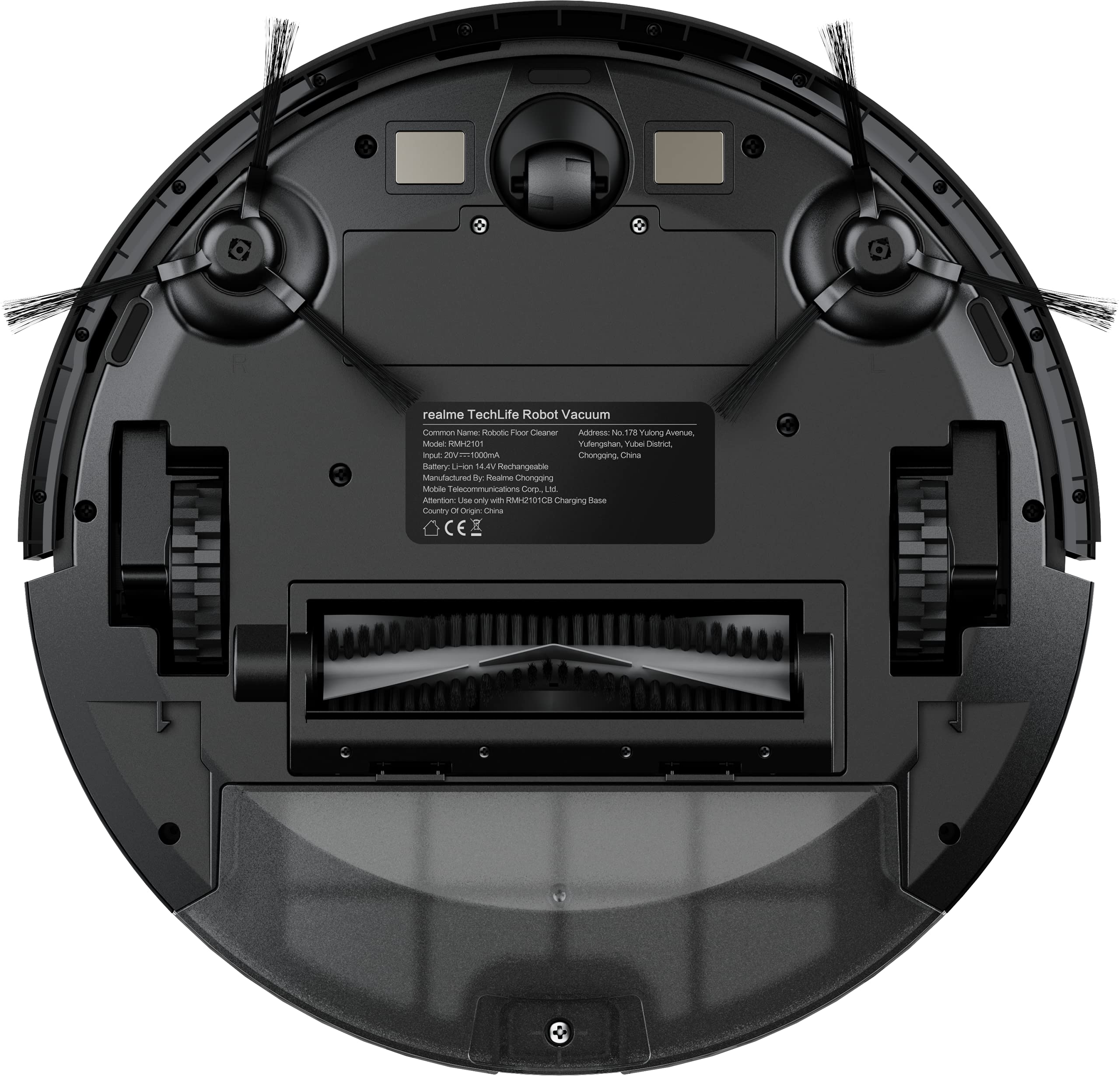
The underside of the robot vacuum, displaying the main brush, side brushes, and wheels.
The bottom of the robot includes the main rolling brush, two side brushes for edge cleaning, driving wheels, and cliff sensors to prevent falls.
설정
1. 충전 도크 배치
Place the charging dock against a wall on a hard, level surface. Ensure there are no obstacles within 1 meter (3 feet) in front of the dock and 0.5 meters (1.5 feet) on either side to allow the robot to easily dock and undock.
2. 초기 충전
Connect the power adapter to the charging dock and plug it into a wall outlet. Place the robot onto the charging dock. The robot will automatically begin charging. For first-time use, ensure the robot is fully charged (approximately 6 hours) before its initial cleaning cycle. The 5200mAh battery provides up to 300 minutes of cleaning time on a full charge.
3. App Connection (realme Link App)
- 다운로드 realme 링크 스마트폰 앱스토어에서 앱을 다운로드하세요.
- 계정을 만들거나 로그인하세요.
- Follow the in-app instructions to add your realme Techlife Robot Vacuum Cleaner. This typically involves turning on the robot, resetting its Wi-Fi, and connecting to your home Wi-Fi network.
- 연결되면 로봇을 제어할 수 있습니다. view cleaning maps, set schedules, and adjust cleaning modes remotely.
작동 지침
1. 청소 주기 시작하기
Press the power button on the robot or use the realme Link app to start a cleaning cycle. The robot will use its advanced LiDAR navigation technology to map your home and plan an efficient cleaning path.
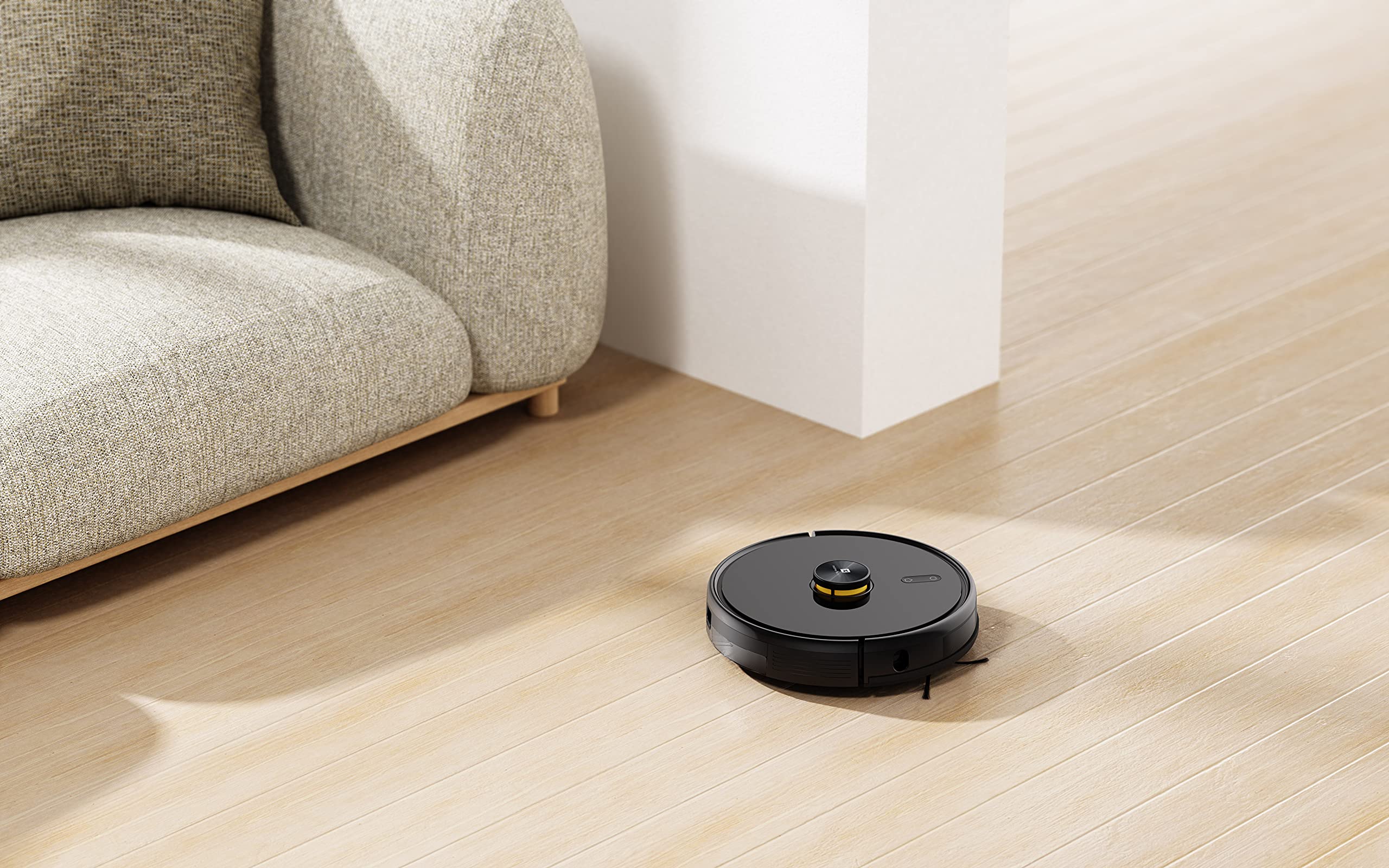
The robot vacuum actively cleaning a hard floor surface in a modern living space.
2. 청소 모드
The robot offers 4 cleaning modes, which can be selected via the app or remote control:
- 자동 세척: The robot intelligently cleans the entire area.
- 부분 세척: 특정 부위를 더욱 집중적으로 청소합니다.
- 엣지 클린: 벽면과 가구 모서리 부분을 청소하는 데 중점을 둡니다.
- 예약 청소: 로봇이 자동으로 청소할 특정 시간을 설정합니다.
The 3000Pa strong suction power ensures effective removal of dust and debris across various floor types.
3. 물걸레질 기능
To use the mopping function, fill the intelligent water tank with clean water and attach it to the robot. The robot features 4 water output modes, allowing you to adjust water flow based on floor surface and cleaning requirements. The Y-shape cleaning path is specifically designed for effective mopping.
The robot vacuum performing its mopping function on a hard floor, demonstrating its 2-in-1 capability.
4. 스마트 기능
- realme Link App Control: Control cleaning force, schedule tasks, and monitor progress in real-time.
- 다층 구조 매핑: The robot can build and memorize maps for multiple floors, improving cleaning efficiency.
- 음성 지원 호환성: Supports Google Assistant and Alexa for convenient voice control.
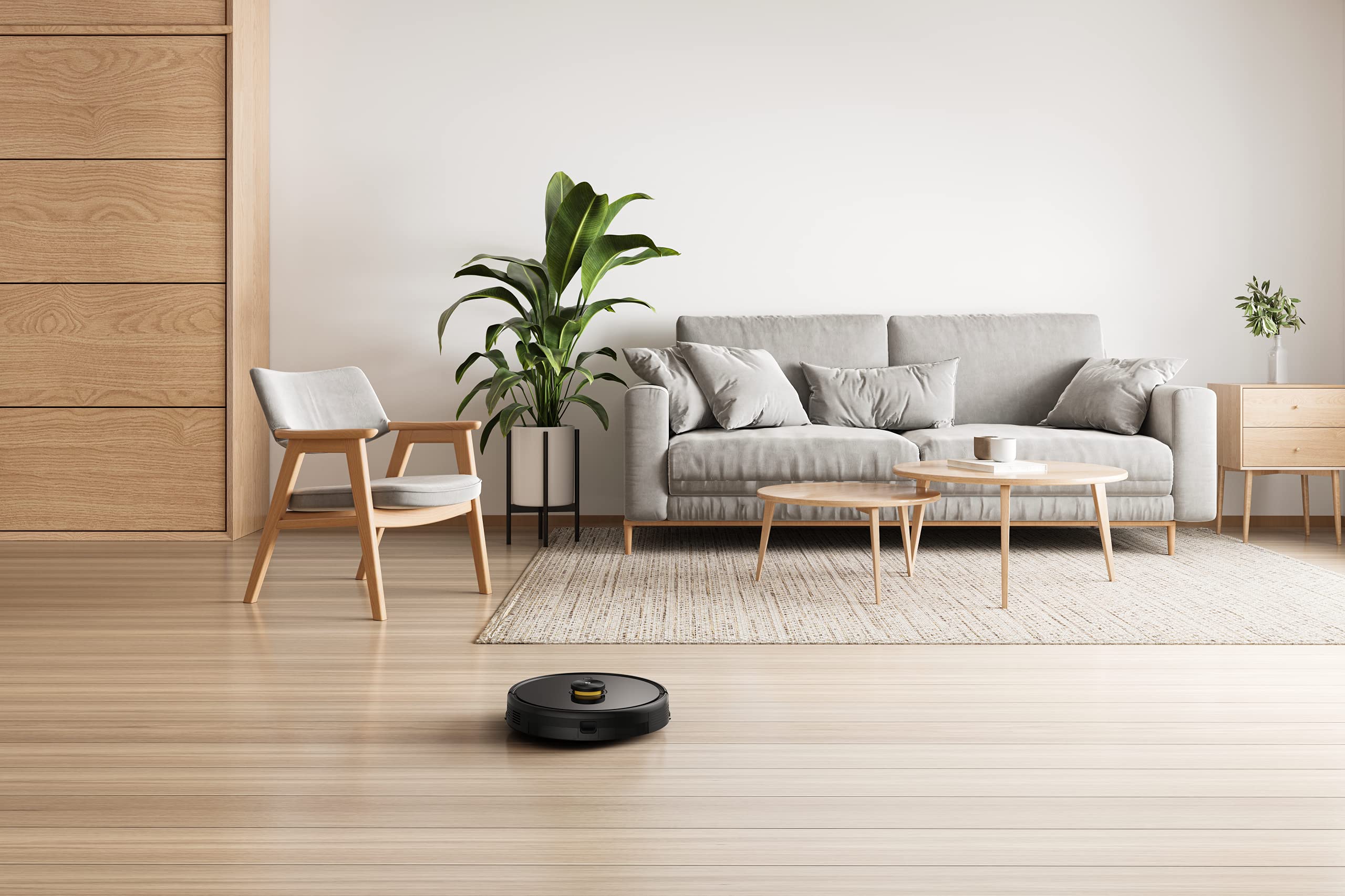
The robot vacuum navigating and cleaning under furniture, highlighting its low-profile 설계.
유지
정기적인 유지 관리는 로봇 청소기의 수명과 최적의 성능을 보장합니다.
1. 먼지통 비우기
Open the top cover of the robot and remove the dust box. Empty its contents into a trash bin. Clean the filter regularly by tapping it gently to remove dust. Rinse the dust box with water if necessary, ensuring it is completely dry before reinserting.
2. 메인 브러시 청소
Remove the main brush cover and lift out the main brush. Use the provided cleaning tool to cut and remove any tangled hair or debris. Reinstall the main brush and cover.
3. 사이드 브러시 청소
Periodically check the side brushes for wear or entanglement. Remove any hair or debris. If brushes are damaged, replace them with new ones.
4. Cleaning the Water Tank and Mopping Pad
After each mopping session, empty any remaining water from the tank. Remove and clean the mopping pad. Wash the mopping pad thoroughly and allow it to air dry completely before reuse.
5. 센서 및 충전 접점 청소
로봇과 충전 도크의 절벽 감지 센서, 벽 감지 센서 및 충전 접점을 깨끗하고 마른 천으로 닦아 정상적인 작동을 보장하십시오.
문제 해결
로봇 청소기에 문제가 발생하면 다음의 일반적인 해결 방법을 참고하세요.
- 로봇이 충전되지 않음: 충전 도크의 전원이 켜져 있는지, 로봇의 충전 접점이 깨끗하고 도크와 제대로 정렬되어 있는지 확인하십시오.
- 로봇이 멈추거나 제대로 움직이지 못하는 경우: Clear any obstacles, loose cables, or rugs that may be impeding movement. Clean the sensors.
- 흡입력이 약함: Empty the dust box, clean the filter, and check the main brush for blockages.
- Mopping not working: Ensure the water tank is filled, properly installed, and the mopping pad is attached. Check water output settings in the app.
- 앱 연결 문제: Ensure your robot and smartphone are connected to the same 2.4GHz Wi-Fi network. Restart the robot and your router if necessary.
- 이상한 소음: Check the main brush, side brushes, and wheels for any foreign objects or debris.
For persistent issues, consult the realme Link app for further diagnostics or contact customer support.
명세서
| 특징 | 사양 |
|---|---|
| 상표 | 리얼미 |
| 모델명 | 6941399050860 |
| 특징 | LiDAR Navigation, Smart |
| 색상 | 검은색 |
| 제품 치수 | 33L x 33W x 7H 센티미터 |
| 배터리 수명 | 100 Minutes (Mopping), 300+ Minutes (Vacuuming) |
| 배터리 용량 | 5200mAh |
| 흡입력 | 3000파스칼 |
| 더스트 박스 용량 | 0.3리터 |
| 제어 방법 | Remote, App (realme Link), Voice (Google Home, Alexa) |
| 소음 수준 | 최저 55dB |
| 제조업체 | 리얼미 |
보증 및 지원
Your realme Techlife Robot 2-in-1 Vacuum Cleaner is covered by a limited warranty. Please refer to the warranty card included in your package for specific terms and conditions. For technical support, service, or inquiries, please visit the official realme support web해당 웹사이트를 방문하거나 고객 서비스 핫라인으로 문의하십시오. 보증 청구를 위해 구매 영수증을 구매 증빙 자료로 보관하십시오.