1. 서론
The Danfoss Eco Programmable Radiator Thermostat (model 014G1115) is an electronic radiator thermostat designed to provide precise temperature control for individual rooms. It features Bluetooth connectivity, allowing users to manage heating settings directly from a smartphone via the free Danfoss Eco app. This device aims to enhance comfort and optimize energy consumption in your home.
주요 특징은 다음과 같습니다.
- Smartphone control via Bluetooth (up to 10m range).
- Potential energy savings of up to 30%.
- Functions such as frost protection, open window detection, and temperature limits.
- Compact design with a low noise level (<30dB).
- Anti-seize function for enhanced reliability.
- Wide compatibility with various radiator valves using supplied adapters.

Image: The Danfoss Eco Programmable Radiator Thermostat, a white cylindrical device with a digital display.
2. 패키지 내용
설치를 시작하기 전에 모든 구성 요소가 있는지 확인하세요.
- Danfoss Eco Programmable Radiator Thermostat (014G1115)
- Various adapters for different valve types (e.g., M30, M28)
- 빠른 시작 가이드(이 디지털 매뉴얼에는 포함되지 않음)

Image: Danfoss Eco Thermostat shown alongside its various white plastic adapters for different radiator valve connections.
3. 설정 및 설치
3.1 배터리 설치
- Remove the battery cover from the thermostat.
- AA 배터리 두 개를 넣을 때 극성을 확인하십시오.
- 배터리 커버를 다시 장착하세요.
The thermostat requires 2 AA batteries for operation. The expected battery life is up to 2 years.
3.2 Physical Installation on Radiator Valve
The Danfoss Eco thermostat is compatible with most radiator valves. Adapters are provided for common valve types (Danfoss RA, M30, RA/VL, RA/V, M28).
- Check Valve Pin Movement: Before installation, ensure the operating pin on your existing radiator valve moves freely. You should be able to push it in with your finger, and it should spring back to its original position. If it is stiff, apply a lubricant like WD40 and work the pin until it moves freely. A stuck pin will prevent the thermostat from functioning correctly.
- Remove Existing Thermostat Head: Unscrew and remove the old thermostat head from your radiator valve.
- Select Correct Adapter: Identify the appropriate adapter for your radiator valve type.
- Mount Adapter (if necessary): If an adapter is required, securely attach it to the radiator valve.
- Attach Danfoss Eco Thermostat: Screw the Danfoss Eco thermostat onto the adapter or directly onto the valve if no adapter is needed. Ensure it is hand-tightened securely.
- Test Wireless Connection: It is recommended to test the wireless connection strength before finalizing the installation, especially if planning to control multiple units.
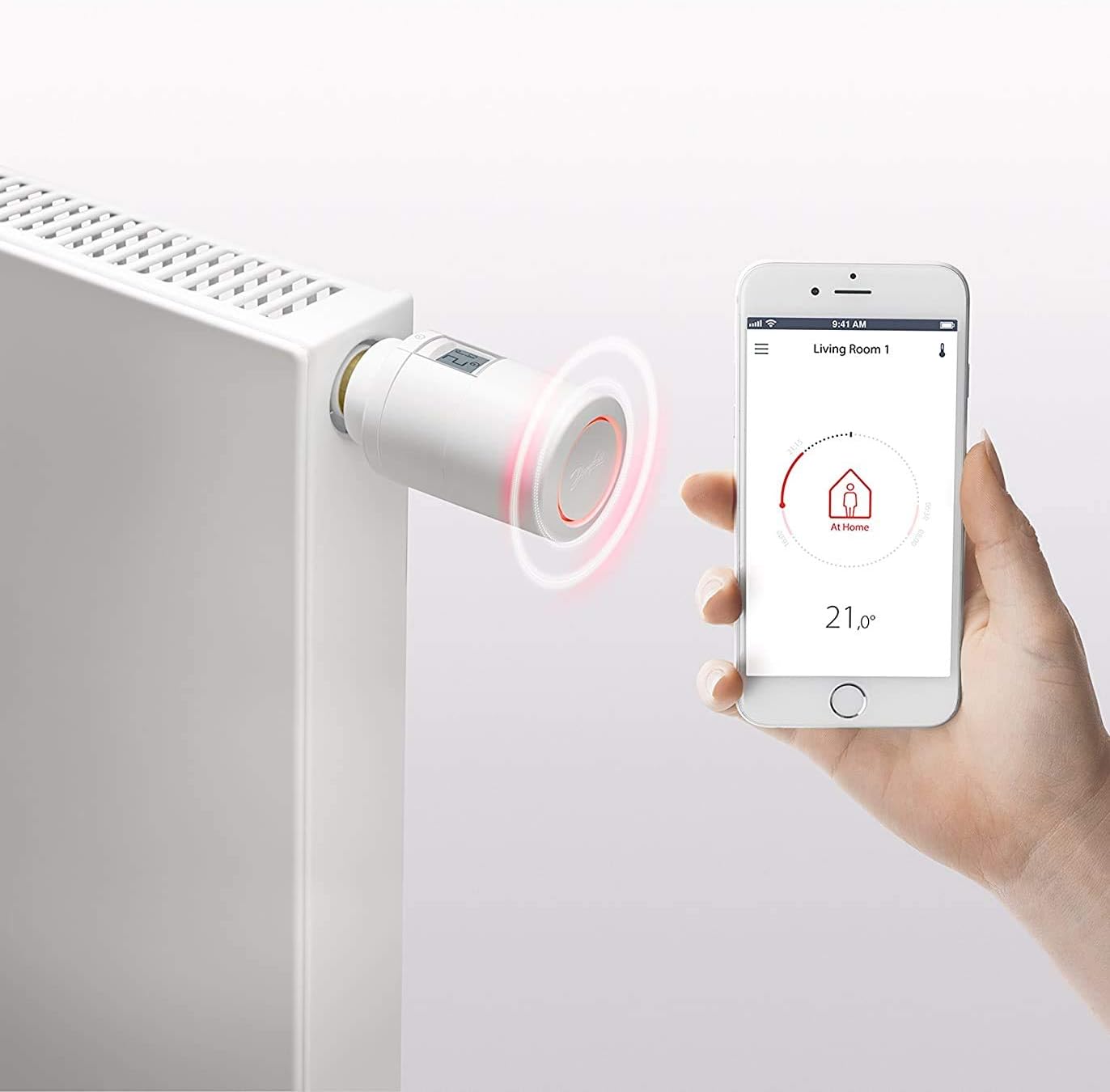
Image: Danfoss Eco Thermostat mounted on a white radiator, with a smartphone displaying the control app nearby.
3.3 앱 다운로드 및 페어링
- 앱 다운로드: 무료로 다운로드하세요 Danfoss Eco app 애플 앱 스토어 또는 구글 플레이 스토어에서.
- 블루투스 활성화: 스마트폰에서 Bluetooth가 활성화되어 있는지 확인하세요.
- 편성: Follow the in-app instructions to pair your Danfoss Eco thermostat with your smartphone. If pairing is slow, try pressing the button or rotating the manual temperature setting ring on the thermostat to wake it up.
4. 사용 설명서
4.1 Basic Temperature Control
- 수동 조정: You can manually adjust the temperature directly on the thermostat by rotating the ring. The current temperature setting will be displayed on the screen.
- 앱 제어: Use the Danfoss Eco app on your smartphone to set the desired temperature. The app provides an intuitive interface for precise control.
The temperature setting range for the Danfoss Eco thermostat is typically between 4°C and 28°C.
4.2 Advanced Features via App
The Danfoss Eco app unlocks several advanced features:
- 일정: Create custom heating schedules for different times of the day and days of the week to match your routine.
- 서리 보호 모드: Automatically maintains a minimum temperature (e.g., 4°C) to prevent pipes from freezing.
- 열린 창 감지: The thermostat can detect a sudden drop in temperature (indicating an open window) and temporarily pause heating to save energy.
- Min/Max Temperature Limits: Set minimum and maximum temperature boundaries to prevent excessive heating or cooling.
- 휴일 모드: Set a specific lower temperature for an extended period when you are away, resuming normal schedule upon your return.
- Summer Time Function: Adjusts for daylight saving time automatically.

Image: A smartphone screen showing the Danfoss Eco app, illustrating the user interface for temperature control and scheduling.
5. 유지관리
- 청소: 부드럽고 마른 천으로 온도 조절기를 닦으세요. 연마성 세제나 용제는 사용하지 마세요.
- 배터리 교체: Replace the AA batteries approximately every two years, or when the low battery indicator appears on the thermostat's display or in the app. Note that the app may not always provide an alert for failing batteries.
- Anti-Seize Function: The thermostat is equipped with an anti-seize function that periodically exercises the valve pin to prevent it from sticking. No user intervention is typically required for this function.
6. 문제 해결
- Slow Bluetooth Connection: If the app connects slowly, try pressing the button or rotating the manual temperature setting ring on the thermostat. This can help wake the device and improve connection speed.
- Thermostat Not Controlling Temperature (E6 Error): An E6 error code typically indicates a motor jam. This can occur if the radiator valve pin is stuck. Refer to section 3.2 for instructions on checking and freeing the valve pin. If the issue persists, contact Danfoss support.
- Radiator Not Heating/Cooling as Expected:
- Verify the thermostat's set temperature is appropriate.
- 배터리 수준을 확인하세요.
- Ensure the radiator valve pin moves freely (see section 3.2).
- Confirm no "Open Window Detection" or "Frost Protection" modes are active unexpectedly.
- No Low Battery Warning: Be aware that the app may not always provide an explicit alert for failing batteries. It is advisable to replace batteries proactively every two years or if the thermostat's performance becomes erratic.
7. 사양
| 특징 | 세부 사항 |
|---|---|
| 모델 번호 | 014G1115 |
| 상표 | 댄포스 |
| 제품 치수 | 11.5 x 5.5 x 11.5cm (대략) |
| 품목 무게 | 250g |
| 전원 | 배터리 작동 (AA 배터리 2개 필요) |
| 권tage | 1.5 볼트 |
| 왓tage | 1.2 와트 |
| 연결 기술 | Bluetooth (up to 10m range) |
| 온도 제어 유형 | Smart/Remote (via mobile app) |
| 온도 설정 범위 | 4°C - 28°C |
| 배터리 수명 | 최대 2년 |
| 소음 수준 | <30데시벨 |
| 디스플레이 스타일 | 디지털 |
| 포함된 구성 요소 | Programmable radiator thermostat, various adapters |
8. 보증 및 지원
For warranty information, technical support, or further assistance, please refer to the official Danfoss website or contact Danfoss customer service directly. Details regarding specific warranty periods and support channels can typically be found on the manufacturer's product page or within the Danfoss Eco app.
You can visit the Danfoss web자세한 내용은 사이트: www.danfoss.com


