소개
Thank you for choosing the Mpow Air Pro 2.4G Wireless Gaming Headset. This manual provides detailed instructions on how to set up, operate, and maintain your headset to ensure optimal performance and longevity. The Mpow Air Pro is designed for an immersive gaming experience with 7.1 surround sound, a stable 2.4G wireless connection, and a noise-cancelling microphone.

Image: The Mpow Air Pro 2.4G Wireless Gaming Headset, featuring a black and red design with an adjustable microphone.
패키지 내용
아래 나열된 모든 품목이 패키지에 포함되어 있는지 확인하세요.
- Mpow Air Pro Wireless Gaming Headset
- USB Dongle (2.4G Wireless Receiver)
- USB 충전 케이블
- 3.5mm 오디오 케이블
- 사용자 가이드
- User Guide for Software (for 7.1 Surround Sound)

Image: A flat lay showing all items included in the Mpow Air Pro headset package: the headset, USB dongle, USB charging cable, 3.5mm audio cable, and two user guides.
기능 이상view
The Mpow Air Pro headset incorporates several key features for an enhanced audio experience:
7.1 서라운드 사운드
Experience immersive 7.1 Surround Sound, engineered for ultra-low distortion audio, bringing games, music, and movies to life. Note: The 7.1 surround sound software is available on Windows 7/8/10.

Image: A visual representation of the virtual 7.1 surround sound feature, showing the headset overlaid on a gaming scene with directional audio indicators.
2.4G 무선 연결
The 2.4G wireless technology provides wireless freedom with lag-free real-time transmission. Enjoy up to 17 hours of battery life and a wireless range of approximately 39 feet (12 meters).
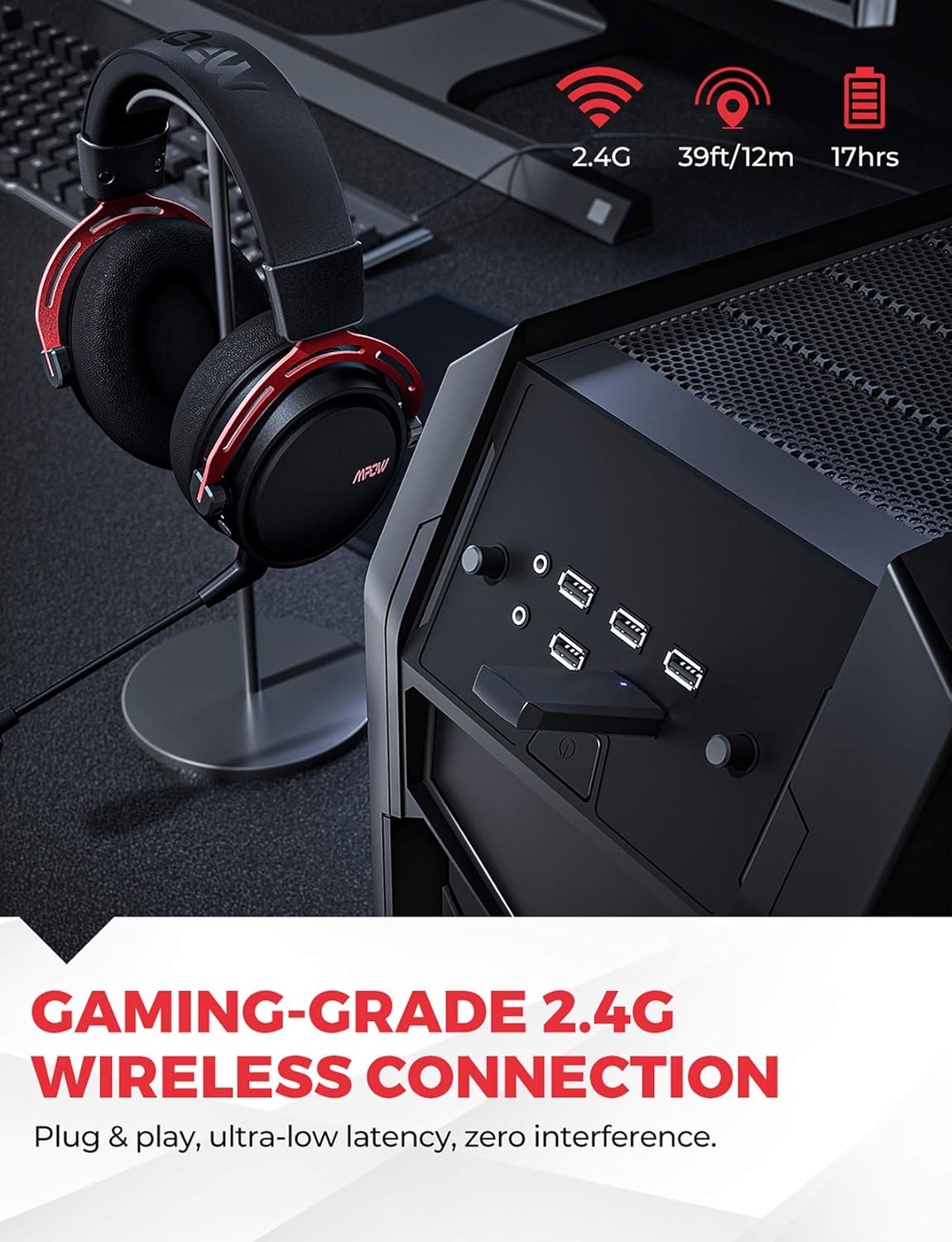
Image: The Mpow Air Pro headset connected wirelessly via a USB dongle to a PC, highlighting the 2.4G wireless, 39ft/12m range, and 17-hour battery life.
노이즈 캔슬링 마이크
The integrated noise-cancellation microphone delivers clear vocal communications by reducing background noise. The flexible microphone can be adjusted for optimal voice pickup.

Image: A gamer wearing the Mpow Air Pro headset, demonstrating the use of the noise-cancelling microphone during gameplay.
편안함과 내구성
Constructed with an aluminum frame, soft leather headpad, memory foam ear cushions, and an adjustable steel headband, the headset is designed for extended comfort during use.

이미지: 클로즈업 views highlighting the comfort features of the Mpow Air Pro headset, including the adjustable steel headband, leather head pad, lightweight aluminum frame, and memory-protein foam ear cushions.
설정 및 연결
Wireless Connection (2.4G)
- Insert the USB dongle into an available USB port on your PC, Mac, or Nintendo Switch (TV Mode).
- Power on the Mpow Air Pro headset by pressing and holding the Power button until the indicator light illuminates.
- The headset will automatically pair with the USB dongle. A solid indicator light on the headset signifies a successful connection.
- Ensure the Mpow Air Pro is selected as the default audio output and input device in your operating system's sound settings.
메모: The wireless function does not support PS4 temporarily. For 7.1 surround sound, software installation is required on Windows 7/8/10.
유선 연결 (3.5mm 오디오 케이블)
- Connect one end of the 3.5mm audio cable to the audio jack on the Mpow Air Pro headset.
- Connect the other end of the 3.5mm audio cable to the audio output jack on your PC, PS4, Xbox One, Nintendo Switch, or mobile phone.
- The headset will function in stereo mode when connected via the 3.5mm cable.
헤드셋 충전하기
- 헤드셋의 충전 포트에 USB 충전 케이블을 연결하세요.
- USB 충전 케이블의 다른 쪽 끝을 USB 전원(예: 컴퓨터 USB 포트, USB 벽면 어댑터)에 연결하십시오.
- The indicator light will show charging status and turn off or change color when fully charged. A full charge provides approximately 17 hours of usage.
작동 지침
전원 켜기/끄기
- 전원을 켜려면 전원 버튼을 2초 동안 길게 누르세요.
- 전원을 끄려면 전원 버튼을 3초 동안 길게 누르세요.
볼륨 조절
- Rotate the volume wheel located on the earcup to adjust the audio output level.
마이크 음소거/음소거 해제
- Use the microphone mute button on the earcup to toggle the microphone on or off.
- The microphone is flexible and can be adjusted to your preferred position.
7.1 Surround Sound Software (Windows Only)
- For Windows 7/8/10 users, download and install the dedicated software from the Mpow official website to enable and customize the 7.1 surround sound feature.
- Refer to the "User Guide for Software" included in your package for detailed installation and usage instructions.
유지
- 청소: 헤드셋을 닦을 때는 부드럽고 마른 천을 사용하세요. 연마성 세제나 용제를 사용하지 마세요. 이어 쿠션은 부드러운 천으로 부드럽게 닦아주세요.amp 천을 덮고 공기 중에 완전히 건조시키세요.
- 저장: 헤드셋은 직사광선과 극한의 온도를 피해 서늘하고 건조한 곳에 보관하세요. 헤드셋 위에 무거운 물건을 올려놓지 마세요.
- 배터리 관리 : To prolong battery life, avoid fully discharging the headset frequently. Charge the headset regularly, even if not in use for extended periods (e.g., once every 3 months).
- 손질: Do not bend or twist the microphone arm excessively. Avoid dropping the headset.
문제 해결
| 문제 | 가능한 원인 | 해결책 |
|---|---|---|
| 헤드셋(무선)에서 소리가 나지 않습니다. | Headset not powered on; Not paired; Incorrect audio output selected; Low battery. | Ensure headset is powered on. Re-pair with USB dongle. Check sound settings on PC/Mac and select "Mpow Air Pro". Charge the headset. |
| 마이크가 작동하지 않습니다 | Microphone muted; Incorrect audio input selected; Microphone not properly connected (if detachable). | Unmute the microphone. Check sound settings on PC/Mac and select "Mpow Air Pro" as input device. Ensure microphone is securely attached. |
| 무선 연결/연결 끊김이 불량합니다 | Too far from dongle; Interference from other 2.4G devices; Obstructions. | Move closer to the USB dongle. Reduce interference by moving away from other wireless devices (e.g., Wi-Fi routers). Ensure clear line of sight. |
| 7.1 서라운드 사운드가 작동하지 않습니다 | Software not installed; Incorrect settings; Not on Windows OS. | Install the 7.1 surround sound software (Windows 7/8/10 only). Check software settings. Ensure you are using a compatible Windows operating system. |
명세서
| 특징 | 세부 사항 |
|---|---|
| 모델명 | BH473A |
| 연결 기술 | 2.4G Wireless, 3.5mm Jack |
| 무선 범위 | 최대 39피트(12미터) |
| 배터리 수명 | 약 17시간 |
| 오디오 유형 | 7.1 Surround Sound (via software on Windows), Stereo (via 3.5mm) |
| 마이크로폰 | Noise-Cancelling, Fixed |
| 귀 위치 | 귀 위 |
| 재료 | Leather, Foam (ear cushions), Aluminum (frame) |
| 품목 무게 | 350그램 |
| 제품 치수 | 10 x 16.3 x 20.8cm |
| Compatible Devices (Wireless) | PC, MAC, Nintendo Switch (TV Mode) |
| Compatible Devices (Wired) | PC, PS4, Xbox One, Nintendo Switch, Cell Phone |
보증 및 지원
MPOW products come with a standard manufacturer's warranty. For detailed warranty terms and conditions, please refer to the warranty card included in your package or visit the official MPOW web대지.
If you encounter any issues or have questions regarding your Mpow Air Pro headset, please contact MPOW Customer Support through their official website or the contact information provided in your product documentation. Please have your model number (BH473A) and purchase details ready when contacting support.


