1. 서론
Thank you for choosing the Nedis USB Type-C to Type-C Adapter Cable. This manual provides essential information for the proper setup, operation, and maintenance of your cable. Please read these instructions carefully before use to ensure optimal performance and longevity of the product.
2. 제품 오버view
The Nedis USB Type-C to Type-C Adapter Cable (Model CCGP64650WT02) is designed to connect devices equipped with USB Type-C ports. This cable facilitates high-speed data transfer and power delivery, making it ideal for connecting smartphones, tablets, laptops, and other compatible peripherals. It supports data transfer speeds of up to 10 Gigabits per second.
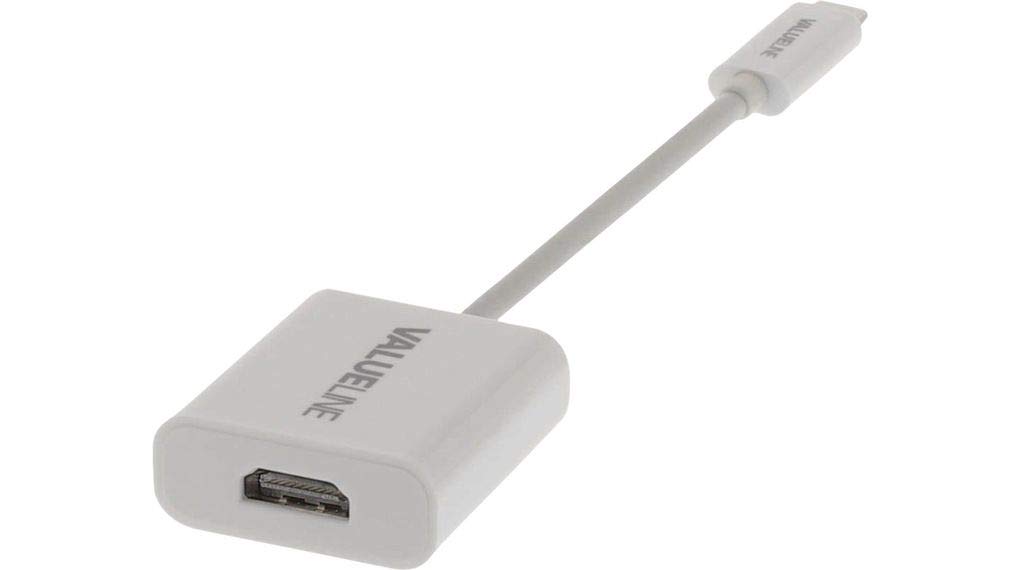
이미지 2.1: 이상view of the Nedis USB Type-C to Type-C Adapter Cable. One end features a compact USB-C connector, while the other end has a slightly larger housing with a USB-C connector, both in white.
3. 설정
The Nedis USB Type-C to Type-C Adapter Cable is a plug-and-play device, requiring no special software installation. Follow these simple steps to set up your cable:
- 호환되는 포트 식별: Ensure both devices you intend to connect have a USB Type-C port.
- Connect the First Device: Insert one end of the USB Type-C cable into the USB Type-C port of your first device (e.g., laptop, power adapter).
- Connect the Second Device: Insert the other end of the USB Type-C cable into the USB Type-C port of your second device (e.g., smartphone, external hard drive).

이미지 3.1: 클로즈업 view of the USB Type-C male connector, illustrating its reversible design for easy connection.
The connection is established automatically. You can now proceed with data transfer or charging.
4. 사용 설명서
Once connected, the Nedis USB Type-C to Type-C Adapter Cable allows for various functionalities:
- 데이터 전송: Use the cable to transfer files, documents, photos, and videos between compatible USB Type-C devices at speeds up to 10 Gbps.
- 충전 중: Connect your USB Type-C device to a compatible USB Type-C power adapter or power bank for charging. The cable supports power delivery standards.
- 기기 동기화: Synchronize data between your computer and mobile devices.
Ensure that both connected devices support the desired functionality (e.g., fast charging, specific data transfer protocols) for optimal performance.
5. 유지관리
To ensure the longevity and proper functioning of your Nedis USB Type-C to Type-C Adapter Cable, follow these maintenance guidelines:
- 청소: Gently wipe the cable and connectors with a soft, dry, lint-free cloth. Avoid using harsh chemicals, solvents, or abrasive cleaners.
- 저장: 케이블은 직사광선과 극한 온도 변화를 피해 서늘하고 건조한 곳에 보관하십시오. 특히 커넥터 부근에서 케이블을 심하게 감거나 구부리지 마십시오. 내부 손상이 발생할 수 있습니다.
- 손질: Always grasp the connector head when plugging or unplugging the cable. Do not pull on the cable itself, as this can damage the internal wires and connections.
6. 문제 해결
If you encounter issues with your Nedis USB Type-C to Type-C Adapter Cable, try the following troubleshooting steps:
- 연결/인식 불가:
- Ensure both ends of the cable are fully inserted into the respective ports.
- Try connecting the cable to different USB Type-C ports on your devices.
- Test the cable with different compatible devices to rule out device-specific issues.
- 케이블이나 커넥터에 눈에 보이는 손상이 있는지 확인하세요.
- Slow Data Transfer/Charging:
- Verify that both connected devices support the desired speed or charging protocol.
- Ensure the power adapter (if charging) provides sufficient power output.
- Close any unnecessary applications on your devices that might be consuming bandwidth or power.
If the problem persists after trying these steps, please refer to the warranty and support information.
7. 사양
| 특징 | 사양 |
|---|---|
| 상표 | 네디스 |
| 모델 번호 | CCGP64650WT02 |
| 제품 치수 | 50 x 50 x 10cm |
| 제품 무게 | 120g |
| 데이터 전송 속도 | 초당 10기가비트 |
| 커넥터 유형 | USB Type-C Male to USB Type-C Male |
| 포트 수 | 2 (one at each end of the cable) |
| 색상 | 흰색/검정색 |
8. 보증 및 지원
For warranty information and customer support, please refer to the documentation provided with your purchase or contact your retailer. You can also visit the official Nedis brand store for additional product information and support resources: