소개
The LAUNCH X431 CRP919X is an advanced automotive diagnostic tool designed for comprehensive vehicle system analysis and maintenance. This device offers a wide range of functions, including ECU coding, bi-directional control, and over 35 reset services, making it suitable for both professional technicians and advanced DIY enthusiasts. It supports a vast array of vehicle models from 1996 to 2025, incorporating modern protocols like CAN FD and DoIP, and providing access to FCA SGW.

상자 안에 무엇이 들어있나요?
Upon unboxing your LAUNCH X431 CRP919X, verify that all components are present:
- 2025 LAUNCH ELITE CRP919X OBD2 Scanner x 1
- OBD2 Diagnostic Cable x 1
- DC 5V Charging Cable x 1
- US/UK/EU Plug Adapter x 1
- Multilingual Quick Start Guide x 1

설정 및 초기 사용
- 장치 충전: Connect the DC 5V Charging Cable to the scanner and a power outlet using the provided adapter. Ensure the device is fully charged before first use.
- 전원 켜기: 스캐너를 켜려면 전원 버튼을 길게 누르세요.
- Wi-Fi 연결: Navigate to the settings menu and connect the device to a stable Wi-Fi network. This is crucial for software updates and online functions.
- 소프트웨어 업데이트: After connecting to Wi-Fi, check for and install any available software updates to ensure optimal performance and access to the latest features and vehicle coverage.
- 차량에 연결: Locate the vehicle's OBD2 port (usually under the dashboard). Connect the OBD2 Diagnostic Cable from the scanner to the vehicle's OBD2 port.
작동 지침
1. 전체 시스템 진단
The CRP919X provides OE-level full system diagnostics, allowing you to scan all available electronic control units (ECUs) in the vehicle. This includes systems such as Engine, ABS, Airbag, Transmission, TPMS, and more. The tool can read and clear Diagnostic Trouble Codes (DTCs), display live data streams, and access ECU information.
- 자동 VIN 스캔: This feature automatically identifies the vehicle's VIN (Vehicle Identification Number) for quick and accurate vehicle identification. For older models without Auto VIN capability, manual selection is available.
- 코드 읽기: 현재, 보류 중 및 영구 진단 문제 코드를 검색합니다.
- 명확한 코드: Erase DTCs from the vehicle's memory after repairs are completed.
- 라이브 데이터 스트림: View real-time data parameters from various sensors and components. The 8-in-1 graphing feature allows for simultaneous display of multiple data streams for detailed analysis.


2. ECU 코딩
The CRP919X supports advanced ECU coding, a feature typically found in professional OEM scanners. This allows for customization and modification of pre-programmed options within the vehicle's ECUs. Functions include:
- Uncovering Hidden Features: Activate features not enabled at the factory.
- Disabling Unwanted Functions: Turn off features like seatbelt reminder chimes or daytime running lights.
- Coding Retrofitted Components: Integrate new components into the vehicle's system.
- Variant Coding (Offline Programming): Program specific variants or options in ECUs.
- Adaptive Data Resets: Reset learned values for various components.
- 구성 요소 매칭: Match new modules (e.g., ECM, TCM) to the vehicle.
Caution: Always back up the ECU data before performing any coding operations.


3. 양방향 제어 (능동 테스트)
This function allows the scanner to send commands to vehicle ECUs to perform specific tests and verify component functionality. This significantly reduces diagnostic time by pinpointing faulty components without disassembly.
일반적인 활성 테스트에는 다음이 포함됩니다.
- 적응형 헤드amp 조정
- 에어컨 구성
- Window Wipers operation
- Doors and Sunroof operation
- Mirrors and Interior Lights control
- Wheel Heating activation
- 혼 평가
- ABS Pump Motor activation
- Modulating Throttle
- 인젝터 버즈 테스트
- Radiator Fan activation


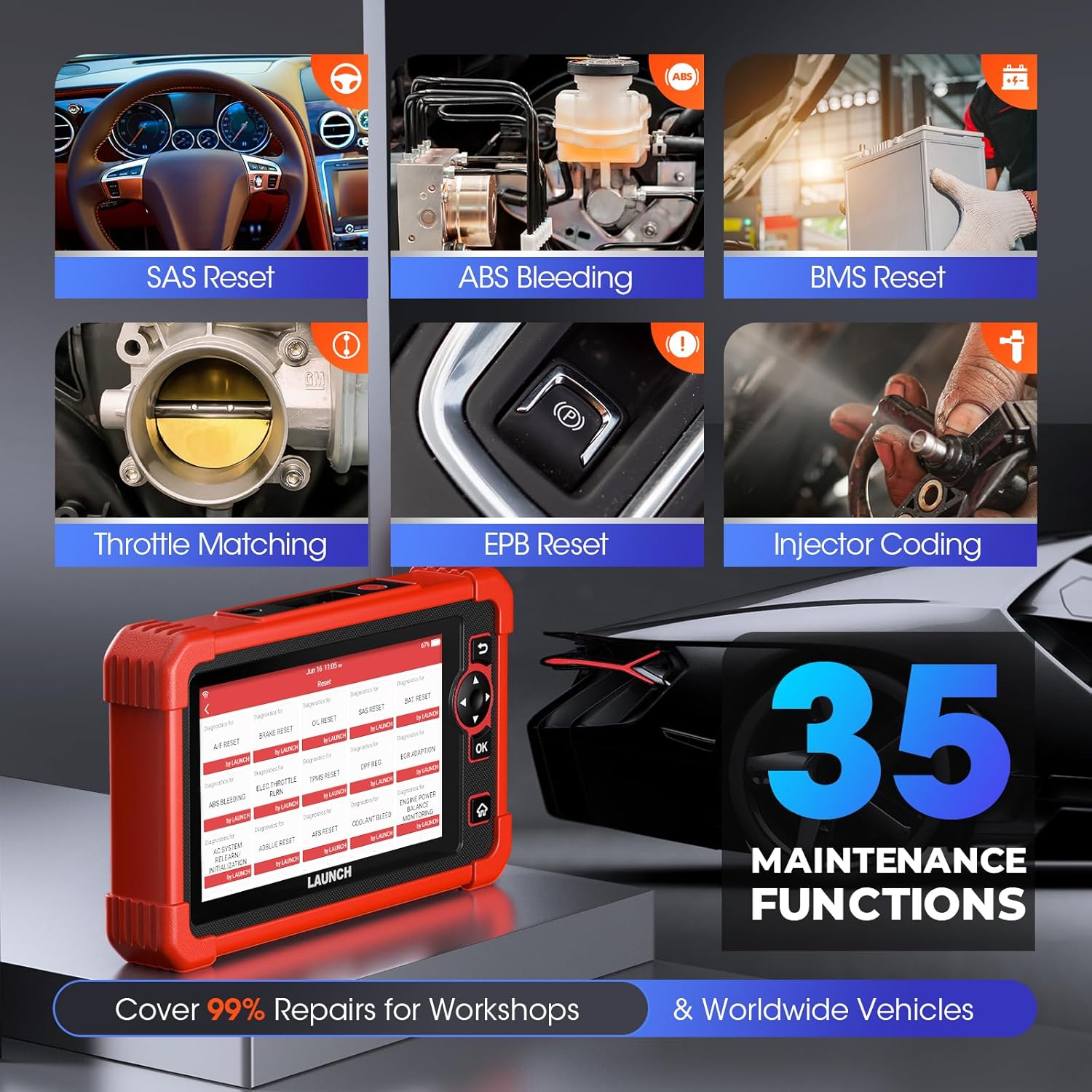
4. 특수 기능 (35개 이상의 재설정 서비스)
The CRP919X provides access to over 35 commonly used maintenance and reset functions, covering a wide range of vehicle services:
- 오일 유지 관리 재설정
- 인젝터 코딩
- EPB (Electronic Park Brake) Reset
- ABS 출혈
- SAS(조향각 센서) 보정
- 스로틀 재학습
- BMS(배터리 관리 시스템) 재설정
- DPF(디젤 미립자 필터) 재생
- 에어백 수리
- TPMS(타이어 공기압 모니터링 시스템) 리셋
- Air/Fuel Reset
- AdBlue 재설정
- AFS (Adaptive Front-Lighting System) Reset
- NOx 센서 리셋
- 타이어 리셋
- 운송 모드
- 공기 레벨 교정
- 윈도우 캘리브레이션
- CCS (Cruise Control System) Calibration
- Seat Occupancy Calibration
- 선루프 초기화
- AC Initialization
- Crankshaft Position Sensor Adaptive Relearn
- 기어박스 매칭
- 파워 밸런스
- 높은 Voltage Battery Detection
- 언어 변경
- FRM Reset
- 증발 테스트
- 좌석 표준화
- A/T Code Reset
- VIN Registration (Write)
- 재설정 제어 장치
- EGR Adaptation (New)
- GPF (Gas Particular Filter) Regeneration (New)
- Cylinder Power Balance Test (New)

5. 고급 프로토콜 지원
- CAN FD: Supports GM models from 2019 and later, eliminating the need for separate CAN FD adapters and offering 6X faster data transfer rates.
- DoIP: Integrates with BMW (F&G chassis), Volvo (2018+), Land Rover, and Jaguar (2017+) models, enabling higher data rates via UDS over TCP/IP and Ethernet.
- FCA 자동 인증 SGW: Provides access to FCA vehicles (Chrysler, Jeep, Dodge, Fiat, etc.) produced after 2017 for code clearance, bi-directional control, and special functions. Note: An AutoAuth account must be procured independently.

6. 확장 모듈 (선택 사항)
The CRP919X can be expanded with optional modules for enhanced diagnostic capabilities:
- 배터리 테스터(BST360): For efficient battery and electrical system health assessments.
- TPMS (X431 TSGUN): For sensor activation, programming, and relearning.
Note: These add-on tools (BST360/X431 TSGUN) are available for separate purchase.
7. Diagnostic Report Sharing & Printing
Upon completion of a scan, the CRP919X generates a comprehensive diagnostic report in PDF format. This report can be easily shared via email or printed, facilitating communication between mechanics and clients.

유지
- 소프트웨어 업데이트: Regularly connect the device to Wi-Fi and check for software updates. These updates provide new features, expanded vehicle coverage, and performance improvements.
- 청소: 부드러운 d를 사용하세요amp 기기를 닦을 때는 천을 사용하십시오. 연마성 세척제나 용제를 사용하지 마십시오.
- 저장: 스캐너는 직사광선과 극한 온도 변화를 피해 서늘하고 건조한 곳에 보관하십시오.
- 배터리 관리 : 최적의 배터리 수명을 위해 배터리를 자주 완전히 방전하지 마십시오. 특히 장기간 보관할 경우 정기적으로 충전하십시오.
문제 해결
This section addresses common issues you might encounter with your LAUNCH X431 CRP919X.
| 문제 | 가능한 원인 | 해결책 |
|---|---|---|
| 장치의 전원이 켜지지 않습니다. | 배터리 부족; 전원 버튼을 충분히 오래 누르지 않음; 기기 오작동. | Charge the device for at least 30 minutes. Press and hold the power button for 3-5 seconds. If issue persists, contact customer support. |
| 차량에 연결할 수 없습니다. | OBD2 cable not securely connected; Vehicle ignition off; Vehicle not supported; Faulty OBD2 port. | Ensure cable is firmly connected. Turn vehicle ignition to ON position (engine off). Verify vehicle compatibility. Test with another vehicle if possible. |
| 소프트웨어 업데이트에 실패했습니다. | Unstable Wi-Fi connection; Insufficient storage; Server issues. | Ensure strong Wi-Fi signal. Clear some data/apps if storage is low. Try updating again later. |
| Specific function not working (e.g., ECU Coding). | Vehicle not supported for that function; Software not updated; Incorrect procedure. | Verify vehicle compatibility for the specific function. Ensure software is up to date. Refer to the on-screen instructions or contact support for detailed procedures. |
For issues not listed here or if solutions do not resolve the problem, please refer to the support section.
명세서
| 특징 | 세부 사항 |
|---|---|
| 상표 | 시작하다 |
| 모델 | LAUNCH CRP919X |
| 운영 체제 | 안드로이드 10.0 |
| 디스플레이 해상도 | 1024x600 |
| 품목 무게 | 6.27파운드 |
| 제품 치수 | 12.8 x 11.14 x 5.31 인치 |
| 배터리 용량 | 6100mAh (approx. 12 hours continuous operation) |
| 숫양 | 4GB |
| 집시 남자 | 64GB |
| 연결성 | Dual 2.4G & 5GHz WiFi, 5G WiFi communication |
| 지원되는 프로토콜 | CAN FD, DoIP, OBD2 (all 10 modes) |
| 차량 보장 | 150개 이상의 브랜드, 100,000개 이상의 모델 (1996년~2025년) |
보증 및 지원
LAUNCH는 고품질 제품과 탁월한 고객 서비스를 제공하기 위해 최선을 다하고 있습니다.
- 무료 업데이트: Benefit from 2 years of free software updates from the date of purchase (since September 2022).
- Quality Undertaking: The product comes with a 5-Year Quality Undertaking.
- 반품 및 교환: A 60-Day Return & Replacement policy is available.
- Post-sale Service: 24/7 post-sale service is provided.
- 온라인 피드백: You can submit diagnostic queries online to LAUNCH for expert analysis and troubleshooting.
- 원격 지원: The device supports remote assistance via TeamViewer for swift issue resolution.
For further assistance, please refer to the official LAUNCH support channels or the contact information provided in your quick start guide.


