1. 서론
The Lixada DMX512 2.4G Wireless Transmitter is designed to provide reliable wireless DMX signal transmission for stage lighting applications. This device eliminates the need for extensive DMX cabling, offering flexibility and ease of setup for various lighting configurations. It operates on the 2.4G ISM frequency band, ensuring stable and interference-resistant communication.

Image 1.1: Lixada DMX512 Wireless Transmitter with antenna.
2. 제품 특징
- 애플리케이션: s에 이상적입니다tage lighting control, allowing one transmitter to control multiple receivers. Compatible with all DMX lamps, simplifying wiring.
- High Efficiency & Strong Anti-interference: Features 126 channels with automatic frequency hopping for reliable operation.
- 장거리 무선 전송: Offers 23DBM high power and an ultra-long transmission distance of up to 1000 meters.
- 시간 지연 없음: Ensures real-time and reliable signal data transmission without noticeable delay.
- 무선 제어: Transmits standard DMX512 protocol data from a console wirelessly using a 2.4G ISM frequency section.
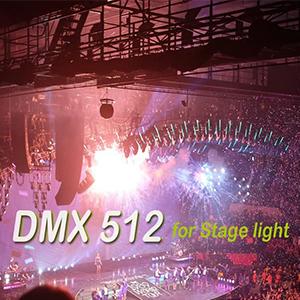
Image 2.1: DMX 512 wireless technology for stag전자 조명.
3. 패키지 내용
The package for the DMX512 transmitter typically includes the following items:
- 1 x DMX Transmitter
- 1 x 전원 어댑터
- 1 x 사용자 매뉴얼(영어)

Image 3.1: Contents of the DMX transmitter package, including the transmitter and power adapter.
4. 사양
| 특징 | 사양 |
|---|---|
| 인터페이스 | RS485 |
| 최대 전송 전력 | 23DBM |
| 전송 거리 | 1000m / 3280피트 |
| 변조 모드 | GFSK |
| 작동 주파수 범위 | 2.400-2.4835GHz, ISM, 126 Channels |
| 감광도 | -94dBm |
| 재료 | 스테인리스 스틸 |
| Item Size (D * H) | 1.8 * 14cm / 0.7 * 5.5인치 |
| 품목 무게 | 76g / 2.7온스 |
| 전원 | 코드식 전기 |
| 모델 번호 | CCZ6030028353816CQ |
| 한국어: | 728619851355 |

Image 4.1: Visual representation of the transmitter's communication distance and power.
5. 설정
Follow these steps to set up your Lixada DMX512 Wireless Transmitter:
- 전원 연결: Connect the provided power adapter to the DMX transmitter.
- 콘솔 연결: Plug the DMX transmitter directly into the DMX output port of your lighting console. The transmitter features a standard XLR connector.
- 수신기 설정: Ensure all DMX receivers (sold separately or as part of a kit) are powered on and connected to your DMX lighting fixtures.
- 채널 매칭: Set the same channel ID on both the transmitter and all intended receivers. This is crucial for establishing a wireless link. Refer to the 'Operating Instructions' section for details on setting channel IDs.

Image 5.1: The DMX transmitter connected to a lighting control console.

Image 5.2: Diagram illustrating various DMX wireless connection setups with transmitters (Tx) and receivers (Rx).
6. 사용 설명서
Once the transmitter is set up, follow these steps for operation:
- 전원 켜기: Connect the power adapter. The LED indicator on the transmitter will illuminate, indicating power.
- Set Channel ID: Press the button on the transmitter to cycle through the available channel IDs (typically 1-7). Select a channel ID. Ensure all DMX receivers you intend to use are set to the exact same channel ID.
- 페어링 확인: When the transmitter and receivers are successfully paired, their respective LED indicators will show a solid light. A flashing LED on the transmitter indicates DMX signal input from the console.
- 신호 전송 : With successful pairing, the transmitter will wirelessly send DMX512 data from your lighting console to the connected receivers and their associated lighting fixtures.

Image 6.1: Detail of the DMX XLR connector on the transmitter.
7. 문제 해결
If you encounter issues with your DMX512 Wireless Transmitter, consider the following:
- 신호 없음 / 표시등 작동 안 함:
- Verify power connections for both the transmitter and all receivers.
- Confirm that the transmitter and all receivers are set to the identical channel ID.
- Ensure the DMX cable connecting the console to the transmitter is secure and functional.
- Check for potential strong interference sources (e.g., Wi-Fi routers, other 2.4G devices) and try changing the channel ID.
- Confirm that your DMX console is actively outputting a valid DMX signal.
- 간헐적 신호:
- Reduce the physical distance between the transmitter and receivers.
- Ensure there are no significant physical obstructions (e.g., thick walls, large metal structures) blocking the wireless signal path.
- Attempt to use a different channel ID to mitigate interference from other wireless devices.
- 전원 공급 문제:
- Always use the power adapter provided with the unit or a compatible replacement with the correct voltag전자 및 현재 등급.
- Avoid leaving the unit plugged in for extended periods when not in use, as this may contribute to power supply wear or overheating.
8. 유지관리
To ensure the longevity and optimal performance of your DMX512 Wireless Transmitter, observe the following maintenance guidelines:
- 청소: Keep the device clean and free from dust and debris. Use a soft, dry cloth for cleaning. Avoid liquid cleaners.
- 저장: Store the transmitter in a dry environment, away from direct sunlight, high humidity, and extreme temperatures.
- 손질: Avoid dropping the device or subjecting it to severe physical shock, which can damage internal components.
- 수리: Do not attempt to open or repair the device yourself. Unauthorized modifications or repairs will void any warranty and may cause further damage. Contact customer support for service.
9. 보증 및 지원
For detailed warranty information, technical assistance, or customer support regarding your Lixada DMX512 Wireless Transmitter, please refer to the warranty card or documentation included with your purchase. You may also visit the official Lixada website or contact their customer service department directly for further assistance.
