1. 소개 및 이상view
The HP OfficeJet Pro 6968 is a versatile all-in-one wireless printer designed for home offices and small workgroups. It offers professional-quality color printing, scanning, copying, and faxing capabilities. Key features include automatic two-sided printing, a color touchscreen for easy navigation, and compatibility with HP Instant Ink for convenient ink replenishment.

그림 1: 전면 view of the HP OfficeJet Pro 6968 printer.
주요 특징:
- 올인원 기능: Print, copy, scan, and fax.
- 무선 연결 : Easily print from smartphones, tablets, and PCs via Wi-Fi or Ethernet.
- 자동 양면 인쇄: 자동 양면 인쇄로 용지를 절약하세요.
- 컬러 터치스크린: Intuitive interface for managing printer functions.
- 자동 문서 공급기(ADF): For multi-page scanning and copying.
- HP Instant Ink Ready: Optional service for automatic ink delivery.
2. 설정
2.1 언박싱 및 초기 배치
Carefully remove the printer from its packaging. Place the printer on a stable, flat surface with adequate space around it for ventilation and paper handling. Ensure all packing materials and tapes are removed from the printer's exterior and interior.
2.2 전원 연결
Connect the power cord to the printer and then to a grounded electrical outlet. Press the power button to turn on the printer. Follow the on-screen instructions on the color touchscreen for initial setup, including language selection and date/time settings.
2.3 잉크 카트리지 설치
Open the ink cartridge access door. Install the HP 902 Setup Black, Cyan, Magenta, and Yellow Instant Ink Ready OfficeJet Ink Cartridges into their corresponding slots. Ensure they click into place. Close the access door.
2.4 용지 넣기
Pull out the main input tray. Adjust the paper guides to fit the paper size. Load a stack of plain paper (e.g., A4, Letter) into the tray, ensuring it is not overfilled. Push the tray back into the printer. Confirm the paper type and size on the touchscreen.
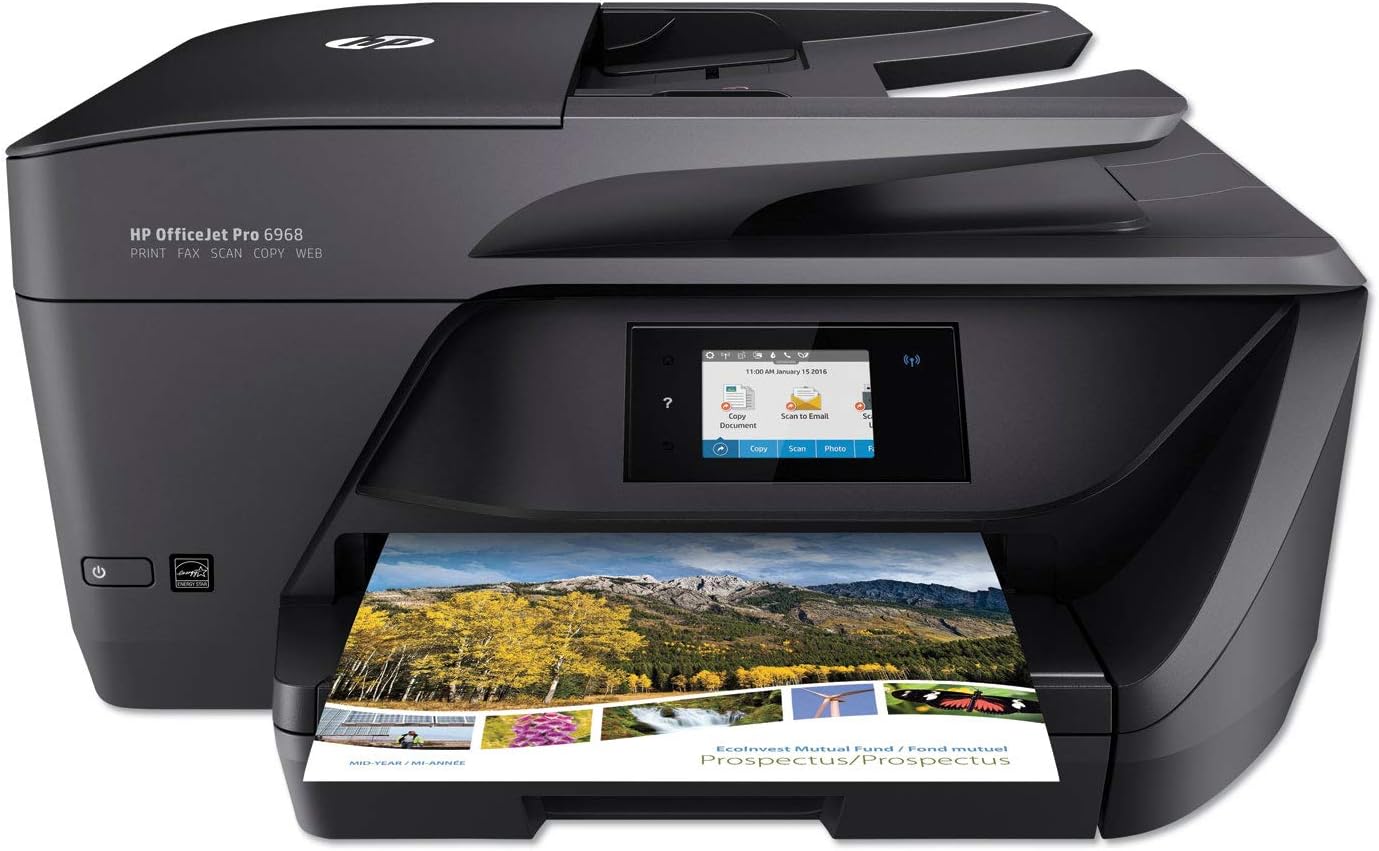
그림 2: 전면 view of the printer showing the paper output tray.
2.5 Network Connection (Wireless/Ethernet)
On the printer's touchscreen, navigate to the Wireless Setup Wizard. Select your Wi-Fi network from the list and enter the password. Alternatively, connect an Ethernet cable from your router to the printer's Ethernet port. Follow any additional prompts to complete the network setup.
3. 사용 설명서
The HP OfficeJet Pro 6968 offers various functions accessible via its color touchscreen and connected devices.
3.1 인쇄
- 컴퓨터에서: Install the HP printer software on your computer. Select 'Print' from your application, choose the HP OfficeJet Pro 6968, and adjust settings as needed (e.g., two-sided printing).
- 모바일 기기에서: Download the HP Smart app on your smartphone or tablet. Connect your device to the same Wi-Fi network as the printer. Use the app to select documents or photos and send them to print.
- 이메일 인쇄: The printer has its own email address. Send documents to this address from any device to print remotely.
3.2 스캔
Documents can be scanned using either the Automatic Document Feeder (ADF) or the flatbed scanner.
- ADF 사용: Place documents face-up in the ADF tray. On the printer touchscreen, select 'Scan' and choose your destination (e.g., computer, email, cloud service).
- 플랫베드 사용: Lift the scanner lid and place the document face-down on the glass. Close the lid. On the touchscreen, select 'Scan' and choose your destination.

그림 3: 상단 view of the printer highlighting the Automatic Document Feeder.
3.3 복사
Place the original document on the flatbed scanner or in the ADF. On the printer touchscreen, select 'Copy'. Adjust settings such as number of copies, color/black & white, and two-sided copying. Press 'Start Copy'.
3.4 팩스
Load the document into the ADF or onto the flatbed. On the touchscreen, select 'Fax'. Enter the recipient's fax number and press 'Start Fax'.
4. 유지관리
4.1 잉크 카트리지 교체
When an ink cartridge is low or empty, the printer's touchscreen will display a notification. Open the ink cartridge access door. Press the tab on the old cartridge to release it and pull it out. Unpack the new HP 902 series cartridge, insert it into the correct slot until it clicks, and close the access door. The printer uses dynamic security, which may be updated periodically by firmware updates. The printer is intended to be used solely with cartridges using an original HP chip.
Video 1: Learn how HP Instant Ink can save you money and ensure you never run out of ink.
4.2 프린터 청소
Regularly clean the exterior of the printer with a soft, lint-free cloth. For the scanner glass, use a soft cloth lightly dampened with glass cleaner (non-abrasive). Avoid spraying cleaner directly onto the glass.
5. 문제 해결
5.1 연결 문제
- Ensure the printer is connected to the correct Wi-Fi network. Check the Wi-Fi status icon on the touchscreen.
- Restart your router, printer, and the device you are printing from.
- 프린터 펌웨어가 최신 버전인지 확인하십시오.
5.2 용지 걸림
- If a paper jam occurs, the touchscreen will display instructions.
- Carefully open all access doors and trays to locate the jammed paper. Gently pull the paper in the direction of the paper path.
- 프린터 내부에 작은 종이 조각이 남아 있지 않은지 확인하십시오.
5.3 인쇄 품질 문제
- Check ink levels on the touchscreen. Replace any low or empty cartridges.
- Perform a printhead cleaning or alignment from the printer's maintenance menu.
- 인쇄 작업에 적합한 용지를 사용하고 있는지 확인하세요.
6. 사양
| 특징 | 사양 |
|---|---|
| 제품 치수 | 15.35인치 깊이 x 18.26인치 너비 x 9인치 높이 |
| 컨트롤러 유형 | 아마존 알렉사, 베라 |
| 최대 미디어 크기 | 5 x 14인치 |
| 인쇄 매체 | Back print film, Glossy photo paper, Labels, Paper (plain) |
| 스캐너 유형 | 사진, 시트피드 |
| 최대 입력 시트 용량 | 35 |
| 최대 복사 속도(흑백) | 30ppm(XNUMXppm) |
| 최대 컬러 인쇄 해상도 | 1200 x 1200dpi |
| 최대 흑백 인쇄 해상도 | 600dpi |
| 양면 인쇄 | 네 (자동) |
| 연결 기술 | 1 USB 2.0; 1 Ethernet; 1 Wireless 802.11b/g/n; 1 RJ-11 fax |
| 프린터 출력 | 색상 |
| 품목 무게 | 17.7파운드 |
7. 보증 및 지원
The HP OfficeJet Pro 6968 comes with a one-year limited hardware warranty. For technical assistance and support, HP offers 24-hour, 7 days a week Web support. Please refer to the official HP web자세한 보증 조건 및 지원 연락처 정보는 해당 사이트를 참조하십시오.