ಪರಿಚಯ
This manual provides essential information for the setup, operation, and maintenance of your HP ವೈರ್ಡ್ ಮೌಸ್ 105. Designed for reliability and comfort, this optical mouse offers precise control with its 1600 DPI sensor and a versatile ambidextrous design. It connects via a standard USB-A cable, ensuring a stable and uninterrupted connection for your computing needs.
ಸೆಟಪ್
The HP Wired Mouse 105 is designed for quick and easy plug-and-play setup.
- ಮೌಸ್ ಅನ್ನು ಬಿಚ್ಚಿ: ಮೌಸ್ ಅನ್ನು ಅದರ ಪ್ಯಾಕೇಜಿಂಗ್ನಿಂದ ಎಚ್ಚರಿಕೆಯಿಂದ ತೆಗೆದುಹಾಕಿ.
- USB ಪೋರ್ಟ್ಗೆ ಸಂಪರ್ಕಪಡಿಸಿ: Locate an available USB Type A port on your computer (PC or Mac). Insert the mouse's USB connector firmly into the port.
- ಚಾಲಕ ಸ್ಥಾಪನೆ: Your operating system (Windows 7, 8, 10, 11, or Mac OS) should automatically detect and install the necessary drivers. No additional software installation is typically required.
- ಕಾರ್ಯವನ್ನು ಪರಿಶೀಲಿಸಿ: Once connected, the optical sensor on the underside of the mouse will emit a red light. Move the mouse to confirm cursor movement on your screen.
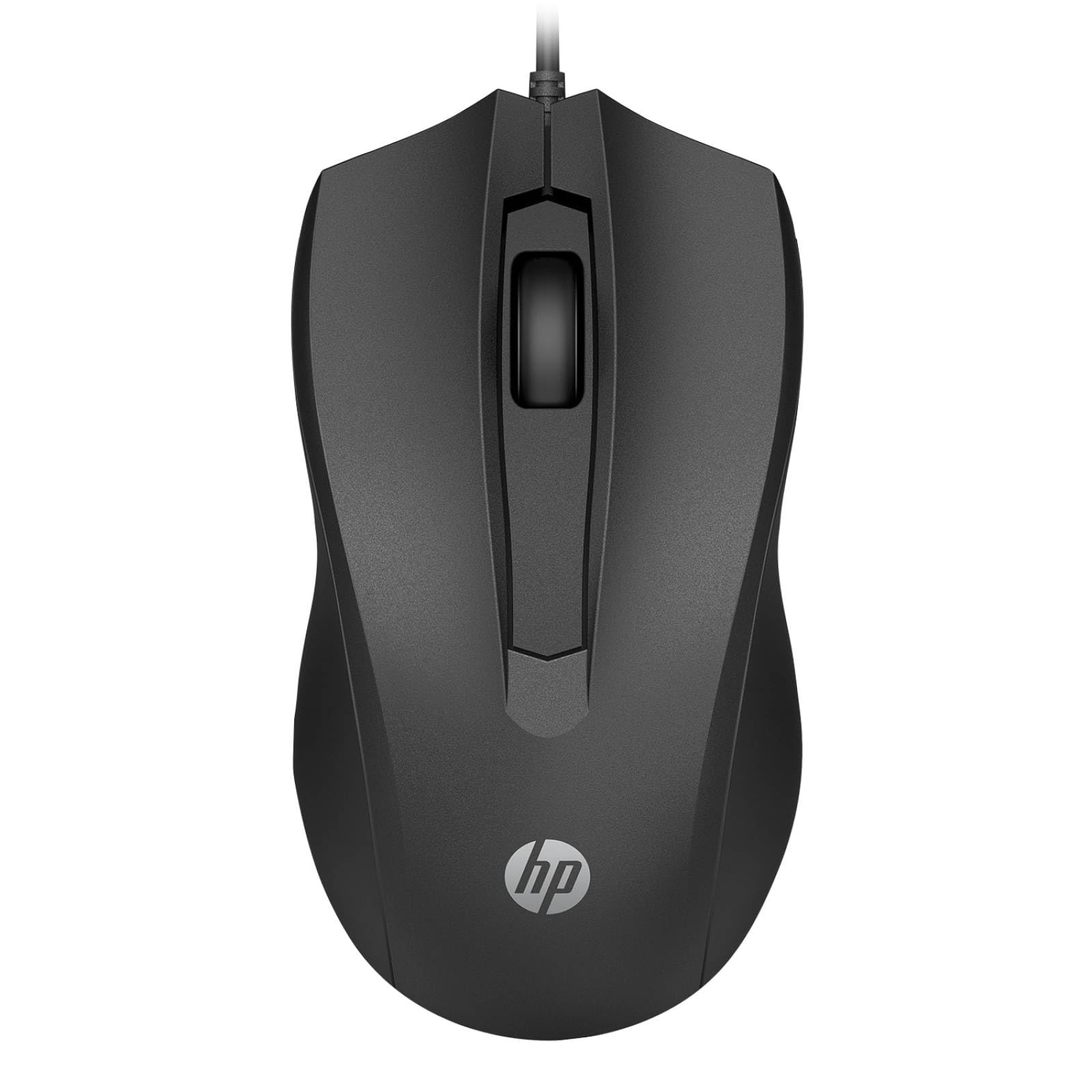
Image: The HP Wired Mouse 105 features a sleek black design and connects via a USB cable for reliable performance.
ಆಪರೇಟಿಂಗ್ ಸೂಚನೆಗಳು
The HP Wired Mouse 105 is a standard 3-button optical mouse, offering intuitive control for everyday computing tasks.
- ಎಡ ಬಟನ್: ವಸ್ತುಗಳನ್ನು ಆಯ್ಕೆ ಮಾಡಲು, ತೆರೆಯಲು ಬಳಸಲಾಗುತ್ತದೆ files, ಮತ್ತು ಆಜ್ಞೆಗಳನ್ನು ಕಾರ್ಯಗತಗೊಳಿಸುವುದು.
- ಬಲ ಬಟನ್: Used to open context-sensitive menus, providing quick access to options.
- Scroll Wheel (Middle Button):
- ಸ್ಕ್ರೋಲಿಂಗ್: Roll the wheel up or down to navigate through documents and web ಪುಟಗಳು.
- Middle Click: Pressing the scroll wheel can open links in new tabs or activate other functions depending on the application.
- ಆಪ್ಟಿಕಲ್ ಸೆನ್ಸರ್: The 1600 DPI optical sensor provides precise and responsive cursor tracking on most surfaces.
- ಅಂಬಿಡೆಕ್ಸ್ಟ್ರಸ್ ವಿನ್ಯಾಸ: The symmetrical design ensures comfortable use for both left-handed and right-handed users.
ನಿರ್ವಹಣೆ
To ensure optimal performance and longevity of your HP Wired Mouse 105, follow these simple maintenance guidelines:
- ಮೌಸ್ ಸ್ವಚ್ಛಗೊಳಿಸುವುದು:
- ಮೃದುವಾದ, ಲಿಂಟ್-ಮುಕ್ತ ಬಟ್ಟೆಯನ್ನು ಸ್ವಲ್ಪಮಟ್ಟಿಗೆ ಬಳಸಿampened with water or a mild cleaning solution to wipe the exterior of the mouse.
- Avoid using harsh chemicals or abrasive materials, as these can damage the surface.
- For the optical sensor, use a dry cotton swab to gently remove any dust or debris. Do not spray liquids directly onto the sensor.
- ಕೇಬಲ್ ಕೇರ್:
- Avoid bending or twisting the USB cable sharply, as this can damage the internal wires.
- Do not pull the mouse by its cable; always grasp the USB connector when plugging or unplugging.
- ಸಂಗ್ರಹಣೆ: ಬಳಕೆಯಲ್ಲಿಲ್ಲದಿದ್ದಾಗ, ಮೌಸ್ ಅನ್ನು ತೀವ್ರ ತಾಪಮಾನದಿಂದ ದೂರವಿರುವ ಸ್ವಚ್ಛ, ಶುಷ್ಕ ವಾತಾವರಣದಲ್ಲಿ ಸಂಗ್ರಹಿಸಿ.
ದೋಷನಿವಾರಣೆ
If you encounter issues with your HP Wired Mouse 105, try the following troubleshooting steps:
- ಮೌಸ್ ಪ್ರತಿಕ್ರಿಯಿಸುತ್ತಿಲ್ಲ:
- ನಿಮ್ಮ ಕಂಪ್ಯೂಟರ್ನಲ್ಲಿ ಕಾರ್ಯನಿರ್ವಹಿಸುತ್ತಿರುವ USB ಪೋರ್ಟ್ಗೆ USB ಕೇಬಲ್ ಅನ್ನು ಸುರಕ್ಷಿತವಾಗಿ ಪ್ಲಗ್ ಮಾಡಲಾಗಿದೆಯೇ ಎಂದು ಖಚಿತಪಡಿಸಿಕೊಳ್ಳಿ.
- ಮೌಸ್ ಅನ್ನು ಬೇರೆ USB ಪೋರ್ಟ್ಗೆ ಪ್ಲಗ್ ಮಾಡಲು ಪ್ರಯತ್ನಿಸಿ.
- ನಿಮ್ಮ ಕಂಪ್ಯೂಟರ್ ಅನ್ನು ಮರುಪ್ರಾರಂಭಿಸಿ.
- ಅನಿಯಮಿತ ಕರ್ಸರ್ ಚಲನೆ:
- Clean the optical sensor on the underside of the mouse to remove any dust or debris.
- Ensure you are using the mouse on a suitable surface. Highly reflective or transparent surfaces may interfere with optical tracking. A mouse pad is recommended.
- Buttons or Scroll Wheel Not Working:
- ಗುಂಡಿಗಳು ಅಥವಾ ಸ್ಕ್ರಾಲ್ ವೀಲ್ ಸುತ್ತ ಯಾವುದೇ ಭೌತಿಕ ಅಡಚಣೆಗಳಿವೆಯೇ ಎಂದು ಪರಿಶೀಲಿಸಿ.
- Test the mouse on another computer to determine if the issue is with the mouse or the computer's software/drivers.
ವಿಶೇಷಣಗಳು
| ಉತ್ಪನ್ನದ ಪ್ರಕಾರ | ಮೌಸ್ |
| ಬ್ರ್ಯಾಂಡ್ | HP |
| ಮಾದರಿ ಸಂಖ್ಯೆ | 105 (Manufacturer Part Number: 822M9UT#ABA) |
| ಸಂಪರ್ಕ ತಂತ್ರಜ್ಞಾನ | Cable (USB Type A) |
| ಚಲನೆ ಪತ್ತೆ | ಆಪ್ಟಿಕಲ್ |
| ಚಲನೆಯ ನಿರ್ಣಯ | 1600 ಡಿಪಿಐ |
| ಒಟ್ಟು ಗುಂಡಿಗಳ ಸಂಖ್ಯೆ | 3 |
| ದಕ್ಷತಾಶಾಸ್ತ್ರದ ಫಿಟ್ | Symmetrical, Ambidextrous |
| ಆಯಾಮಗಳು (H x W x D) | 1.5" x 4.6" x 2.5" (3.8 ಸೆಂ x 11.7 ಸೆಂ x 6.4 ಸೆಂ) |
| ತೂಕ | 3.17 ಔನ್ಸ್ (90 ಗ್ರಾಂ) |
| ಆಪರೇಟಿಂಗ್ ಸಿಸ್ಟಮ್ ಹೊಂದಾಣಿಕೆ | ವಿಂಡೋಸ್ 7, ವಿಂಡೋಸ್ 8, ವಿಂಡೋಸ್ 10, ವಿಂಡೋಸ್ 11, ಮ್ಯಾಕ್ ಓಎಸ್ |
| ಪ್ಲಾಟ್ಫಾರ್ಮ್ ಬೆಂಬಲಿತವಾಗಿದೆ | ಪಿಸಿ, ಮ್ಯಾಕ್ |
ಖಾತರಿ ಮತ್ತು ಬೆಂಬಲ
The HP Wired Mouse 105 comes with an HP standard one-year limited warranty. ವಿವರವಾದ ವಾರಂಟಿ ನಿಯಮಗಳು ಮತ್ತು ಷರತ್ತುಗಳಿಗಾಗಿ, ದಯವಿಟ್ಟು ನಿಮ್ಮ ಉತ್ಪನ್ನದೊಂದಿಗೆ ಸೇರಿಸಲಾದ ದಸ್ತಾವೇಜನ್ನು ನೋಡಿ ಅಥವಾ ಅಧಿಕೃತ HP ಬೆಂಬಲಕ್ಕೆ ಭೇಟಿ ನೀಡಿ. website. If you require technical assistance or have questions not covered in this manual, please contact HP customer support.